1:47

Introducing Glass. Make your entire company smarter
Ramp · Finance · Oct 2026
Hebbia · Mar 2024 · 0:52 · AI-annotated
Hebbia’s 0:52 launch film runs 25 scenes, about 2.1 s each. The product shows up at 0:14 and 3 features are revealed. There is no explicit call to action. Two-act structure: a light blue problem act built from glass cubes and error cards, then a black solution act of title cards and 3D dashboard fly-throughs. Signature moves are camera push-ins through iridescent geometry, words that snap to bold with a blue underline, and data tables that fill in cell by cell.
Is this your launch? to your site or press kit.
Ramp · Finance · Oct 2026
Lovio · Apr 2026
A hazy blue field of drifting glass cubes and iridescent shards. A ChatGPT input bar with swirl logo fades in at center, typing 'Rewrite my kid's homework'; a Gemini bar then appears below, typing 'Write a joke'.
Camera: Pull out
Two AI input bars float in a pale blue 3D space of iridescent glass shards. The lower one, beside a rainbow ribbon logo, types out “Write a joke” and swaps its mic icon for a check as two glassy thumbs-up pop in below.
Techniques: 3D mockup, Parallax
Camera: Pull out
A frosted prompt bar with the ChatGPT mark and a send icon floats in a pale blue sky among iridescent glass cubes. A caret sits in the empty field, then the query “How are our investments performing?” types out letter by letter as the background sharpens.
Techniques: 3D mockup, Kinetic type
Camera: Static
A 3D search bar holding a query floats among glassy cubes and file icons on a pale blue field, then the camera pushes in until the query text fills the frame and goes soft.
Techniques: 3D mockup, Parallax, UI zoom
Camera: Static
A translucent glass panel floats in 3D perspective with a glowing cursor arrow hovering over a folder icon labeled Board Decks, a blurred headline behind it. The camera pushes in on the folder, then the panel warps and dissolves into a liquid-glass shape.
Techniques: Cursor demo, 3D mockup, UI zoom, Morph
Camera: Static
A translucent search bar bursts into blue glass file icons labeled PDF, W and P that fly outward, as white cards with red exclamation marks pop up reading “Exceeds the context window”.
Techniques: 3D mockup, Particles
Camera: Static
Floating UI cards with red error icons and text drift in a 3D space against a soft blue gradient. The cards vary in focus, creating a sense of depth as they move slowly.
Techniques: 3D mockup, Parallax
Camera: Static
A 3D field of white error cards, each with a red exclamation icon, fills the frame over a soft blue background. After a brief hold the camera accelerates into a radial-blur zoom, streaking the cards outward into scattered red dots.
On-screen text: “As an LLM I cannot answer this question”, “Exceeds the context window”
Techniques: Speed ramp, Parallax
Camera: Pull out
Black void, iridescent glass prisms drifting in the corners as the camera pushes through. Centered white text shows “It's time for AI that works”, “works” snapping from gray to bold with a blue underline, then swapping to “Where no question is too complex” with “is too complex” bolding in.
On-screen text: “It's time for AI that works”, “Where no question is too complex”
Techniques: Kinetic type, Parallax
Camera: Static
A 3D interface mockup tilts and pulls back from a close-up of stacked blue data bars to reveal a full spreadsheet grid. A blue cursor moves over the floating elements as they flatten into a single row within the table.
On-screen text: “Where no question is too complex”
Techniques: 3D mockup, UI zoom, Cursor demo, Morph
Camera: Pull out
A black frame holds the centered line that builds in two chunks, the final words in bold. Iridescent 3D prisms with rainbow edges drift in the top-right and bottom-left corners.
On-screen text: “And no amount of data is too much”
Techniques: Kinetic type
Camera: Static
Glassy blue 3D file icons, Word, PDF, PowerPoint and microphone badges, drift and rotate through a dark blue void as the camera pushes through them. A static caption holds over the field.
On-screen text: “And no amount of data is too much”
Techniques: Parallax
Camera: Static
A dark blue analytics dashboard tilts in 3D perspective, its angled grid filling in row by row. Under the Documents tab, file names and metric values such as 30% and +7.3% Q/Q populate the cells.
Techniques: 3D mockup
Camera: Push in
A white headline assembles on a black field, “The first LLM-native” followed by “productivity tool” in bold, while iridescent glass blocks glow in the corners.
On-screen text: “The first LLM-native productivity tool”
Techniques: Kinetic type, Light sweep
Camera: Static
A tilted blue analytics dashboard fills the frame in 3D perspective. A search field holds a question, and a table of portfolio companies with margin and growth figures scrolls, rows shifting from document titles to company names.
On-screen text: “The first LLM-native productivity tool”
Techniques: 3D mockup
Camera: Static
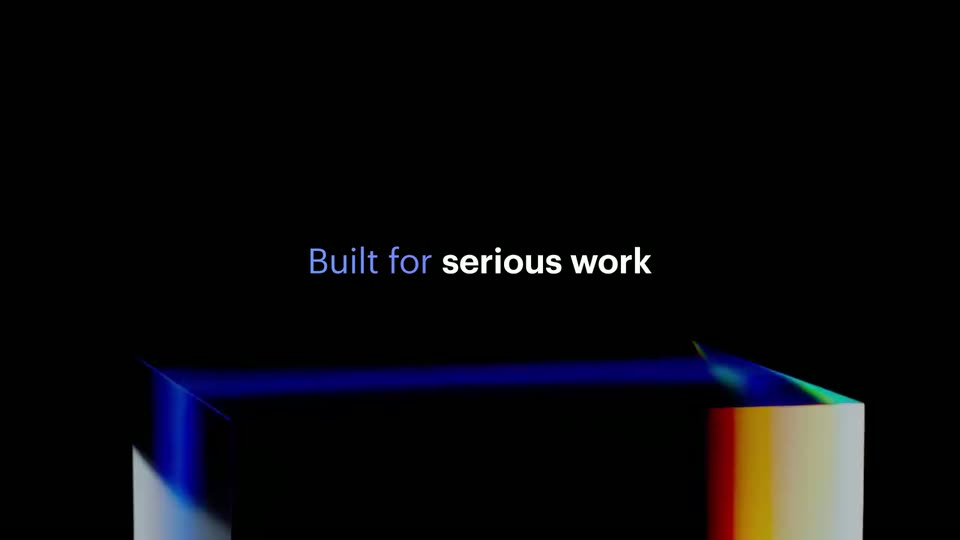
On a black background, the phrase 'Built for serious work' builds in at center, 'Built for' in light blue then 'serious work' in white bold. Below it, a dark 3D rectangular frame with glowing blue and rainbow edges sits low in the frame. The camera is locked off.
On-screen text: “Built for serious work”
Techniques: Kinetic type
Camera: Static
A black screen shows the headline 'Built for serious work' centered above a low 3D rectangular frame with a glowing blue top edge and an iridescent rainbow right edge. The frame rises slightly while the text holds still.
On-screen text: “Built for serious work”
Camera: Static
A tilted 3D view of a blue portfolio dashboard pulls back to reveal a data table with extruded 3D bars in the Revenue Growth column. A bright light streak sweeps across the screen as the camera zooms out.
On-screen text: “Built for serious work”
Techniques: 3D mockup, UI zoom, Light sweep
Camera: Pull out
On a black field, the phrase “Built for” appears in blue at center, then “flexible work” appears in white beside it. Two glowing blue-green light ribbons drift diagonally through the top-right and bottom-left corners.
On-screen text: “Built for flexible work”
Techniques: Kinetic type
Camera: Static
A blue data table in 3D perspective on a dark background. A triangular cursor clicks the plus button on a column header, opening an Add New Prompt panel where the prompt text is typed. The cursor clicks Save prompt and the panel closes, leaving a new column of answer cards.
On-screen text: “Built for flexible work”
Techniques: 3D mockup, Cursor demo
Camera: Pan
A centered headline reads 'Built for' in blue and 'any kind of work' in white on a black field, brightening into view as iridescent gradient ribbons and a blue wedge expand from the top edge and corners.
On-screen text: “Built for any kind of work”
Camera: Static
A blue dashboard card titled Portfolio Company Performance floats in 3D perspective on a dark field, rotating from a flat front view to a tilted angle. A still white headline reads Built for any kind of work.
On-screen text: “Built for any kind of work”
Techniques: 3D mockup
Camera: Pull out
A field of white feature chips with icons floats in 3D space over a deep blue gradient. The camera dollies back from the central Portfolio Performance chip, spreading the labels across the frame with soft depth of field on the far ones.
Techniques: 3D mockup, Parallax
Camera: Pull out
White text holds the center of a black frame, swapping from one comparison line to the next, the closing words set in bold. Iridescent 3D cubes with shifting rainbow faces line the bottom edge and turn slowly.
On-screen text: “Excel is to numbers”, “what Matrix is to words”
Techniques: Kinetic type
Camera: Static
On black, the caption “what Matrix is to words” fades out as the Matrix by Hebbia lockup fades in at center. A blue tagline appears below, and the word “general” slides in to complete “artificial general intelligence” while glowing 3D rods drift at the edges.
On-screen text: “what Matrix is to words”, “The interface for artificial general intelligence”
Techniques: Kinetic type
Camera: Static