0:58
Best AI Product Launch Video | AutoHDR
AutoHDR · Aug 2026
The video alternates flat typographic title cards with 3D device mockups and glassmorphic UI panels, each beat introduced by a single centered line that types, decodes, or sharpens in. Signature moves include serif-to-code text decoding, camera pull-backs that reveal monitors and tablets on pedestals, and the flower logo blooming from a button click to close the film.
AutoHDR · Aug 2026
Elefta · Sep 2026
On a plain off-white background, the word You slides in centered, then gives way to with a as the blue italic word product types out letter by letter behind a thin vertical cursor bar.
On-screen text: “You”, “with a product”
Techniques: Kinetic type
Camera: Static
A green muscle car drives away down a tree-lined road, shot from behind as the pines blur past in motion. The white caption holds still in the lower left while the car recedes.
On-screen text: “with a product”
Camera: Pull out
A car-brand website mockup over a blurred green background. A central card shows a green muscle car driving with the headline 'Discover how we are changing the world of automobiles'. Map, tire, news and battery cards fade in around it as the battery gauge counts up to 87%.
Camera: Pull out
A messaging app mockup on a pale grid background eases into a centered frame. The chat shows a teammate's message with a tablet screenshot of a car website, then a second user reporting broken buttons, above an empty message field.
Techniques: UI zoom
Camera: Pull out
A blue rosette logo with a white star cutout sits centered on a pale gray blueprint grid, shrinking steadily toward the middle. Faint grid lines and dashed arcs frame the mark as it scales down to a smaller size.
Camera: Static
On a pale gray field, a cluster of blue dots sits at center, then the wordmark Lovio types in letter by letter to its right, forming the full logo.
On-screen text: “Lovio”
Techniques: Kinetic type
Camera: Static
A cloud-filled sky drifts slowly. The white Lovio flower logo and wordmark fade in at center, then out as the line you don't wait appears. For momentum joins below, its o replaced by the blue flower mark, and Build something slides in above to complete the tagline.
On-screen text: “lovio”, “you don't wait”, “for momentum”, “Build something”
Techniques: Kinetic type
Camera: Static
The lovio hero screen, headline “Build something lovio” over a cloudy sky, fills the frame, then scales down to fit inside a 3D monitor on a stand.
Techniques: UI zoom, 3D mockup
Camera: Pull out
A desktop monitor on a stand sits on a dark rock against a cloudy sky, angled in 3D. Its screen shows the Lovio chat interface. The word You in gray sans appears on the left and create it in blue italic serif on the right, flanking the device.
On-screen text: “You”, “create it”
Techniques: 3D mockup
Camera: Static
A glowing asterisk button pulses with ripple rings on a dark blue field, morphs into a plus, and swells into a purple sphere. The camera pulls back to reveal the sphere and a white clock icon on a tilted, dashed 3D plane rotating in perspective.
On-screen text: “Build something lovio”, “You”, “create it”
Techniques: Morph, 3D mockup
Camera: Static
A glassy prompt card with two image thumbnails and a typed prompt rotates from a 3D angle to a flat front view as a glowing blue border traces its edge. A white hand cursor clicks the up arrow, which turns into a glowing sparkle button.
Techniques: 3D mockup, Light sweep, Cursor demo
Camera: Pull out
Lines of React code fade in across the top of a blue gradient as the frame sharpens from a soft blur; a fine dotted grid and a dotted square outline settle in the center.
Techniques: Kinetic type
Camera: Push in
A glassmorphic dashboard panel fades in from a bright white glow against a soft blue-purple gradient. The panel shows a wind turbine photo, metric cards, and a bar chart, with a search bar across the top.
Camera: Static
A glassmorphism dashboard mockup floats on a blue-violet gradient; its left panel shows a wind turbine while chart and heatmap widgets fill the right. The headline “Wind Power Generation” scales in over the turbine as the panel sharpens from a soft blur.
On-screen text: “Wind Power Generation”
Techniques: Kinetic type
Camera: Static
A black monitor on a stand floats in blue gradient space, tilted in 3D perspective. Its screen shows a wind energy dashboard with a turbine photo, stat cards, a Temperature panel, and an Orders By Time chart. The heading scales in as the camera eases back to a front view.
Techniques: 3D mockup, Kinetic type
Camera: Pull out
A 3D phone mockup floats against a deep blue night sky, then tilts and settles onto a dark branch. Its screen shows a wind farm dashboard with a turbine image, updating dollar figures and a Temperature row.
Techniques: 3D mockup
Camera: Pull out
A 3D monitor on a dark pedestal against a blue gradient shows a wind energy dashboard: a turbine photo, a 230+ stat card, a landscape thumbnail with a price, and a heatmap grid. The camera pushes in as the screen content scales into place.
Techniques: 3D mockup
Camera: Pull out
A 3D monitor on a pedestal displays a wind-power dashboard with turbines and charts. The camera pulls back, revealing concentric oval rings of purple, blue and white that expand around the screen.
Techniques: 3D mockup, Parallax
Camera: Pull out
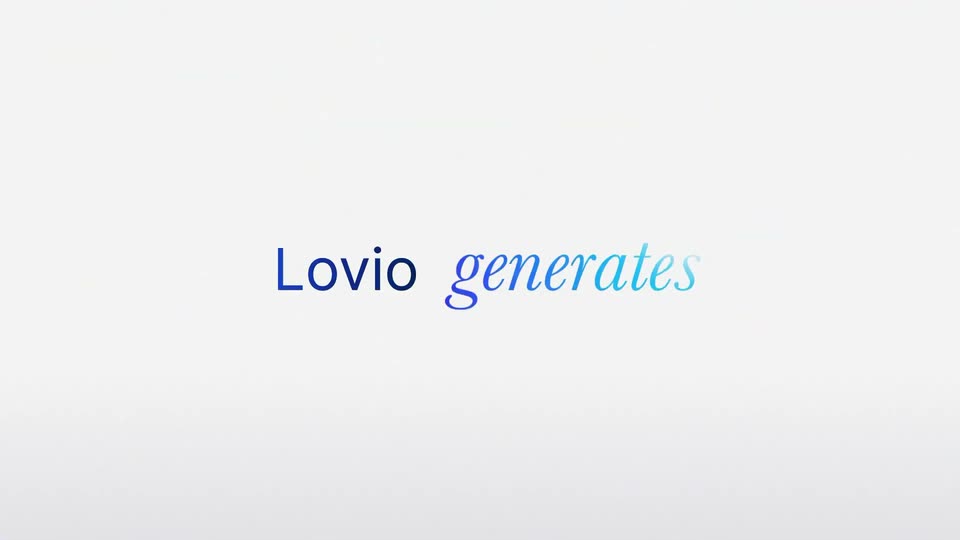
On a pale gray field, scattered blue letters drift together into the centered word Lovio, then the italic serif word generates fades in to its right.
On-screen text: “Lovio generates”
Techniques: Kinetic type
Camera: Static
Centered on a plain light gray background, the line 'Lovio generates' holds still while a soft blue beam scans left to right. As it passes, 'generates' decodes from italic serif into sans-serif code characters.
On-screen text: “Lovio generates”
Techniques: Kinetic type, Light sweep
Camera: Static
A close-up of syntax-highlighted code scales out to a full editor view as the code types itself line by line behind a blinking caret. A soft blue shimmer sweeps across the lines, then a large “Lovio generates” headline scales in.
On-screen text: “Lovio generates”
Techniques: UI zoom, Kinetic type, Light sweep
Camera: Pull out
A blurred blue-violet gradient card with a dotted circular loader resolves into a glass dashboard panel. The camera pulls back, revealing the panel floating in 3D over a rendered wind farm, holding a search bar, the title Wind Power Generation, a 20G+ stat, and a small price card.
Techniques: 3D mockup
Camera: Pan
A frosted glass dashboard floats in 3D over rendered green hills, a white wind turbine spinning behind it. The panel carries a green Wind Power Generation headline, a counter ticking from 229+ to 230+, a field thumbnail, a dotted world map and an Orders By Time grid.
Techniques: 3D mockup
Camera: Pull out
A 3D browser window tilts toward the camera, showing a wind power dashboard with a turbine over green hills and stat cards. The view pulls back to reveal a second tablet below, displaying the same interface as a product card on a plain light background.
Techniques: 3D mockup
Camera: Static
A cluster of product interface mockups, cards and dashboards, floats in 3D on a light gray background and spreads outward, some layers soft-focused. A “Wind Power Generation” card and a pink lifestyle card with “#5” lead the spread.
Techniques: 3D mockup, Parallax
Camera: Pan
Centered on a plain off-white field, the line reads 'Need a change?'. 'Need a' is a dark gray sans while 'change?' is a purple italic serif that sharpens in from a soft blur.
On-screen text: “Need a change?”
Techniques: Kinetic type
Camera: Static
The centered question sits on a pale rounded card, then the card darkens and morphs into a browser window with a top nav bar, floating over a deep blue gradient.
On-screen text: “Need a change?”
Techniques: Morph
Camera: Static
A browser window on a dark blue gradient shows a landing page with a robot vacuum hero and the headline “Control your systems.” An email field slides in below, while two floating stat cards rise and swap positions on the right.
Camera: Static
A design editor shows a landing page row with a vacuum photo, headline and body copy. The cursor selects the text group, the view zooms out, and a layout toolbar reflows the elements into a new arrangement.
Techniques: Cursor demo, UI zoom
Camera: Pull out
A tablet on a stand displays an e-commerce app in 3D on a dark ribbed pedestal. The camera pulls back while 'working app' appears word by word on the left, then 'ready to use' drops in below in blue italic.
On-screen text: “working app”, “ready to use”
Techniques: 3D mockup, Kinetic type
Camera: Pull out
A glowing Share button sits centered on a dark background; a hand cursor slides in from the lower right and clicks it, then the button morphs into a multi-petal flower that blooms and shifts from blue to white.
Techniques: Cursor demo, Morph
Camera: Push in
A rendered blue-purple flower with fine radial lines fills the frame on a dark navy field. Viewed from above, its petals bloom and the whole bloom rotates gently, the dark center holding a ring of stamens.
Techniques: Morph
Camera: Pull out
A small blue blob at center expands into a four-petal flower mark with a dark star cutout, then the white wordmark slides in to its right on a dark navy field, holding still.
On-screen text: “lovio”
Techniques: Morph
Camera: Static