0:19
Explore
Harvey - Introducing Agent Builder in Harvey. Teams can build autonomous agent
Harvey · Mar 2026 · 0:40 · AI-annotated
- Length
- 0:40
- Scenes
- 12 · 3.4 s avg
- Product on screen
- 0:00
- Features shown
- 4
- Voiceover
- No
00:00:00 / 00:40:06
Harvey’s 0:40 launch film runs 12 scenes, about 3.4 s each. The product is on screen from the first frame and 4 features are revealed. There is no explicit call to action. The video alternates locked-off serif title cards with split-screen demos, each feature announced by a headline that crossfades in place while a UI panel plays on the right. Signature moves are text that resolves from a skew or fades on the spot, a faint echo of the headline behind scrolling cards, and a hard cut to a black brand card to close.
No filming indicatedEstimated needs: 5 capture groups — your screens or recordings · 1 official logo — reused across the film
Is this your launch? to your site or press kit.
More like this



Harvey - Introducing Agent Builder in Harvey. Teams can build autonomous agent, scene by scene
· 12 scenes as text
01 · Product intro · 0:00–0:00
A plain off-white background holds the centered wordmark “Harvey” in dark serif type. The word appears and stays locked in place for the short shot.
On-screen text: “Harvey”
Camera: Static
02 · Product intro · 0:00–0:01
On a plain off-white background, the serif word Harvey settles into the center as it resolves from a brief skew, then the lighter phrase Workflow Builder fades in to its right. The frame stays locked and static.
On-screen text: “Harvey”, “Workflow Builder”
Techniques: Kinetic type
Camera: Static
03 · Product intro · 0:01–0:06
A plain light gray frame holds centered serif text that crossfades in place through three lines: Workflow Builder, then Agent Builder, then Your Workflows, Now Agents. Each line fades in and out on a locked-off shot.
On-screen text: “Workflow Builder”, “Agent Builder”, “Your Workflows, Now Agents”
Camera: Static
04 · Feature reveal · 0:06–0:07
On a plain light background, a centered two-line serif headline scales up from the middle. The top line, Scale Work With, holds solid black while the lower line, Off The Shelf Agents, fades in from light gray to black as the whole block grows.
On-screen text: “Scale Work With”, “Off The Shelf Agents”
Techniques: Kinetic type
Camera: Static
05 · Feature reveal · 0:07–0:10
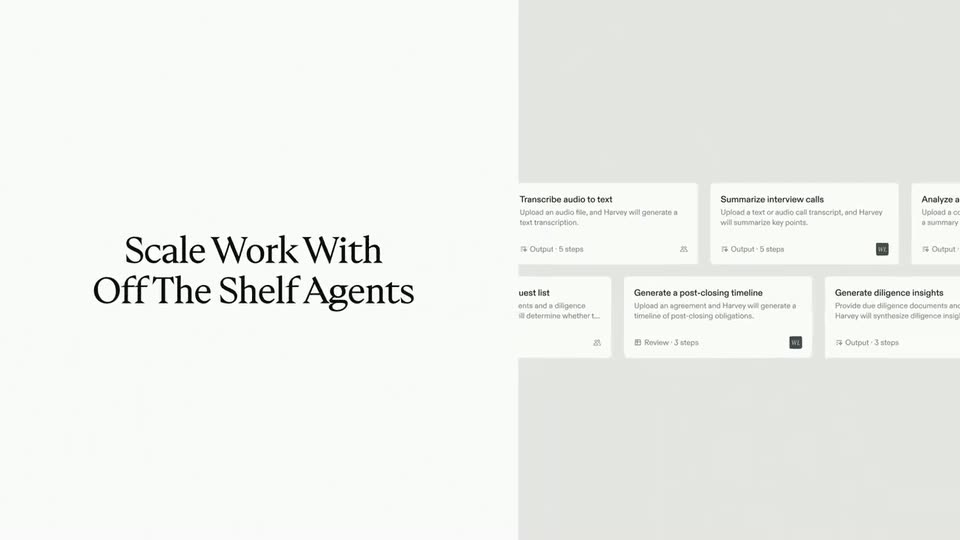
A dark-gray serif headline, Scale Work With Off The Shelf Agents, scales in on the left over white. On the right, a grid of light-gray agent cards scrolls horizontally, and a large faint echo of the headline fades in across the center.
On-screen text: “Scale Work With”, “Off The Shelf Agents”, “Off The Shelf Agents”
Techniques: Kinetic type
Camera: Static
06 · Feature reveal · 0:10–0:14
Split frame: a static serif headline, Or Create Your Own, on a white left panel, a gray right panel showing the interface. A hand cursor taps a Create New Agent button, then File upload, Prompt, Draft and Response cards slide in and scroll up past Add step.
On-screen text: “Scale Work With”, “OffThe Shelf Agents”, “Or Create Your Own”
Techniques: Split screen, Cursor demo, Kinetic type
Camera: Static
07 · Feature reveal · 0:14–0:19
A split layout shows a serif headline on a white left panel and a Scheduled run dialog card on a gray right panel. The headline crossfades through three phrases as a cursor clicks the Cadence dropdown, switching Every 2 weeks to Daily.
On-screen text: “Or Create Your Own”, “Keep Work Running in the Background”, “And Get Notified When Work Product is Done”
Techniques: Split screen, Cursor demo, Kinetic type
Camera: Static
08 · Feature reveal · 0:19–0:21
A dark gray rounded notification card with a white envelope icon sits centered on a plain light gray background. The card and its three lines of white text slide in, then lock off, announcing the finished workflow.
Techniques: Kinetic type
Camera: Static
09 · Feature reveal · 0:21–0:34
A dark notification card slides out over a scrolling privacy table. The frame splits into a cream left panel and a white UI panel: serif headlines crossfade on the left while the right shows the agent asking a question, then a working card with steps.
On-screen text: “Deploy the Right Agent, Exactly When You Need It”, “Stay in Control When it Matters Most”
Techniques: Split screen, Kinetic type
Camera: Static
10 · Other · 0:34–0:34
A left-aligned serif headline and a flat agent-chat panel on the right fade out together as a centered serif headline fades in on the light background, its second line appearing after the first.
On-screen text: “Stay in Control When it Matters Most”, “Build Agents that Deliver Quality, Without Sacrificing Speed”
Camera: Static
11 · Other · 0:34–0:36
Two centered lines of black serif type sit on a plain white background, reading a headline about building agents. The frame stays locked and the text holds still for the full duration.
On-screen text: “Build Agents that Deliver Quality,”, “Without Sacrificing Speed”
Camera: Static
12 · Outro · 0:36–0:40
A black card holds the white serif headline “AI Tailored for Law,” which assembles word by word in the center, while the smaller “Harvey” wordmark fades in beneath it.
On-screen text: “Build Agents that Deliver Quality,”, “Without Sacrificing Speed”, “AI Tailored for Law”, “Harvey”
Techniques: Kinetic type
Camera: Static