3:10

Windsurf Wave 12: Devin features in Windsurf!
Windsurf · Developer tools · Aug 2025
Harvestr · Jul 2021 · 1:25 · Full motion · AI-annotated
Harvestr’s 1:25 launch film runs 24 scenes, about 3.5 s each. The product is on screen from the first frame and 6 features are revealed. There is no explicit call to action. The video opens with the brand lockup and a value proposition, then walks through a series of headline-led feature demos on a flat pale-gray stage, using blur-in text and 3D tilts to move between beats. Pacing is steady at a moderate tempo, with each section announced by a centered headline and demonstrated in a clean white UI card.
Is this your launch? to your site or press kit.
Windsurf · Developer tools · Aug 2025
Google · AI · May 2023
Runway · AI · Jun 2026
Films whose music sounds like this one, voice left out
Swile · Electronic dance music with Latin, funk, and world percussion elements
Google · Modern electronic dance music (House, Tech House)
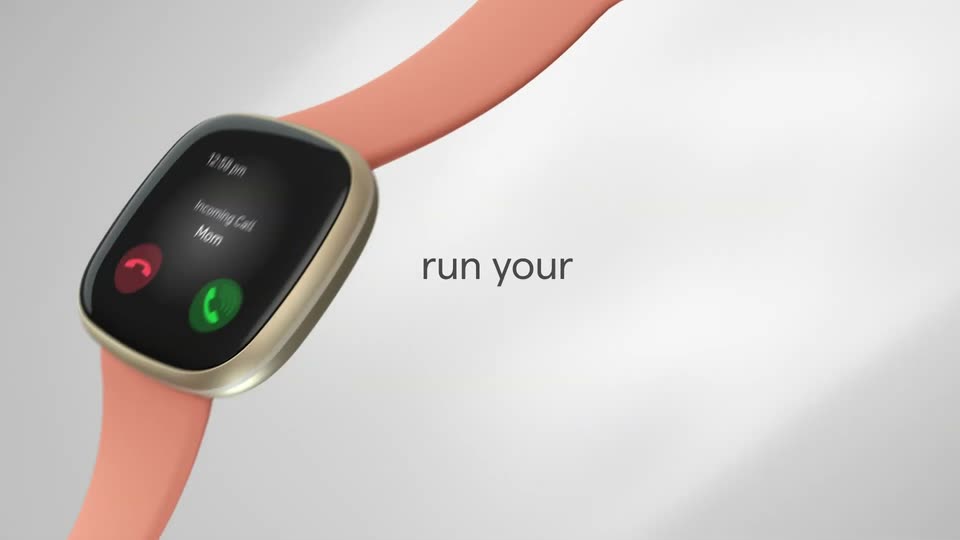
Fitbit · Electronic dance music with funk and disco influences
On a pale gray field, an orange-and-yellow plant mark sits left of a black script wordmark. The word harvestr draws itself in letter by letter, then the whole lockup fades out.
On-screen text: “harvestr”
Techniques: Kinetic type
Camera: Static
A plain light gray card shows a centered two-line charcoal headline that assembles word by word with a soft blur, holds for a beat, then fades out to an empty background.
On-screen text: “Your centralized tool for”, “building successful products”
Techniques: Kinetic type
Camera: Static
A static two-line headline frames a dashed circle of brand logos around a customer feedback card. Dotted arrows link the card to a profile card and an opportunity bar that fills in with '+1' and '+$40,000'.
On-screen text: “Your centralized tool for”, “building successful products”
Camera: Static
A white table of priorities with feedback rings, revenue and churn figures sits under two app badges; the highlighted Dashboards row slides to the top, three step cards pop in along a dotted orange path, then the table blurs as a large gray 'Where' fades in.
On-screen text: “Identify priorities”, “Push to dev tools”, “Track progress”, “Where”
Techniques: Kinetic type
Camera: Static
On a plain light gray background, a two-line charcoal headline builds word by word with a soft blur-in, holds centered, then fades out as a small shape slides in from the left edge.
On-screen text: “Where all teams collaborate”, “to make informed roadmap decisions”
Techniques: Kinetic type
Camera: Static
A flat roadmap board titled 2021 Product Roadmap builds itself on a light gray background. The Q2 column fills first with colored task rows and an expanded Analytics group, then the Q3 and Q4 columns and the left sidebar categories fade in, completing the three-quarter grid.
On-screen text: “Where all teams collaborate”, “to make informed roadmap decisions”
Camera: Static
A colorful product roadmap grid sits on white, then fades out as the headline builds in word by word on a plain light gray background, settling into one line.
On-screen text: “Empowering the whole organization”
Techniques: Kinetic type
Camera: Static
A two-line dark gray headline sits centered on a plain light gray background. The text eases in from a soft blur to full sharpness, then holds still on a locked-off frame.
On-screen text: “Empowering the whole organization with actionnable product insights”
Camera: Static
A white list card with numbered rows and colored pills sits center on a light gray field. Orange avatar tiles with white person silhouettes pop in around it as dashed lines draw themselves to connect them. Row two gains an orange outline, then the whole scene blurs and shrinks.
On-screen text: “Empowering the whole organization”, “with actionnable product insights”
Camera: Push in
A white product dashboard assembles itself: headers and skeleton rows fade in, then a highlighted Time travel row fills with a score, impact dots and revenue. The card tilts into 3D and the view zooms into an expanded feedback panel showing two user comments.
Techniques: 3D mockup, UI zoom
Camera: Push in
A product table highlights one row with a red Must have tag, a circular 85 indicator and a dollar value. A white feedback card sits below the row, listing two user comments with small Mailchimp and Zapier icons.
Camera: Static
A blurred feedback interface dissolves into a plain light gray field while the bold dark gray headline sits centered and static. Near the end the line defocuses and blurs away, exiting the scene.
On-screen text: “How does it work?”
Camera: Static
A dark sans-serif headline appears at the top above a flat feedback-app interface. The three-column inbox view blurs and reframes into a single message thread, then a hand cursor drags to highlight a line of the message body.
On-screen text: “All your customer feedback and data in one place”
Techniques: UI zoom, Cursor demo
Camera: Push in
A bold black headline sits above a blurred feedback app interface that sharpens into focus. A cursor types in a search field, clicks a dashboard option, and the menu updates to a linked-confirmation state before fading out.
On-screen text: “All your customer feedback and data in one place”
Techniques: Cursor demo
Camera: Pull out
A flat feedback app interface shows three columns beneath a bold headline. A cursor clicks a link in a left popup, then moves right to hover a highlighted sentence in the detail panel.
On-screen text: “All your customer feedback and data in one place”
Techniques: Cursor demo
Camera: Static
A product feedback interface, with a left nav, a feedback list and a detail panel, fades in beneath a bold dark headline that reveals word by word to read 'Enrich feature ideas with AI'.
On-screen text: “Enrich feature ideas with AI”
Techniques: Kinetic type
Camera: Push in
A centered dark headline reads in above a flat product card listing customer feedback comments. The card eases in from a slight tilt with horizontal motion blur, settling into focus beneath the title.
On-screen text: “Enrich feature ideas with qualitative and quantitative insights”
Camera: Push in
A centered dark headline sits above a product panel on a light gray background. A cursor hovers over an impact rating, then the panel scrolls to a state field where the cursor opens a dropdown and selects Next (1 month).
On-screen text: “Enrich feature ideas with qualitative and quantitative insights”
Techniques: Cursor demo
Camera: Static
A product roadmap table sits in a floating card beneath a bold centered headline. A cursor opens the filter panel, picks a user segment, then sorts the rows by feedback and score while the view pans across the columns.
On-screen text: “Enrich feature ideas with qualitative and quantitative insights”, “Make informed product decisions”, “Communicate personalized”
Techniques: UI zoom, Cursor demo
Camera: Pan
A full Gmail app shows an open email, then the view pushes in until only the email card remains, slowly scaling up as a red Gmail badge hovers at its top edge. The bold headline settles into place above on a light gray background.
On-screen text: “Communicate personalized product updates”
Techniques: Kinetic type, UI zoom
Camera: Static
A dark bold headline 'Communicate personalized product updates' sits above a Zendesk ticket and a Gmail email card, each with its brand badge. The frame tightens on the reply box where a cursor hovers, then pulls back as a Salesforce badge fades in.
On-screen text: “Communicate personalized product updates”
Techniques: UI zoom, Cursor demo
Camera: Pull out
A centered headline reads “Communicate personalized product updates” above a row of overlapping app windows: an email thread, a Salesforce console showing a product feedback table, a second email, and a side panel. Small circular Gmail, Salesforce and Zapier badges sit above the windows. The composition holds nearly still.
On-screen text: “Communicate personalized product updates”
Camera: Static
A bold dark headline sits above a layered stack of UI cards: a central feedback table flanked by an email and a support reply, each topped by a brand icon. The central table scales down while the side cards move forward, and a cursor hovers over the reply.
On-screen text: “Communicate personalized product updates”
Techniques: UI zoom, Cursor demo
Camera: Pull out
On a plain light gray background, the orange and yellow leaf mark and the dark script wordmark reveal, then the gray tagline fades in beneath, holding as a static brand lockup.
On-screen text: “harvestr”, “From Product Management to Product Success”
Camera: Static