0:48

Instacart - Every night, millions of families ask the same question: "What's for
Clementine · Sep 2026
GPT-6.1 Terra · Oct 2026 · 0:31 · AI-annotated
GPT-6.1 Terra’s 0:31 launch film runs 15 scenes, about 2.1 s each. The product is on screen from the first frame and 1 feature is revealed. The call to action lands at 0:25 (79% in). A 31 second launch film built as one continuous object story: a 3D globe dive into Lisbon, a yellow tram that morphs from photo to 3D model to physical toy, then a typographic availability line and a logo sting. Pacing is slow and cinematic at 101 bpm with only about four cuts a minute, so each beat (globe, flyover, prompt, model, toy, logo) holds long enough to read, and the signature moves are the seamless real-to-3D-to-physical tram transformation, the letter-by-letter typing of prompts and C
Is this your launch? to your site or press kit.
Clementine · Sep 2026
Berachain · Jan 2025
A 3D globe of Earth sits centered in a black starfield, slowly rotating. White text overlays it: “Introducing” slides in across the top while “GPT-6.1 Terra” scales up along the bottom.
On-screen text: “Introducing”, “GPT-6.1 Terra”
Techniques: Kinetic type
Camera: Push in
White text “Introducing” and “GPT-6.1 Terra” frame a 3D Earth against black space, then the camera dives at high speed toward the Mediterranean coast, ending on a bay city.
On-screen text: “Introducing”, “GPT-6.1 Terra”
Techniques: Kinetic type
Camera: Push in
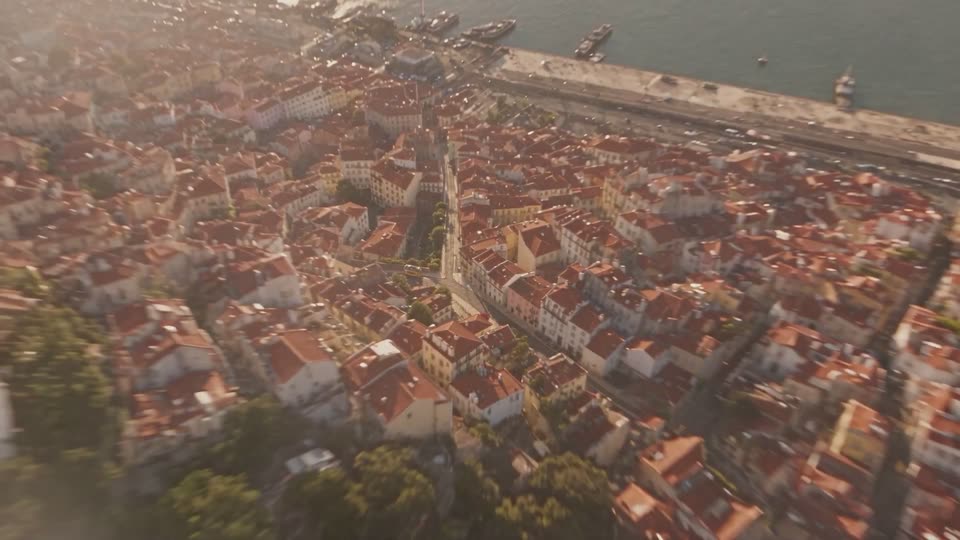
A swirling cloud of brown dust fills the frame, then parts to reveal an aerial view of a red-roofed coastal city, the camera whooshing forward with heavy motion blur.
Techniques: Particles, Speed ramp
Camera: Push in
A fast aerial flyover of red-tiled rooftops cuts to a street-level view of a yellow tram rolling down a cobblestone hill, framed by pink bougainvillea on the left. A white headline holds centered over the scene as the tram approaches the camera.
On-screen text: “Fast, capable, and really good at computer use.”
Camera: Push in
A photo of a Lisbon tram street, framed by pink flowers, scales down into a rounded card on a light gray background. A prompt field appears below it and types out the words Create a detailed 3D with a blinking caret.
Camera: Pull out
A rounded photo of a yellow Lisbon tram on a cobblestone hill, framed by pink bougainvillea, sits on a white background. Below it, a pill-shaped prompt box types a sentence out letter by letter with a blinking caret.
On-screen text: “Create a detailed 3D model of this tram for die-cast toy manufacturing.”
Techniques: Kinetic type
Camera: Pull out
A 3D modeling app fills the frame, its viewport orbiting a tram that assembles in stages: yellow base, cream windowed body, wheels, black roof, then a pantograph. The cursor drifts across the model. A caption sits below the window.
On-screen text: “Shown at actual speed. Some sections omitted.”
Techniques: 3D mockup, Cursor demo
Camera: Pull out
A chat app window shows a prompt and a 3D model of a yellow Lisbon tram rotating inside its output card. The view zooms into the model card while the surrounding interface fades, leaving the tram on a plain light background.
On-screen text: “Gravity”
Techniques: 3D mockup, UI zoom
Camera: Push in
A yellow and cream 3D tram grows into the center of a white frame, settling between two static black phrases. The left reads “Sees it.” and the right reads “Does it.”, both locked in place while the tram scales up to full size.
On-screen text: “Sees it.”, “Does it.”
Camera: Static
A hand sets a tiny yellow tram with a lit headlight on a white surface, then lifts it and carries it off to the right. As the tram exits, a centered text block fades in on the empty white background.
On-screen text: “Sees it.”, “GPT-6.1 Terra.”, “Available on”
Camera: Static
Two lines of black text sit centered on a plain white background. The first line stays fixed while the second line fills in word by word from left to right, ending on the full sentence.
On-screen text: “GPT-6.1 Terra.”, “Available on all paid plans.”
Techniques: Kinetic type
Camera: Static
A lone dark dot holds the center of a white field, then a scattered field of small playful icons and line drawings bursts in around it: a robot, a sun, a frog, a crossword, a bridge, an iridescent flower, and lettered keys.
Camera: Static
A black ChatGPT wordmark types out in the center of a light gray field, completing from ChatG to ChatGPT. Around it, a loose scatter of small 3D objects and line drawings, a blue robot, green frog, strawberry, sun and wireframe hand, drift and bob gently.
On-screen text: “ChatGPT”
Techniques: Kinetic type
Camera: Static
On a white background, the word “Cha” sits center stage among small floating 3D icons: a robot head, a chair, a frog, a flower, a robot hand, a cube and a letter grid. The text and icons clear out, then a black interwoven knot mark scales up to the center and holds.
On-screen text: “S”
Techniques: Masking
Camera: Static
A black line-art logo, a hexagon of interlocking paths set inside a scalloped ring, holds centered on a plain off-white background. The mark stays fixed for the full duration with no motion or reveal.
Camera: Static