
0:56
Explore
Introducing Lyria 3 music generation
Google · Feb 2026 · 1:05 · AI-annotated
- Length
- 1:05
- Scenes
- 17 · 3.8 s avg
- Product on screen
- 0:00
- Features shown
- 2
- Call to action
- 1:01 · 94%
- Voiceover
- Yes
00:00:00 / 01:05:08
Google’s 1:05 launch film runs 17 scenes, about 3.8 s each. The product is on screen from the first frame and 2 features are revealed. The call to action lands at 1:01 (94% in), over a voiceover. The video opens with the product name and a tagline, then walks through three features, each introduced by a two-line headline card and followed by a typed prompt and a demo of the generated track card. Structure is a clean alternating rhythm of static title cards and UI mockups, with 3D card carousels as the signature move.
No filming indicatedEstimated needs: 3 capture groups — your screens or recordings · 3 3D passages — build or supply
Is this your launch? to your site or press kit.
More like this
0:38

Maayan Albert - I was shocked that 3/4s of designers work in coding agents rather tha
Proto · B2B · Nov 2026
1:05
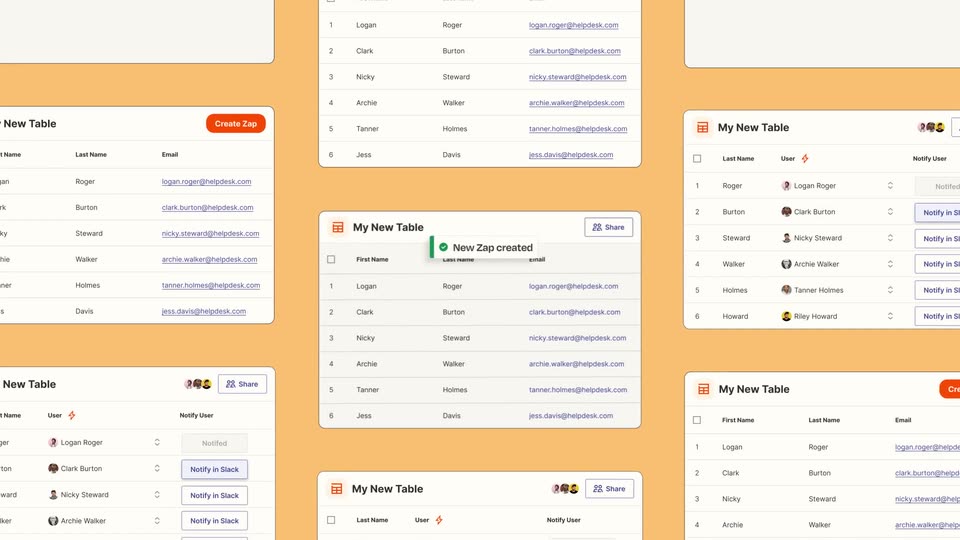

Introducing Zapier Tables
Zapier · Productivity · May 2023
Introducing Lyria 3 music generation, scene by scene
· 17 scenes as text
01 · Product intro · 0:00–0:01
A plain white frame holds two centered lines of text that fade in; the top line settles to black while the bottom line scales up and deepens from pale to saturated blue.
On-screen text: “Introducing”, “Lyria 3”
Techniques: Kinetic type
Camera: Static
02 · Product intro · 0:01–0:03
A plain white frame holds a centered two-line tagline, “Beats for” in dark gray over “any moment” in blue. The lines fade in, the blue line scaling up slightly, then both fade out.
On-screen text: “Lyria 3”, “Beats for”, “any moment”
Techniques: Kinetic type
Camera: Static
03 · Demo · 0:03–0:06
A rounded chat input box with a plus icon, a blue Music tag and a circular send button sits centered on a white background. The prompt “I need a fun track that goes something like...” slides in, and the box stretches to wrap onto two lines.
Techniques: Kinetic type
Camera: Static
04 · Demo · 0:06–0:07
On a plain light backdrop, a rounded prompt card shows a typed request and a Music chip. A second card beside it fills with a video of a hand on a radio clock, then both rotate into 3D perspective, the right one easing to face the viewer.
Techniques: 3D mockup
Camera: Static
05 · Demo · 0:07–0:11
Three rounded cards form a 3D carousel on white, the center facing the viewer with a pink panel, metallic Nina script, a pause button, Happy Birthday Nina and three tags. The side cards show a hand on an alarm clock and a sink of dishes. The center card eases larger as the carousel shifts.
Techniques: 3D mockup
Camera: Pull out
06 · Demo · 0:11–0:19
A 3D carousel of square music cards turns on a white background, rotating a dishes photo, a flip phone and a pink dance floor into the center frame, each with a pause icon, title and genre tags.
Techniques: 3D mockup, Parallax
Camera: Pull out
07 · Feature reveal · 0:19–0:20
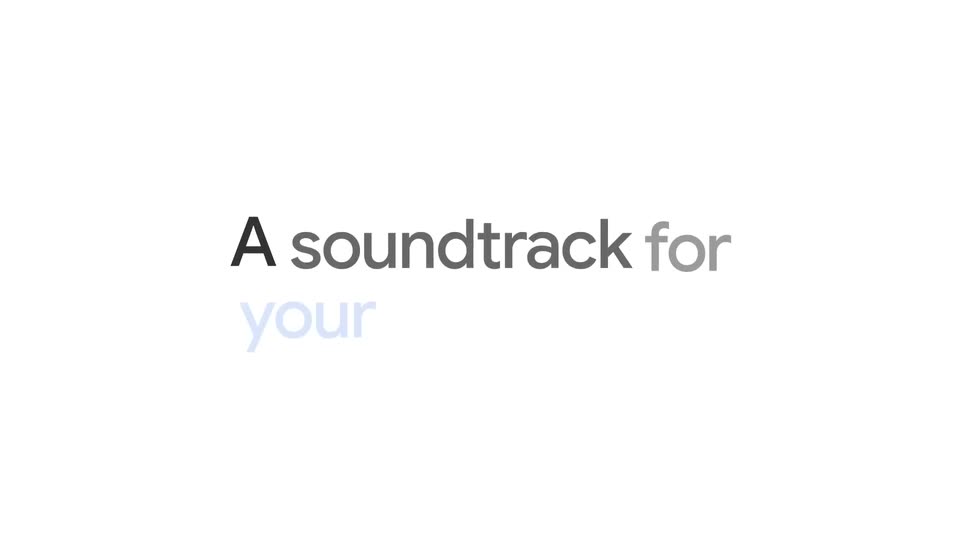
On a pale off-white field, the dark gray line 'A soundtrack for' fades in at center, then the lighter gray line 'your camera roll' resolves beneath it. The frame stays locked and centered throughout the short clip.
On-screen text: “A soundtrack for”, “your camera roll”
Camera: Static
08 · Feature reveal · 0:20–0:21
A two-line headline sits centered on a plain white background. The top line reads in black, the bottom in blue, both settling from a slight blur into a locked-off frame and holding still.
On-screen text: “A soundtrack for”, “your camera roll”
Camera: Static
09 · Feature reveal · 0:21–0:26
A pixel cursor drags a tilted cowboy photo into a white prompt card over a faint blue tagline, then taps as the prompt types out. It cuts to a 3D-tilted track card showing a red lasso-heart illustration and a pause button.
On-screen text: “A soundtrack for”, “your camera roll”
Techniques: Cursor demo, Kinetic type, 3D mockup
Camera: Static
10 · Feature reveal · 0:26–0:28
A square music-player card is locked off on white, an illustrated hand holding a rope heart against a red sunset; the pause icon scales and the track title and tags slide in. A cat card with a cursor is dragged in from the bottom right.
Techniques: Cursor demo
Camera: Static
11 · Feature reveal · 0:28–0:29
A square music-player card on a light gray field shows an illustrated hand holding heart-tied ropes, titled Rodeo Crush. A diamond photo chip with a cat and white cursor is dragged right, swapping the artwork into a comic cowboy scene while the pause icon pulses.
Techniques: Cursor demo
Camera: Pull out
12 · Feature reveal · 0:29–0:33
A flat music player card with a comic-style cat on a turntable sits centered on a white background. A sketch-style cursor points at the card, then a small tilted photo card of a person holding a cat pops out from its lower right corner.
Techniques: Cursor demo
Camera: Static
13 · Feature reveal · 0:33–0:36
A rounded square media card on a white background shows a top-down photo of silver heels, green feather boas, and confetti on a wooden floor. A circular pause button sits at the center, with the caption Figure It Out Later and tags Dance, Club, Celebration below. A pixelated hand cursor taps the card edge and exits.
Techniques: Cursor demo
Camera: Static
14 · Feature reveal · 0:36–0:38
A plain white background holds two lines of text that fade in from a soft blur to sharp focus, then remain static for the rest of the clip.
On-screen text: “Pick a track to remix”, “with Templates”
Techniques: Kinetic type
Camera: Static
15 · Feature reveal · 0:38–0:42
A rounded prompt bar sits centered on a pale background. A large light-blue headline fades out, then a caret types a two-line prompt while a Music pill and a circular send button stay fixed; the send button darkens once the text completes.
On-screen text: “with Templates”
Techniques: Kinetic type
Camera: Static
16 · Feature reveal · 0:42–1:01
A prompt bar reading “I need a track that says Congratulations” sits above a grid of rounded genre tiles. The view scrolls down and zooms onto individual tiles, each showing a pause button and a circular progress ring as its track plays.
Techniques: UI zoom
Camera: Push in
17 · CTA · 1:01–1:05
A grid of music cards with play buttons transitions to a plain light card. The black two-line headline holds center, a small multicolor four-point star sits below it, and a gray URL plus a fine-print line anchor the lower area.
On-screen text: “Create music in the Gemini app”, “gemini.google.com/music”, “Limits apply. Compatibility varies. 18+”
Camera: Static