
0:54
Explore
00:00:00 / 00:46:09
- Length
- 0:46
- Scenes
- 17 · 2.7 s avg
- Product on screen
- 0:03
- Features shown
- 2
- Call to action
- 0:40 · 87%
- Voiceover
- Yes
- Views
- 686 on X
as of November 23, 2026
Glen’s 0:46 launch film runs 17 scenes, about 2.7 s each. The product shows up at 0:03 and 2 features are revealed. The call to action lands at 0:40 (87% in), over a voiceover. The video alternates a warm live-action set (slat wall, plant, talking head) with a flat off-white grid world of line-drawn diagrams, monospace terminals and wipe-in stat chips, cut briskly at about nine cuts a minute. Its signature moves are word-by-word caption builds, the maze and node-network analogies drawn in thin black lines, and checkerboard mosaic wipes between live action and graphics.
Footage neededEstimated needs: 2 capture groups — your screens or recordings · 1 official logo — reused across the film · 9 filmed passages — shoot, supply or replace · 2 graphic passages — draw or supply
Is this your launch? to your site or press kit.
More like this
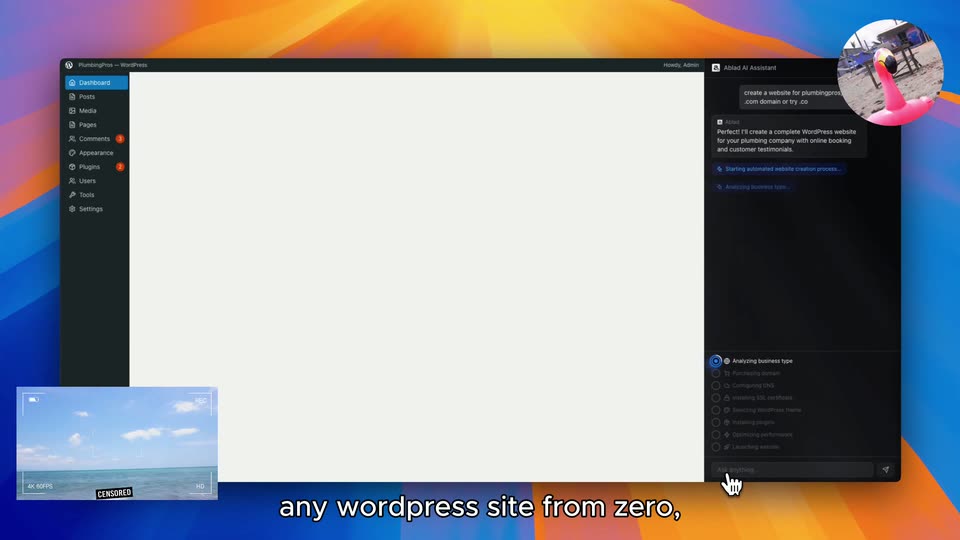
2:40

Music Education Software Explainer Video | MusicFirst x MotionCue
MusicFirst · Oct 2026
1:22

Bring your agents into the meeting | Tana Launch
Tana · Productivity · Nov 2026
Glen - You can now use Glen with Claude Code cloud agents!, scene by scene
· 17 scenes as text
01 · Hook · 0:00–0:00
A hand in a black sleeve reaches in from the right and closes around a silver Diet Coke can on a small black table, next to a black mug with a green mark, against a wooden slat wall.
Camera: Static
02 · Hook · 0:00–0:01
A hand in a black sleeve spins a white Diet Coke can on a black turntable beside a black mug with a mint-green geometric mark, against a slatted wood wall. The rotation turns the can's red logo around to reveal a side panel.
Camera: Static
03 · Hook · 0:01–0:02
A hand in a black sleeve pulls the tab of a white soda can with a red logo, resting on a black turntable beside a black mug with green semicircle marks, against a wooden slat wall. The frame is locked off.
Camera: Static
04 · Hook · 0:02–0:02
A hand in a black sleeve tilts a silver can and pours a dark liquid into a black mug marked with a green two-eye logo. The mug rests on a black turntable before a wall of horizontal wooden slats.
On-screen text: “RECYCLE ME”
Camera: Static
05 · Hook · 0:02–0:03
A man in a black sweatshirt holds a black mug with a green logo and smiles, a Diet Coke can on a small table to his left. The word ahhhh in large white letters fades in over the wooden slat wall behind him.
On-screen text: “ahhhh”
Camera: Static
06 · Product intro · 0:03–0:08
A man in a black sweatshirt talks to the camera in front of a wooden slat wall, a fig plant at right. White caption boxes build at the bottom left while a large white headline reads out across the top.
On-screen text: “Diet”, “You know what else I”, “Glen now works”, “Claude Code”, “Cloud.”
Techniques: Kinetic type
Camera: Static
07 · Feature reveal · 0:08–0:11
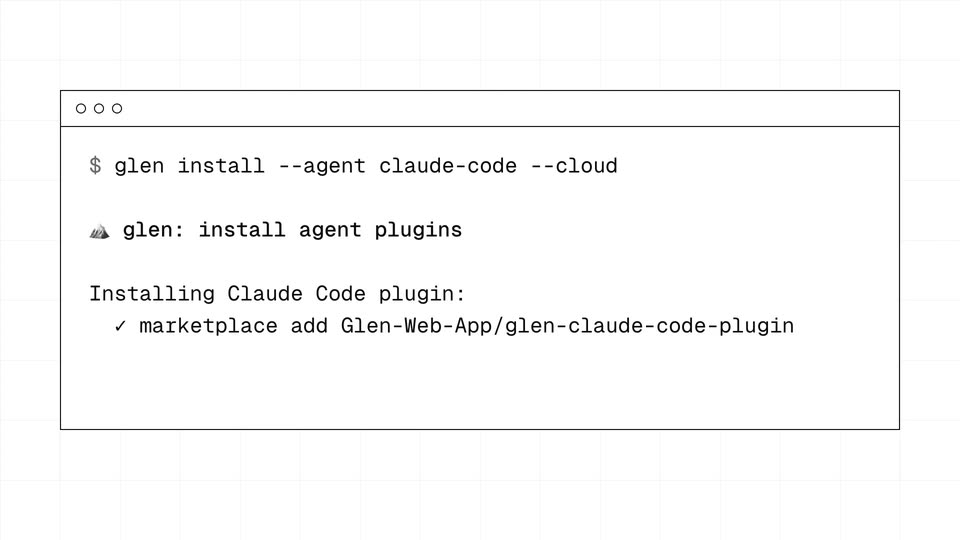
A flat terminal window mockup on a white grid background types a command line, then output lines with checkmarks appear as the camera zooms in and reframes onto the window.
Techniques: UI zoom
Camera: Pan
08 · Feature reveal · 0:11–0:18
On a faint grid, two outlined cards settle into place: left shows a black two-arc mark and Glen, right a gray starburst and Claude Code Cloud. A connector line draws between them, then two black stat chips wipe in below the right card.
On-screen text: “Glen”, “Claude Code Cloud”, “21% faster”, “1/3 fewer tokens”
Techniques: Masking
Camera: Static
09 · Feature reveal · 0:18–0:20
A man in a black sweatshirt talks to camera before a wooden slat wall, a fig plant at right. A locked-off UI frame shows Glen linked to Claude Code Cloud with 21% faster and 1/3 fewer tokens, then the shot returns as a white caption builds word by word.
On-screen text: “Here's what that looks like in practice.”
Techniques: Kinetic type
Camera: Static
10 · Feature reveal · 0:20–0:21
A man in a black t-shirt stands before a wooden slat wall, a plant at right, with a white caption at lower left. The wall breaks into horizontal slats that drift apart, then the frame dissolves into a grid of small square tiles.
On-screen text: “Here's what that looks like in practice.”
Camera: Static
11 · Feature reveal · 0:21–0:22
A flat white terminal window on a faint grid background. The bottom input line types out the command after a prompt symbol, with a block caret. A small logo and the name Glen sit at the lower right.
Camera: Static
12 · Feature reveal · 0:22–0:29
A maze analogy compares Without Glen and With Glen: a dot winds a long gray route through the left maze while the right dot takes a short black path. Context chips pop in beside the right label, then better, cheaper, faster tags land below. The shot cuts to a terminal.
On-screen text: “Without Glen”, “With Glen”, “Fake clock, never sleep()”, “Limits fail open (ba82fa9)”, “Retry via shared wrapper”, “Return errors, don't throw”, “Tests beside the file”, “better”, “cheaper”, “faster”
Techniques: Split screen
Camera: Static
13 · Feature reveal · 0:29–0:33
A flat diagram assembles on a white grid. A left panel titled Your organization lists seven tool cards fading in, each linked by a line to a central black Glen node, which links to a Claude Code terminal on the right. The layout fades to white.
On-screen text: “Glen”, “Your organization”
Camera: Static
14 · Feature reveal · 0:33–0:36
In a flat white terminal window, monospace log lines appear one after another at the top, showing the agent reading files, applying updates and running a failing test, beneath a black “Without Glen” pill in the corner.
On-screen text: “Without Glen”
Camera: Pan
15 · Feature reveal · 0:36–0:40
A light terminal window shows a monospace list of agent actions that swaps to a new list ending in a boxed recalled note. The frame then zooms in on that box while a small badge stays in the top right corner.
Techniques: UI zoom
Camera: Push in
16 · CTA · 0:40–0:42
A man in a black sweatshirt talks to camera against a wooden slat wall, a leafy plant at right. Big white text “Glen is free.” drops in top right, then “install it in your cloud agent today.” appears bottom left. A checkerboard mosaic wipe closes the shot.
On-screen text: “Glen is”, “free.”, “install it in”, “your cloud agent today.”
Techniques: Kinetic type, Masking
Camera: Static
17 · CTA · 0:42–0:46
On a white grid, the black Glen logo and serif wordmark scale in at center. A black rounded pill carrying the white URL tryglen.com appears below, then a light-gray monospace install command fades in beneath it.
On-screen text: “tryglen.com”, “glen install --agent claude-code --cloud”
Camera: Static