1:11
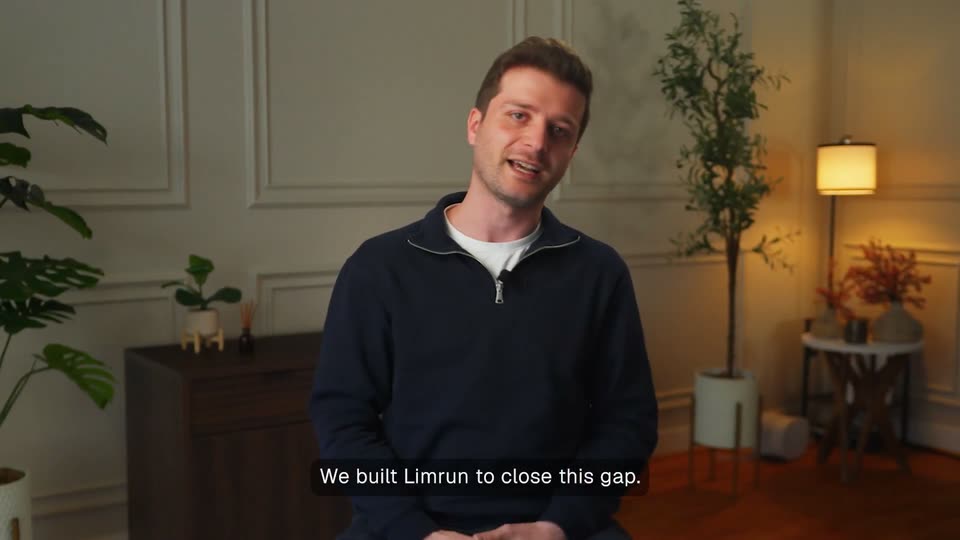

Y Combinator - Limrun (@limrun) provides the infrastructure to leverage your favorit
Limrun · B2B · May 2026
Gemini · Feb 2024 · 3:14 · Full motion · AI-annotated
Gemini’s 3:14 launch film runs 26 scenes, about 7.5 s each. The product is on screen from the first frame and 1 feature is revealed, with social proof. The call to action lands at 3:05 (95% in), over a voiceover. The video is built as a single long product demo: a black title card names Gemini 1.5 Pro and its long context feature, then a continuous split screen of a dark AI Studio chat and a three.js browser window walks through five code tasks, each cut on the model's answer and the matching 3D result. The pace is steady and informational, with the screen recording as the hero and thin blue accents on black, closing on a centered headline number, a URL card, and the Google mark.
Is this your launch? to your site or press kit.
Films whose music sounds like this one, voice left out
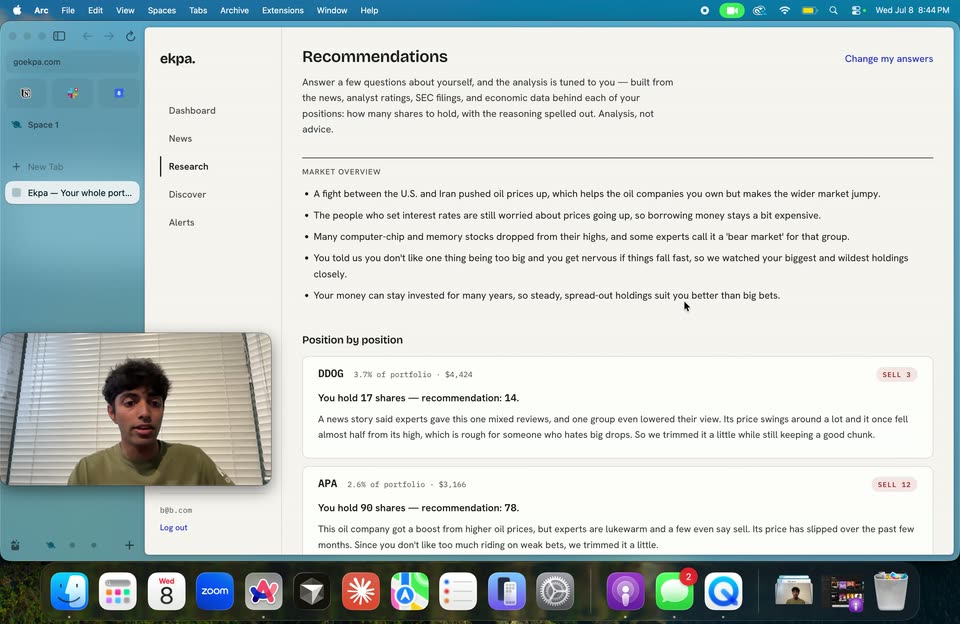
Ekpa · Spoken word / Tech tutorial
Loom · Product Tutorial
On a black card, the Gemini 1.5 Pro wordmark with a blue sparkle fades in top left and a four-line metadata block fades in top right. A large dark-blue figure, 816,767 tokens, fades in at the bottom above a thin progress bar, brightening toward white as the line fills.
On-screen text: “Gemini 1.5 Pro”, “Test three.js Example Code”, “Feature Long context understanding (experimental)”, “Date Recorded Feb 12, 2024”, “Format Video walkthrough of model interaction”, “816,767 tokens”, “/ 1,000,000 tokens”
Camera: Static
Black infographic card. A blue token bar fills left to right and a row of document thumbnails fades in below it, while a scale axis and the 816,767 tokens figure hold static. The Gemini 1.5 Pro title and a spec block stay fixed at the top.
On-screen text: “Gemini 1.5 Pro”, “Test three.js Example Code”, “Feature Long context understanding (experimental)”, “Date Recorded Feb 12, 2024”, “Format Video walkthrough of model interaction”, “816,767 tokens”, “/ 1,000,000 tokens”, “256 tokens”, “1 image”, “100,633 lines”
Camera: Static
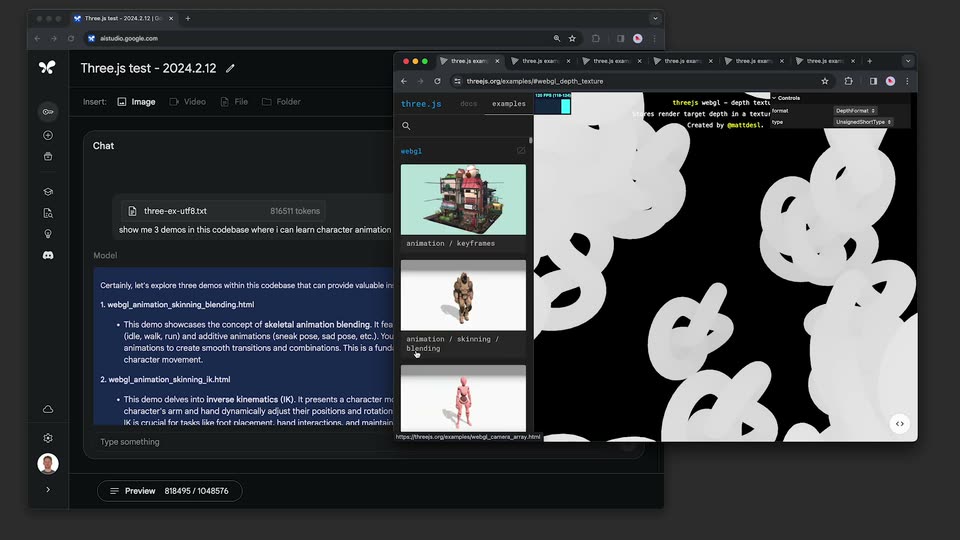
A dark chat interface on the left lists three demos while a browser on the right runs a white depth-texture render. A central thumbnail column scrolls down through example previews, a cursor hovers over them, and the column swaps to a webgl animation list.
Techniques: Cursor demo
Camera: Static
A dark AI Studio chat window fills the left of the frame as the model's answer about three character animation demos completes and the thread scrolls up. A second window on the right shows a code editor panel above a black canvas of white organic shapes.
Techniques: Split screen
Camera: Pan
A dark chat interface on the left shows an AI reply resolving from overlapping lines into bullet points, while a black canvas with white blobs sits on the right. A cursor clicks the user question, then a browser window pops up center listing three.js thumbnails.
Techniques: Cursor demo
Camera: Static
A dark chat panel and a browser listing three.js example thumbnails sit side by side over a black canvas of white morphing shapes. The highlight steps from the first thumbnail to the second while the white shapes shift form.
Camera: Static
A desktop capture pairs a dark chat app on the left with a browser on the right. The browser plays a three.js demo where an isometric Japanese building model shifts through keyframe poses on a pale blue canvas, while the chat input asks about its animation controls.
Camera: Static
A dark chat window sits behind a browser tab on a desktop. The browser shows a 3D diorama of a Japanese street slowly orbiting on a light blue canvas, with a left thumbnail list highlighting the keyframes entry.
Techniques: 3D mockup
Camera: Static
A dark AI chat panel on the left streams a long answer and then a code block, while a 3D Little Tokyo diorama with a moving train loops in a browser window at right. The cursor hovers over the input box as a new prompt is typed.
Techniques: Split screen, Cursor demo
Camera: Pull out
A dark code editor sits left of a browser running a three.js Tokyo street diorama, a yellow tram looping the block. A cursor drags an Animation Speed slider top right; the tram speeds up, slows, and stops to match.
Techniques: 3D mockup, Cursor demo
Camera: Static
Two browser windows on a dark backdrop. Left: a dark chat panel with a Three.js code block. Right: a low-poly building with a panda face on a pale background. Near the end the chat scrolls down to reveal a user message with a rocky-terrain image and a model reply.
Camera: Static
Two overlapping browser windows on a dark desktop. Left shows a chat panel with a code block and a question about the demo code; right lists three.js examples beside a 3D Tokyo diorama with a panda sign. A cursor drifts over the right window's tabs.
Techniques: Cursor demo
Camera: Static
A dark AI chat panel sits on the left, showing a code block and a terrain thumbnail, while a browser window on the right displays a rotating orange 3D terrain mesh on a pale blue canvas beside a column of camera thumbnails. A cursor drifts across the chat area.
Techniques: Cursor demo
Camera: Static
Two browser windows sit side by side on a dark desktop. The left dark chat panel streams a model reply line by line while the conversation scrolls up; the right light window holds a static orange 3D terrain mesh. A cursor drifts from the user message onto the reply.
Techniques: Cursor demo
Camera: Pan
A dark chat panel scrolls upward as the AI types a JavaScript code block and explanation, while an orange 3D terrain mesh sits static in a browser window to the right.
Camera: Pan
Two browser windows sit side by side on a dark desktop. The left window shows a code chat panel; the right window displays a 3D orange terrain on a light blue canvas while its left sidebar scrolls through labeled thumbnails: camera/array, geometry/terrain, raycast, cinematic.
Camera: Static
A dark AI chat window with code sits left, overlapped by a browser on the right showing a brown 3D terrain mesh on a light blue field. The mesh tilts and rotates to display its flatter surface while a cursor drifts across the viewport.
Techniques: 3D mockup, Cursor demo
Camera: Static
A dark chat-and-code window on the left scrolls down as a cursor moves through it, while a browser on the right holds a brown 3D wireframe terrain mesh. A user prompt appears, then a model reply bar fills.
Techniques: Split screen, Cursor demo
Camera: Static
A screen recording shows three overlapping windows: an AI chat panel on the left, a three.js examples browser in the middle, and a 3D view on the right where blue letters spin above a mirrored reflection. A cursor drifts across the panels.
Techniques: Cursor demo
Camera: Static
Two browser windows sit side by side. The left chat panel scrolls up, revealing a model reply with a code block and a numbered list of material changes. The right window holds a static 3D preview of blue three.js lettering on a dark gradient. A cursor drifts across the panels.
Techniques: Split screen
Camera: Pull out
Two app windows sit on a dark desktop: an AI chat panel on the left and a browser on the right showing the word goldfish as 3D gold text over a reflective floor. A cursor drags the text to spin it, the metallic surface catching light as it tilts.
Techniques: Cursor demo
Camera: Static
A black card holds two centered white lines. The first line fades in, the second fades in below it, both hold briefly, then both fade to black.
On-screen text: “1 million multimodal tokens”, “in Gemini 1.5 Pro”
Camera: Static
A black screen holds, then the line “Learn more at” fades in centered in white, with the gray URL “deepmind.google/gemini” appearing beneath it. The frame stays locked and static as the sign-off text settles in the middle of the frame.
On-screen text: “1 million multimodal tokens”, “in Gemini 1.5 Pro”, “Learn more at”, “deepmind.google/gemini”
Camera: Static
A black frame holds two centered lines of white sans-serif text, 'Learn more at' above 'deepmind.google/gemini'. The composition is locked off and static for the full duration, with the URL line brightening slightly.
On-screen text: “Learn more at”, “deepmind.google/gemini”
Camera: Static
On a black frame, a small yellow spark expands into the Google G, centered, with a soft rainbow glow blooming around it. A small white caption sits below the mark.
On-screen text: “Learn more at”, “deepmind.google/gemini”
Camera: Static
The four-color Google G sits centered on a black field, ringed by a soft multicolor glow that fades away to leave the flat mark, then the whole logo fades to black.
Camera: Static