1:32
samagra14 - Today we’re launching @joinwhip AI has made it easier than ever to b
Whip · Consumer · May 2026
Framework’s 4:06 launch film runs 89 scenes, about 2.8 s each. The product shows up at 0:05 and 10 features are revealed. The call to action lands at 0:33 (14% in), over a voiceover. The video opens on a living-room problem, names the product on a couch, then tours one feature at a time from a workshop set with retro computer shelves, each announced by a typed editor-panel caption and cut to top-down macro demos. It closes with a 3D render tagline and logo card. The signature moves are the code-editor lower thirds that type text with a blinking caret, the orange dot-matrix badges, green gesture-grid overlays, and a steady 133 bpm cut rate that alternates presenter mediums, h
Is this your launch? to your site or press kit.
Whip · Consumer · May 2026
ChatGPT · Apr 2026
OpenDesign · Oct 2026
Films whose music sounds like this one, voice left out
Warp · Modern electronic
Discord · Upbeat electronic
Tensr · Electronic, Corporate
A man in a white shirt walks across a bright living room, sits on a gray sofa, and picks up a small black device from a wooden side table. The shot stays wide and static, keeping the TV, lamp, and plant in frame.
Camera: Static
A person on a dark sofa presses a black remote toward a TV across a chevron wood coffee table. The screen flips from off to a grid of movie posters. A potted palm and black media console fill the background.
Camera: Static
A man in a white shirt sits on a couch, gesturing as he speaks. The shot cuts to a top-down view of a gray Logitech keyboard on a wooden table, two hands pointing at the keys.
Camera: Static
Top-down locked-off shot of a dark gray Logitech keyboard with an integrated touchpad, resting on a wooden table. Two hands extend their index fingers and tap across the keys in a light, rhythmic pattern.
Camera: Static
A man in a white shirt sits centered on a couch against a plain wall, talking to camera and gesturing with both hands. He lifts a dark rounded touchpad into the lower frame. A small CJK glyph scales in as an overlay.
On-screen text: “日”
Camera: Static
A man in a white shirt sits on a couch, duplicated three times side by side, each copy holding a dark keyboard. Numbered badges 1, 2, 3 fade in above his head in each panel as he talks to camera.
On-screen text: “1”, “2”, “3”
Techniques: Split screen
Camera: Static
A man in a white shirt sits on a couch, holding a gray keyboard with a built-in touchpad and yellow accent keys at chest height. He faces the camera and speaks, presenting the device against a plain wall with teal cushions.
Camera: Static
Top-down locked-off view of a gray Framework keyboard on a light gray surface. Two hands type across the keys, then the right hand slides to the touchpad and taps it with the index finger.
On-screen text: “一”
Camera: Static
A man in a white shirt sits on a couch, holding a light gray keyboard with a touchpad in both hands. He presents it to the camera, tilting it slightly as he speaks. Static medium shot against a plain wall with teal and red cushions.
Camera: Static
Top-down view of a gray keyboard with touchpad on a wooden table, two hands typing. Cut to a person lying on a bed, typing on a small white keyboard resting on a white cloth.
Camera: Static
A person in a light shirt sits on a gray sofa, typing on a white keyboard resting on their lap, fingers moving across the keys. Teal and red pillows fill the couch, a wooden table edge sits in the foreground, framing held static.
On-screen text: “H”
Camera: Pan
A man in a white shirt sits on a gray couch holding a silver keyboard flat in front of his chest with both hands. He talks to the camera, tilting the keyboard slightly and gesturing with one hand. Teal and red pillows and a palm plant frame the shot.
Camera: Static
A white gear-shaped logo sits centered on a dark background. A diagonal edge then wipes in from the right, opening to a warm orange wall of shelves stacked with vintage computers.
Techniques: Masking
Camera: Static
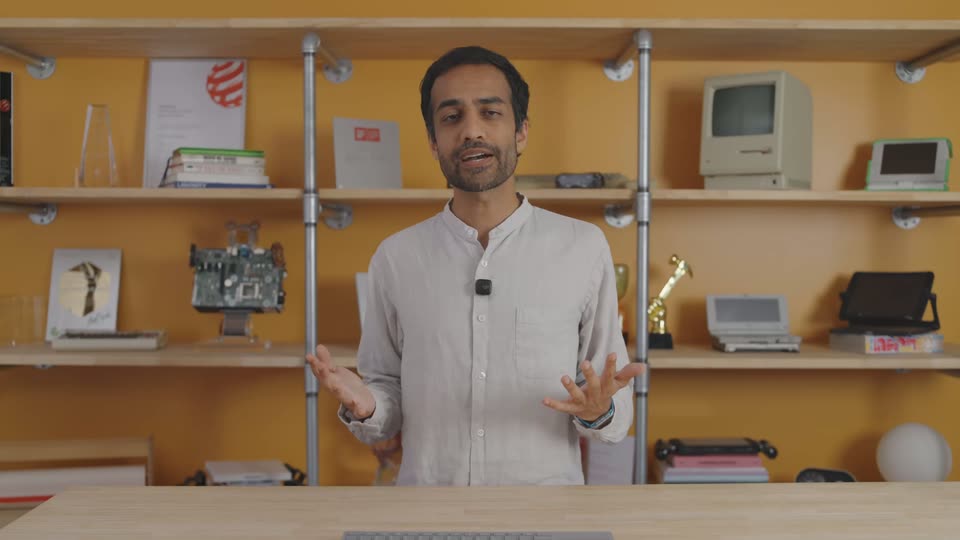
A man in a light shirt stands behind a desk in front of orange shelves holding books, trophies, and vintage computers. He speaks and gestures with both open hands while a keyboard sits on the table edge.
Camera: Pull out
Top-down shot of a wooden desk. Two hands hold a gray external keyboard with a touchpad on the right, resting in front of an open laptop. The fingers grip the left and right edges, keeping the device steady and centered. Static framing, even lighting.
Camera: Static
Top-down shot of a light wood desk. A person in black sleeves holds a gray keyboard, turning it over to reveal the underside with a connected USB-C cable. A laptop rests at the top edge. A dark caption bar rises from the bottom.
On-screen text: “Wired USB-C, Bluetooth or USB-A Dongle”
Techniques: Kinetic type
Camera: Static
Top-down close-up of a gray Framework laptop on a light wood desk. A finger taps the power button at the top right as the status LEDs shift. A black bar across the bottom types out the connection options letter by letter.
On-screen text: “Wired USB-C, Bluetooth or USB-A Dongle”
Techniques: Kinetic type
Camera: Static
A hand holds the underside of a black keyboard over a light wooden desk while the other hand seats a small USB-A dongle into a back port. A dark caption bar at the bottom types out the connection options and the host-switching line.
On-screen text: “Wired USB-C, Bluetooth or USB-A Dongle”, “Switches between up to 4 hosts”
Techniques: Kinetic type
Camera: Static
A man in a pale shirt stands at a wooden desk before orange shelves of vintage computers, gesturing as he speaks. A black lower-third with white text slides down out of frame, then an orange dot-matrix panel reading Pre-orders Open pops in at the bottom.
On-screen text: “connections.md”, “Wired USB-C, Bluetooth or USB-A Dongle”, “Switches between up to 4 hosts”, “Pre-orders Open”
Camera: Static
Close-up of a gray keyboard on a light wood desk. A manicured hand types and presses a key marked with a smiley icon. An orange dot-matrix badge reading Pre-orders open sits in the lower left at the start, then disappears.
On-screen text: “Pre-orders open”
Camera: Static
A man in a white shirt holds a gray keyboard in front of wooden shelves holding vintage computers and trophies. A dark editor panel slides up from the bottom, and the headline types out letter by letter with a blinking caret.
On-screen text: “Built with Lite-On”, “The same partner behind our laptop keyboards + touchpads”
Techniques: Kinetic type
Camera: Static
A pair of hands types on a gray keyboard with a built-in touchpad, laid diagonally on a pale wood table. The shot is a high side angle, static, with fingers pressing keys at a steady rhythm.
Camera: Static
Top-down locked-off shot of hands typing on a gray keyboard module on a light wood desk, with a silver laptop above. A small key cross-section diagram with an orange arrow and the caption fade in at lower left.
On-screen text: “1.5 mm key travel”, “The Framework Laptop 12 Keyboard Module”
Camera: Static
A man in a light shirt holds a gray keyboard module in front of a yellow wall with shelves of vintage computers. A lower-third diagram with an orange arrow and two caption lines appears at the bottom, then clears as he gestures with an open palm.
On-screen text: “1.5 mm key travel”, “The Framework Laptop 12 Keyboard Module”
Camera: Static
Split screen: left, a hand taps and pinches a gray keyboard's touchpad, outlined by a green grid; right, a black panel shows green monospace gesture logs and a wireframe grid tracking the finger. Lower left, an icon card cycles orange-dot demos beside the Precision Touchpad title.
On-screen text: “Precision Touchpad”, “Windows + Linux gestures”, “Two-finger scroll”, “Three-finger right-click”, “Three-finger swipe”
Techniques: Split screen
Camera: Static
A gray keyboard rests on a light wood desk, angled toward the camera. A hand swipes and scrolls on the touchpad at the right edge, traced by a green grid overlay with corner brackets that fades away as the hand keeps moving.
Camera: Static
A man in a pale shirt stands behind a wooden table, holding a gray keyboard at chest height. He tilts and turns it slightly while speaking, presenting it to the camera. Behind him, shelves of vintage computers line a yellow wall.
On-screen text: “1”
Camera: Static
Overhead shot of a light wooden desk: a silver laptop sits at the top, and hands in black sleeves place a gray detachable keyboard below it, open in a presenting gesture, then lift and flip the keyboard to show its back while sliding it toward the laptop.
Camera: Static
A hand holds a black backpack open on an orange couch while another hand slides a silver laptop into the main compartment. The frame stays locked off at a high angle, with patterned pillows and a box of orange balls in the background.
Camera: Static
A pair of hands lifts a slim gray keyboard from a wooden shelf, holding it flat toward the camera. Books, a silver plaque, and a second keyboard sit on the shelf against a yellow wall.
Camera: Static
A close-up shows two hands holding a small silver keypad device over a wooden table. The fingers rotate it to reveal the thin side edge and a USB-C port, while a second person's arm stays blurred in the background.
Camera: Pull out
A hand tilts a silver keyboard to show its side ports and rear switch, with a second person's hands on a matching keyboard blurred behind. The shot cross-dissolves into a closer view of the keyboard's back edge.
Camera: Static
A 3D keyboard floats center on a dark background, linked by dotted lines to four devices: TV, Framework Desktop, Raspberry Pi, Steam Machine. The TV and Raspberry Pi labels fill with orange pills as the frame zooms into the keyboard's corner button.
On-screen text: “Up to 4 hosts”, “TV”, “Framework Desktop”, “Raspberry Pi”, “Steam Machine”
Techniques: 3D mockup, Particles, UI zoom
Camera: Static
Top-down close-up of a grey Framework laptop keyboard on a light wood desk. A finger taps the small corner button above the trackpad, and one of the four indicator dots beside the framework wordmark lights up white as the finger releases.
Camera: Static
A close-up follows a finger pushing a small USB dongle into a slot on the back of a silver keyboard, then the hand withdraws to leave the stored dongle in view. The shot cuts to a presenter holding the keyboard before shelves of vintage computers.
Camera: Static
A man in a white shirt stands at a table holding a gray keyboard, gesturing while he speaks. The shot cuts to a close-up of the keyboard's side, where a finger points at a green toggle switch beside a USB-C port.
Camera: Static
Macro shot of a phone's bottom edge in a light gray case. A thumb slides a small switch beside the USB-C port, and a green indicator dot appears and disappears as the switch toggles between positions.
Camera: Static
Static close-up: hands hold a small green circuit board with metal USB and Ethernet ports, rotate it to show the ports, then set it on a light wooden table. A small black USB dongle appears beside it.
Camera: Push in
Close-up of a hand with white nail polish plugging a small USB dongle into a port on a single board computer mounted in a rack. A black caption bar with a small file tab slides up from the bottom as the headline types in.
On-screen text: “bios.md”, “Works in BIOS”, “For easy troubleshooting”
Techniques: Kinetic type
Camera: Static
A man in a white shirt holds a gray keyboard at chest height, tilting it and gesturing with his free hand. He stands behind a table holding a camera, laptop and black box, in front of shelves of vintage computers. Two static captions appear.
On-screen text: “Works in BIOS”, “For easy troubleshooting”
Camera: Static
A person in a white shirt sits on a gray couch, typing on a silver keyboard resting on their lap. The shot cuts to a black and orange checkered cube bearing an AMD logo and a top handle, placed on a dark table before a blurred TV screen.
Camera: Static
A small black mini PC with an orange-and-black checkered front panel and a top carry handle sits on a dark wood console in front of a TV showing a streaming menu. The camera holds a locked-off shot with shallow depth of field, the TV and wall softly out of focus.
Camera: Static
A hand presses a button on the front of a matte black cube device on a light wooden table; the front panel slides down to reveal USB ports on the lower strip while the other hand rests on top.
Camera: Static
A person seated on a couch reaches across a round wooden table to adjust a transparent headset beside a white keyboard. A dark lower-third panel slides up at the bottom left as the words Thank you type out letter by letter behind a blinking caret.
On-screen text: “bioscreen.md”, “Thank you”
Techniques: Kinetic type
Camera: Static
A person on a gray sofa holds a small silver device above a wooden table that holds a silver keyboard, then sets the device aside and the hands exit frame. A dark lower-third panel types out a thank-you caption.
On-screen text: “bios.md”, “bigscreen.md”, “Thank you Bigscreen”, “for loaning us a Beyond 2!”
Techniques: Kinetic type
Camera: Static
A hand plugs a black cable into the rear ports of a black open-frame computer build, then points at the connection. The build features stacked boards with copper heatsinks on a wooden desk.
Camera: Static
A hand points at the USB and ethernet ports on the back of a black mini PC chassis on a wooden desk. The shot cuts to a green circuit board with a black heatsink and fan, angled on a dark surface.
Camera: Static
A green Raspberry Pi board lies on a pale wood table. Two hands with light pink nails enter, lift the board, and tilt it toward the lens to reveal the row of metal ports, USB, HDMI and Ethernet. Close-up with shallow depth of field.
Camera: Static
Locked-off wide shot of a person in a yellow-and-black bucket seat driving a sim rig with three curved monitors in a blue-lit studio. A dark bar slides up along the bottom edge and the words Thank you Corsair are typed out on it.
On-screen text: “Thank you Corsair”
Techniques: Kinetic type
Camera: Static
Over-the-shoulder view of a person gripping a sim racing wheel, hands turning it as the car drives a track across curved monitors. A dark lower-third holds the caption “Thank you Corsair” with a smaller line beneath, while a laptop sits to the right.
On-screen text: “Thank you Corsair”, “for letting us use your sim rig!”
Camera: Static
A presenter in a white shirt holds a silver keyboard at a desk, against an orange wall of shelves with vintage computers. A dark lower-third caption slides in at the bottom, then clears to reveal a black device, laptop, and small circuit board on the table.
On-screen text: “Thank you Corsair”, “for letting us use your sim rig!”
Camera: Static
Hands type on a gray keyboard set on a black desk stand in a bright, blurred office. After a beat, a white line-drawn 3D wireframe of the stand rotates into the frame over the same background.
Techniques: 3D mockup
Camera: Static
A white wireframe of a keyboard docked in a stand floats on a dark background. A vertical orange light line sweeps across it, filling the outline into a solid white 3D model as it passes. The model rotates slightly to show its rear face and the tray below.
Techniques: Light sweep, Morph, 3D mockup
Camera: Static
Top-down flat lay of a gray keyboard with a touchpad on a light wood desk. Two hands enter from the bottom edge, rest on the keys, and begin typing. The shot stays static and centered.
Camera: Static
On a light wood desk, hands type on a silver keyboard with a built-in touchpad. The right hand taps the touchpad while the left presses keys. A small black fuzzy microphone with a yellow light sits to the right. The camera slowly pulls back to show the full keyboard.
Camera: Static
A presenter in a white shirt talks to camera behind a wooden desk with a gray keyboard, gesturing with both hands and holding a small dark component, against yellow shelves lined with vintage computers and books.
Camera: Static
Hands in a dark pinstripe dress slide a black PC case into place on a wooden desk, fingers at the base. The front panel carries a vertical row of stickers and red diagonal-striped squares.
Camera: Static
Top-down shot on a light wood surface. A left thumb holds a black USB-C adapter card steady while the right hand slides a small USB-A plug into the side port, then releases it.
Camera: Static
Top-down on a light wooden desk, two hands set down a small black USB expansion card, then the shot cuts to a finger pointing at a port on the bottom edge of a black PC case. A dark bar at the bottom types out the title.
On-screen text: “expansion-card.md”, “USB-A Adapter Expansion Card”
Techniques: Kinetic type
Camera: Static
Close-up of two hands holding and turning a small black USB-A dongle with a metal connector on a light wooden table. A dark lower-third bar shows the title and a description typed out character by character.
On-screen text: “expansion-card.md”, “USB-A Adapter Expansion Card”, “Keeps the Dongle flush with your Framework Laptop or Desktop (sold separately).”
Camera: Static
A small black USB-C dongle lies on a light wood floor in a top-down locked-off shot. A dark caption card sits at the bottom, showing a tiny filename label, a bold white title, and a one-line description. Nothing moves.
On-screen text: “expansion-card.md”, “USB-A Adapter Expansion Card”, “Keeps the Dongle flush with your Framework Laptop or Desktop (sold separately).”
Camera: Static
Locked-off close-up of an opened laptop chassis on a light wood desk, a second laptop blurred in the background. A hand reaches in, presses a flat ribbon connector on the mainboard beside the battery, then withdraws. Small captions name the USB-A Adapter Expansion Card.
On-screen text: “USB-A Adapter Expansion Card”, “Keeps the Dongle flush with your Framework Laptop or Desktop (sold separately).I”
Camera: Static
Top-down static view of an opened laptop chassis on a light wood desk. A yellow battery pack and black mainboard sit in the dark frame while a hand moves a black pry tool along the right edge.
Camera: Static
A man in a white shirt stands behind a wooden table before shelves of vintage computers on a yellow wall. He holds a dark gray rectangular panel with a small white label in his right hand, gesturing with his left as he speaks and glances down at it.
Camera: Static
A hand holds a screwdriver at the right edge of a laptop's dark gray back panel, working on the grid surface over a light wooden desk. The label with certification marks sits at the left. The hand shifts position as it pries at the panel.
Camera: Static
A top-down close-up shows a disassembled keyboard on a wooden desk, its yellow battery and black PCB with gold connectors exposed, while a tool sweeps across. It cuts to a man holding the gray keyboard in a workshop, retro tech on shelves behind.
On-screen text: “nrf54.md”, “Nor”
Techniques: Kinetic type
Camera: Static
A man in a light shirt holds a gray keyboard against a yellow shelf of vintage computers and trophies. A black terminal bar overlays the bottom of the frame, typing white text with a blinking cursor.
On-screen text: “nrf54_lm2”, “Nordic hR”
Techniques: Kinetic type
Camera: Static
A black PCB with gold pads is held in a hand against a warm beige backdrop. A black caption box at the bottom left types out the chip name and a one-line spec, letter by letter.
On-screen text: “nRF54_02”, “Nordic nRF54LM20A”, “Wireless microcontroller - Arm C”
Techniques: Kinetic type
Camera: Static
A shallow close-up shows fingers holding a black PCB against a beige background. Tweezers enter from the lower left and touch a gold pad while a black lower-third card lists the chip name and specs.
On-screen text: “nrf54_wd”, “Nordic nRF54LM20A”, “Wireless microcontroller · Arm Cortex-M33 · 128 MHz”
Camera: Static
Macro close-up of the keyboard's dark circuit board with gold pin headers, captioned with the chip name. Cuts to a top-down view of a hand typing on a gray keyboard on a wooden desk, a USB-C cable plugged in, as the lower-third retypes its title.
On-screen text: “nRF54.md”, “Nordic nRF54LM20A”, “Wireless microcontroller · Arm Cortex-M33 · 128 MHz”, “wired.md”, “Wire”
Techniques: Kinetic type
Camera: Static
Overhead view of two hands typing on a gray keyboard on a light wood desk, a black cable plugged into its right edge. A black bar at the bottom types out a headline and subline. The shot then cuts to a presenter holding the keyboard in front of orange shelves.
On-screen text: “Wired over USB-C”, “USB 2.0 High Speed - Ultra-low latency”
Techniques: Kinetic type
Camera: Static
A presenter in a white shirt holds a light gray keyboard in front of orange shelves of vintage computers. A black editor panel with file tabs at the bottom types out the line Bluetooth LE 6.0 with a caret.
On-screen text: “Wired over USB-C”, “USB 2.0 High Speed - Ultra-low latency”, “Bluetooth LE 6.0”
Techniques: Kinetic type
Camera: Static
Close-up of a hand sliding a small metal USB-A dongle into a slot on the back of a black device. A dark lower-third panel sits at the bottom; its file-name tabs grow from three to four while the white headline types out.
On-screen text: “Bluetooth LE 6.0”, “USB-A Dongle”
Techniques: Kinetic type
Camera: Push in
A hand slides a small black USB-A dongle into a port on the underside of a keyboard on a light wood desk, then withdraws, leaving the dongle plugged in. A dark lower-third panel types out the title and subline at the bottom, then clears.
On-screen text: “USB-A Dongle”, “Bluetooth LE · nRF54 inside”
Techniques: Kinetic type
Camera: Static
A black circuit board with gold pin headers, a USB port and a small chip lies flat on a light wood surface. The shot is a static overhead view with no motion.
Camera: Static
A man in a pale shirt stands before an orange wall of shelves holding vintage computers, holding a gray keyboard at chest height. He talks to the camera, tilting and turning the keyboard slightly. A small black component rests on the wooden table in the foreground.
Camera: Static
A gray compact keyboard with a trackpad floats in 3D perspective on a dark background. An orange ZMK title and a Built on Zephyr RTOS badge drop in above it, then a dot-matrix line types Open source.
On-screen text: “ZMK”, “Built on Zephyr RTOS”, “Open source”
Techniques: 3D mockup, Kinetic type
Camera: Static
A gray 3D keyboard sits in perspective on the left, with purple and orange lines arcing from its keys to a ZMK Studio layout editor window on the right. Stacked labels on the left read ZMK, Built on Zephyr RTOS, and Open source. The composition holds still.
On-screen text: “ZMK”, “Built on Zephyr RTOS”, “Open source”
Techniques: 3D mockup
Camera: Static
A close-up of an opened device on a wooden desk, its black circuit board with gold connector pins and a yellow battery exposed under shallow focus. A hand holding a white plastic tool enters from the bottom and taps the board near the edge.
Camera: Static
A man in a light shirt holds a gray keyboard at chest height behind a wooden table, gesturing with his right hand. Shelves against a yellow wall behind him display vintage computers, books, and small objects.
Camera: Static
Top-down shot of a black keyboard on a light wood desk. A hand holds a slim silver pen and taps the right edge. The camera pushes in from a wide framing to a close-up of the corner and regulatory label.
Camera: Push in
A man in a white shirt stands behind a light wood table, framed by pipe shelving of vintage computers on an orange wall. He holds a gray keyboard at chest height and gestures with both hands while talking to camera.
On-screen text: “FC”
Camera: Static
Hands hold a dark gray keyboard flat on a herringbone wood table, then tilt it up to reveal its thin side edge with a small green button.
Camera: Static
Locked-off top-down view over a herringbone wood table. Two hands lower a dark gray keyboard flat onto the surface, then type on it, fingers blurring with speed.
Camera: Static
A man in a white shirt stands behind a light wooden table, holding a slim gray keyboard in one hand and gesturing with the other as he speaks to camera. Behind him, open shelves hold vintage computers and objects against a mustard-yellow wall. The camera stays locked off.
On-screen text: “logitech”
Camera: Static
Overhead view of a light wood desk. A lavender tablet propped at the top shows a typing app where monospace text fills in letter by letter, while two hands with long dark nails type on a gray keyboard below.
Camera: Static
A man in a light shirt stands behind a wooden table in front of yellow shelves lined with vintage computers, holding a gray keyboard and gesturing as he speaks. The shot cuts to a 3D render of the same keyboard angled on a dark background.
Techniques: 3D mockup
Camera: Static
A gray keyboard with trackpad floats at an angle on black. White text types out at the top with an orange caret, keys flashing orange with each letter. A strikethrough crosses 'our' as 'it's yours.' appears below, 'yours' in orange, then the framework logo fades in at the bottom.
On-screen text: “After all, this isn't our product,”, “it's yours.”, “framework”
Techniques: Kinetic type, 3D mockup
Camera: Static
A plain black end card displays the closing tagline and the framework logo. The text and logo stay still on a locked-off frame as a short sign-off.
On-screen text: “After all, this isn't our product,”, “it's yours.”, “framework”
Camera: Static