1:26
Wix Harmony: The new way to create
Wix Harmony · Jan 2026
Frame.io’s 1:13 launch film runs 52 scenes, about 1.4 s each. The product shows up at 0:15 and 5 features are revealed. There is no explicit call to action; a voiceover carries the film. The video builds from abstract neon streaks into a live-action problem statement, then a long continuous UI demo that zooms and pulls back between interface panels, and closes with a team montage and the logo. Signature moves are fast diagonal light wipes, 3D pull-backs from screen close-ups to desk-level shots, and glowing gradient borders that highlight the selected item.
Is this your launch? to your site or press kit.
Wix Harmony · Jan 2026
AutoClaw · Mar 2026
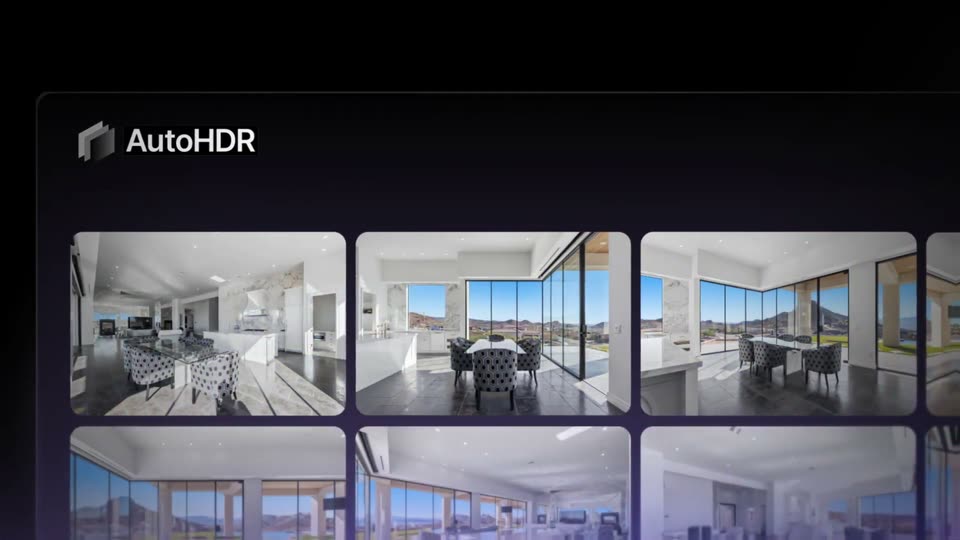
AutoHDR · Aug 2026
Blurred diagonal streaks of blue, purple and pink light sweep across a dark background. The streaks shift in angle and intensity, and a bright white beam flashes through the center as the motion continues.
Camera: Static
Diagonal streaks of blue, magenta and white light cross a black field, heavily motion-blurred, with dashed segments. The frame pans fast across the beams, shifting the angle between shots.
Camera: Static
A fast diagonal whoosh fills the frame: blurred magenta streaks and a bright white bar sweep across a dark purple background, the lines tilting and sliding as the motion blurs.
Techniques: Light sweep
Camera: Static
A small glowing white 3D bar with a blue base tilts at an angle on a black field. Diagonal magenta light streaks rush past it at speed while the camera tracks across the bar.
Techniques: Parallax
Camera: Static
A white V-shaped light beam sharpens over a purple field, its edges blooming blue and pink while a small cyan glint slides along the right arm.
Techniques: Light sweep
Camera: Pull out
A glowing device corner with a white and pink RGB edge is shown in 3D perspective against a deep blue backdrop. The camera tilts along the lit rim, moving from the V-shaped edge to the dark screen face of the device.
Techniques: 3D mockup
Camera: Pull out
A 3D-tilted screen pulls back from a close-up of a woman's face to reveal a file list and a preview card labeled Marten Mercantile Campaign, set against a purple gradient.
Techniques: 3D mockup
Camera: Pull out
A glowing gradient border highlights a single video thumbnail in a dark grid, then the camera pulls back to reveal the full project dashboard with a left sidebar and rows of campaign cards.
Techniques: UI zoom
Camera: Pull out
A bearded man in an olive shirt holds printed pages over a laptop as a woman in a red sweater reads the screen. The camera slowly pulls back in a warm wooden studio, revealing a wall sign with a bird mark and the words marten MERCANTILE.
Camera: Pull out
A woman with long curly hair and thin round glasses looks down at a tablet she holds, tapping its screen with one finger. She stands by a bright window with green foliage blurred behind her, soft daylight rimming her hair and shoulder.
On-screen text: “marten”, “MERCANTILE”
Camera: Static
A man with braids in a black jacket sits at a desk typing, gazing at the back of an iMac monitor in the foreground. The camera drifts right, revealing a dim concrete office with framed art and a wooden door. His hands move steadily over the keys.
Camera: Push in
A woman sits on a brown leather couch using a laptop in a dim, warm-lit living room, while a blurred figure crosses the foreground from right to left. The locked-off frame holds on the static set with a red chair, potted plant and a board game on the coffee table.
Camera: Static
A person types on a laptop resting on their lap, the screen filled with a grid of media thumbnails. A red chair, a notebook and a potted plant sit blurred on a wooden table behind.
Camera: Static
A woman, blurred in the right foreground, faces a large monitor on a wooden desk. On the purple desktop a dark file window's sidebar list grows, more workspace rows sliding in under Workspaces. A colleague sits out of focus in the dim office behind.
Camera: Push in
A dark file browser window sits on a purple gradient. The view pushes in toward the top-right Mount Project button as a white arrow cursor glides in and hovers over it.
Techniques: UI zoom, Cursor demo
Camera: Push in
A close-up of a dark blue interface panel. A purple Mount Project button sits center with a white cursor arrow pointing at it. Below, Size and Date Uploaded columns show file details on a blue-to-purple gradient.
Techniques: Cursor demo
Camera: Static
A dark file-browser sidebar highlights the Marten Mercantile Ca.. row with a glowing blue-to-pink ring. The ring fades as the row list settles, then the view reframes right to show the open folder and a file list headed by Mount Project.
Camera: Pull out
A dark file browser shows three columns of folders and PSD files. The view zooms in on the file column as a white cursor glides down and highlights one file in blue.
Techniques: UI zoom, Cursor demo
Camera: Push in
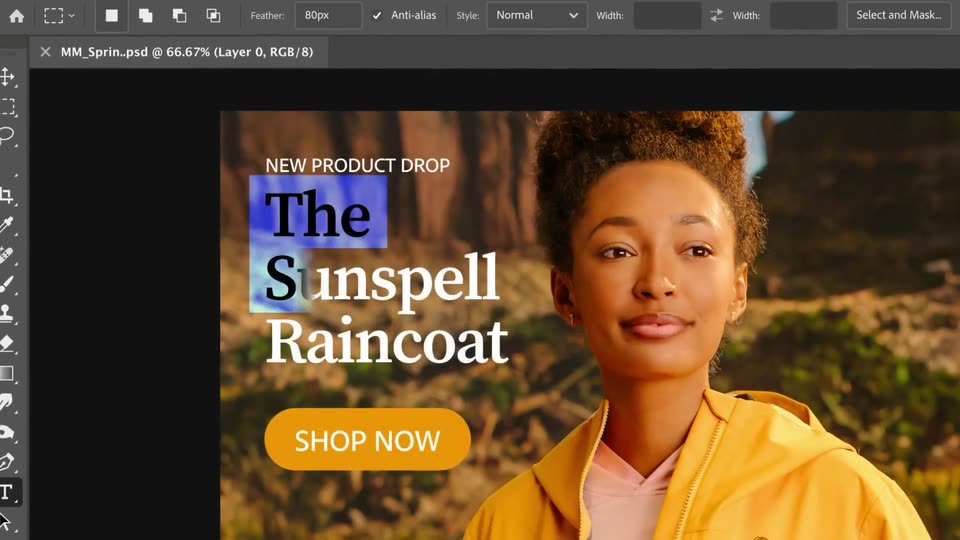
A design app window fills the frame, its canvas showing a spring campaign photo of a woman in a yellow raincoat. The headline text fades from ghosted to solid as a blue selection marquee appears around the words, then clears.
Camera: Push in
A design editor window displays a marketing image of a woman in a yellow jacket against a desert backdrop, with a headline and an orange button. The view then zooms into the canvas, tightening on her face and the button.
Techniques: UI zoom
Camera: Pan
Split view of a design tool: left pane previews a campaign image of a woman in a yellow jacket while the headline types out, right pane lists asset cards, the selected one swapping its title. A horizontal wipe blurs the left pane at the end.
On-screen text: “NEW PRODUCT DROP”, “Meet the elements in style”
Techniques: Split screen, Kinetic type
Camera: Pan
A glowing-bordered card showing a portrait and headline fills the frame, then the view pulls back to a file browser with a left sidebar and a grid of campaign thumbnails.
Techniques: UI zoom
Camera: Pull out
A dark asset grid of campaign thumbnails fills the frame beside a left sidebar. The center card, a model holding a bottle, gains a blue selection border and a check mark as it is selected.
Camera: Pull out
A product screen shows a fashion video of a woman in a yellow jacket on the left beside a dark comment thread on the right. The left panel brightens as her face centers, then the comment list blurs into motion at the end.
Techniques: Split screen
Camera: Push in
A close-up of a detail panel with a Notes field, red Needs Review pill and keyword tags zooms out to the full asset manager: a sidebar, a product card of a woman in a yellow jacket, a comments column, the status now green Approved.
Techniques: UI zoom
Camera: Pull out
A dark file browser lists folders on the left and three project files on the right; a white cursor moves to the first file, which highlights blue. The view dissolves into a video editing timeline showing a clip, an audio waveform and a playhead.
Techniques: Cursor demo
Camera: Static
A video editing timeline displays three tracks with purple and blue clips. A blue playhead moves horizontally across the tracks, passing over the clip labels and waveforms.
Camera: Pull out
A close-up of a dark editing timeline with colored clips and a blue playhead reframes outward to reveal the full software view, a preview window with a person in an orange hoodie, and a right side panel. The camera pulls back over the scene.
Techniques: UI zoom
Camera: Pull out
A video editing interface fills the frame, static. A preview window at the top shows a person in an orange jacket with the words New product drop overlaid, an export panel sits on the right, and a multi-track timeline with colored clips runs along the bottom.
Camera: Static
A dark video editor interface fills the frame. A center preview monitor plays a live-action clip of a hiker in an orange jacket against desert rock, with a white serif title overlaid on the footage, while the timeline playhead advances across colored clips and a static export panel sits on the right.
Camera: Static
A video editor interface fills the frame. The preview window plays a desert shot of a woman in a yellow beanie while a white serif title appears on the left. An export panel sits at the right and a multi-track timeline of colored clips runs below.
On-screen text: “Meet the elements in style”
Camera: Static
Close-up of two people's hands over a laptop keyboard, one typing with manicured fingers while the other rests on the trackpad, framed against a soft-focus living room with a leather chair and plant.
Camera: Static
A tight close-up holds on a woman with pulled-back blonde hair and red lipstick, her gaze lowered and a faint smile on her face. Warm interior light wraps her features while a glowing lamp and a leafy plant blur softly in the background.
Camera: Pan
A vertical white line splits two warm-lit interiors. On the left, a woman with red lipstick looks down. On the right, a man with glasses and a red neckerchief talks to camera.
Techniques: Split screen
Camera: Static
A low-angle shot of a man with glasses and a red bandana looking down in a loft space. A woman's head is partially visible on the left edge in the first frame.
Camera: Pan
A video editor workspace fills the frame, with a preview of a woman drinking from a mug, an export panel on the right, and a timeline below. The view zooms into the right side as the playhead advances along the timeline.
Techniques: UI zoom
Camera: Push in
A dark video editor fills the frame: a preview top left shows a white marten logo over outdoor footage, an export panel top right ends on a purple Export button, and a timeline below holds purple graphic and blue video clips. A white cursor arrow drifts left across the timeline.
Techniques: Cursor demo
Camera: Static
A dark Frame.io export dialog settles into the center of a black frame with a purple gradient at the right edge. The Name field updates to MM_Spring Campaign_16x9 while the remaining rows hold still.
Camera: Push in
A dark export settings panel with form fields and two buttons fills the frame, a purple gradient glow at the right edge. The panel eases down into place, and a white arrow cursor hovers over the purple Export button.
Techniques: Cursor demo
Camera: Pan
A tilted 3D view of a dark asset-manager screen begins zoomed in and dim, then brightens and pulls back to reveal a grid of video thumbnails and a side list of filenames. One thumbnail in the lower row gains a blue border and checkmark as it is selected.
Techniques: UI zoom, 3D mockup
Camera: Pull out
A dark collections panel fills the frame, listing Videos, Images, Audio and Needs Review, each with a small icon. The list scrolls slowly upward on a locked-off frame.
Camera: Static
A locked-off split frame shows a woman in a yellow jacket on the left and a dark comment panel on the right. The interface expands leftward, shrinking the footage into a grid thumbnail and revealing a file browser of campaign clips beside a video player.
Techniques: Morph
Camera: Static
The review tool interface fills the frame, then the view pulls back to reveal it on a laptop on a wooden desk, rimmed by a purple glow. A clip of a woman in a yellow hoodie sipping from a cup plays in the player, with a comments thread beside it.
Techniques: 3D mockup
Camera: Pull out
A laptop on a wooden desk shows the app's asset grid and a playing clip of a woman in a yellow jacket, with blurred office workers behind. The camera pulls back from a tight view of the screen to a wide shot of the desk.
Techniques: 3D mockup
Camera: Pull out
A team of five gathers around a long wooden table in a concrete-walled office, watching Apple monitors. The camera pushes in slowly from a wide shot to a tighter framing of the table.
Camera: Static
A man in a denim jacket and a woman with round glasses sit shoulder to shoulder, both looking at a screen off frame. The man smiles and nods while typing; the woman grins and leans in. Soft indoor light, shallow depth of field.
Camera: Pan
A man and a woman sit at laptops in a bright office, the woman typing and smiling. The frame then divides into a four-panel grid, each panel showing a different person working at a separate desk.
Techniques: Split screen
Camera: Pull out
A four-panel split screen shows four women in separate rooms, each at a laptop or desktop, typing and glancing at their screens. The panels hold steady while the subjects shift slightly, suggesting remote collaboration.
Techniques: Split screen
Camera: Static
A red-haired woman in a white shirt holds a camera in a bright studio with wooden shelves and a leather sofa. A second woman leans in to view the screen while a man works at a desk with a laptop and tablet. The frame widens to include the group.
Camera: Pull out
A man with dreadlocks sits at a desk while a woman in a gray cardigan leans in beside him, both smiling and talking in front of the back of an iMac monitor in a concrete studio. The camera holds a static medium shot.
Camera: Static
A blurry office room with purple lighting and a desk, and a close-up of a purple surface with diagonal lines.
Camera: Static
A soft blue organic blob sits centered on black, then resolves into the white frame.io wordmark and sound-wave icon, with the tagline settling in beneath.
On-screen text: “frame.io”, “An Adobe Company”
Camera: Static