2:14

Teamble launch film
Teamble · Jan 2026
AutoClaw · Mar 2026 · 0:48 · Full motion · AI-annotated
AutoClaw’s 0:48 launch film runs 23 scenes, about 2.1 s each. The product shows up at 0:07 and 3 features are revealed. There is no explicit call to action; a voiceover carries the film. Built as a problem-to-solution arc: an abstract eclipse hook, a red-error problem beat, a one-click install intro, three named features (connect, skills, bring-your-own-model), then a 3D capability montage and a tagline close. Signature moves are 3D-tilted white cards over a deep blue gradient, light-streak logo draws and glowing blue rings, and fast 152 BPM cuts.
Is this your launch? to your site or press kit.
Teamble · Jan 2026
Mentlio · B2B · Aug 2026
AutoHDR · Aug 2026
A deep blue gradient field holds a faint circular shadow at center. A bright white-blue ring then flares into view around that dark core, like an eclipse halo, while the background stays still.
Camera: Static
A glowing blue sphere centered on a dark blue gradient collapses into a bright ring, its core darkening, while the white wordmark OpenClaw slides and scales up in the middle. The camera stays locked on the centered mark.
On-screen text: “OpenClaw”
Techniques: Morph, Kinetic type
Camera: Static
A red 3D mascot shapeshifts above a blue-outlined input field on a dark blue gradient while OpenClaw slides in and a cursor hovers. The text clears, Install pops in large, then the layout expands into a full interface with warning and error cards flanking the install field.
On-screen text: “OpenClaw”
Techniques: Kinetic type, Morph
Camera: Static
A red 3D bug character floats in a central glass card above an Install button, surrounded by red error and warning notification cards at varying depths. The cards drift slowly against a dark blue gradient with shallow depth of field.
Techniques: 3D mockup, Parallax
Camera: Pull out
A red alert core glows at the center of concentric rings, ringed by small red warning cards. The camera dives forward through the rings into a deep blue-and-black tunnel as the red layer and labels slide out of frame.
Techniques: Parallax
Camera: Push in
Dark blue gradient background. A glowing line draws the claw logo as a light streak sweeps across, then the AutoClaw wordmark scales in above an Install button. A blue cursor appears at the button, which fills left to right with a cyan gradient and ends on a checkmark.
On-screen text: “AutoClaw”
Techniques: Light sweep, Kinetic type, Cursor demo
Camera: Static
A white AutoClaw app window floats in 3D perspective over a dark blue glow. The shot opens tight on the top bar and logo, then pulls back and tilts to reveal the full interface, which settles flat facing the camera, showing a centered logo, tagline and input field.
Techniques: UI zoom, 3D mockup
Camera: Pull out
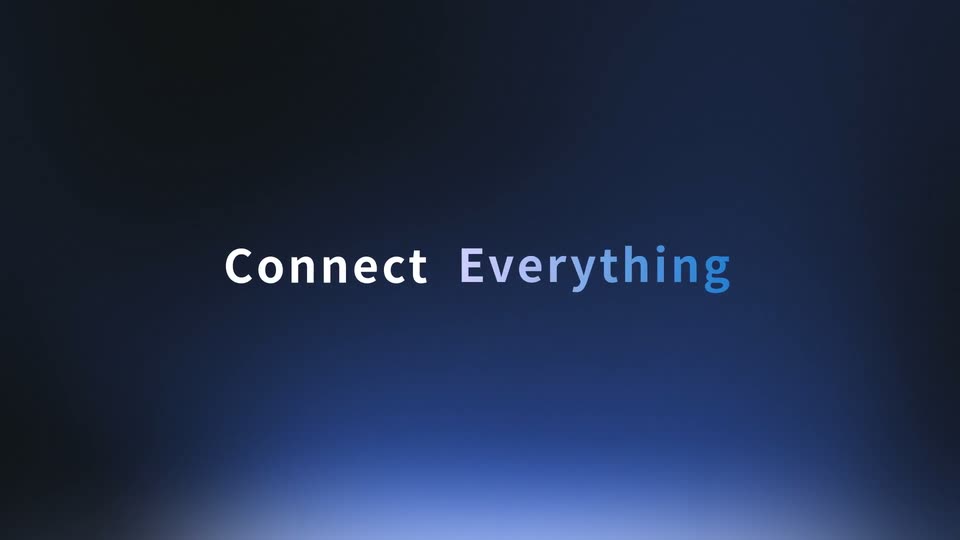
A dark blue gradient fills the frame with a soft glow at the bottom. The word Connect sits centered in white, then Everything fades in beside it in blue to complete the line.
On-screen text: “Connect”, “Everything”
Techniques: Kinetic type
Camera: Static
On a dark navy field, a white line-drawn bird inside a rounded square snaps from a soft blur into a crisp, glowing icon while a blue tile edge slides in at the top right. The headline stays locked in place.
On-screen text: “Connect Everything”
Camera: Static
A glowing hub icon sits on a dark field as dotted lines draw out to Slack, Discord, WhatsApp, Telegram and a folder. The frame pulls back to reveal the full connectivity map with corner UI chrome. AUTOCLAW CONNECTIVITY HUB titles and a Connected badge hold above and below the hub.
On-screen text: “AUTOCLAW”, “CONNECTIVITY HUB”, “Connected”, “AUTOCLAW”, “CONNECTIVITY HUB”
Techniques: UI zoom
Camera: Pull out
A dark starfield with a blue horizon glow holds a centered stat line. The number counts up from 30 to 50 in gradient digits while the white label stays still, ending on the final figure.
On-screen text: “AUTOCLAW”, “CONNECTIVITY HUB”, “Connected”, “50+ Built-in Skills”
Techniques: Kinetic type
Camera: Static
A dark AutoClaw dashboard tilted in 3D perspective floats in a starry sky, its seven glowing skill cards lit up. The headline “50+ Built-in Skills” slides across the panel, then a blue circular claw badge pops into the center.
On-screen text: “50+ Built-in Skills”
Techniques: Kinetic type, 3D mockup
Camera: Push in
A small logo badge anchors the left edge as a dark pill with white text slides right across a starfield, a glowing blue ring forming and tilting behind.
On-screen text: “A ready-to-work Agent”
Techniques: Kinetic type
Camera: Pan
On a dark blue gradient, the words Plug, Your in and AI fly in from scattered positions and converge into the centered line Plug Your in AI, which then scales up slightly.
On-screen text: “A ready-to-work Agent”, “Plug Your in AI”
Techniques: Kinetic type
Camera: Static
A white line-drawn logo sits at the center of a dark starry field, encircled by glowing blue arcs. Translucent bubbles holding a white swirl, a rainbow four-point star, an orange asterisk and a black Z square fade in and orbit it while the rings rotate.
On-screen text: “Plug Your in Al”
Camera: Pull out
A tilted 3D view of the AutoClaw settings page with an AI model list on the left. A blue cursor clicks the Z·ai toggle on, then moves down to the GLM-5 model dropdown at the bottom, which highlights.
Techniques: 3D mockup, Cursor demo, UI zoom
Camera: Pull out
A white welcome screen shows the AutoClaw claw logo and wordmark sliding down to the center, above two rounded cards labeled Quick Setup and Integrate IM that scale into place.
Camera: Pull out
A white chat card types out a Python script and a second reply bubble, then tilts into 3D on a dark blue gradient as ghosted labels AutoClaw, Quick Setup, Integrate IM slide and scale across it.
On-screen text: “AutoClaw”, “Quick Setup”, “Integrate IM”
Techniques: 3D mockup, Kinetic type
Camera: Pull out
A white chat card, tilted in 3D perspective against a blue gradient, shows a support conversation. The card drifts down as the thread scrolls, and a new customer bubble, “It needs to run at 2 AM daily,” slides in at the bottom.
Techniques: 3D mockup
Camera: Static
A white ticket-workbench card floats in 3D perspective over a dark blue gradient, tilted and drifting slowly. Three ticket rows with AI summaries sit under a stats bar; blue check badges pop in one by one on the right as the third row slides up into view.
Techniques: 3D mockup, Masking
Camera: Static
A white interface card floats on a dark blue gradient, out of focus at first, then sharpens as the left contact list rows separate into place. The right panel populates with a timeline, insight bars and a ring gauge counting up to 850.
Camera: Pull out
A dim AutoClaw sits centered on a dark blue gradient, then slides left and turns blue as the rest of the sentence fades in beside it, holds, and finally the whole line fades out.
On-screen text: “AutoClaw”, “brings powerful agents to everyone”
Techniques: Kinetic type
Camera: Static
A black rounded-square icon with a white claw outline sits centered on a deep blue gradient, the wordmark AutoClaw below it. A one-line tagline appears beneath as the frame holds still.
On-screen text: “AutoClaw”, “AutoClaw brings powerful agents to everyone”
Camera: Static