0:58
October 2026 Launch: Canvas
Airtable · Productivity · Oct 2026
Factory · Jun 2026 · 0:29 · AI-annotated
Factory’s 0:29 launch film runs 29 scenes, about 1.0 s each. The product shows up at 0:03 and 1 feature is revealed. There is no explicit call to action; a voiceover carries the film. The film opens on a glitching SDLC pipeline diagram, stabs through the brand tagline and a rapid montage of stage words, then lands on a dark data dashboard that pans and zooms to prove the visualization claim, closing on a static logo. Its style is defined by hard black, white and gray fields layered with halftone dots and diagonal hatching, an orange accent, and a mix of geometric sans, pixel dot-matrix and condensed monospace type that cuts on a fast, mechanical rhythm.
Is this your launch? to your site or press kit.
Airtable · Productivity · Oct 2026
HeyClicky · Consumer · Aug 2026
Framer · Design · Oct 2023
A fixed network of bordered labels, joined by thin orange lines, frames a central halftone square. The square swaps from a grayscale flowchart to a globe with orbiting paths while the orange diagram holds still.
On-screen text: “SIGNAL IN”, “TRIAGE”, “PLAN”, “CODE”, “TEST”, “REVIEW”, “MONITOR”, “AUTOMATE”, “SHIP”, “SOFTWARE OUT”
Camera: Static
A fixed flowchart of orange-outlined boxes (SIGNAL IN, PLAN, CODE, REVIEW, TEST, MONITOR, SOFTWARE OUT, AUTOMATE, TRIAGE, SHIP) sits on a black field, linked by thin orange lines. Behind it, a halftone grayscale image swaps from a technical diagram to a fruit illustration.
On-screen text: “SIGNAL IN”, “PLAN”, “TEST”, “MONITOR”, “REVIEW”, “SOFTWARE OUT”, “CODE”, “AUTOMATE”, “TRIAGE”, “SHIP”
Camera: Static
A network of orange-bordered labels, from SIGNAL IN through CODE, REVIEW to SHIP and SOFTWARE OUT, sits over a central grayscale illustration. The background inverts from black to white as the bee drawing dissolves into a mechanical gear.
Camera: Static
A grayscale flowchart of development stages, PLAN, TEST, CODE, REVIEW, TRIAGE, SHIP, sits over a vintage mechanical engraving, linked by orange lines. The labels dissolve into large black scrambled glyphs that shuffle across the frame as the engraving drifts right.
Techniques: Kinetic type
Camera: Static
A black screen holds a white pixel-font lockup reading BUILD YOUR SOFTWARE FACTORY, the letters snapping in from a glitched pixel state. Behind it a faint grayscale diagram crossfades into a large hatched X, then the text clears to leave the X centered.
On-screen text: “BUILD YOUR SOFTWARE FACTORY”
Techniques: Kinetic type
Camera: Static
A fixed black headline, BUILD YOUR SOFTWARE FACTORY, sits over a white halftone field. Behind it, orange dotted lines fill into solid diagonal hatched bands that cross the frame and partly cover a gray line-drawing diagram.
On-screen text: “BUILD YOUR SOFTWARE FACTORY”
Techniques: Morph
Camera: Static
A black uppercase headline reads BUILD YOUR SOFTWARE FACTORY across three lines on white, while an orange angular mark behind it changes from dotted to hatched strokes.
On-screen text: “BUILD YOUR”, “SOFTWARE”, “FACTORY”
Camera: Static
A dotted orange logo mark fills a white card behind large black text reading BUILD YOUR SOFTWARE FACTORY. The palette inverts to gray with black dots and orange text, then the letters glitch into brackets and symbols.
On-screen text: “BUILD YOUR SOFTWARE FACTORY”
Camera: Static
Large orange headline letters scramble through digits and symbols over a gray field. A halftone pattern behind the type shifts from dotted rings to a black four-petal butterfly shape, while the word YOUR stays locked in place.
On-screen text: “YOUR”
Techniques: Kinetic type
Camera: Static
A gray halftone star shape flashes to solid black hatching and back to an outline, while three lines of orange text scramble through random glyphs on a flat gray field.
On-screen text: “<6%OUR”, “<6%5E”, “<6%5”, “87!#R”, “87!”, “87”
Techniques: Kinetic type
Camera: Static
On black, a large dark-gray asterisk built from a pixel dot grid fills the frame. A small white code fragment at the right vanishes, and the asterisk's fill switches from dots to diagonal hatching.
Camera: Static
A black field with gray dot grids in the corners holds an orange bar reading SIGNAL IN. It cuts to a gray field crossed by black diagonal stepped bands, the orange bar now reading SOFTWARE OUT.
On-screen text: “SIGNAL IN”, “SOFTWARE OUT”
Camera: Static
Large white sans-serif words appear in sequence, centered. First TRIAGE sits on a gray field crossed by diagonal black stripes, then PLAN sits on black over a curved grid of gray dots. The text holds still while the patterned backgrounds change.
On-screen text: “TRIAGE”, “PLAN”
Techniques: Kinetic type
Camera: Static
The word CODE in black sits over orange pixelated diagonal stripes on white, then swaps to TEST in white over black hatching on gray. The frame stays locked while the headline changes and the background pattern inverts.
On-screen text: “CODE”, “TEST”
Techniques: Kinetic type
Camera: Static
A black card with REVIEW in huge white letters over a diagonal field of small gray dashes cuts to a white card with SHIP in black over a thick orange band with a stepped edge.
On-screen text: “REVIEW”, “SHIP”
Camera: Static
The white word MONITOR sits on a black field of gray diagonal hatching, then the frame inverts to a white field of orange halftone dots carrying the black word AUTOMATE.
On-screen text: “MONITOR”, “AUTOMATE”
Techniques: Kinetic type
Camera: Static
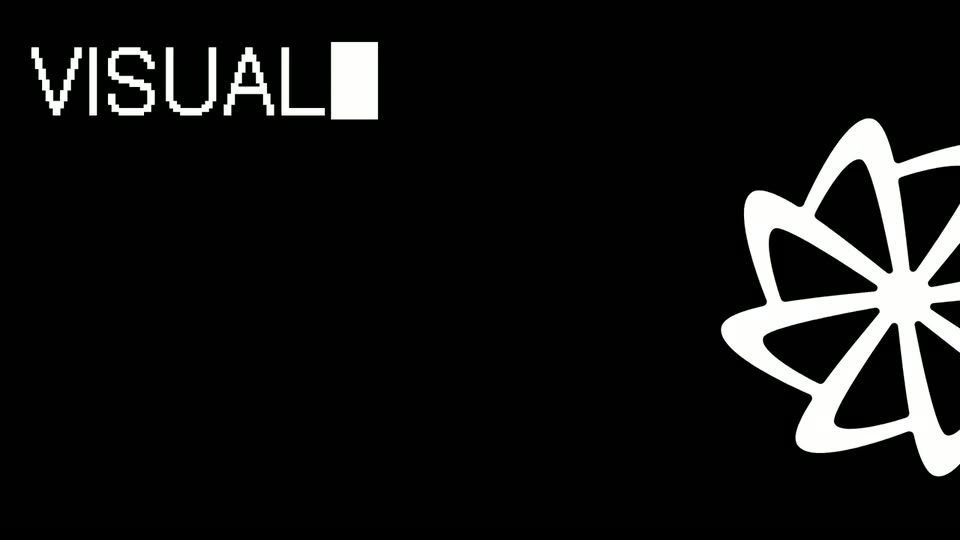
On a black field, a white flower-line icon drifts slowly at the right edge while the word VISUAL resolves from a pixel dither in the top-left corner.
On-screen text: “VISUAL”
Techniques: Kinetic type
Camera: Static
On a white field, the headline VISUALIZE YOUR SOFTWARE reveals in two lines as a black square mask wipes across the letters, while a black asterisk shape slides in from the right edge.
On-screen text: “VISUALIZE YOUR SOFTWARE”
Techniques: Masking, Kinetic type
Camera: Static
A large black sans-serif headline on a flat gray field types out letter by letter behind a solid black square cursor, while a black eight-petal flower mark rotates slowly along the right edge.
On-screen text: “VISUALIZE YOUR”, “SOFTWARE”, “FACTORY”, “ACROSS”
Techniques: Kinetic type
Camera: Static
A white dot-matrix headline holds on the left of a black frame while its final line types in letter by letter. A white outlined flower mark sits at the right edge, partly cropped.
On-screen text: “VISUALIZE YOUR”, “SOFTWARE”, “FACTORY”, “ACROSS THE”, “ENTIRE SDLC”
Techniques: Kinetic type
Camera: Static
A white card shows five lines of black uppercase text, 'VISUALIZE YOUR SOFTWARE FACTORY ACROSS THE ENTIRE SDLC', with a solid cursor block at the end. A black flower-shaped mark rotates slowly at the right edge.
On-screen text: “VISUALIZE YOUR SOFTWARE FACTORY ACROSS THE ENTIRE SDLC”
Camera: Static
A plain gray background holds a large black headline stacked in five left-aligned lines on the left. A black flower-shaped logo mark sits at the right edge, partly cropped. Both elements hold still for the short shot.
On-screen text: “VISUALIZE YOUR SOFTWARE FACTORY ACROSS THE ENTIRE SDLC”
Camera: Static
A black title card holds a five-line white pixel headline on the left reading VISUALIZE YOUR SOFTWARE FACTORY ACROSS THE ENTIRE SDLC, with a solid block cursor after the last word. A white flower-like logo is cut off at the right edge.
On-screen text: “VISUALIZE YOUR”, “SOFTWARE”, “FACTORY”, “ACROSS THE”, “ENTIRE SDLC”
Camera: Static
A dark dashboard window fades in on a light gray background. Counters tick up across eight pipeline stages and line charts draw in, with a large static headline “Visualize your software factory across the entire SDLC.”
On-screen text: “VISUALIZE YOUR”, “SOFTWARE”, “FACTORY”, “ACROSS THE”, “ENTIRE SDLC”
Camera: Pan
A dark software-factory dashboard floats in 3D perspective on a light gray field, then the camera pushes in and flattens to a full-screen view. The interface pans right across its metric columns, each with a small line chart, while the radar widget on the left rotates.
Techniques: 3D mockup, UI zoom
Camera: Push in
A dark metrics dashboard of seven pipeline columns drifts left to reveal a seventh DEPLOY column, each panel listing counts, labels and small white and red line graphs, with a radar graphic and a deploys-per-day figure on the right.
Camera: Static
A dark metrics dashboard drifts left across six columns, CODEGEN to DEPLOY, each with white stat labels, small red line graphs and a circular orange radar on the right; a red LIVE tag and a 7d selector sit top right.
Camera: Static
A dark dashboard interface is shown in close-up, then the view scrolls down to two line-chart panels. A cursor hovers over points, raising tooltips with values, and the camera pulls back to reveal the full screen inside a tablet on a light background.
Techniques: Cursor demo, UI zoom
Camera: Pull out
A white asterisk-shaped logo mark and the word FACTORY sit centered on a black background. The frame stays locked and static for the full duration, with no motion or reveal.
On-screen text: “FACTORY”
Camera: Static