1:12

Introducing Comet: Browse at the Speed of Thought
Perplexity · AI · Jul 2025
Factory · Oct 2026 · 0:29 · AI-annotated
Factory’s 0:29 launch film runs 15 scenes, about 2.0 s each. The product shows up at 0:02 and 1 feature is revealed. There is no explicit call to action. The video runs as a single-feature tour, opening on a 3D collage promise, then chaining flat UI cards (table, diagram, chat, grid, phone mockup) that slide over grayscale stills, and closing on a stylized title montage into the logo. Its signature moves are monospace label bars, red accent lines and badges, and hard cuts between panel layouts on neutral gray fields.
Is this your launch? to your site or press kit.
Perplexity · AI · Jul 2025
OpenAI · AI · Feb 2026
Runtime · B2B · Nov 2026
A stack of product photo cards fans out over a grayscale sand dune landscape, the cards rotating and drifting apart in 3D space. A dark bar with the label YOUR MACHINES holds in the upper left as the cards scatter toward the frame edges.
On-screen text: “YOUR MACHINES”
Techniques: 3D mockup, Parallax
Camera: Static
A grayscale aerial desert view holds still as a diagonal collage of photo tiles, showing a laptop, a red backlit keyboard, and white cubes, floats over it. Black boxes carry white monospace text reading YOUR MACHINES left and STEERED FROM ANYWHERE right.
On-screen text: “YOUR MACHINES”, “STEERED FROM”, “ANYWHERE”
Camera: Static
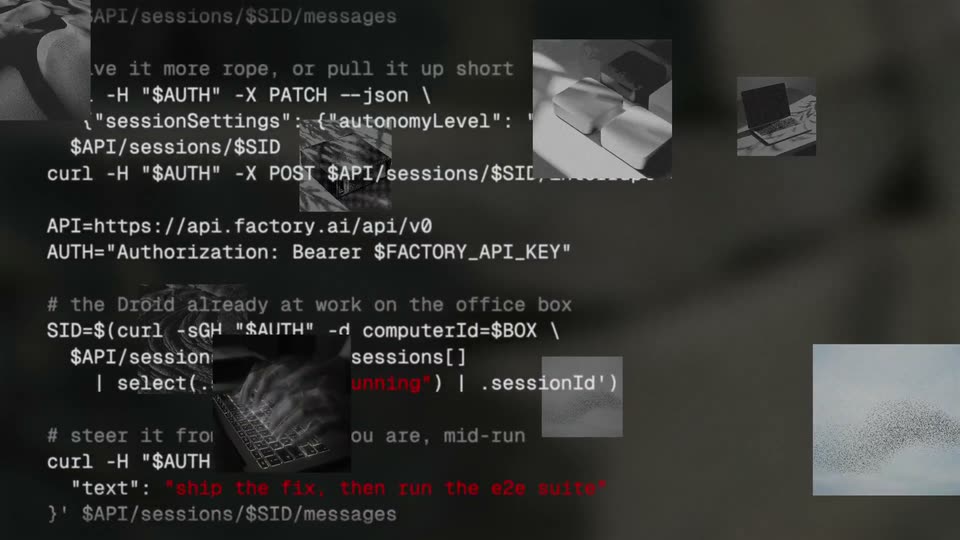
Monospace code in white and red scrolls upward across a dark screen, showing curl calls and JSON. Layered behind it, a collage of desaturated stills sits in place: hands on a laptop, a mouse beside a keyboard, a laptop on a desk, a typing hand, and a white dotted panel.
Camera: Pan
A white fleet table card fades in over a red-tinted photo on the right, the first row highlights in black, then the card slides out left as the photo crossfades from a backlit keyboard to four white keycaps on a wooden table.
Camera: Static
A dark UI panel titled REMOTE CONTROL · MINI-03 overlaps a black-and-white photo of keyboard keys. A mini-03 box links by a drawn arrow to a Factory relay box, while a dashed line with a red no-entry mark reads NO INBOUND PORTS.
Camera: Static
A flat chat window titled mini-03 sits on a light gray field beside a still sky photo. A prompt is typed into the input line, then pops into a black message bubble as a red spinner and the word Working appear below it.
Camera: Static
A light chat card for mini-03, holding a test message and a Working status, sits left of a black-and-white photo of a microcontroller on a teal gradient. The card then becomes a dark remote-control grid of ten units, with mini-03 flagged LEAD in red.
Camera: Static
A dark remote-control panel lists ten droid units. Each red spinner resolves into a white checkmark in sequence. The highlighted mini-03 tile with a red LEAD badge stays selected, and three cloud slots fill with checkmarks. A photo of a small metal robot with leaf shadows sits behind the panel.
On-screen text: “ONE DROID IN CHARGE”
Techniques: Morph
Camera: Static
A dark textured backdrop splits the frame: a black-and-white clip of a hand holding a phone by a window on the left, boxed by a red rectangle, and a phone mockup on the right showing a remote-control screen. A white monospace caption sits below the clip.
On-screen text: “STEER EVERY ONE OF THEM FROM HERE.”
Techniques: Split screen, 3D mockup
Camera: Pull out
A black-and-white photo of a hand holding a phone sits left, in a red box labeled YOU, linked by a red line to a phone mockup right. The mockup flips from Running to Done as results appear, under a red caption.
On-screen text: “YOU”, “STEER EVERY ONE OF THEM FROM HERE.”
Techniques: Split screen
Camera: Static
A black and white photo of a hand holding a phone by a train window, boxed in red and tagged YOU, links via a red line to a white phone mockup on the right showing a remote control screen. White monospace text sits bottom left over dark marble.
On-screen text: “STEER EVERY ONE OF THEM FROM HERE.”
Techniques: Split screen
Camera: Static
A black-and-white photo of a hand holding a phone by a window sits left of a white phone mockup showing a remote-control UI, joined by a red line and a red selection box tagged YOU. Red monospace text reads at the bottom. The composition holds static.
On-screen text: “YOU”, “STEER EVERY ONE OF THEM FROM HERE.”
Techniques: Split screen
Camera: Static
A four-panel montage fills the frame: a vertical feed strip, a light field with a particle swarm, dark 3D keyboard keys, and a black field with a white petal shape. The words Remote and Control fade in over the panels as the particles drift and the petal shape resolves.
On-screen text: “Remote”, “Control”
Techniques: Split screen, Particles, 3D mockup
Camera: Static
A solid red frame cuts to a six-panel grid: a small technical diagram, a red abstract form, a grayscale photo of a network switch on a desk, and a white asterisk logo on black. The words Remote and Control sit across the middle row, static.
On-screen text: “Remote”, “Control”
Techniques: Split screen
Camera: Static
The white FACTORY wordmark paired with a flower-shaped mark sits centered on a solid black field, locked off and static for the full shot.
Camera: Static