0:31
Explore
Factory - Introducing AutoWiki in Factory.
Factory · Jun 2026 · 0:53 · AI-annotated
- Length
- 0:53
- Scenes
- 13 · 4.1 s avg
- Product on screen
- 0:00
- Features shown
- 3
- Call to action
- 0:49 · 92%
- Voiceover
- No
00:00:00 / 00:53:28
Factory’s 0:53 launch film runs 13 scenes, about 4.1 s each. The product is on screen from the first frame and 3 features are revealed. The call to action lands at 0:49 (92% in). The video is built as a run of feature chapters: a dark wordmark and terminal opening, then light-gray title cards that each introduce one capability (browse, sync, pipeline) followed by a 3D browser mockup demo, closing on a branded command card. Signature moves are typewriter monospace type, 3D-tilted windows that flatten as they scroll, and numbered badges that fill green with a checkmark as steps complete.
No filming indicatedEstimated needs: 2 capture groups — your screens or recordings · 1 official logo — reused across the film · 4 3D passages — build or supply
Is this your launch? to your site or press kit.
More like this
Factory - Introducing AutoWiki in Factory., scene by scene
· 13 scenes as text
01 · Product intro · 0:00–0:01
A locked-off black card holds a large light-gray AutoWiki wordmark low in the frame. A small gray dr appears at left as thin horizontal gaps slice through the wordmark.
On-screen text: “AutoWiki”, “dr”
Techniques: Masking
Camera: Static
02 · Demo · 0:01–0:03
A dark, subtly textured background holds a centered monospace command. The line types out from left to right, then holds as a static frame.
On-screen text: “droid > /install-wiki”
Techniques: Kinetic type
Camera: Static
03 · Demo · 0:03–0:07
A dark terminal window, angled in 3D on a light gray backdrop, types the command droid > /wiki with a blinking cursor. Status lines then appear one by one below: generating wiki, surveying codebase, planning table of contents, spawning sub-agents. A soft shadow falls to the left.
Techniques: 3D mockup
Camera: Pan
04 · Feature reveal · 0:07–0:09
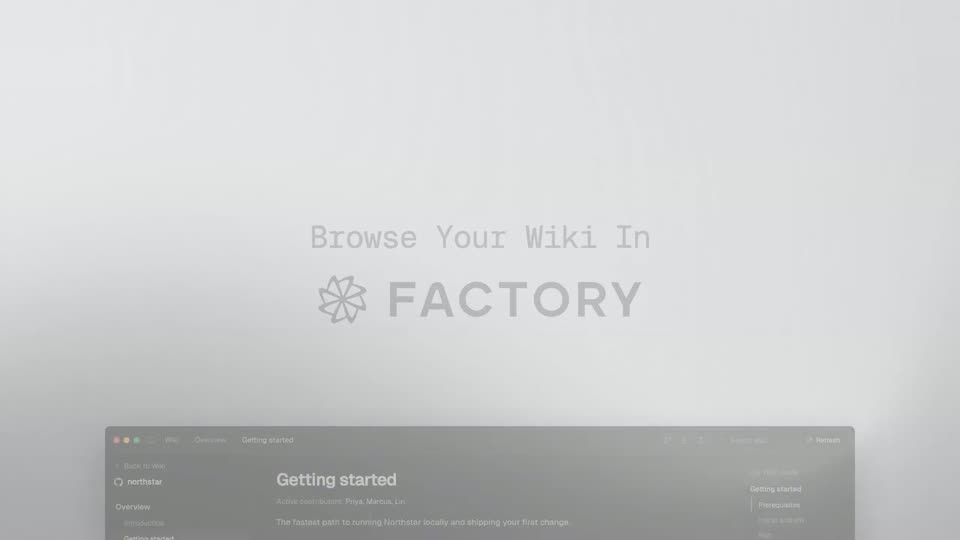
A monospace headline and the FACTORY logo sit centered on a soft gray gradient. A dark browser window with a wiki page appears in 3D perspective, tilted and centered on the same background.
On-screen text: “Browse Your Wiki In”, “FACTORY”
Techniques: 3D mockup
Camera: Pan
05 · Feature reveal · 0:09–0:14
A dark browser window crossfades in on a light gray backdrop, showing a wiki page titled Getting started; the view zooms in and scrolls, then the sidebar jumps to Architecture and the content swaps and scrolls down.
Techniques: UI zoom
Camera: Push in
06 · Feature reveal · 0:14–0:17
A dark northstar wiki page sits in a tilted 3D mockup on a light gray backdrop. The main panel scrolls vertically while the sidebar stays fixed, carrying the Testing, Watch mode and CI gates sections past the code blocks.
Techniques: 3D mockup
Camera: Pan
07 · Feature reveal · 0:17–0:19
On a light gray background, the gray monospace line 'Auto-Synced To' and the dark GitHub logo with 'Wiki' fade in at center. A browser window mockup of the GitHub Wiki page then slides up from the bottom edge, casting a soft shadow.
On-screen text: “Auto-Synced To”, “GitHub Wiki”
Techniques: 3D mockup
Camera: Pan
08 · Feature reveal · 0:19–0:25
A dark browser window holding a GitHub wiki page tilts in 3D perspective, then flattens and zooms in as the page scrolls down through Overview, Getting started, Architecture and Key components sections.
Techniques: 3D mockup, UI zoom
Camera: Push in
09 · Feature reveal · 0:25–0:35
A soft white gradient holds a centered title that fades in, then three numbered step cards crossfade in sequence: each heading and monospace list builds line by line, and the gray badge turns green with a check as items complete, ending on a 2x2 grid of agent cards.
On-screen text: “Generation Pipeline”, “Survey codebase”, “2-pass: structure + semantics”, “SURVEY (2 PASSES)”, “✓ pass 1 · file tree (247 files)”, “✓ pass 2 · semantics (1.2k symbols)”, “Plan table of contents”, “DAG with conditional sections”, “FOUNDATION (SEQUENTIAL)”, “✓ overview/index.md, ✓ project-structure.md”
Techniques: Kinetic type, Morph
Camera: Static
10 · Feature reveal · 0:35–0:38
A light gray slide shows the heading Generate pages with a numbered badge that fills green and turns into a checkmark. Four white agent cards list markdown file paths, each line gaining a green check as the badge completes, then the whole layout blurs and fades out.
On-screen text: “Generate pages”, “12 sub-agents in parallel”
Techniques: Morph
Camera: Pan
11 · Feature reveal · 0:38–0:49
A light-gray card shows step 4, Upload to FACTORY, its progress bar filling and the badge turning into a green check, then step 5, Sync to GitHub wiki, the same way. Four feature lines then fade in one by one and the card fades out.
On-screen text: “4”, “Upload to FACTORY”, “app.factory.ai/wiki”, “UPLOAD PROGRESS”, “Uploading 9 pages to app.factory.ai/wiki”, “app.factory.ai/wiki/run-a3f1c2d”, “5”, “Sync to GitHub wiki”, “Flatten + rewrite + push”, “SYNC PROGRESS”, “Syncing to github.com/acme/web-app.wiki.git”, “pushed to GitHub wiki tab”, “Refresh on every push”, “GitHub Actions / GitLab CI workflow regens”
Techniques: Kinetic type
Camera: Static
12 · CTA · 0:49–0:50
A dark field of faint square grid lines holds a centered lockup that fades in: a line-drawn star logo beside the wordmark FACTORY, with a small monospace command line beneath.
On-screen text: “$ droid /install-wiki”
Camera: Static
13 · CTA · 0:50–0:53
A dark textured background holds a centered lockup: a white geometric star mark beside the bold word FACTORY, with a monospace command box reading $ droid /install-wiki below. The lockup fades in from dim to full brightness and holds still.
On-screen text: “FACTORY”, “$ droid /install-wiki”
Camera: Static