0:27
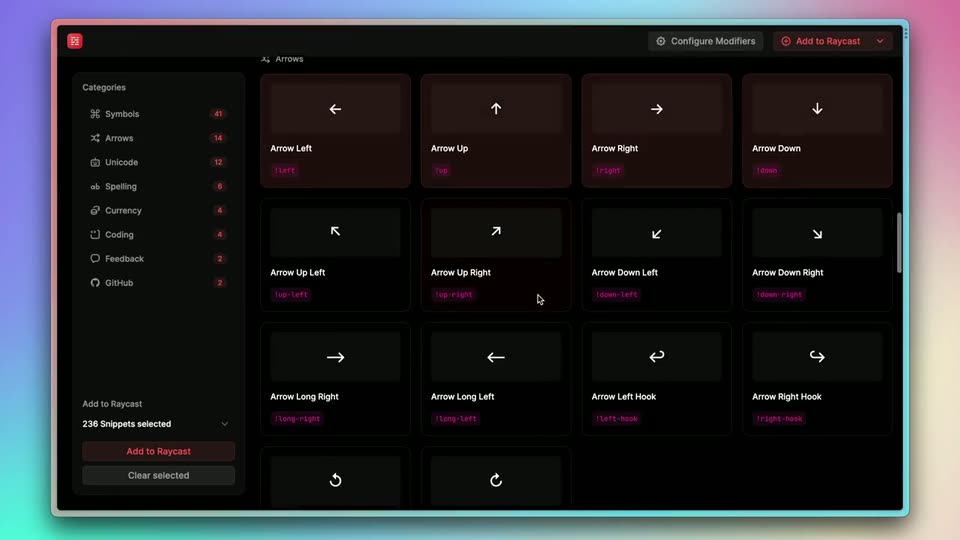
Raycast - 🕵️♂️ Announcing Snippet Explorer — our first open source project! A
Raycast · Productivity · Jan 2023
Dia · Jun 2025 · 0:24 · AI-annotated
Dia’s 0:24 launch film runs 5 scenes, about 4.8 s each. The product is on screen from the first frame and 2 features are revealed. There is no explicit call to action. One continuous shot: a serif brand card and the Dia dome logo morph into a floating chat bar that types a rotating set of feature prompts, then the field expands into a frosted welcome panel that resolves into a sharp browser window. The signature move is the seamless shape morph (dome to mark to input to panel) held over a fixed sunset-ray perspective backdrop, with glass UI cards settling into frame on a steady beat.
Is this your launch? to your site or press kit.
Raycast · Productivity · Jan 2023
Userlens · Oct 2026
Orange light rays fan out from the top on a blue field. The serif title 'The Browser Company of New York presents' fades in, then a white dome logo rises, shrinks to the Dia mark, and morphs into a chat bar where 'Explain this' is typed beside a video card.
On-screen text: “THE BROWSER COMPANY”, “of NEW YORK”, “PRESENTS”, “Dia”
Techniques: Kinetic type, Morph
Camera: Pull out
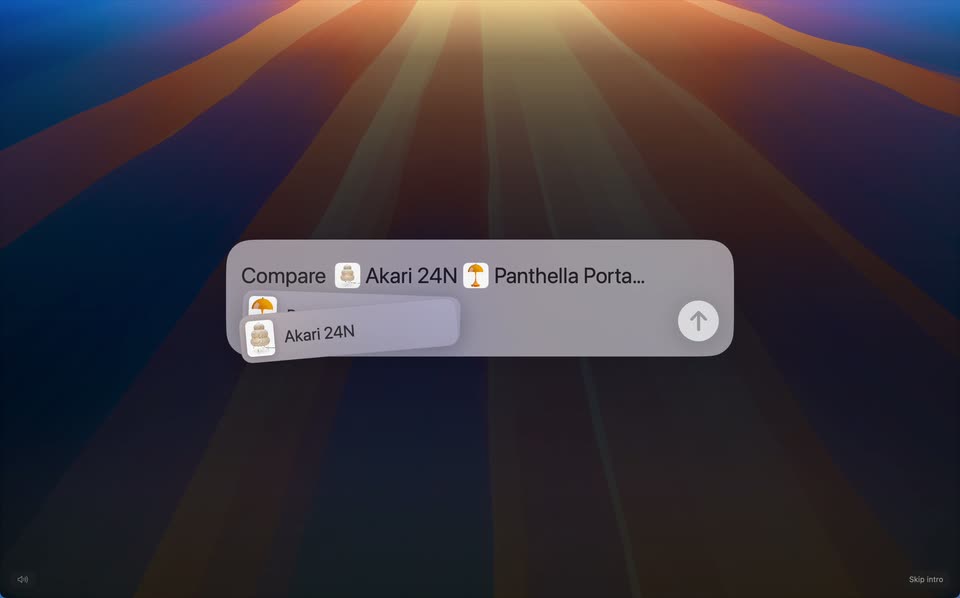
A flat browser prompt sits over a sunset-striped perspective background. The placeholder text clears, the word Compare is typed, and two product tab chips are dragged into the field, after which a three-column comparison table fades in above the input.
On-screen text: “Skip intro”
Camera: Static
A translucent document grid and chat field float over a striped perspective road. The grid fades, and a prompt types itself into the field: “Shorter, warmer, sound like me”. It lifts to a chip at the top as the field resets to “Chat with your tabs”.
Techniques: Kinetic type
Camera: Static
A frosted glass UI interface floats over a vibrant, low-poly 3D landscape with light rays. The interface transitions from a small input box with a Replace button to a larger Welcome panel featuring a list of AI capabilities and a Let's Go button.
Techniques: 3D mockup, UI zoom
Camera: Pull out
A white browser window with a welcome screen settles into the center over a striped blue-and-orange background. The heading and feature list resolve from a soft double-exposure into sharp type, while a nested browser pane with a chat pill holds on the right.
Camera: Static