1:11

Topaz Labs - 1/7: 📢 Big release! Introducing Astra 2 🚀 Our next-gen creative model
Topaz Labs · Apr 2026
Decipher AI · Jan 2026 · 0:59 · Code only · AI-annotated
Decipher AI’s 0:59 launch film runs 17 scenes, about 3.5 s each. The product shows up at 0:04 and 4 features are revealed. The call to action lands at 0:46 (78% in). Built as a problem statement, a product name drop, then four headline-led feature beats each pairing a kinetic type card with a cursor-driven UI demo, closing on a glowing logo and URL. Signature moves are oversized sliding type, a red glow reserved for the pain, purple accents for the product, and the recurring drifting-code and purple-orb motifs.
Is this your launch? to your site or press kit.
Topaz Labs · Apr 2026
Retool · Developer tools · Oct 2025
Roma · Consumer · Nov 2026
Films whose music sounds like this one, voice left out
DJI · Electronic dance music with cinematic and percussive elements
Bloom · Modern electronic
Oura · Funk, soul, and electronic dance music
A dark field of small code snippets drifts slowly behind. Oversized white type fades in at center, holds, then slides off to the right as red type with a soft glow slides in from the left, then fades out.
On-screen text: “CODING AGENTS SHIP FAST”, “BUT THEY SHIP BUGS FASTER”
Techniques: Kinetic type
Camera: Pull out
A glowing red headline reads BUT THEY SHIP BUGS FASTER over a black void, mirrored on a glossy floor, while a thin horizon of red code text runs along the bottom. The headline fades out, leaving the code band to dissolve.
On-screen text: “BUT THEY SHIP BUGS FASTER”
Techniques: Kinetic type
Camera: Static
Faint code lines drift behind the bold white headline MEET YOUR AI QA AGENT on a dark background. The code clears, then Just show Decipher slides in on the left above a dashed wave line with two purple nodes, a cursor resting nearby.
On-screen text: “MEET YOUR AI QA AGENT”, “Just show Decipher”
Techniques: Kinetic type
Camera: Pan
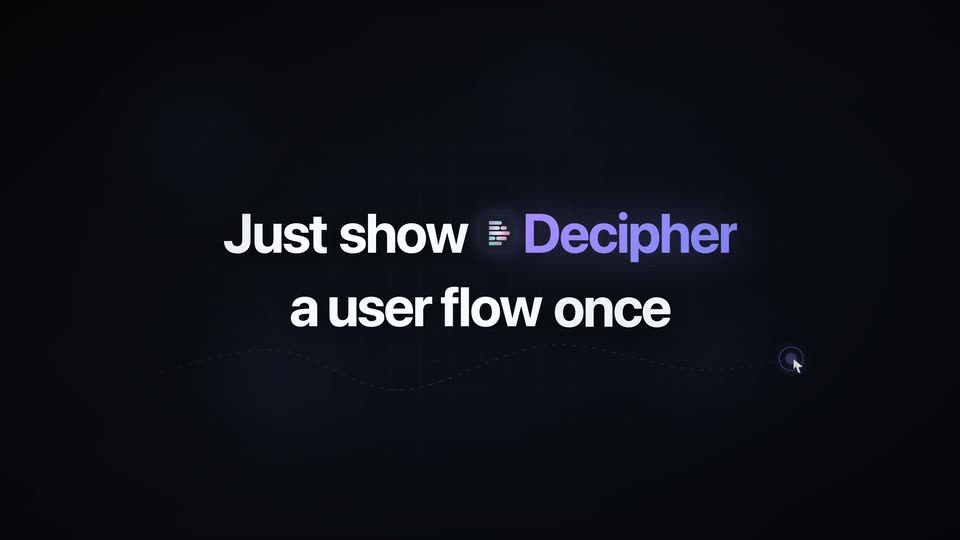
On a near-black background with a faint grid, bold white “Just show” appears as purple “Decipher” slides in and “a user flow once” slides in below. A wavy dashed line with purple nodes and a cursor arrow crosses the lower frame, then fades as the lines center.
On-screen text: “Just show Decipher”, “a user flow once”
Techniques: Kinetic type
Camera: Pan
A dark browser window on the left and a Decipher Recorder panel on the right. A cursor types a prompt, opens the plus menu, picks Deep research, and sends it as numbered steps fill the recorder list, then an answer box fades in.
Techniques: Split screen, Cursor demo, UI zoom
Camera: Static
A gradient headline types out in a centered rounded box on a dark background, then a Decipher Recorder panel appears listing six numbered steps above a red Stop button.
On-screen text: “An agent generates and runs the test”
Techniques: Kinetic type
Camera: Pan
A recorder window dissolves into a six-step test checklist on the left, while a ChatGPT browser window fades in on the right. A cursor clicks the message field, types a query, and opens the plus menu as each step turns to a green check.
Techniques: Morph, Cursor demo
Camera: Push in
A step checklist with green checks sits left of a browser window showing the ChatGPT interface. A dropdown opens under the input as a cursor hovers, then the screen cuts to a red 'Something went wrong' error panel, and step five flips to a glitching red X.
On-screen text: “Navigate to chatgpt.com”, “Click the message input”, “Type the search query”, “Click the plus button”, “Assert: A menu should appear with options”, “Select Deep Research”, “Click the send button”, “Assert: A response should appear referencing the question”, “Step failed: Error appeared after”
Techniques: Split screen, Cursor demo
Camera: Static
A glowing purple blob sits at the center of a near-black field, framed by a thin rounded-square wireframe that rotates slowly around it. To the left, the bold word Tests fades in from dim to full opacity as the clip progresses.
On-screen text: “Tests Adapt Automatically”
Camera: Static
A glowing purple checkmark circle with a sketchy ring hovers above the headline on a near-black background. The words “Tests Adapt Automatically” fade in one by one, the last word in purple, then the badge and text fade out.
On-screen text: “Tests Adapt Automatically”
Techniques: Kinetic type
Camera: Pan
Two dark interface panels hold on a near-black background, the image sharpening from a soft blur. Left, an agent card with a spinning loader reads 'Running test steps...'; right, a Message Composer shows a placeholder field, a purple Submit button, and a cursor over the input.
Camera: Static
A dark message form is shown in close-up as its purple button turns cyan and reads Send; the frame zooms out to a two-panel layout where the agent card steps through test statuses to Test Passed! while the cursor clicks Send, then fades out.
Techniques: UI zoom, Cursor demo
Camera: Static
A dark void holds the line 'A validation layer you can rely on' as it assembles phrase by phrase from left to right, each phrase brightening on arrival; a vertical panel of colored step icons at the left edge dissolves in the first beat.
On-screen text: “A validation layer you can rely on”
Techniques: Kinetic type
Camera: Static
A headline holds static on a near-black grid background. The phrase reads in white and gray sans-serif, with the final words 'rely on' in green. No motion; the frame is locked off for the full duration.
On-screen text: “A validation layer you can rely on”
Camera: Static
A two-tone headline sits at left as a dark test-suite dashboard and an empty All Tests panel slide leftward into the center of a black frame, the headline and a third panel exiting the edges. The green zero counter ticks in.
On-screen text: “A validation layer you can rely on”
Camera: Static
A dark two-panel test dashboard fills in: the green counter on the left climbs from 68 to 156 as its progress bar extends, while the grid on the right flips cell by cell to green checkmarks. The frame pulls back as the header switches to a green 'All tests passing'.
Techniques: UI zoom
Camera: Pan
The Decipher logo and white wordmark hold centered on a near-black field with faint star specks and a soft purple glow. The gray tagline fades in below, then a purple pill button with the URL fades in and carries a slow diagonal sheen.
On-screen text: “Decipher”, “The AI QA agent for teams that ship fast”, “getdecipher.com”
Techniques: Light sweep
Camera: Static