3:06
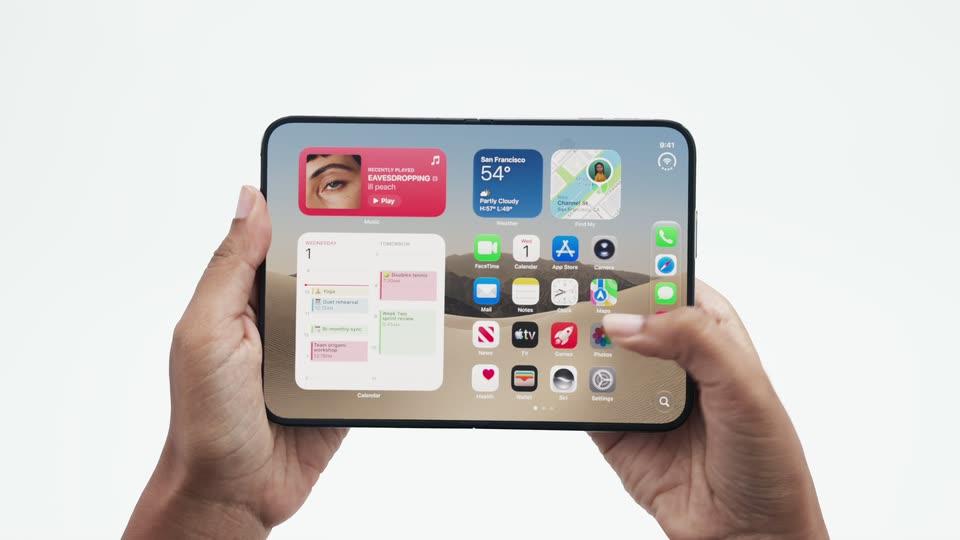

Introducing the new iPhone Duo
Apple · Hardware · Sep 2026
Cursor · Aug 2026 · 0:24 · AI-annotated
Cursor’s 0:24 launch film runs 12 scenes, about 2.1 s each. The product shows up at 0:14 and 1 feature is revealed. There is no explicit call to action. The video is built as a single continuous UI walkthrough: a hand cursor drives the interface through selecting 'Start from scratch', typing a prompt, watching the site generate and preview, then a word-by-word headline recap names the product and ends on the animated logo. Pacing is quick and cut-driven (about 15 cuts per minute), alternating tight interface close-ups with full-bleed pink-gradient frames and clean white title cards. Its signature moves are the sliding hand cursor, the double-ex
Is this your launch? to your site or press kit.
Apple · Hardware · Sep 2026
Pulse Local · Finance · Nov 2026
Microsoft · AI · Sep 2026
A white app window with a sidebar of menu items and an empty chat field sits on a pink gradient background. The window slides down and to the right while a hand-pointer cursor moves from the top edge into the window.
Techniques: Cursor demo
Camera: Static
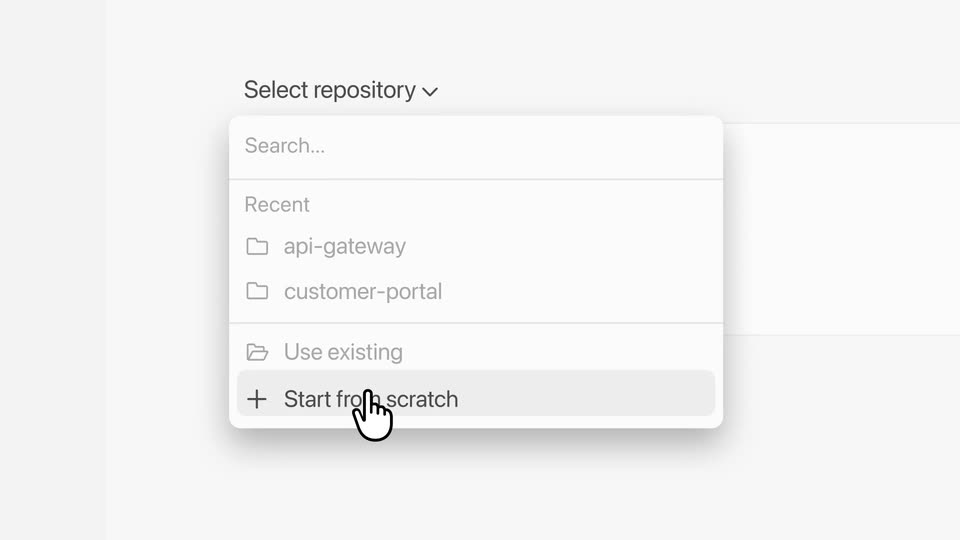
A white dropdown panel titled Select repository floats on a pale gray screen. A hand cursor travels down the list, hovering to highlight customer-portal and then Start from scratch in turn.
Techniques: Cursor demo
Camera: Static
A light gray dropdown titled Select repository lists recent folders and options. A hand cursor hovers over Start from scratch, then lifts away as the words No repo fade in to its right.
On-screen text: “No repo”
Techniques: Cursor demo
Camera: Static
A centered black headline reads on a white field. A white chat input card fades in behind it, with “Create website” typed into the box and a dark send button at the right, as the headline lightens to gray.
On-screen text: “No repo setup required”
Camera: Static
A white rounded prompt card floats on a light gray background, labeled Start from scratch. The prompt types out letter by letter, then a hand cursor glides in and presses the black up-arrow button.
Techniques: Cursor demo
Camera: Static
A flat AI chat window on a pink gradient opens as a double-exposure crossfade that settles into one frame. The status line reads Thinking for 5s, then flips to Worked for 5s with a preview card and Open button; a hand cursor glides in and hovers the button.
Techniques: Cursor demo
Camera: Push in
On a pink background, an app window sits left of a browser window. A hand cursor hovers the Open button as the browser page scrolls down, moving past the Meridian hero to a section with an interior photo and the headline Build for daylight. Design for decades.
Techniques: Split screen, Cursor demo
Camera: Static
A hand cursor glides up from the plus icon to rest on the Create repo button, against a light interface with a pink gradient band along the bottom.
Techniques: Cursor demo
Camera: Static
On a white background, the headline builds word by word from
On-screen text: “Save your work in Cursor”, “Publish to Vercel”
Techniques: Kinetic type
Camera: Static
Two rounded square tiles hold a black cube icon and a black triangle icon, linked by dashed arrows, above the caption. The word 'Vercel' starts light gray and darkens to black while the lower dashed arrow fades out.
On-screen text: “Publish to Vercel”
Camera: Static
A centered black headline on white reads Prompt, preview and publish, all from Cursor while product UI cards and photos drift slowly around it: a room photo top left, an Orders 12.924 stats card top right, a yellow 182 Top product sales card and a Think clearly. Ship together. card below, a Latch Request access panel bottom right, and a dark figure-in-tunnel photo sliding in from the right edge.
On-screen text: “Prompt, preview and publish, all from Cursor”, “Publish to Vercel”
Techniques: Parallax
Camera: Pull out
A small black mark sits centered on a plain white field. It begins tilted and folded, then rotates and settles into an upright hexagonal cube shape with a white triangular notch, holding still for the rest of the clip.
Techniques: Morph
Camera: Static