0:49

Constellation — The Operating System for Space (YC W26)
Constellation Space · B2B · Jan 2026
cubic · May 2025 · 1:06 · Full motion · AI-annotated
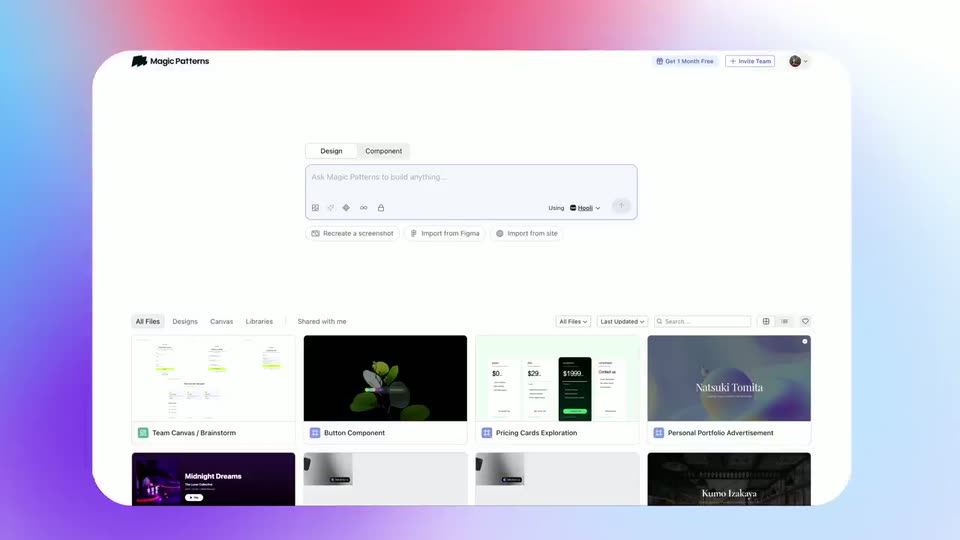
cubic’s 1:06 launch film runs 35 scenes, about 1.9 s each. The product shows up at 0:06 and 4 features are revealed, with social proof. The call to action lands at 1:02 (94% in). A dark, high-contrast launch film built on a black field with a soft central glow, alternating locked-off type cards with 3D-tilted UI mockups that rotate flat into frame. Pacing is fast and rhythmic (130 bpm), using word-by-word type reveals, isometric tile transitions, and a recurring white rounded-square mark as the signature move.
Is this your launch? to your site or press kit.
Constellation Space · B2B · Jan 2026
Films whose music sounds like this one, voice left out
Samsung · UK Garage / Bassline House
Sketch · Modern electronic dance music (future bass, trap)
Higgsfield · Electronic, Drum and Bass, Future Bass
Bold white text appears centered on black with a typing cursor, a second line joins below, then both lines slide left as a file list with document icons and a blue caret slides in from the right.
On-screen text: “Still reviewing code”, “like it's 2008?”
Techniques: Kinetic type
Camera: Static
A black frame holds a white two-line headline on the left that slides in, beside a file list with a blue text caret on the right; the shot then zooms in on the list.
On-screen text: “Still reviewing code”, “like it's 2008?”
Techniques: Kinetic type, UI zoom
Camera: Push in
A dark file list scrolls upward on a black background, each row pairing a gray document icon with a monospace file name. A gray highlight bar and a blue left-edge accent track the active row as new entries rise into view from the bottom.
Camera: Static
On black, a small comment notification card sits above a large white caption line. The caption and card give way to a vertical timeline of comment cards, each with a round avatar and a Collaborator tag, stacked and scrolling into place.
On-screen text: “This function is a duplicate of the one in utils.ts”
Camera: Pan
On a black background, the word Meet types in letter by letter in white, a thin vertical caret sits at the end of the line. The frame stays locked off and the text holds centered.
On-screen text: “Meet”
Techniques: Kinetic type
Camera: Static
On a black field, a small white rounded square with a center dot sits in the middle as gray letters appear one by one to its right. The mark and letters scale gently while the frame stays locked off.
On-screen text: “Meetl”
Camera: Static
A white rounded square mark sits beside the lowercase wordmark cubic, centered on a black background. The logo remains static in a locked-off frame.
On-screen text: “cubic”
Camera: Static
On a black field, a white rounded-square mark sits left of the lowercase word “cubic”. The word fades out while the square slides upward, ending as a lone mark near the top of the frame.
On-screen text: “cubic”
Camera: Static
A small white rounded square glows at the top center, casting a faint light beam down a black background. In the center, the words “The world's first” fade in word by word in white sans-serif type.
On-screen text: “The world's first”
Techniques: Kinetic type
Camera: Static
A dark code-review panel, tilted in 3D, rotates flat into the right of the frame, exposing a pull-request summary, file tree and Payments API diagram. On the left, a white headline builds line by line: AI-native, code review, platform.
On-screen text: “AI-native code review platform”
Techniques: 3D mockup, Kinetic type
Camera: Pull out
On a black background, the white headline “Ship faster” sits centered. More words appear one by one to the right, extending the line to the full phrase. The frame stays locked and the text grows in place.
On-screen text: “Ship faster without breaking thing”
Techniques: Kinetic type
Camera: Static
A black frame with a faint central glow holds a centered white sentence that reveals word by word, the final word fading in from gray to white. The camera stays locked off.
On-screen text: “Ship faster without breaking things”
Techniques: Kinetic type
Camera: Static
A white tagline holds centered on a near-black background, then the frame cuts to the brand logo, a white cat face inside a dark diamond, centered on black.
On-screen text: “Ship faster without breaking thing”
Camera: Static
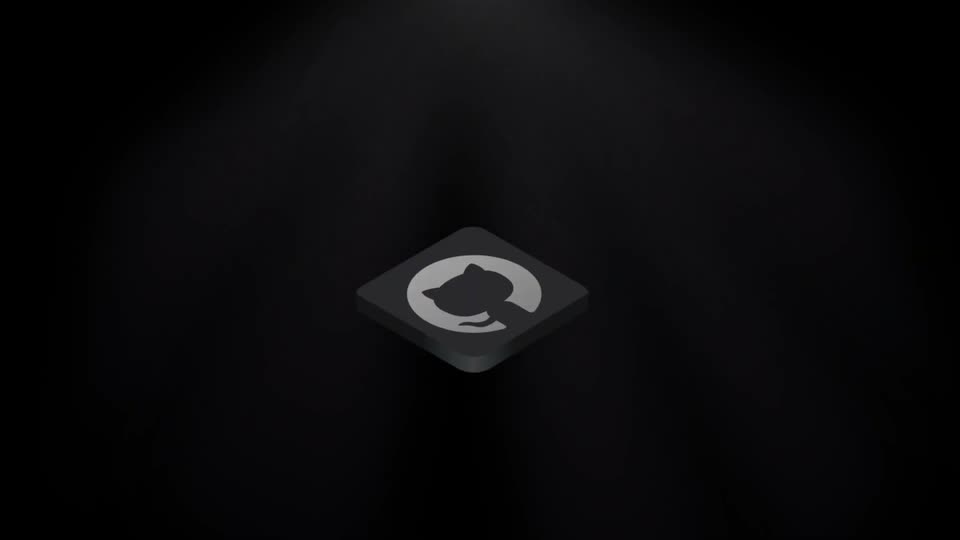
Two dark 3D tiles, one with the GitHub mark and one a white rounded square, rotate from a vertical stack into a diagonal isometric layout. A light beam with small moving cubes links them. On the right, “Connect to GitHub” fades in, followed by “in just 2 clicks”.
On-screen text: “Connect to GitHub”, “in just 2 clicks”
Techniques: 3D mockup, Particles
Camera: Static
A dark terminal window mockup tilts from a 3D angle into a flat front view, then the command git push types out after the prompt. A static headline sits above the window on a black background.
On-screen text: “Connect to GitHub”, “in just 2 clicks”
Techniques: 3D mockup
Camera: Static
A dark notification card floats in 3D on black, tilted, with a spinner icon and Checking pull request. The icon flips to an exclamation mark and the text swaps to cubic found 3 bugs as the card flattens, then a white hand cursor rises to point at it.
Techniques: 3D mockup, Cursor demo
Camera: Static
A tilted 3D code editor shows a TypeScript file as its lines type in, then the camera zooms in on a red-highlighted expression. A small static caption reads 'cubic found 3 bugs' with the brand logo.
On-screen text: “cubic found 3 bugs”
Techniques: 3D mockup, Kinetic type, UI zoom
Camera: Push in
A dark code editor shows a highlighted line of JavaScript. The code blurs and dims as a translucent comment card reading 'cubic commented now Bot' fades in over the center of the screen.
Camera: Pull out
A dark comment card reading 'cubic commented now' with a Bot pill sits over a blurred green code block. The comment body types out, then the camera pushes in until the text fills the frame, then pulls back to the full card.
Techniques: Kinetic type, UI zoom
Camera: Push in
A dark code-review interface shows a bot comment card sliding in at the top, then the view zooms into a red-and-green code diff as a white Apply button fades in. A cartoon hand cursor taps the button, and the diff resolves into the full corrected file.
Techniques: UI zoom, Cursor demo
Camera: Push in
A dark code editor window shows TypeScript code, then the view zooms into the lines and a green box highlights the word amount, before pulling back out as the caption Immediate, appears at the bottom left.
On-screen text: “Immediate,”
Techniques: UI zoom
Camera: Pull out
A dark code editor window shows a syntax-highlighted TypeScript file as the code settles into place line by line. Below it on the black background, a bold white headline appears word by word across two lines.
On-screen text: “Immediate, actionable feedback on every pull request”
Techniques: Kinetic type
Camera: Pull out
A dark code editor card shows a TypeScript file with a highlighted line, above a bold white headline. The card and headline slide up and fade as a second code card and the word Smarter enter from below.
On-screen text: “Immediate, actionable feedback on every pull request”, “Smarter”
Camera: Static
On a dark gradient, the two-line headline slides left as a list of four chevroned rows fades in at right. The frame then zooms into the top row, which expands to reveal a file entry.
On-screen text: “Smarter”, “diff ordering”
Techniques: Kinetic type, UI zoom
Camera: Push in
A dark code-review file list on a near-black gradient. The Payments API row carries a white 4 badge that slides left, the charge-card.ts row shows green +5 and red -2, a dimmed utils folder sits below, and the Stripe Utilities row rests at the bottom. Rows settle into place with a slight vertical shift.
Camera: Pull out
A dark code-review interface sits in 3D perspective, fading from a blurred ghost to sharp focus. The left file tree lists Payments API with a sliding 4 badge, while the right panel shows a flow diagram linking User input and Product catalogue boxes to a Stripe node.
Techniques: 3D mockup
Camera: Pull out
On a black field, the white word Ask sits centered. The word anything then slides in beside it to complete the phrase Ask anything, holding still.
On-screen text: “Ask anything”
Techniques: Kinetic type
Camera: Static
Close-up of a dark chat input on black, placeholder “Ask anything (⌘L)” visible, then the frame zooms in as the question “Does the UI work on mobile?” types out letter by letter behind a blinking caret.
Techniques: UI zoom, Kinetic type
Camera: Push in
Close-up of a dark message bar with a grey paperclip and a white paper-plane send icon. A white hand cursor with a black outline slides in from below and presses the plane, which scales up on contact.
Techniques: Cursor demo
Camera: Static
A close-up of a chat bubble zooms out to reveal the product interface tilted in 3D perspective, with a flow diagram and code panel, while large white words 'Fast Effortless' then 'Always in context' fade in on the right.
On-screen text: “Fast Effortless”, “Always in context”
Techniques: UI zoom, 3D mockup, Kinetic type
Camera: Pull out
A dark command palette over a code review screen zooms in and expands to list more PR commands. A white hand cursor hovers over the Merge row, then the screen fades to black, leaving a small gray arc logo centered.
Techniques: UI zoom, Cursor demo
Camera: Push in
A black frame holds the white line “Teams ship 19% faster”, which builds word by word in the center while the percentage ticks up from 13% to 19%, then the whole line fades to black.
On-screen text: “Teams ship 19% faster”
Techniques: Kinetic type
Camera: Static
A white headline line on black reads “Teams ship 23% faster” and scrolls left as the figure counts up to 28% and the type scales up.
On-screen text: “Teams ship 19% faster”, “Teams ship 28% faster”
Techniques: Kinetic type
Camera: Static
A dark, softly blurred background holds centered white text that builds word by word: “just within just 2 weeks”, then a second line “of using cubic” with a small white rounded-square logo between the last two words. The frame stays locked off.
On-screen text: “just within just 2 weeks”, “of using cubic”
Techniques: Kinetic type
Camera: Static
A white pill button reading “Start for free” and a small white rounded-square logo sit centered on a dark, out-of-focus backdrop. They fade in together and then hold, locked off.
On-screen text: “Start for free”
Camera: Static