1:00

Mike Molinet - Today we're launching Dock (@trydock) . Over the past 6 months I had
Dock · B2B · Sep 2026
Crator’s 0:39 launch film runs 16 scenes, about 2.5 s each. The product is on screen from the first frame. The call to action lands at 0:34 (87% in), over a voiceover. Founder-led talking head on a rooftop terrace alternates with flat UI screens and dark data panels, cut at a brisk 4.6 cuts per minute around 115 bpm. Signature moves: oversized stat text flanking the speaker, a red strike-through crossing out vendor costs, and pop-in checkmark badges confirming each module as the demo progresses.
Is this your launch? to your site or press kit.
Dock · B2B · Sep 2026
Grep AI · B2B
Ecovadis · Nov 2020
Films whose music sounds like this one, voice left out
Vexo · Upbeat electronic
Reducto · Electronic
shift · Upbeat electronic
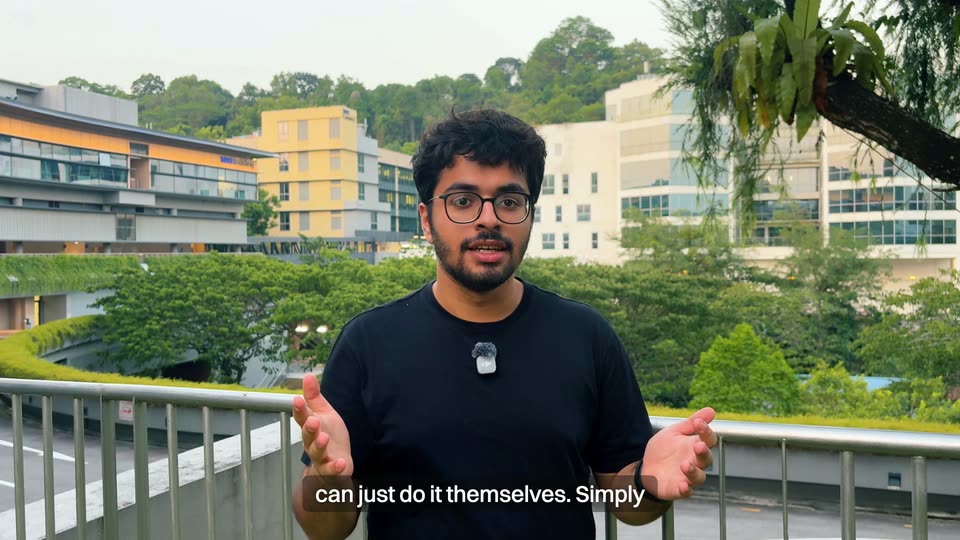
A man in a black t-shirt and glasses stands on a rooftop terrace, gesturing while speaking. Oversized white text flanks him: $50 BILLION, then TWO THIRDS and a red FAIL. A lower-third names him, and the Crator and SAP logos fade in beside him.
On-screen text: “$50”, “BILLION”, “50 billion dollars a year is”, “spent on ERP implementations”, “and two-thirds of them fail.”, “TWO THIRDS”, “FAIL”, “Hi I'm Yajat, co-founder of”, “Yajat”, “Co-founder, Crator”
Camera: Pull out
On a cream background, a gradient heart icon sits left of center above a gray caption reading 'we're launching Crator, the'. The black 'Lovable' wordmark appears beside the heart, then 'for ERPNext' with a blue app icon scales in below. The frame is locked off.
On-screen text: “we're launching Crator, the”, “Lovable”, “for”, “ERPNext”
Techniques: Kinetic type
Camera: Static
A man in a black tee talks on an outdoor bridge, then a dark panel wipes in from the left carrying two module labels, Accounting and Inventory. The panel closes over the frame to reveal the Lovable wordmark with a forB ERPNext tagline on black.
On-screen text: “Lovable”, “forB ERPNext”
Techniques: Masking
Camera: Push in
Split screen: on the left a dark panel holds six module cards with colored icons that fade in one after another, on the right a man in a black tee gestures while speaking outdoors against buildings and trees. A caption sits at the bottom.
On-screen text: “if a business wants to get an ERP,”
Techniques: Split screen
Camera: Static
A dark panel lists six category tiles with colored icons on the left, while a man in a black t-shirt speaks to camera on the right against an outdoor backdrop of buildings and trees. A white subtitle sits at the bottom.
On-screen text: “they need to go to a vendor that”
Techniques: Split screen
Camera: Pan
Split screen: a man gestures on the left while a dark panel on the right builds 'The vendor way', a cost rolling up to $70,000+, and '6-9 months', then a red line crosses both out. The panel ends for a full shot of him.
On-screen text: “they need to go to a vendor that”, “The vendor way”, “charges them tens of thousands of”, “Upfront cost”, “$70,000+”, “dollars and takes months to”, “Time to go live”, “6-9 months”, “implement. With Crator, they”, “can just do it themselves. Simply”
Techniques: Split screen, Kinetic type
Camera: Pull out
A man in a black tee gestures on a rooftop terrace, then a hard cut lands on the Craytor interface: a dark screen with the white serif headline and a chat input field holding a placeholder, model chip and orange send button.
On-screen text: “can just do it themselves. Simply”
Camera: Static
A chat input under the headline 'What will you build on ERPNext?' types a furniture-business prompt with a CSV chip attached. The view then reflows to a setup list where Stock, Manufacturing and Accounting cards gain orange checks; caption pills narrate at the bottom.
On-screen text: “What will you build on ERPNext?”, “can just do it themselves. Simply”, “log on to Crator, describe”, “modules you want”
Camera: Static
A flat product screen on white holds static, showing a generated ERP summary: a green CSV file chip, a prompt line, a bold headline and a three-item bulleted list. A gray caption pill reading 'and Crater will implement them' sits centered at the bottom.
On-screen text: “and Crater will implement them”
Camera: Pull out
A two-pane screen pairs a Crator chat announcing a ready ERP with an item table on the right; the view pans right to expose the full table, a caption bar reading 'and Crator will implement them' anchored at the bottom.
On-screen text: “and Crator will implement them”
Camera: Push in
A light ERP item list fills the frame, showing a green success banner and four rows of codes and statuses. A small Stock card sits in the lower right corner and a red checkmark badge pops onto it. A caption reads for you in ERPNext.
On-screen text: “for you in ERPNext.”
Camera: Pan
A light accounting dashboard with a static chart of accounts table fills the frame. In the bottom right, a white label card reading Accounting shifts from faded gray to solid black as a red checkmark badge pops into its top corner.
On-screen text: “Accounting”
Camera: Pan
A light work-order UI: a cursor clicks the black Approve button in a popup, the stepper and badge flip to green Approved, the popup swaps to a confirmation with a green check, and a white card bottom right fills in the word Manufacturing with a red check.
On-screen text: “If you or anyone you know”, “Manufacturing”
Techniques: Cursor demo
Camera: Static
A man with glasses and a black t-shirt stands on an outdoor terrace, gesturing with open hands while speaking to camera. A ghosted manufacturing work-order form and a Manufacturing label fade out at the start. A caption sits at the bottom.
On-screen text: “is looking for an ERP, book”
Camera: Static
A man with glasses on a rooftop walkway gestures while speaking, the shot fading to white as the Crater logo and wordmark appear centered. A subtitle line sits at the bottom during the first half.
On-screen text: “is looking for an ERP, book”, “Crator”
Camera: Static
On a cream background, the Crator logo sits at the top while the bold black headline “Book a call today” slides up into the center. The orange URL “cratorlabs.ai” then fades in beneath it. The frame stays locked off.
On-screen text: “Book a call today”, “cratorlabs.ai”
Techniques: Kinetic type
Camera: Static