1:55
Explore
Dany - Construction still runs on manual work and tools that weren't built f
Constor · Nov 2026 · 1:02 · AI-annotated
- Length
- 1:02
- Scenes
- 33 · 1.9 s avg
- Product on screen
- 0:23
- Features shown
- 1
- Call to action
- 0:55 · 90%
- Voiceover
- Yes
00:00:00 / 01:02:29
Constor’s 1:02 launch film runs 33 scenes, about 1.9 s each. The product shows up at 0:23 and 1 feature is revealed. The call to action lands at 0:55 (90% in), over a voiceover. The video runs in four beats: a glitchy, chromatic-aberration $89 billion opening, a grid-paper problem section where captions type in word by word and blueprints, alert pills and a 3D panel stack animate the pain, a UI demo of the Constor dashboard, and a pixel-assembled logo end card with a red Book-a-demo button. Its signature moves are the word-by-word caption build, the scanline and glitch distortion on the stat, and the zoom-throughs that push flat UI into 3D perspective.
Footage neededEstimated needs: 1 capture group — your screens or recordings · 1 official logo — reused across the film · 7 filmed passages — shoot, supply or replace · 6 graphic passages — draw or supply · 6 3D passages — build or supply
Is this your launch? to your site or press kit.
More like this


Dany - Construction still runs on manual work and tools that weren't built f, scene by scene
· 33 scenes as text
01 · Hook · 0:00–0:00
A curved newspaper front page showing a black serif $89 BILLION headline glitches and morphs into a dark monitor screen with the same figure in white under a red BREAKING banner. Both sit in 3D perspective against black, covered in scanlines and red-blue chromatic aberration.
On-screen text: “$89 BILLION”, “Lost every year to bad information”
Techniques: 3D mockup, Morph
Camera: Static
02 · Hook · 0:00–0:01
A curved, CRT-style departure board fills the frame, its flight rows dissolving into red and green pixel noise as the white headline $89 BILLION resolves in the center.
On-screen text: “$89 BILLION”
Camera: Static
03 · Hook · 0:01–0:01
A fisheye view of a dark building at night, its glowing red mid-band carrying the white headline $89 BILLION, with a lit street and silhouetted pedestrians below. Vertical rain streaks fall across the whole frame as the curved image pushes in slightly.
On-screen text: “$89 BILLION”
Techniques: Particles
Camera: Pull out
04 · Hook · 0:01–0:02
A black screen holds the phrase “Lost every year” in white at center, fading in word by word, while small corrupted text fragments flicker in and out around the edges.
On-screen text: “Lost every year”
Techniques: Kinetic type
Camera: Pull out
05 · Hook · 0:02–0:04
A white caption builds word by word, “Lost every year to bad information.,” over a black field dotted with red and gray code fragments, then dissolves to a static dusk construction site with cranes as the line slides in: “in the construction industry”.
On-screen text: “Lost every year to bad information.”, “in the construction industry”
Techniques: Kinetic type
Camera: Pull out
06 · Problem · 0:04–0:05
A dusk construction site with cranes and an unfinished concrete building fills the static frame. The white caption slides down from the upper area and locks in place at center, holding over the still scene.
On-screen text: “in the construction industry”
Camera: Static
07 · Problem · 0:05–0:09
A 3D isometric stack of floor-plan panels sits on a dark field, the top layer glowing red, as rework timeline labels scale in on the right. The cut lands on a dusk construction site with cranes and workers, a faint grid in the sky.
On-screen text: “Day 12 · Built”, “Day 15 · Torn out”, “Day 19 · Rebuilt”, “Rework #3”, “in the construction industry”
Techniques: 3D mockup, Kinetic type
Camera: Static
08 · Problem · 0:09–0:09
A dusk construction site with tower cranes and a faint grid overlay; small labels 'Day 12· Built', 'Day 15· Torn out' and 'Rework #3' pop in near the structure, then the headline 'The construction industry runs on' scales up across the frame.
On-screen text: “Day 12· Built”, “Day 15· Torn out”, “Rework #3”, “The construction”, “industry runs on”
Techniques: Kinetic type
Camera: Static
09 · Problem · 0:09–0:10
A dark gray headline sits on a white field with a faint pink grid. A washed-out line drawing of a construction site, cranes and a building frame, fades in across the lower right. The text scales down and shifts up as the illustration gains contrast.
On-screen text: “The construction industry runs on”
Techniques: Kinetic type
Camera: Static
10 · Problem · 0:10–0:12
On a pale grid, scattered blueprint sheets drift and rescale while the centered headline scales from “The construction industry runs on” to “Knowledge & practices”. Pink pills “+10% on elbows” and “Check the lines” pop in, and “That” fades up below.
On-screen text: “The construction”, “industry runs on”, “Knowledge”, “& practices”, “+10% on elbows”, “Check the lines”, “That never make it onto paper”
Techniques: Kinetic type, Parallax
Camera: Pull out
11 · Problem · 0:12–0:14
A flat HVAC floor-plan blueprint sits on a pale grid-paper background, framed by three red warning pills with alert icons. The card drifts slightly while the bottom headline types in word by word.
On-screen text: “+10% on elbows”, “Check the risers”, “Order 2 weeks early”, “That never make it onto paper”
Techniques: Kinetic type
Camera: Push in
12 · Problem · 0:14–0:15
A 2D floor plan on a light grid drifts left. A red radar pulse rings from the duct-beam crossing, and a red tag 'Clash · duct vs beam' slides in from the right. The caption 'Plans have mistakes' slides up at the bottom.
On-screen text: “Clash · duct vs beam”, “Plans have mistakes”
Techniques: Kinetic type
Camera: Pan
13 · Problem · 0:15–0:17
A tilted white specification sheet with a soft drop shadow sits on a pale graph-paper grid. The sheet scales up and drifts left, enlarging its HVAC rows and red dashed highlight boxes, while a dark sans headline reads on the right and a small label slides in.
On-screen text: “Specs leave things out”, “Clash · duct vs beam”
Techniques: 3D mockup
Camera: Pan
14 · Problem · 0:17–0:21
Three silhouetted men, one in a hard hat and two in suits with blueprints, stand on a construction platform against a pink sunset. The words What to trust fade in at right, then the shot cuts to a lone man pointing as What to question scales up beside him.
On-screen text: “What to trust”, “What to question”
Techniques: Kinetic type
Camera: Push in
15 · Problem · 0:21–0:21
A silhouetted man in a suit points to the upper right against a hazy orange sunset. The phrase What to question floats in the sky and scales into focus while a second line, How to fill, fades in at the lower right. The man drifts slowly left.
On-screen text: “What to question”, “How to fill”
Techniques: Kinetic type
Camera: Push in
16 · Problem · 0:21–0:23
A pink sunset sky fills the frame above a hazy ridge of mountains and dark tower-crane silhouettes. The centered headline “How to fill the gaps” sharpens and scales up from a soft blur, settling over the skyline.
On-screen text: “How to fill the gaps”
Techniques: Kinetic type
Camera: Pull out
17 · Product intro · 0:23–0:25
Two faded red curved brackets on a white background morph into a sharper red logo: a C shape, a four-square plus, and two lower brackets.
Techniques: Morph
Camera: Static
18 · Product intro · 0:25–0:26
A red bracket logo is replaced by the black headline Give frontier models on white, while pastel labels in rounded boxes, such as Hydraulic valve and VED Exhaust, drift outward and grow.
On-screen text: “Give frontier models”
Techniques: Kinetic type, Parallax
Camera: Pull out
19 · Product intro · 0:26–0:28
A field of pastel keyword chips (AHU supply, Fire damper, VED Exhaust) sits on a white background. A red glowing orb in the center morphs through small white icons while the bold black headline Practical understanding holds below it.
On-screen text: “Practical understanding”
Techniques: Morph
Camera: Static
20 · Product intro · 0:28–0:31
On a pale dotted grid, an isometric stack of three translucent panels assembles as red lines and square nodes draw across them, a red chip badge drops into place beside the text, and the second line slides in.
On-screen text: “they need to work in the”, “construction industry.”
Techniques: Kinetic type
Camera: Pull out
21 · Feature reveal · 0:31–0:32
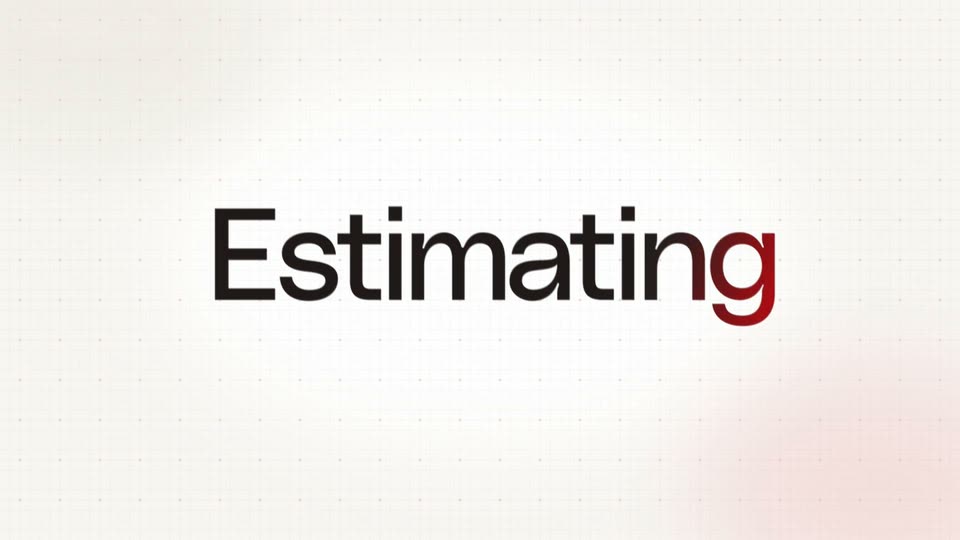
On a cream grid-paper background, an isometric stack of white planes with red lines and a red badge sits left of the caption 'they need to work in the construction industry.' The caption blurs and slides out, then the large word 'Estimating' appears centered, its 'a' in red.
On-screen text: “they need to work in the”, “construction industry.”, “Estimating”
Techniques: Kinetic type
Camera: Pan
22 · Feature reveal · 0:32–0:33
A dark gray “Estimating” title, its last letter red, holds center on a cream dotted grid, then gives way to a tilted mechanical blueprint that slides up from the bottom.
On-screen text: “Estimating”
Camera: Pan
23 · Feature reveal · 0:33–0:34
A tilted mechanical blueprint for Constor Tower, level 2, sheet M-201, rests on a pale dotted grid, shown in 3D perspective. The sheet slides gently into frame, its dense line work and right-hand title block staying flat and legible.
Techniques: 3D mockup
Camera: Static
24 · Feature reveal · 0:34–0:40
The camera pushes in over a paper blueprint. Red circles 1-5 mark equipment; a red line crosses the plan, labeled 140' - 0 and $3,444. Chips slide in on the right: Day 1 · Counting, Day 2 · Measuring, Day 3 · Pricing. Will we win the job? slides in at the top.
On-screen text: “Day 1 · Counting”, “140' - 0”, “Day 2 · Measuring”, “Day 3 · Pricing”, “$3,444”, “Will we win the job?”
Techniques: Kinetic type
Camera: Push in
25 · Feature reveal · 0:40–0:43
A light Constor dashboard fills the frame; the stat numbers tick up from 22 to 28 drawings and 19/28 to 28/28 analyzed while the view zooms in on the M-201 row as a cursor hovers over it.
On-screen text: “Will we win the job?”
Techniques: Cursor demo, UI zoom
Camera: Push in
26 · Feature reveal · 0:43–0:45
A white panel holding a faint floor plan and a top toolbar fades in, then the view zooms into the drawing. A cursor glides to the red Detect all button at the right, which lights up with a red ring.
Techniques: UI zoom, Cursor demo
Camera: Push in
27 · Feature reveal · 0:45–0:46
A flat close-up of a blueprint interface, with a red loading ring, a clock icon and the line DETECTING 8 NETWORKS, pulls back to reveal the same screen on a tilted tablet in 3D perspective against a plain gray backdrop.
Techniques: 3D mockup
Camera: Pull out
28 · Feature reveal · 0:46–0:47
A 2D building floor plan with multicolored MEP network lines fills the screen behind a white Takeoff report card listing totals and per-network lengths. The view zooms in, reframing onto the report card with its 3D view, Export takeoff and Done buttons.
Techniques: UI zoom
Camera: Push in
29 · Feature reveal · 0:47–0:49
A 2D floor plan with multicolored pipe networks fills the frame. A white takeoff report card on the right slides out to the right with motion blur, exposing the full drawing, while a cursor rests near the bottom buttons.
Techniques: Cursor demo
Camera: Static
30 · Feature reveal · 0:49–0:50
Two white UI panels, a quantity takeoff sheet and an export dialog, float over a colorful MEP floor plan. A black cursor hovers near the red Export button as the panels drift slowly to the right.
Techniques: Cursor demo
Camera: Pull out
31 · Feature reveal · 0:50–0:51
Two white panels, a quantity takeoff sheet and an export dialog, float over a dimmed floor plan. Two cursors move to the red Export button, then the panels clear away to reveal the full color-coded piping plan.
Techniques: Cursor demo
Camera: Static
32 · Feature reveal · 0:51–0:55
A CAD floor plan with colored duct and pipe lines fills the frame. A white card types out 'to-confirm → Exhaust air', then updates to '22.5 ft → 25.0 ft'. A red box highlights a room, and a caption 'Learned · applied to the next drawings' slides in right.
On-screen text: “Learned · applied to the next drawings”
Techniques: Kinetic type
Camera: Pull out
33 · CTA · 0:55–1:02
On a cream grid background, the red Constor mark assembles from pixels while the wordmark scales in. The tagline slides in word by word, then a red Book a demo button and a Backed by Y Combinator pill drop in below, holding before a cut to black.
On-screen text: “The AI-native OS for construction.”, “Book a demo”, “Backed by”, “Combinator”
Techniques: Kinetic type, Masking
Camera: Static