1:14

Introducing Superhuman
Superhuman · Productivity · Feb 2021
Comet · Mar 2026 · 1:30 · Full motion · AI-annotated
Comet’s 1:30 launch film runs 18 scenes, about 5.0 s each. The product is on screen from the first frame and 3 features are revealed. The call to action lands at 1:19 (88% in), over a voiceover. The video is built as a brand open, three feature chapters marked by centered serif title cards, and a closing App Store call. Its style relies on black negative space, slow type fades, close-up phone UI, and recurring warp-speed starfield transitions.
Is this your launch? to your site or press kit.
A white comet logo and lowercase wordmark sit centered in a black warp-speed starfield, stars streaking outward. The starfield fades to black as the logo shrinks into a small circular badge at the bottom.
Techniques: Particles
Camera: Push in
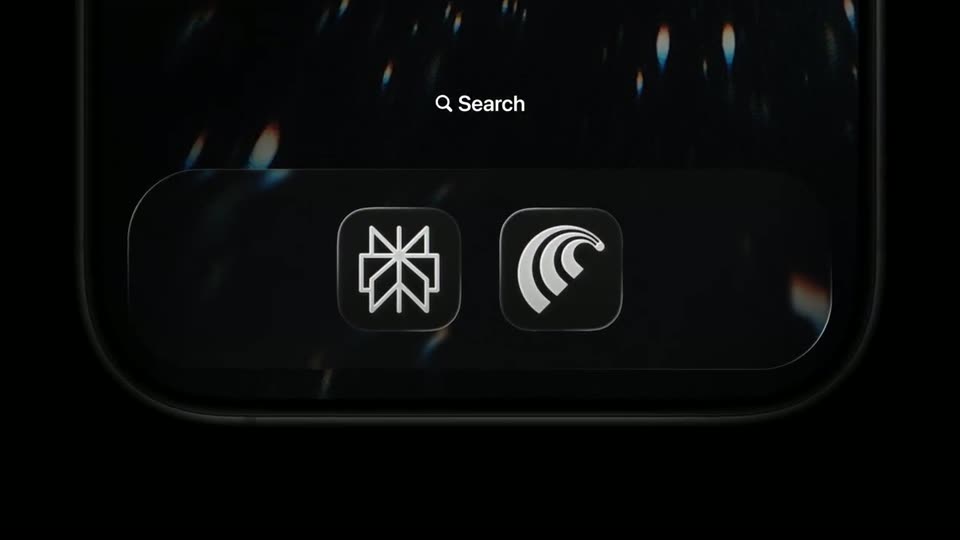
A two-line serif headline fades in at center on black, brightening from gray to white above a small circular icon with a white C mark, then cuts to a close-up of a phone search bar holding a rounded-square app icon with a white line-drawn star.
On-screen text: “The most powerful AI browser is now on iOS”
Camera: Static
A close-up of a dark phone search bar: the right icon morphs from a crescent into three stacked wave arcs, while the left line-art star icon stays fixed. The bar widens as both icons settle to equal size.
On-screen text: “The most powerful AI”, “browser is now on iOS”, “Search and answer”
Techniques: Morph
Camera: Static
A plain black frame holds the centered line 'Search and answer' in white serif type, the word 'and' set in italic. A small circular logo sits at the bottom edge. The frame stays locked and still.
On-screen text: “Search and answer”
Camera: Static
A phone mockup in 3D perspective on black shows a browser home page, then the view zooms into the search bar as 'indian wells scores' is typed and autocomplete suggestions refresh above the keyboard.
On-screen text: “Search and answer”
Techniques: 3D mockup, UI zoom
Camera: Push in
A phone screen crossfades from a weekly calendar to a tennis match scorecard, then a teal circular pulse highlights a suggested answer line before fading out, leaving the bottom search bar reading indian wells scores.
Camera: Static
A locked-off close-up of a phone chat screen. A tap ripple lands on the input bar, the keyboard rises and a question is typed, then the message sends and the answer text fades in line by line.
Techniques: Cursor demo
Camera: Pull out
A black screen holds the centered phrase in white serif type, the first word italic. The letters resolve from a soft gray glow into crisp white over the first second, then hold. A small circular C mark sits at the bottom edge.
On-screen text: “Effortless action”
Camera: Static
A phone screen displays a team chat; in the assistant input field at the bottom, the prompt “Find this PR on GitHub and approve it” types out letter by letter above the keyboard, under a static “Effortless action” headline.
On-screen text: “Effortless action”
Techniques: Cursor demo
Camera: Static
A front-facing phone on black shows an Assistant chat. A teal tap ripple pulses on the Browse for me button, the Experimental card collapses into a status line, then the screen scrolls up as a task checklist ticks off and a small data table fades in at the bottom.
Camera: Pull out
A white serif phrase reads centered on a black field and holds still, while a small circular logo stays fixed at the bottom edge of the frame.
On-screen text: “Browse out loud”
Camera: Static
A front-facing iPhone on a black background shows a Safari page on theinfatuation.com. The view zooms from the article header down to the bottom toolbar, where a teal ring highlights the Assistant button in the Safari bar.
On-screen text: “Browse out loud”, “theinfatuation.com”
Techniques: UI zoom
Camera: Push in
A locked-off close-up of a phone screen frames a voice panel below a food photo. The panel shifts from brown to teal as the assistant's reply types in line by line, while a dot grid pulses and the URL pill holds still.
On-screen text: “theinfatuation.com”
Techniques: Kinetic type
Camera: Static
A close-up of a browser address bar pulls back to reveal a 3D phone on black, its screen showing a reservation confirmation page with name, date and two blue buttons, then the shot pushes back in toward the screen.
Techniques: UI zoom, 3D mockup
Camera: Pull out
A white serif tagline holds centered on black above a small circular Comet logo at the bottom. The black field then opens into a radial starfield, white streaks flying outward from the center as the text shrinks toward the middle.
On-screen text: “The internet is better on Comet”
Techniques: Particles
Camera: Push in
A white circular mark morphs into the comet wordmark at the center of a black hyperspace warp, stars streaking outward from the vanishing point. A serif tagline holds below; the logo dims to gray and the frame fades to black.
On-screen text: “comet”, “Get it now on the App Store”
Techniques: Morph, Particles
Camera: Push in
A black space field with thin light streaks rushing outward from the center while the dim comet logo and a centered App Store line hold still, the frame fading toward black.
On-screen text: “Get it now on the App Store”
Techniques: Particles
Camera: Static
A solid black frame holds for the full duration of the clip. No content, text, or motion appears; the screen stays uniformly dark from start to finish.
Camera: Static