3:05
MystiqueMide - Introducing Flowfuel AI automation agencies can run one workflow and
FlowFuel (built by MystiqueMide) · Sep 2026
Click · 0:44 · AI-annotated
Click’s 0:44 launch film runs 11 scenes, about 4.0 s each. The product is on screen from the first frame and 1 feature is revealed. The call to action lands at 0:39 (90% in), over a voiceover. A single presenter at a desk carries the whole pitch, punctuated by full-screen purple logo stings and a split-screen chat mockup at a steady mid-tempo. Signature moves: the 3D purple cursor logo popping in, app icons drifting in an arc above the speaker, and white pill labels that scale in and out around him.
Is this your launch? to your site or press kit.
FlowFuel (built by MystiqueMide) · Sep 2026
Bland · B2B · Oct 2026
Films whose music sounds like this one, voice left out
GovGuard · Modern electronic
Trajectory · Modern electronic
A man in an olive shirt sits at a wooden table against a warm slatted wall, waving then gesturing. Bottom captions swap in sequence. An orange Y badge pops in on the left, then a purple 3D arrow logo rises in front of his chest.
On-screen text: “Hi I'm Aditya”, “I got into YC”, “and I'm building”
Camera: Push in
A presenter at a desk speaks to camera, a purple 3D cursor floating over his chest with a Click title pill below. It cuts to a purple field where the cursor glides left, leaving a dotted trail, and a Codex badge scales in beside it, then back to the presenter with a caption.
On-screen text: “Click”, “and I'm building”, “Codex”, “so you can do more in chat”
Techniques: 3D mockup, Masking, Light sweep
Camera: Static
A man in a green shirt sits at a desk against a slatted wood wall, gesturing as he speaks. Six white label chips with short task phrases scale in around him, and a translucent caption bar at the bottom reads the line. The frame stays locked on him.
On-screen text: “Find work emails”, “Show top ads”, “Search LinkedIn activity”, “Find company KPIs”, “Find rental apartments”, “Find best flights”, “so you can do more in chat”
Camera: Static
A man in an olive shirt sits at a desk against a slatted wall, gesturing as he talks. Six white use-case labels float around him and fade out, while the bottom caption changes from “so you can do more in chat” to “Every chat is a journey”.
On-screen text: “Find work emails”, “Show top ads”, “Search LinkedIn activity”, “Find company KPIs”, “Find rental apartments”, “Find best flights”, “so you can do more in chat”, “Every chat is a journey”
Camera: Push in
A man in an olive shirt sits at a table against a slatted wood wall, speaking and gesturing. A white chat panel with a search bar slides in from the left, splitting the frame, while the caption 'You start with one thing' slides in at the bottom.
On-screen text: “You start with one thing”
Techniques: Split screen
Camera: Pan
A locked-off split screen: on the left, a white chat mockup stacks gray and white bubbles, then an orange bubble and a permission card pop in; on the right, a man in an olive shirt gestures at a table while white captions swap in at the bottom.
On-screen text: “You start with one thing”, “your agent comes back”, “and it goes on”, “until the job is done”, “But there are certain things”, “Your agent”, “just can't do”, “because it doesn't”, “have the right tools”
Techniques: Split screen
Camera: Static
A man in an olive shirt speaks to camera in a warmly lit room with wooden slat walls, a plant and a lamp. White captions swap in at the bottom, matching his speech. The shot holds as a static medium close-up.
On-screen text: “In-built web search”, “and browser use”, “simply aren't enough”
Camera: Static
A man in an olive shirt sits at a wooden desk before a slatted wall with warm dappled light, gesturing while speaking. Subtitles line up at the bottom; a purple 3D arrow and 'Click' scale in at 1s, LinkedIn and Instagram icons pop into the top corners at 6s.
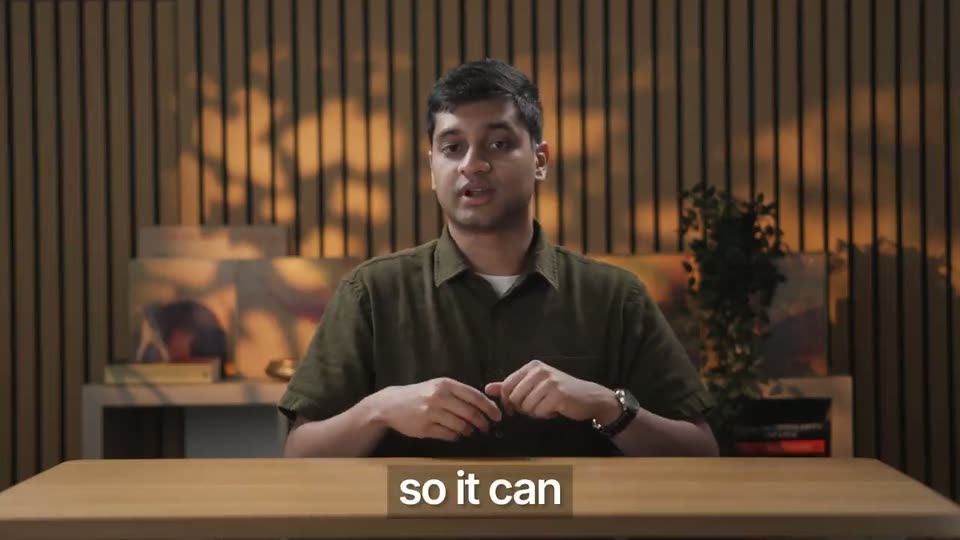
On-screen text: “simply aren't enough”, “That's why I built”, “Click”, “It's an MCP”, “That gives your agent”, “specialized tools”, “so it can”, “find professional leads”
Techniques: Kinetic type
Camera: Static
A man in a green shirt sits at a desk, gesturing as he speaks. App icons for social and travel services float around him, drifting and regrouping in an arc above his head. Lower-third captions swap with each line of speech.
On-screen text: “do deep social research”, “find live flight fares”, “and so much more”, “A single installation”, “gives your agent”, “an ever-growing bundle”, “of the best tools”, “A chat shouldn't end”
Camera: Static
A man in an olive shirt sits centered at a desk, talking and gesturing against a slatted wood wall. Six white pill labels listing use cases float on either side of him; green checkmarks pop in beside each label, then the labels vanish as the bottom caption bar rolls through phrases.
On-screen text: “Find work emails”, “Show top ads”, “Search LinkedIn activity”, “Find company KPIs”, “Find rental apartments”, “Find best flights”, “A chat shouldn't end”, “because your agent”, “doesn't have the tools”, “shouldn't end when the job is done when the job is done Try”
Techniques: Kinetic type
Camera: Static
A man in an olive shirt sits at a wooden desk against a warm slatted wall, speaking to camera with hands clasped. At the bottom, the underlined word Click gives way to a badge with a purple icon and the URL useclick.ai.
On-screen text: “Click”, “useclick.ai”
Camera: Static