0:32
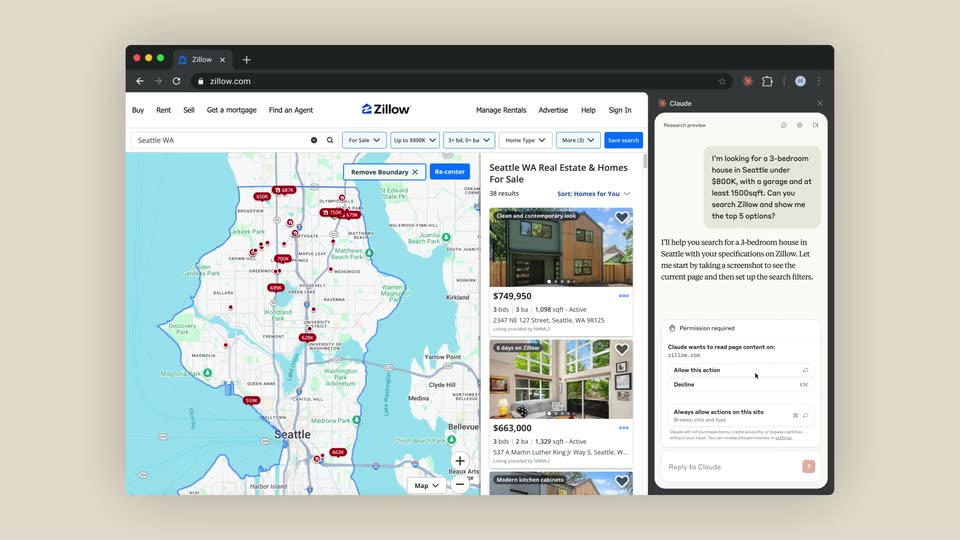

Anthropic - We’ve developed Claude for Chrome, where Claude works directly in you
Anthropic · AI · Aug 2025
Claude’s 1:08 launch film runs 24 scenes, about 2.9 s each. The product shows up at 0:02. The call to action lands at 1:02 (91% in). One continuous scenario: a beige preview card, a Chat/Cowork toggle, then a long grid-paper demo where white cards expand, collapse and slide in place of cuts. Signature moves are the squeeze-and-blur text transitions, the morphing coral lightning bolt, and the spiky asterisk that punctuates every Claude reply.
Is this your launch? to your site or press kit.
Anthropic · AI · Aug 2025
Vercel · Developer tools · Oct 2023
Anthropic · AI · Jan 2026
A centered serif sentence rests on a flat beige field, then squeezes horizontally until the letters crowd and overlap, holding the compressed state.
On-screen text: “Now available as a research preview”
Techniques: Kinetic type
Camera: Static
On a cream background, a black cursor hovers a white Chat pill, which expands right to reveal a beige Cowork segment, then settles into a two-part toggle with a thin divider.
Techniques: Cursor demo
Camera: Static
A coral blob grows into a tilted tag, then morphs into a lightning bolt with a white circuit line on a cream background. The bolt shrinks and moves to the top right as the gray serif word “Let’s” appears at left, and “Chat” slides in beside it.
On-screen text: “Let’s”, “Chat”, “Cowork”, “0”
Techniques: Morph, Kinetic type
Camera: Static
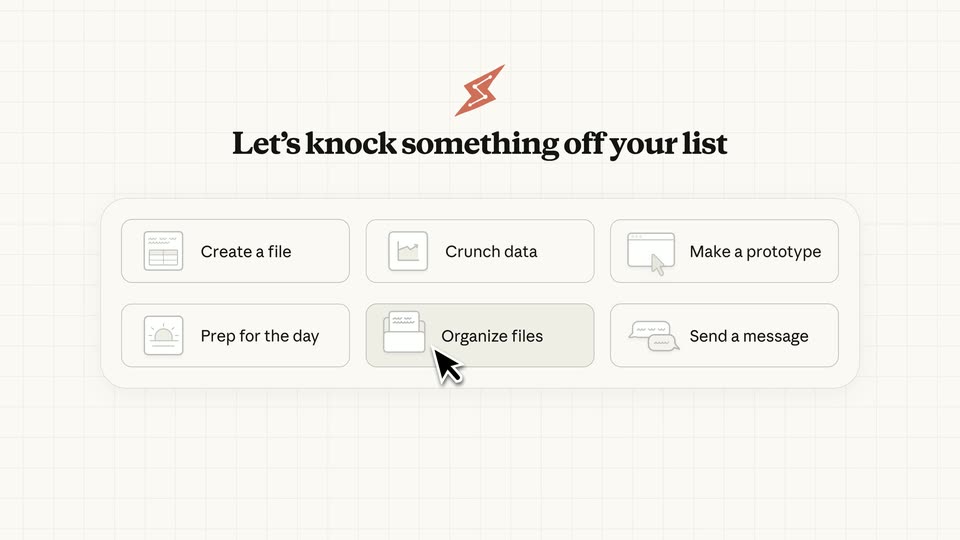
On a cream grid background, an orange lightning bolt logo with a white dotted line sits above a black serif headline that assembles word by word with a soft blur.
On-screen text: “Let’s knock something off your list”
Techniques: Kinetic type
Camera: Static
On a cream grid background, a red lightning bolt logo sits above a serif headline. A white panel of six labeled task buttons fades in, a cursor moves to and selects Create a file, and the panel expands downward to reveal a footer bar with a red Let's go button.
On-screen text: “Let's knock something off your list”
Techniques: Cursor demo
Camera: Static
On a cream grid background, a prompt card shows six task chips above a text field. A black cursor hovers over the Create a file chip while a prompt is typed into the field, then moves down and clicks the Work in a folder button.
Techniques: Cursor demo
Camera: Static
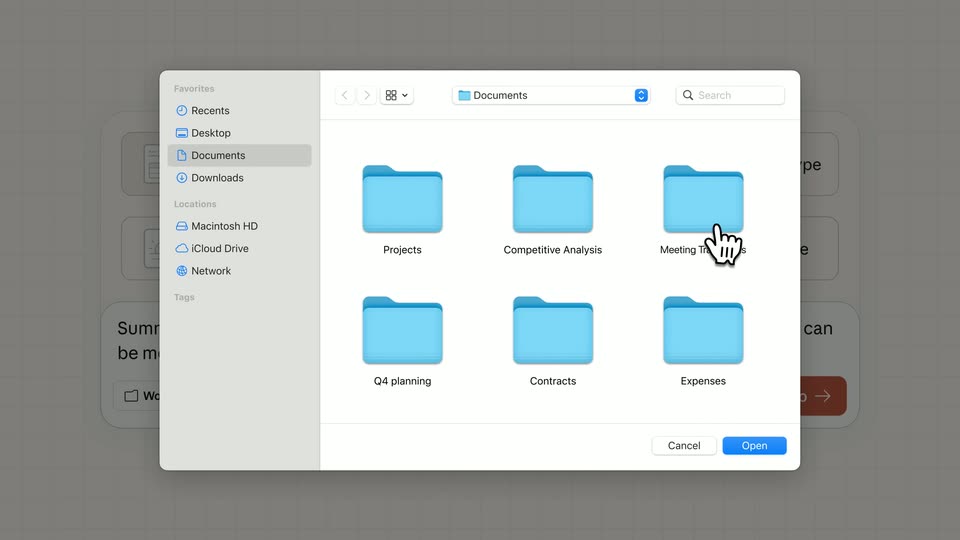
A macOS file dialog is centered over a dimmed document screen, showing six blue folders in a grid. A cursor and a hand pointer travel from the bottom row up to the Meeting Transcripts folder. Cancel and Open buttons sit at the bottom right.
Techniques: Cursor demo
Camera: Static
A macOS open-file dialog, with a cursor over the Meeting Topics folder, sits over a dimmed card of action buttons. The dialog fades away, revealing the full grid of task buttons and the prompt line with a Let's go button.
Techniques: Cursor demo
Camera: Static
A white prompt card sits on a cream grid background. The view zooms into the card as the attachment chip relabels from Work in a folder to Meeting Transcripts, then pans right to the red Let's go button, which a hand cursor presses.
Techniques: UI zoom, Cursor demo
Camera: Pan
On a cream grid-paper background, a black serif sentence fades in word by word on the left, then a second line appears below it. A small red spiky star mark sits under the text, stationary.
On-screen text: “I'll take a look through these now.”, “One quick question—”
Techniques: Kinetic type
Camera: Static
On a pale grid background, a white pill expands into a card titled 'How detailed do you want this?' with four numbered options and a Skip button. A black cursor glides down the list, tinting each row as it hovers, and stops on 'Detailed notes'.
Techniques: Morph, Cursor demo
Camera: Static
A white menu card on a grid-paper background lists detail options with a cursor resting on the highlighted row. The card fades out to reveal the Build logo, an orange star beside a gray serif italic word.
Techniques: Cursor demo
Camera: Static
On a faint grid canvas, an orange sunburst logo collapses to a dot beside italic serif text that fades in letter by letter. The text is then replaced by a white rounded panel with an up chevron on the right.
Techniques: Kinetic type, Morph
Camera: Static
A white rounded pill labeled Progress sits centered on a pale grid. It expands downward into a card as the close icon becomes a down chevron, revealing a four-step numbered list; the first step, Read meeting recordings, is circled in blue while the rest stay grey.
Techniques: Morph
Camera: Static
A white progress card on a cream grid lists four steps; step one is checked, step two gains a blue progress ring and a soft highlight. The card exits, and a large gray caption builds word by word: “actually one more thing”.
On-screen text: “actually one more thing”
Techniques: Kinetic type
Camera: Static
On a faint grid background, a gray rounded bubble types out “actually one more thing” at center, then shifts right as two more message bubbles slide in below it. A serif reply line types in at the lower left beside a small orange starburst icon.
On-screen text: “actually one more thing”, “can you check my calendar for what's urgent tomorrow?”, “oh and prep the deck for tmrw's team standup”, “On it - I'll check your calendar and prep the standup deck while I finish up the meeting analysis.”
Techniques: Kinetic type
Camera: Static
A white progress card sits over a numbered task list on a grid background. The card disappears and the list expands to full width, scrolling up one row as blue progress arcs draw around each number.
Camera: Push in
A browser window sits in slight 3D tilt on a cream grid background, showing Google Calendar with a dark tab bar. An orange outline highlights the Claude tab and the Calendar tab as the window eases a few pixels. The interface stays still, with the Today pill, Create button and a SUN 4 date visible.
Techniques: 3D mockup
Camera: Static
On a cream grid-paper backdrop, a folder icon and the label Meeting Transcripts slide in, then lock into a rounded Context card listing four more file rows; the card then swaps to an Artifacts card with two document rows.
Techniques: Kinetic type
Camera: Pull out
A white rounded panel titled Artifacts floats on a pale grid background. A third row, Team standup deck, slides in with a soft gray highlight as a black cursor glides up to hover over it.
Techniques: Cursor demo
Camera: Static
A three-panel app interface fills the frame: a chat log on the left, a generated slide deck in the center, and task lists on the right. A cursor glides from the Artifacts panel down to Context, then the view zooms in on the deck's pink stat cards.
Techniques: Cursor demo, UI zoom
Camera: Static
A close-up of a chat compose box on a cream grid background. A black cursor sits on the orange send button as the placeholder Reply... gives way to typed text reading claude... you cooked.
Techniques: Cursor demo
Camera: Static
A plain beige card holds a pill badge with a flask icon and the label RESEARCH PREVIEW above a centered serif headline that settles word by word into “What will you try next?”, then the line blurs as it drifts slightly.
On-screen text: “RESEARCH PREVIEW”, “What will you try next?”, “claude...”
Techniques: Kinetic type
Camera: Static
A small orange asterisk spins and scales up at center on a beige field, then the black serif word Claude fades in to its right, and the logo lockup holds still.
On-screen text: “Claude”
Camera: Static