0:54
Work Without Boundaries
Harvey · Oct 2025
Clarum’s 2:20 launch film runs 38 scenes, about 3.7 s each. The product is on screen from the first frame and 5 features are revealed. There is no explicit call to action. The video is built as a numbered, chaptered walkthrough: a logo open, a one-line problem, then two chapters where a sliding list of steps highlights the active feature, each feature announced by a centered serif card and shown in a flat 2D interface. Its signature moves are word-by-word text builds on a faint hairline grid, hard alternation between dark statement cards and light UI pans, and locked-off framing that keeps the pace slow and deliberate.
Is this your launch? to your site or press kit.
Harvey · Oct 2025
Rovo · Apr 2026
Cursor · Developer tools · Oct 2026
Films whose music sounds like this one, voice left out
Notion · Electronic ambient with a cinematic orchestral outro
Lovable · Upbeat electronic
Engramme · Cinematic electronic score
A small white asterisk mark sits centered on a black field. The serif word Clarum fades in beside it, the pair settles into a centered lockup, then the word fades out, leaving the mark alone.
On-screen text: “Clarum”
Techniques: Kinetic type
Camera: Static
A small white dot appears at center on black, then two lines of serif text fade in, hold, and fade out.
On-screen text: “A Research & Due Diligence Platform”, “for Private Equity Investors”
Camera: Static
On a near-black background with a faint grid, a white serif sentence builds word by word in the center, holds, then fades out. The frame stays locked off throughout.
On-screen text: “Deal data is fragmented, inconsistent, and hard to work with.”
Techniques: Kinetic type
Camera: Static
A dark field with faint grid lines holds a centered serif line that builds word by word: “I. Setting up” is already set, then “Your Deal with” and “Clarum” fade in to the right.
On-screen text: “I. Setting up Your Deal with Clarum”
Techniques: Kinetic type
Camera: Static
On a near-black background with faint grid lines, a white serif title holds center, then recedes to the top in dimmed gray as two numbered lines, “1. Centralize Deal Data” and “2. Standardize Deal Information,” slide in side by side. The frame fades to light gray at the end.
On-screen text: “I. Setting up Your Deal with Clarum”, “1. Centralize Deal Data”, “2. Standardize Deal Information”
Techniques: Kinetic type
Camera: Static
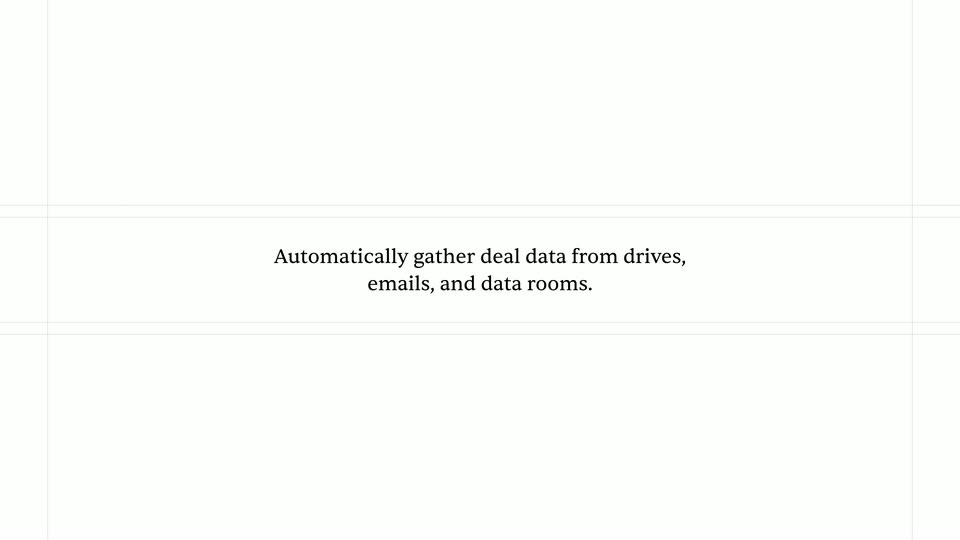
On a white background with faint grid lines, the serif title “1. Centralize Deal Data” slides in at center, then gives way to “Automatically gather deal data from drives, emails, and data rooms.” which fades in word by word on two lines before the frame clears.
On-screen text: “I. Setting up Your Deal with Clarum”, “1. Centralize Deal Data”, “2. Standardize Deal Information”, “Automatically gather deal data from drives,”, “emails, and data rooms.”
Techniques: Kinetic type
Camera: Static
The Clarum interface fills the frame as the left sidebar expands to reveal setup items and the top toolbar switches to folder and sync actions. A cursor appears at the top right while a two-line caption about gathering deal data sits on screen.
On-screen text: “Automatically gather deal data from drives,”, “emails, and data rooms.”
Techniques: Cursor demo
Camera: Static
A file dashboard interface with a left navigation rail. A cursor moves to the Upload button in the top right and clicks it, opening a centered modal listing upload options, which then fades out.
Techniques: Cursor demo
Camera: Static
A white upload dialog sits centered on a faint gridded background, a small Clarum logo in the corner. A cursor drags a blue Data Room folder into the dashed drop zone, then the panel flips to a list row with a green progress bar and check mark.
Techniques: Cursor demo
Camera: Static
A close-up of a Complete file list zooms out to reveal the full Clarum interface, with a left sidebar of workspace items and a top bar of actions. The list of completed files stays centered as the frame widens.
Techniques: UI zoom
Camera: Static
A locked-off view of a file management interface. A left sidebar lists workspace sections, while the main panel shows a folder tree and a list of documents, each row tagged Complete with a green check.
Camera: Static
A near-black card with a small gray section title and two step lines. The background darkens and the highlight shifts from 1. Centralize Deal Data to 2. Standardize Deal Information, which scales up to full white.
On-screen text: “I. Setting up Your Deal with Clarum”, “1. Centralize Deal Data”, “2. Standardize Deal Information”
Techniques: Kinetic type
Camera: Static
A plain card with faint grid lines brightens from gray to white as a centered serif line scales into focus. A small section title sits above and a previous numbered item lingers faintly to the left.
On-screen text: “I. Setting up Your Deal with Clarum”, “1. Centralize Deal Data”, “2. Standardize Deal Information”
Techniques: Kinetic type
Camera: Static
On an off-white field with thin gray grid lines, a centered dark serif sentence types in word by word across two lines. Near the end the grid pattern expands into additional horizontal rows while the text holds still.
On-screen text: “2. Standardize Deal Information”, “Structure data to match your firm's internal standards and flag inconsistencies.”
Techniques: Kinetic type
Camera: Static
A pale gray card on a white grid shows “Processing data...” with a spinner, then General, Financials and Team rows with icons appear one by one beneath it. The view zooms out to reveal a left sidebar with the Claram logo and a full navigation menu.
On-screen text: “Structure data to match your firm's internal”, “standards and flag inconsistencies.”
Techniques: UI zoom
Camera: Static
A cursor glides down a left sidebar menu of a project dashboard. Hovering over General fills the empty canvas with company detail cards, then sliding to Financials swaps the panel to a tabbed income-statement spreadsheet.
Techniques: Cursor demo
Camera: Static
A static view of the Claram product interface. The left sidebar lists navigation items with a mouse cursor resting on the highlighted Financials entry. The main panel shows a Financials spreadsheet titled Income Statement with line items and monthly figures.
Camera: Static
A near-black frame divided by thin grid lines. Three serif labels slide into their cells: a dim chapter title in the top row and two numbered items in the middle row, the right one in white.
On-screen text: “1. Centralize Deal Data”, “2. Standardize Deal Information”, “1. Setting up Your Deal with Clarum”
Techniques: Kinetic type
Camera: Static
On a near-black field with faint layout grid lines, three gray serif lines slide into place: a section header up top and two numbered items side by side below. They hold briefly, then fade out, leaving only the empty grid.
On-screen text: “1. Centralize Deal Data”, “2. Standardize Deal Information”, “I. Setting up Your Deal with Clarum”
Techniques: Kinetic type
Camera: Static
A dark near-black background with faint grid lines holds a centered two-line serif statement that fades in word by word, holds, then fades out.
On-screen text: “Most diligence workflows are unstructured, slow,”, “and lack a quantitative foundation.”
Techniques: Kinetic type
Camera: Static
A faint hairline grid on a near-black field frames a centered serif section title that holds still, locked off, until the title and grid fade out at the end.
On-screen text: “Most diligence workflows are unstructured, slow,”, “and lack a quantitative foundation.”, “II. Conducting Due Diligence with Clarum”
Camera: Static
On an off-white grid, a section title and two numbered lines fade in; the first line turns solid black while the second stays gray. The list gives way to a centered sentence that types in word by word, holds, then fades as the grid drifts.
On-screen text: “II. Conducting Due Diligence with Clarum”, “1. Chat with Your Deal”, “2. Automate Your Deliverables”, “Ask questions and get clear, contextual answers”, “directly from your deal data.”
Techniques: Kinetic type
Camera: Static
Flat 2D view of the Clarum chat screen, serif caption at left. A cursor taps the 2 sources chip and a Select sources panel slides in from the right listing web and company data, then the cursor clicks the X and the panel slides out.
On-screen text: “1. Chat with Your Deal”, “Ask questions and get clear, contextual answers”, “directly from your deal data.”
Techniques: Cursor demo
Camera: Static
The Clarum chat screen zooms from the full app to the centered input box. A cursor types a question about key executives and clicks send. The reply builds step by step, then an answer with an executive table scrolls in. A static serif label sits at the left.
On-screen text: “1. Chat with Your Deal”
Techniques: UI zoom, Cursor demo
Camera: Pan
A light document panel scrolls upward, revealing a numbered list of healthcare market players and their descriptions, while a chat input bar with a send button appears at the bottom. A step label sits static in the left margin.
On-screen text: “1. Chat with Your Deal”
Camera: Static
With a static left label, a locked-off chat UI is shown: the cursor switches the mode dropdown to Agent, types a question about Fund II portcos, and sends it. The reply streams in with task steps, a data table, and a high-risk list.
On-screen text: “1. Chat with Your Deal”, “Apex Analytics Solutions helps organizations take advantage of their data, implementing complex”
Techniques: Cursor demo
Camera: Static
On a white background with faint grid lines, three numbered serif lines sit in a vertical list. The list slides upward so each line passes through a dark center slot while the others stay light gray. The center line then swaps to the detail line Generate customizable models, memos, and presentations.
On-screen text: “1. Chat with Your Deal”, “2. Automate Your Deliverables”, “3. Score and Benchmark Deals Quantitatively”, “Generate customizable models, memos, and presentations”
Camera: Static
A plain off-white card with faint grid lines holds a centered two-line serif statement. The first line is already set; the second line fades in beneath it, then both hold on a locked-off frame.
On-screen text: “Generate customizable models, memos, and presentations”, “based on your firm's workflows.”
Techniques: Kinetic type
Camera: Static
A numbered feature list sits on the left while the Clarum workflows screen fades in on the right. The panel resolves from transparent to full opacity, showing the sidebar and a grid of workflow cards.
On-screen text: “2. Automate Your Deliverables”, “1. Chat with Your Deal”
Techniques: UI zoom
Camera: Static
A light Claram interface displays a grid of workflow template cards beside a left sidebar. The panel settles from a quick transition at the start, then a cursor drifts over the cards. Two numbered captions hold in the left margin.
On-screen text: “1. Chat with Your Deal”, “2. Automate Your Deliverables”
Techniques: Cursor demo
Camera: Static
A cursor types a workflow name and clicks Run Workflow in the Clarum app, then a generated Screening Memo document appears and scrolls through its text and a table. Two step captions sit in the left margin.
On-screen text: “1. Chat with Your Deal”, “2. Automate Your Deliverables”
Techniques: Cursor demo
Camera: Static
On a white background crossed by faint horizontal rules, three numbered serif lines stack vertically; the middle line, 2. Automate Your Deliverables, is dark and bold while the top and bottom lines stay light gray, and all three slide into position on a locked-off frame.
On-screen text: “1. Chat with Your Deal”, “2. Automate Your Deliverables”, “3. Score and Benchmark Deals Quantitatively”
Techniques: Kinetic type
Camera: Static
On a white field crossed by thin grid lines, a numbered list slides upward at a steady pace, line three holding the center while line two fades out above and a new line fades in below.
On-screen text: “1. Chat with Your Deal”, “2. Automate Your Deliverables”, “3. Score and Benchmark Deals Quantitatively”
Techniques: Kinetic type
Camera: Static
On a plain white field bordered by thin gray grid lines, a centered two-line serif sentence reveals word by word, the trailing words fading from faint to dark until the full statement is legible.
On-screen text: “Evaluate new deals using your firm's data to concretize investment decisions.”
Techniques: Kinetic type
Camera: Static
Left, a static serif headline reads 3. Score and Benchmark Deals Quantitatively. Right, a Setup workspace card lists five tasks; a cursor clicks Run, rows spin then check off, and the view dissolves into a scorecard table.
On-screen text: “Evaluate new deals using your firm's data to concretize investment decisions.”, “1. Chat with Your Deal”, “2. Automate Your Deliverables”, “3. Score and Benchmark Deals Quantitatively”
Techniques: Cursor demo
Camera: Static
A centered app interface shows a sidebar and an investment scorecard table. To the left, three serif captions sit still, the first two in light gray and the third in dark. On the right, a semicircular gauge fills with a red-to-green gradient as the total counts up to 207.
On-screen text: “1. Chat with Your Deal”, “2. Automate Your Deliverables”, “3. Score and Benchmark Deals Quantitatively”
Camera: Static
On a flat near-black background, a two-line serif headline reveals word by word from the left, the trailing word fading up from dim gray to white. The full line holds for a beat, then the whole block fades to black.
On-screen text: “Deals Quantitatively”, “An Engine for Consistent, Fast, and”, “Data-Driven Private Equity Diligence”
Techniques: Kinetic type
Camera: Static
On a near-black background, a small white asterisk mark sits at center, then the serif word Clarum fades in beside it to form the brand lockup, which holds static for the remainder of the clip.
On-screen text: “* Clarum”
Camera: Static