1:24


Stoa - The market behind AI hardware
Stoa · Fintech · Jul 2026
Chatbase · Aug 2026 · 1:35 · AI-annotated
Chatbase’s 1:35 launch film runs 32 scenes, about 3.0 s each. The product shows up at 1:24 and 1 feature is revealed. The call to action lands at 1:28 (92% in), over a voiceover. tone: Tense and clinical in the live-action cold open, then precise, calm and technical once the monospace UI takes over. background: Near-black throughout; teal-lit operating room footage gives way to black grid fields and dark rounded UI cards. fonts: Monospace for all typed title cards and flowchart labels, paired with a clean neutral sans-serif inside the product UI. music_mood: Low, suspenseful tension that resolves into a steady, confident pulse. summary: The video is built as a two-act反差:
Is this your launch? to your site or press kit.
Stoa · Fintech · Jul 2026
Bayworks · Industrials · Nov 2026
Two masked surgeons in blue scrubs work on a patient under a bright operating lamp in a dark room. To the right, two monitors show a brain scan and a vital-signs readout. The frame is locked-off and the action is slow and deliberate.
Camera: Static
Two masked surgeons in blue scrubs and caps stand in a dim operating room. The one with round glasses looks down toward the table while a glowing monitor sits in the background.
Camera: Push in
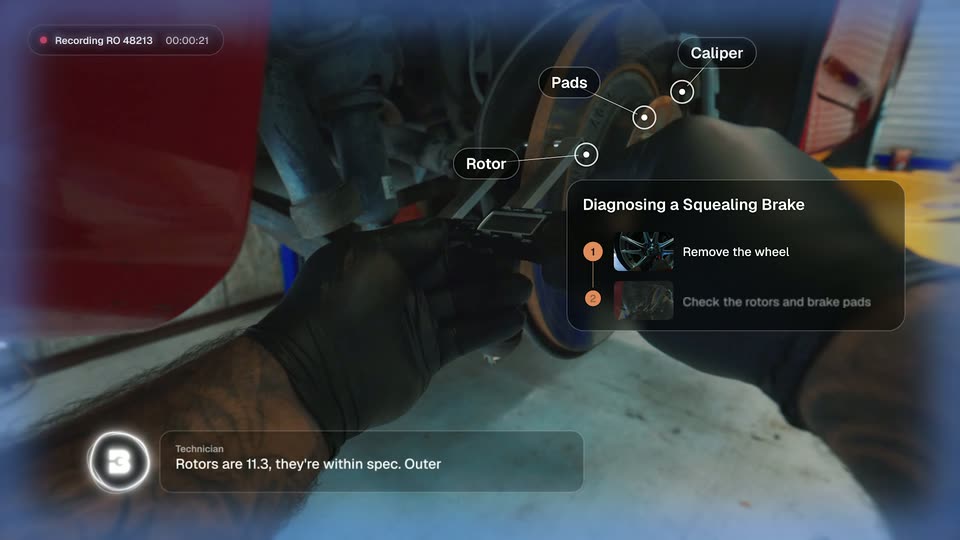
A close-up follows a gloved hand guiding a scalpel beside a bare hand holding forceps over a white drape. The shot cuts to a surgeon in a blue cap and mask, eyes down, working in a dim teal-lit operating room.
Camera: Pull out
Two masked surgeons in blue scrubs work over a draped patient under a multi-bulb surgical light in a dark operating room. Two floating monitors on the right show a brain scan and vital signs. The camera holds, then slowly pushes in on the surgeons.
Techniques: 3D mockup
Camera: Static
A masked surgeon in blue scrubs and a cap looks down at work below frame in a dim operating room, lit by an overhead lamp, with blurred monitors and equipment behind. The medium shot holds with a slow drift as her head tilts lower.
On-screen text: “30/10”
Camera: Static
In a dim operating room, a surgeon in blue scrubs, round glasses and a teal mask looks down, his head tilting as the shot holds. A blurred colleague in a white mask stands in the left foreground, and a monitor with green digits glows in the dark background.
Camera: Pull out
Extreme close-up of an open mouth, teeth catching warm orange light, as a dark hand thrusts into frame from the left. A blood-stained white paper towel fills the right edge. Shallow focus, cool blue tones at the borders.
Camera: Static
A masked surgeon in blue scrubs leans over a brightly lit surgical field, gripping forceps, while a second gloved hand holds a clipboard at the right edge. The dim operating room frames the medium close-up, lit cool blue with a harsh white glow on the patient.
Camera: Static
A masked surgeon in blue scrubs and magnifying loupes stares at a glowing tablet held in a dark operating room. The shot is a tight, near-static close-up; a second masked figure sits blurred at the left edge.
Camera: Pull out
A surgeon in blue scrubs and a blood-stained mask works in a dim operating room, head bowed, eyes closing in distress. A tight close-up holds on the face with shallow depth of field, equipment blurred behind. A thin red light streak trails across the frame at the open.
Camera: Push in
Two surgeons in blue scrubs, masks and caps hunch over a task under a bright lamp in a dim room. The camera holds on their tense, focused faces as the scene stays dark and claustrophobic.
Camera: Pan
Two masked surgeons in blue scrubs and caps work in a dim, blue-lit operating room. The camera holds tight on the lead surgeon in the foreground, who looks down and to the side, while a second surgeon works behind her at the table.
Camera: Push in
A dim operating room holds two masked surgeons, one working in the foreground and one watching behind. The shot cuts to a close profile of the lead surgeon as a bright surgical light flares in the lower frame.
Camera: Pan
Two masked surgeons in blue scrubs and caps work in a dim room. The foreground figure leans over a task with gloved hands while a second holds a phone to the right. Handheld close framing, cool blue light, shallow focus.
Camera: Pan
In a dim, blue-lit operating room, two masked surgeons in blue scrubs work. The focus lands on the surgeon with round glasses as he looks down at a clipboard, a vitals monitor glowing green and red behind him.
Camera: Static
A patient monitor in a dim room shows scrolling ECG traces and green vital numbers. A person in blue scrubs passes across the foreground, blurring the frame and shifting focus onto the screen.
Camera: Push in
On a dark grid, a thin green line draws itself left to right, a glowing dot at its tip. Then white monospace text types out letter by letter after a green cursor bar: “The best surgeons follow st”.
On-screen text: “The best surgeons follow st”
Techniques: Kinetic type
Camera: Static
White monospace text types out on a black grid background, the line sliding left as a green caret advances character by character. The frame then cuts to a small outlined rectangle with a green square at center.
On-screen text: “strict procedures”
Techniques: Kinetic type
Camera: Static
On black, a flowchart of thin white outlined boxes with green square bullets grows from the center, each label sliding in after the last. The camera then zooms in and pans right along the chain, revealing a branch up to HALT CASE and a branch down to CONTACT FAMILY.
On-screen text: “PATIENT IN OPERATING ROOM”, “VERIFY IDENTITY”, “ID MATCH?”, “CONSENT ON FILE?”, “HALT CASE”, “CONTACT FAMILY”
Techniques: Kinetic type
Camera: Push in
A 3D flowchart of thin white boxes linked by a line floats in a black void. The camera glides along the path, shifting focus from the VITALS STABLE? box to the BEGIN OPERATION box while the rest blur out of focus.
On-screen text: “VITALS STABLE?”, “BEGIN OPERATION”
Techniques: 3D mockup, Parallax
Camera: Pull out
A faint gray grid sits on a black field. The white monospace line fades in at center and holds, locked off.
On-screen text: “Your AI Agent shouldn’t wing it either”
Techniques: Kinetic type
Camera: Static
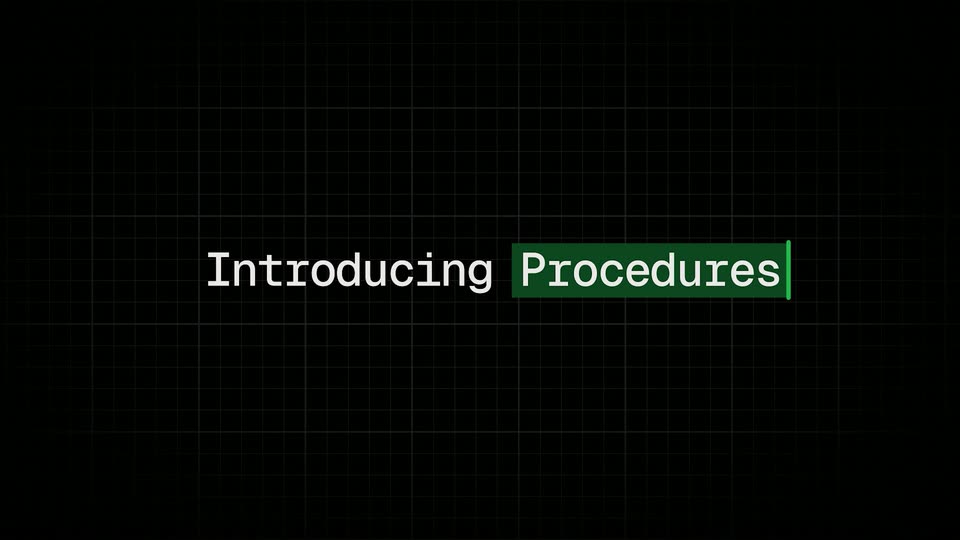
On a black grid, a green caret holds center frame, then the white word “Introducing” slides in beside it. The word “Procedures” lands on a green highlight block, and the whole line dims toward the end.
On-screen text: “Introducing”, “Procedures”
Techniques: Kinetic type
Camera: Static
A headline 'Introducing' slides in over a faint grid on black, then a dark rounded card fades in, showing a help article with a Trigger label. The body copy wipes in from left to right across the frame.
On-screen text: “Introducing”
Techniques: Kinetic type, Masking
Camera: Static
A dark rounded card fades in on a black background. It shows a bold white heading, a small gray label, and a paragraph of small gray body text describing a trigger condition.
Camera: Static
A dark rounded card on a black background shows the heading Exchange for wrong item received above a Trigger label and a paragraph of body copy, the text cropped at the right edge. The card holds still with only a faint vertical drift.
Camera: Static
A dark support-workflow document scrolls downward, revealing the title Exchange for wrong item received, a Trigger paragraph, a Goal paragraph, and a two-step numbered list with a lookup_order chip.
Camera: Static
A dark workflow list types in line by line, then the camera swings into 3D perspective as a chat panel rises in front of it. A customer message types into the input field and bubbles up, the AI agent replies, and an exchange card resolves into a confirmed summary.
Techniques: Kinetic type, 3D mockup, UI zoom, Split screen, Parallax
Camera: Pull out
A dark UI screen fades to black, revealing the white text 'Chatbase Procedures' in the center. The text starts with a bright glow that quickly fades to solid white.
On-screen text: “Chatbase Procedures”
Camera: Static
A black frame holds the centered title “Chatbase Procedures” in a gray monospace face, then the text softens into a blur as the shot ends.
On-screen text: “Chatbase Procedures”
Camera: Static
The words Available now start soft and out of focus on a black field, then sharpen into clear view. A magenta rectangle with the white Chatbase logo appears centered, holding the sign-off.
On-screen text: “Available now”, “Chatbase”
Camera: Static
A black Chatbase logo lockup sits centered on a grainy yellow field. The field then shifts to grainy green and the logo clears out.
Camera: Static
The Chatbase logo, a black C-shaped mark beside a bold wordmark, sits centered on a plain off-white field and holds perfectly still for the entire shot.
Camera: Static