2:36
Real-time steering of AI agents | Stacktrace.AI
Stacktrace · B2B · Nov 2026
CData · Sep 2026 · 2:08 · AI-annotated
CData’s 2:08 launch film runs 37 scenes, about 3.5 s each. The product shows up at 0:21 and 7 features are revealed, with social proof. The call to action lands at 2:01 (95% in), over a voiceover. The film alternates live-action interviews in a sunlit office with flat cream motion graphics that build the gateway pipeline one step at a time, cutting at a steady ten cuts per minute. Its signature moves are yellow corner brackets framing every card, a navy pixel hand clicking through the dashboard, and fanned 3D plane stacks standing in for the policy gate.
Is this your launch? to your site or press kit.
Stacktrace · B2B · Nov 2026
ServiceUp · Oct 2026
Asakana · B2B · Oct 2026
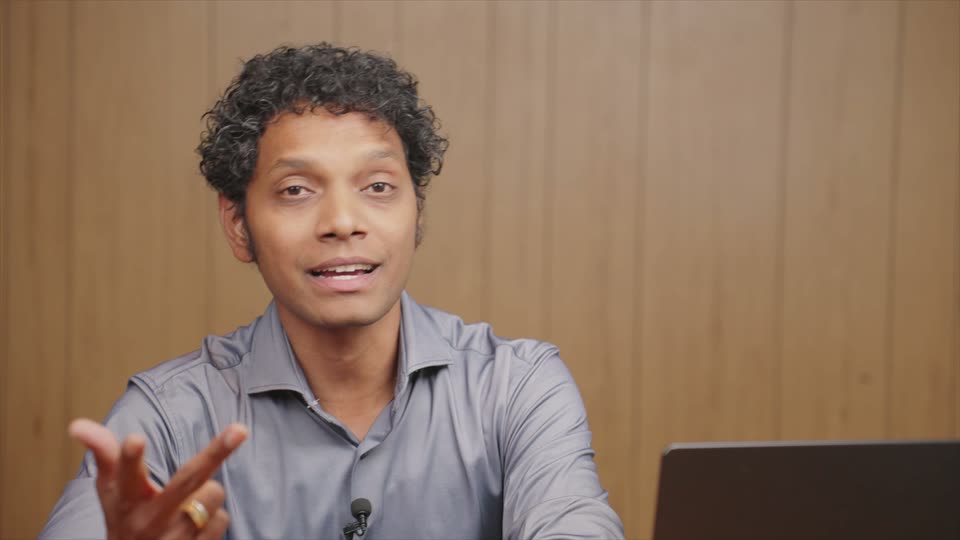
A man in a gray polo shirt stands in a sunlit modern office, speaking to the camera and gesturing with his hands. A serif name card with yellow corner accents holds lower left, and white subtitles in a black rounded box change word by word along the bottom.
On-screen text: “Raviv Levi”, “CPTO at CData”, “Your company's”, “ability to use AI”, “will determine”, “your success”, “or failure.”
Camera: Static
Over a blurred interior, a white card with yellow corner brackets holds an animated chart: a black vertical bar stands mid-card, a yellow Cost line climbs to its right, and a flat blue ROI line stays low, ending in a dashed tail. Subtitles caption the voiceover.
On-screen text: “But rollouts”, “keep hitting”, “the same wall.”, “Costs climb,”, “governance fails,”, “and ROI”, “never shows up.”, “Raviv Levi”, “CPTO at CData”
Camera: Static
A man in a gray polo shirt is interviewed in a medium close-up against a soft-focus window and greenery. He speaks and gestures while white subtitles in a dark pill read his words at the bottom of the frame.
On-screen text: “Your teams lose”, “faith in AI.”
Camera: Static
A locked-off wide shot of a red-brick office building with a glass curtain wall, lit by warm evening light and framed by soft leaves above and a hedge below. White subtitle lines cycle at the bottom center over a dark rounded box.
On-screen text: “faith in AI.”, “AI can't deliver”, “unless you're”
Camera: Static
A locked-off wide shot of a sunlit open-plan office, staff at their desks and a blurred figure crossing the foreground. White caption lines appear one by one at the bottom center, the first scaling in, synced to the voiceover.
On-screen text: “unless you're”, “connected to”, “your data,”, “your systems,”
Camera: Push in
A man in a gray polo shirt stands centered in a bright modern office, speaking to camera with floor-to-ceiling windows and blurred greenery behind. He gestures with both hands. A black caption bar with white text sits at the bottom.
On-screen text: “your systems,”, “and an”, “understanding of,”
Camera: Static
A man in a gray shirt speaks to camera in a bright room with blurred greenery behind him, gesturing with both hands. White subtitles on dark rounded boxes appear phrase by phrase at the bottom of the frame.
On-screen text: “understanding of,”, “how”, “your organization”, “works.”
Camera: Static
A man in a light blue shirt speaks to camera in a bright office lobby. A gray circle expands behind him as the white Connect AI title with a yellow icon slides in at chest height. A blue square rotates into a triangle at top right.
On-screen text: “Amit Sharma”, “CEO at CData”, “works.”, “Today”, “this changes”, “Connect AI”, “Connect AI Gateway.”
Techniques: Morph
Camera: Static
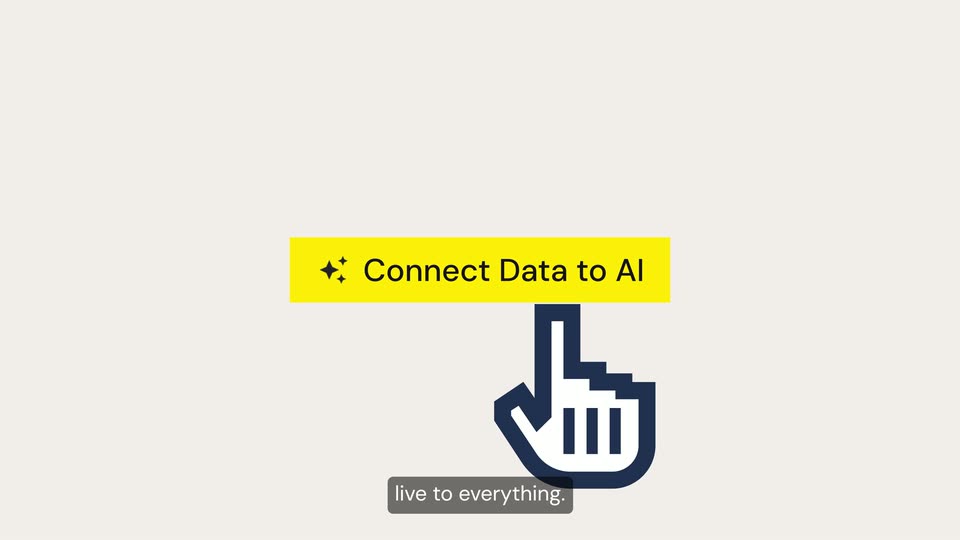
A yellow highlight bar widens behind the black headline “Connect Data to AI” and a sparkle glyph on a light gray field. A navy pixel hand icon rises in below the bar, index finger up, while a gray caption pill at the bottom carries the voiceover.
On-screen text: “Connect Data to AI”, “It connects”, “live to everything.”
Camera: Static
On a dark near-black field, white circular app tiles (IBM, NetSuite, Salesforce, and other logos) burst from the center and drift outward, spreading across the frame like a swarm. A small caption sits bottom-center while the icons keep dispersing.
On-screen text: “Connect Data to Al”, “It connects”, “live to everything.”
Techniques: Particles
Camera: Push in
A dark network diagram centers a cream card reading Connect AI, flanked by circular app and database logos linked by thin lines. Small yellow dots travel the lines while the right-side icons fade from gray to full color, and a black caption pill at the bottom cycles through phrases.
On-screen text: “Even the difficult”, “apps, databases”, “and on-prem systems.”
Techniques: Particles
Camera: Push in
White logo circles in two clusters, linked by thin lines to a small central video of a presenter framed by yellow corner brackets on a dark background. The video scales up to fill the frame as the circles drift to the edges; the “Our gateway” caption holds at the bottom.
On-screen text: “Our gateway”
Camera: Push in
A man in a gray polo shirt speaks to camera in a bright loft with large windows. A yellow frame border fades out, then the headline “Trusted by enterprise teams” and a grid of eight white logos fade in over him, framed by yellow brackets, while subtitles roll below.
On-screen text: “was built”, “same technology”, “Trusted by enterprise teams”, “that powers Palantir,”, “Palantir”, “Google”, “salesforce”, “ANTHROPIC”, “OpenAI”, “Microsoft”, ”
Camera: Static
A vertical column of dark circular badges, each holding a company logo, scrolls upward on a beige background. A white panel titled Opportunities slides in at the right edge. Bottom captions read It knows, then your schemas.
On-screen text: “It knows”, “your schemas,”
Camera: Static
Circular source icons on the left link via thin gray lines to white data-table cards on a beige field. The view zooms in on the Financials card, where one row highlights yellow with a black lock icon, while the rest of the diagram fades to gray. Subtitles caption the bottom.
On-screen text: “your schemas,”, “your data”, “relationships,”, “and who's allowed”, “to see what”, “down to the record.”
Techniques: UI zoom
Camera: Push in
A man in a gray polo shirt stands in a bright office with tall windows and greenery, speaking to camera and gesturing with one hand. White subtitle captions change at the bottom as he talks, the shot held steady on his upper body.
On-screen text: “Financials”, “down to the record.”, “CData”, “sits where intent”, “meets execution.”
Camera: Static
A flat chat interface on a cream background: the typed question appears as a gray bubble top right, then the Claude avatar and reply field show. The frame reframes to a compact bubble with dotted truncation while a caption pill updates at the bottom.
On-screen text: “Ask your AI an”, “everyday question.”, “Connect AI checks”
Techniques: UI zoom
Camera: Static
On a cream canvas, a 2D flow diagram links a chat bubble, a Your Identity chip and a navy Connect AI pill via thin arrows. The camera pans right, revealing a fanned stack of blue-to-yellow planes in 3D perspective. Gray caption bars swap at the bottom.
On-screen text: “Connect AI checks”, “access and enforces”, “policies at the gate.”
Techniques: 3D mockup
Camera: Pan
A staggered field of gray chat-message lines with small circular icons fills a pale background, soft and out of focus, then sharpens as the list scrolls upward. A dark caption pill at the bottom cycles short phrases in time with the voiceover.
On-screen text: “It first runs”, “against your context”, “to understand”, “your terms,”, “and the gotchas only”, “an employee”, “would know.”, “Then it uses”
Techniques: Kinetic type
Camera: Push in
A dark blue Connect AI badge sits left of a panel fanning into a stack of green and yellow planes. The frame pans right to reveal a blue circle with a white asterisk, an arrow to a yellow salesforce circle, and a white Accounts card. Gray captions swap below.
On-screen text: “Then it uses”, “that context”, “to instruct the model”, “to the right systems”
Techniques: Morph
Camera: Push in
A light-gray flow diagram pans right. A yellow 3D block with a sun icon connects via curved arrows to a blue circle and a yellow cloud icon, leading to a faint data table with a yellow highlighted cell and a white Accounts pill. A dark caption box anchors the bottom.
On-screen text: “to the right systems”, “and data sources,”
Camera: Pan
A flat beige scene shows a stylized data grid with a yellow-highlighted row and colored dots, topped by a white Accounts pill, beside a right-side Claude chat panel. The composition slides left as a dark caption box at the bottom carries the narration.
On-screen text: “and data sources,”, “and the specific”
Camera: Pan
A Claude chat card sits on a cream background while a data table with a yellow cell slides off left, an arrow line linking the two. The answer text appears, then the scene cuts to a white bar framed by yellow corner brackets on a faint grid.
On-screen text: “and the specific”, “tables and rows”, “It retrieves”
Camera: Pan
A white input pill framed by yellow corner brackets sits centered on a pale gray field. Inside, a natural-language query types out letter by letter, while a dark caption pill below swaps phrases in step with the voiceover.
On-screen text: “It retrieves”, “and processes”, “that data from across”
Techniques: Kinetic type
Camera: Static
A light-gray diagram: a prompt pill at top, three source cards (Salesforce, MySQL, PostgreSQL) on the left, and a revenue table on the right. Dashed lines draw from the cards through a central bar into the table as its rows fill in, while subtitle captions cycle at the bottom.
On-screen text: “Show me monthly sales revenue by region.”, “that data from across”, “systems in the CData”, “platform to C”, “correctly complete”, “the joins,”, “aggregations”, “and calculations”, “that are so costly”, “for models”
Camera: Static
A man in a gray collared shirt speaks in a medium close-up, framed left of center against a blurred background of dark window mullions and green foliage. He gestures slightly while white subtitles in dark pills appear at the bottom of the frame.
On-screen text: “It then”, “routes that precise”, “set of context”, “with a prompt”
Camera: Static
A man in a gray shirt speaks before a soft-focus window as the Connect AI routing dashboard slides up from the bottom of the frame. A dark rounded caption reading with a prompt holds centered over his chest.
On-screen text: “with a prompt”
Camera: Pan
A centered dashboard interface resolves into a stable Routing Rules table with provider, fallback, and status columns. A dark rounded caption at the bottom reads to the model.
On-screen text: “to the model”
Camera: Static
A Connect AI routing screen shows a rules table; a white callout on the right magnifies the Add Routing Rule button and the row's Projects, Status and Workspace Default cells as a hand cursor hovers, with a caption updating. The scene cuts to the Add Routing Rule form modal.
On-screen text: “following routing”, “rules, checking model”
Techniques: Cursor demo, UI zoom
Camera: Push in
A white Add Routing Rule modal fills the frame. The view zooms toward the lower half as a hand cursor moves onto the blue Add button, while short caption words appear in a gray pill at the bottom.
On-screen text: “availability,”, “respecting”, “token budgets.”
Techniques: UI zoom, Cursor demo
Camera: Push in
A man in a gray polo shirt stands in a sunlit modern room, speaking to camera and gesturing. Two yellow stat cards wipe open on either side of him, counting up to 98.5% Agent Accuracy and 97.6% Fewer Tokens Used, while white captions roll along the bottom.
On-screen text: “The result?”, “accurate answers”, “98.5%”, “Agent Accuracy”, “and reliable actions”, “at the fraction”, “97.6%”, “Fewer Tokens Used”, “of the cost stored”
Techniques: Masking
Camera: Static
A flat brain illustration sits at the center of a cream grid background, its yellow lobe filling with a dotted pattern. Circular app icons pop in around it, then dashed lines draw out to link each icon to the brain. Subtitles roll along the bottom.
On-screen text: “of the cost stored”, “to a portable”, “context layer”, “so reliability”, “and consistency”, “extend across every”, “agent and model”, “you use.”
Camera: Static
A white routing-rule form fills the frame, then the view zooms into the Model Routing table listing gpt-4o, opus-4 and deepseek with costs and weights, then reframes onto the Next button as a cartoon hand points. Gray caption boxes appear bottom center.
On-screen text: “Switch between”, “Anthropic, OpenAI”, “or your locally”, “hosted model...”, “No problem.”
Techniques: UI zoom, Cursor demo
Camera: Push in
The camera pulls back from a close-up of the Sources table to reveal the full Connect AI dashboard with its dark left sidebar. Bottom caption pills read 'Switch between', 'and Databricks.', 'you covered.' while the table lists Databricks and Snowflake1.
On-screen text: “Switch between”, “and Databricks.”, “you covered.”
Techniques: UI zoom
Camera: Pull out
A bald man with glasses and a light blue shirt speaks in a static medium close-up, framed against a soft-focus green window background. White subtitles in a dark rounded pill cycle at the bottom center, matching his speech.
On-screen text: “this is the”, “first intelligent”, “layer between”, “your team,”, “your models,”, “and your”, “enterprise systems”, “and knowledge.”
Camera: Static
A dark blue gradient with a faint grid holds a centered cream card edged by yellow corner brackets. Inside, the line Visit: cdata.com/ai fades in, the URL shifting from light gray to solid black.
On-screen text: “and knowledge.”, “Visit: cdata.com/ai”
Camera: Static
On a pale cream field, a black C mark scales up at center, then DATA blurs in to complete the CDATA wordmark, which holds still. A small URL caption appears near the end.
On-screen text: “Visit: cdata.com/ai”
Techniques: Kinetic type
Camera: Static