1:42
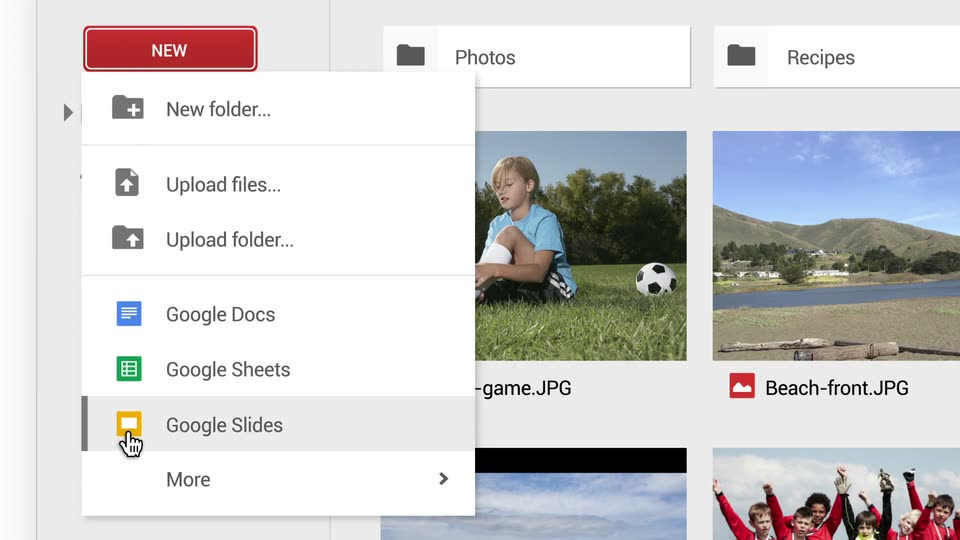

Meet the new Google Drive
Google · AI · Jun 2014
Brex · May 2025 · 0:31 · AI-annotated
Brex’s 0:31 launch film runs 12 scenes, about 2.6 s each. The product is on screen from the first frame and 3 features are revealed. The call to action lands at 0:24 (77% in). The video alternates black title cards with pale lavender demo blocks, running a logo intro, three feature beats (card issuance, spend controls, multi-currency), a tagline, and a URL end card. Pacing is slow and locked-off at ~112 bpm, with signature moves of vertical mask wipes, 3D card rotations, and cards drifting in to settle into neat rows.
Is this your launch? to your site or press kit.
Google · AI · Jun 2014
Cognition · Nov 2026
Rapidfolio · B2B · Jul 2026
On a black background, two rounded-square app icons scale in side by side at center: a white tile with a black flag mark and a blue tile with a white Z. The frame stays locked off as the icons settle into place.
Camera: Static
On black, a white card icon and a purple Z icon sit centered; “Fast-track business spend” fades in below, followed by “with Brex for Zip.” A vertical mask closes the black card to a narrow strip, revealing a phone app screen with a Brex card.
On-screen text: “Fast-track business spend”, “with Brex for Zip”
Techniques: Kinetic type, Masking
Camera: Static
A black vertical rail sits centered on a pale lavender field. A column of white line icons, a hamburger menu, a house and two people, slides downward inside the rail at a steady pace, frame locked.
Camera: Static
A black app screen bearing a white Z logo and menu icon slides down and left, revealing a white screen on the right; the logo and icon stay locked to the moving panel.
Camera: Pull out
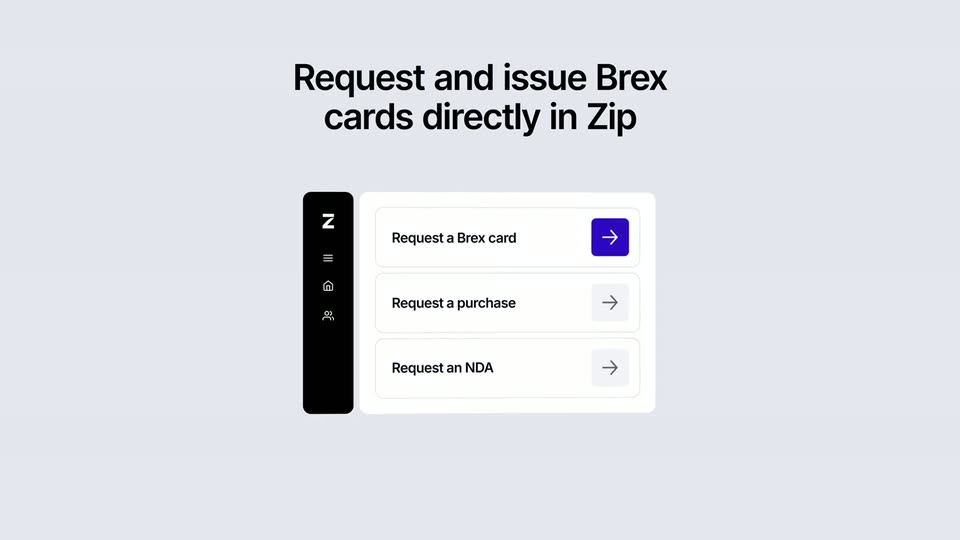
A flat Zip panel lists three request rows beneath a bold two-line headline. A hand cursor hovers the top row's arrow, which fills purple, then a black Brex card with an orange edge rotates into 3D in front of the panel.
On-screen text: “Request and issue Brex cards directly in Zip”
Techniques: Cursor demo, 3D mockup
Camera: Pull out
A black Brex card rotates from a tilted 3D angle to flat on a light gray background. A bold black headline above it changes from the first line to the second, then a white settings panel with a range slider slides up over the card.
On-screen text: “Request and issue Brex cards directly in Zip”, “Set controls that keep purchases in check”
Techniques: 3D mockup
Camera: Static
A centered black headline sits above a white card whose license fee slider fills from 2k to 19k. Below, a green In policy badge and two avatars appear over a dark Brex card. The headline then scrolls out the top as the cards settle.
On-screen text: “Set controls that keep purchases in check”
Camera: Static
A white settings card with a software license fee slider rests on a pale lavender field. It clears to a bold dark headline as thin curved lines fan out from a point at the lower left.
On-screen text: “Scale globally without complexity”
Camera: Static
A black two-line headline fades in above a pale lavender wireframe globe. Five white rounded cards, each pairing a circular flag icon with a currency amount and dollar equivalent, drift in from scattered spots and settle into two rows.
On-screen text: “Scale globally without complexity”
Camera: Pull out
A black screen holds two centered lines of white text. The first line slides into place while fading up from dark gray, then the second line fades in beneath it. The frame stays locked off.
On-screen text: “Procurement and payments.”, “One seamless workflow.”
Techniques: Kinetic type
Camera: Static
A plain black background holds the centered white line “Explore Brex for Zip.” with a soft mirror reflection beneath it. The line fades in, holds steady, then dissolves to a single white dot at center.
On-screen text: “Explore Brex for Zip.”
Camera: Static
On black, two thin white vertical lines sit at center, then the Brex | Zip lockup forms and settles; the URL brex.com/zip fades in from gray to white beneath it, and the frame holds still.
On-screen text: “brex.com/zip”
Camera: Static