
1:00
Explore
00:00:00 / 01:08:05
- Length
- 1:08
- Scenes
- 29 · 2.4 s avg
- Product on screen
- 0:00
- Features shown
- 4
- Voiceover
- No
- Views
- 221 on YouTube
as of November 26, 2026
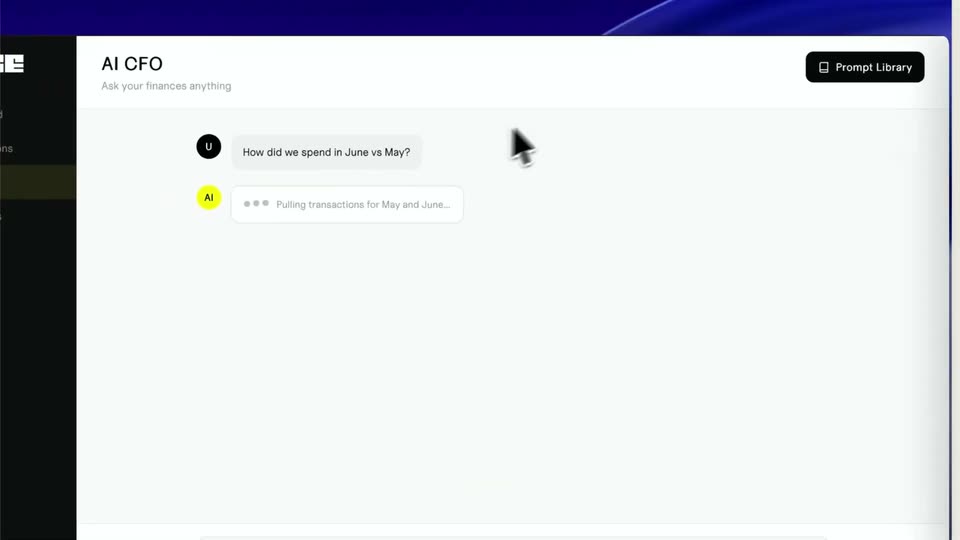
Blaze’s 1:08 launch film runs 29 scenes, about 2.4 s each. The product is on screen from the first frame and 4 features are revealed. There is no explicit call to action. The video is built as repeating feature beats: a black headline card with a yellow-to-white gradient, a tight UI or terminal demo, then a four-panel overview row as a transition. Signature moves are the camera flattening 3D card spreads into locked close-ups, letter-by-letter typing in terminals, and the slice-glitch Blaze wordmark on flat yellow.
No filming indicatedEstimated needs: 9 capture groups — your screens or recordings · 1 official logo — reused across the film · 2 3D passages — build or supply
Is this your launch? to your site or press kit.
More like this
1:50
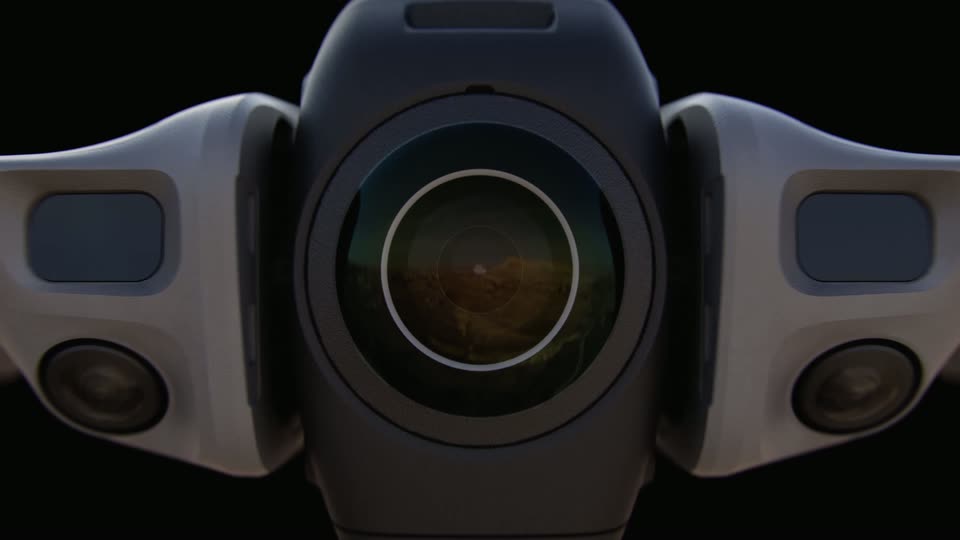

Reimagine the flight experience with flagship 360° imaging | Avata 360
DJI · Hardware · Mar 2026
3:41
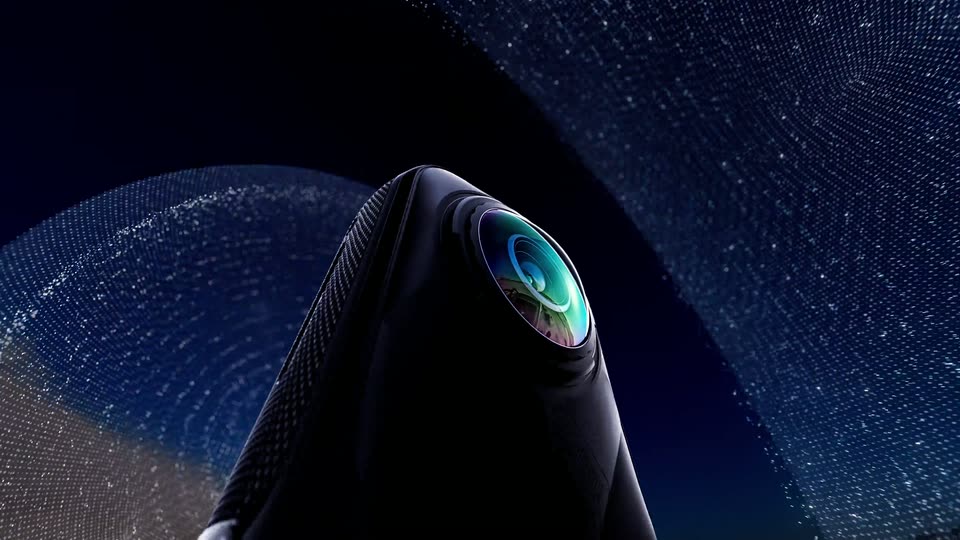
Buy X5 - Flagship 360 Action Cam - Insta360 Store
Insta360 · Apr 2025
Similar soundtrack
Films whose music sounds like this one, voice left out
1:04


Say hello to Miro
Miro · Electronic pop, funk, and R&B
0:40

Introducing the first creative agent for Commerce
Pletor · Modern funk and Latin-infused electronic dance music
1:26

Opti — SaaS Product Explainer Video | SaaS Animate
Opti · Upbeat electronic
Blaze: AI Finance + Payments | Forecast. Invoice. Pay. Get Paid., scene by scene
· 29 scenes as text
01 · Product intro · 0:00–0:03
On a flat yellow background, the black headline and gray subtitle fade into the center, followed by a small by BLAZE mark at the bottom. Near the end, faint white panel outlines drift in behind the text as a transition.
On-screen text: “Agentic Finance + Payments”, “Your whole back office, automated.”, “by BLAZE”
Camera: Static
02 · Product intro · 0:03–0:04
Four flat interface windows sit in a horizontal row on a cream background, overlaid by a purple headline and subhead. The text drops out and the row of screens slides sideways with motion blur, panning across the product views.
On-screen text: “Agentic Finance + Payments”, “Your whole back office, automated.”, “by BLAGE”
Techniques: Split screen, Speed ramp
Camera: Static
03 · Feature reveal · 0:04–0:05
A 3D perspective spread of interface cards flattens as the camera zooms into the white AI CFO chat window. The locked-off close-up shows a user question bubble and an AI reply with a typing indicator, a cursor resting at the right.
Techniques: 3D mockup, UI zoom
Camera: Push in
04 · Feature reveal · 0:05–0:07
A black screen holds, then the headline fades in centered in a yellow-to-white gradient with a smaller gray subline beneath it. The text stays locked off as the fade completes.
On-screen text: “Ask your books anything.”, “Instant business insight.”
Camera: Static
05 · Feature reveal · 0:07–0:15
A light chat panel titled AI CFO answers a finance question; the AI bubble cycles through loading states, then a spend table fills in row by row with colored percentage deltas. A cursor drifts down the panel, which then tilts into 3D perspective to reveal the app shell and a second window.
On-screen text: “Ask your books anything.”, “Instant business insight.”
Techniques: Cursor demo, 3D mockup
Camera: Pull out
06 · Demo · 0:15–0:16
A row of interface screens sits flat on a light background. The frame opens tight on two panels, then pulls back to reveal four, alternating a white AI CFO card and a dark Claude Code terminal. Checklist items tick off in the third panel.
Techniques: Split screen
Camera: Pull out
07 · Feature reveal · 0:16–0:17
A black Claude Code terminal window sits on a soft blue and purple abstract backdrop, then the frame pushes in until the window fills the screen. Header lines and a yellow notice hold at the top while a white cursor types a command into the bottom prompt line.
Techniques: Cursor demo
Camera: Push in
08 · Feature reveal · 0:17–0:19
On a black background, the headline appears in a yellow-to-white gradient, revealed left to right, then a smaller gray subline fades in below. The frame stays locked off.
On-screen text: “Where did the money go?”, “Every trend, explained.”
Techniques: Masking
Camera: Static
09 · Feature reveal · 0:19–0:20
A dark frame holds the yellow headline and gray subhead while a Claude Code terminal window on the left zooms in, tightening onto its usage notice and the bottom input line with a blinking cursor.
On-screen text: “Where did the money go?”, “Every trend, explained.”
Techniques: UI zoom
Camera: Push in
10 · Feature reveal · 0:20–0:28
A dark terminal prompt types the question letter by letter beside a white mouse cursor. The frame zooms out to the full Claude Code window, then the reply and a spending table stream in line by line.
Techniques: Kinetic type, UI zoom
Camera: Static
11 · Feature reveal · 0:28–0:29
A black terminal view displays a monospace spending report. A gray header bar marks the month comparison, then bullet lines and a bordered table of categories appear, the final row typing out to complete the grid.
Camera: Static
12 · Feature reveal · 0:29–0:30
A dark code editor shows a markdown spending report, with a June-versus-May table of categories and dollar changes filling the left half. The text stays still while a magenta block cursor blinks at the bottom left and a white mouse pointer rests at the bottom center.
Camera: Static
13 · Feature reveal · 0:30–0:32
A dark terminal screen streams out an AI agent's spending report in monospaced text. A markdown table of category changes builds row by row while paragraphs of analysis type out below, a mouse pointer rests at the lower left.
Techniques: Kinetic type
Camera: Static
14 · Feature reveal · 0:32–0:32
A dark terminal view holds a financial table labeled What moved with eight category rows, followed by two paragraphs of analysis. A hand-shaped cursor drifts rightward across the lower text while a magenta block cursor sits on the bottom prompt line.
Techniques: Cursor demo
Camera: Static
15 · Feature reveal · 0:32–0:35
A terminal window showing a May-vs-June spending table and analysis paragraphs. The view starts tight on the table, then zooms out to reveal the full window with a title bar and a command line where a cursor blinks. A diagonal light glint crosses the screen.
Techniques: UI zoom, Light sweep
Camera: Pull out
16 · Demo · 0:35–0:36
Three large UI mockups on blue gradient cards sit side by side, then compress into a row of four smaller panels across the lower frame. Each shows a different product view: a holdings list, a dark code editor, an AI CFO dashboard, and a terminal.
Techniques: Split screen
Camera: Pull out
17 · Feature reveal · 0:36–0:37
A small AI CFO chat window on a pale screen with a blue swirl scales up to fill the frame, revealing the app's dark sidebar and a chat thread; the AI reply types out as the cursor moves to the yellow send button.
Techniques: UI zoom, Cursor demo
Camera: Push in
18 · Feature reveal · 0:37–0:39
Black screen. The headline “Run payroll. One line.” fades in centered, “Run payroll.” in gold and “One line.” in white, with a gray subline “Your whole team, paid.” below. The text slowly scales up while a dim dashboard UI fades in behind it.
On-screen text: “Run payroll. One line.”, “Your whole team, paid.”
Techniques: Kinetic type
Camera: Static
19 · Feature reveal · 0:39–0:42
A tilted 3D mockup of a finance chat window on a blue backdrop. The AI replies with a payroll table listing five names and a total, then the view zooms in as a cursor moves to the confirm button.
Techniques: 3D mockup, UI zoom, Cursor demo
Camera: Push in
20 · Feature reveal · 0:42–0:44
A close-up of a payment table and chat zooms out to reveal the full Blaze AI CFO interface, with a dark sidebar and header. The AI reply shifts from preparing transfers to saving payments with a checkmark, while a hand cursor taps the message.
Techniques: Cursor demo, UI zoom
Camera: Pull out
21 · Feature reveal · 0:44–0:49
A finance app chat shows a payroll card scrolling up. The user bubble 'Yes, send it' triggers an AI reply listing five payments one line at a time, then a completion note. A cursor hovers at right as the panel pulls back into a centered card on cream.
Techniques: Cursor demo
Camera: Pull out
22 · Demo · 0:49–0:50
Four product interface panels, a white table, a dark terminal, a white chat and a dark code view, sit in a row on a plain gray field. The row scales down from a cropped wide framing to a centered full view as a faint diagonal light beam crosses it.
Techniques: Light sweep, Split screen
Camera: Pull out
23 · Feature reveal · 0:50–0:51
A dark terminal window on a blurred blue background shows a codex update notice. The view zooms in on the window, enlarging the green monospace output text.
On-screen text: “See https://github.com/openai/codex for installation options.”
Techniques: UI zoom
Camera: Push in
24 · Feature reveal · 0:51–0:53
A yellow headline and a smaller gray subline fill in left to right on black, then the whole card blurs as a dark terminal window on a blue backdrop fades in behind it.
On-screen text: “Invoice due. AI pays it.”, “Autonomous invoicing.”
Techniques: Kinetic type, Light sweep
Camera: Static
25 · Feature reveal · 0:53–0:54
A dark bash terminal floats over a blue gradient. The frame reframes down to the prompt line, where a pink block cursor sits as the command is typed, with the model line openai.gpt-oss-120b high below.
Techniques: UI zoom
Camera: Push in
26 · Feature reveal · 0:54–0:59
A dark terminal types out an invoice command character by character behind a magenta block caret, then a fast blurred scroll reveals the generated invoice details.
Techniques: Kinetic type, Cursor demo
Camera: Static
27 · Feature reveal · 0:59–1:01
A close-up of a dark terminal showing an invoice command and its generated output zooms out to reveal a 3D perspective, placing the terminal beside a floating AI CFO invoice window on a blue gradient background.
Techniques: UI zoom, 3D mockup
Camera: Pull out
28 · Demo · 1:01–1:02
A horizontal band across the middle of a beige frame opens to reveal a row of product interface panels on a blue gradient backdrop. A gray caption sits below the row. The frame stays locked-off.
On-screen text: “Payments that move when you do.”
Techniques: Masking
Camera: Pull out
29 · Outro · 1:02–1:08
On a flat yellow field, the black BLAZE wordmark assembles letter by letter with a horizontal-slice glitch, then holds above a small tagline. The scene cuts to a light gray stage where four product interface screens stand side by side in 3D perspective.
On-screen text: “Payments that move when you do.”
Techniques: Masking, Kinetic type, 3D mockup
Camera: Static