0:30

Nanoloop for Analogue Pocket
Analogue · Hardware · Feb 2020
Baseten · Sep 2026 · 0:26 · AI-annotated
Baseten’s 0:26 launch film runs 4 scenes, about 6.7 s each. The product is on screen from the first frame. There is no explicit call to action. One uncut screen capture of a model playground, where the cursor performs every action in real time and the UI's own micro-animations carry the motion. Pacing is steady and functional, built from dropdowns, sliders, and streaming text rather than cuts or effects.
Is this your launch? to your site or press kit.
Analogue · Hardware · Feb 2020
Vercel Doctor · Oct 2026
Retool · Developer tools · Oct 2023
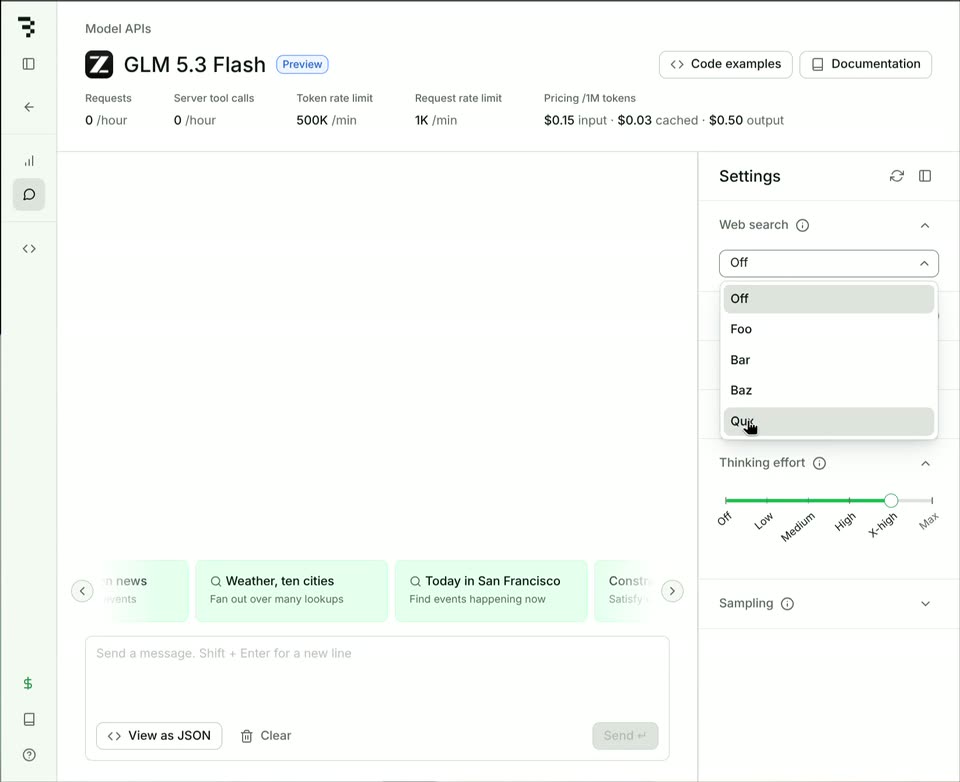
A flat screen capture of a model API page. A cursor opens the Web search dropdown and picks Qux, revealing a ReAct iterations row, then drags the Thinking effort slider to Low and moves into the message input box.
Techniques: Cursor demo
Camera: Static
A light Model APIs interface shows the GLM 5.3 Flash header, a stat row, and a right-hand Settings panel with sliders and toggles. A cursor glides from the top right to hover a collapse icon in the Settings header.
Techniques: Cursor demo
Camera: Static
A cursor clicks the layout icon to hide the right-hand Settings panel, then moves into the message box and types the prompt 'Show me a picture of San Francisco', lighting up the Send button.
Techniques: Cursor demo
Camera: Static
A full-screen chat playground fills as a prompt is typed and sent. The model streams a reply showing two San Francisco photos, then answers a second question with a bulleted news list, while the cursor moves across the suggestion chips.
Techniques: Cursor demo
Camera: Pan