2:00

The all-new ELANTRA – My Dynamic Move | Main Film
Hyundai · Nov 2026
Autodesk’s 2:06 launch film runs 59 scenes, about 2.1 s each. The product shows up at 1:55 and 4 features are revealed. The call to action lands at 2:00 (95% in), over a voiceover. The video is built as a single cinematic story: a robot director makes an epic battle film, and each tool (camera, generation, animation, canvas) is shown fixing one shot, so the product demo is disguised as the film being made. Pacing is fast (about 16 cuts per minute) with hard cuts between rendered hero shots and flat dark UI panels, and the signature move is the cut from a live or rendered frame into the editor grid, then back out to the rendered result, all under a warm ember palette and a
Is this your launch? to your site or press kit.
Films whose music sounds like this one, voice left out
Yam · Cinematic trailer music with electronic and orchestral elements
Luma AI · Cinematic electronic and orchestral
General Context Labs · Rock, Hip-Hop, Cinematic Orchestral, Pop
A black bird crouches on rocky ground, pecking at the surface with its beak. It raises its head, then flaps upward; the camera tilts up to follow it as it flies off into the overcast sky.
Camera: Push in
A dark bird glides left to right across a grey, clouded sky above a misty sea. The camera tracks forward over rough rocks, revealing a stone castle on the horizon as smoke rises at its base.
Camera: Push in
A 3D rendered stone castle sits on a rocky islet under a heavy grey sky. A raven glides across the upper left as the view pulls back to reveal a spiked wall, a dense army and a village burning with rising smoke.
Camera: Static
A low-angle tracking shot follows the armored legs of soldiers in blue tunics as they run through churning mud. In the background, a large horned creature charges forward, kicking up dirt, framed between the running legs.
Camera: Push in
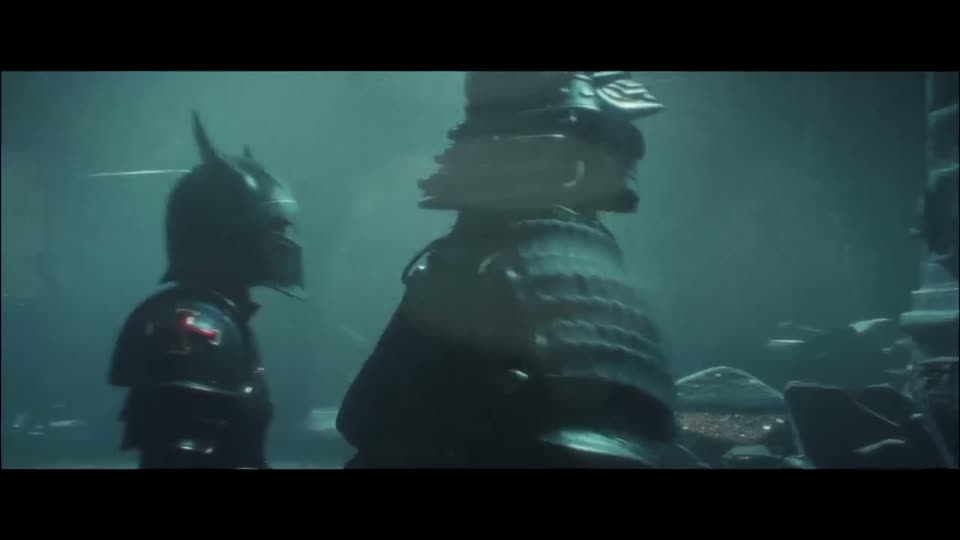
A muddy battlefield under an overcast sky. Two pale-masked warriors wielding axes grapple in the foreground as a line of blue-clad soldiers with swords and shields surges behind them. The frame shakes and blurs with the fast clash.
Camera: Pan
A low camera angle captures muddy ground as armored legs and boots walk through the wet earth. The focus is shallow, blurring the figures in the background.
Camera: Push in
A low, handheld-style shot pushes through a melee of armored soldiers. Men in steel helmets and blue cloaks swing swords and crash helmets, sending sparks and debris flying, while the camera lurches and blurs with the chaos.
Techniques: Parallax, Particles
Camera: Static
A low, fast camera pushes through a muddy medieval battlefield as armored warriors clash with swords and shields beside spiked wooden palisades. A large dark bird glides across the grey sky while a vertical golden beam of light rises from a burning keep in the background.
Techniques: Parallax
Camera: Push in
A close-up holds on a battle-worn man in a riveted steel helmet and chainmail, his grimy face upturned and mouth open as he shouts. Blurred armored figures and smoke fill the background. The shot stays tight on his expression.
Camera: Pull out
A 3D skeleton knight in a beret and cape stands on stone steps before a vine-covered arch at sunset, holding a sword. The camera slowly pushes in from a wide silhouette to a closer view. Swords and a shield are stuck in the steps.
Camera: Push in
A small robot in a beret and tattered cape performs in a sunlit ruined archway: it walks in from behind, turns to raise a sword, clasps its hands, glances at the distant skyline, then spreads its arms wide as the camera arcs around it.
On-screen text: “100”
Techniques: Parallax
Camera: Push in
A brass and teal four-armed robot with a purple beret and big round eyes stands on a rocky ledge against a dark grid backdrop. It grins and sways, swinging its four arms up and down in a welcoming gesture.
Camera: Static
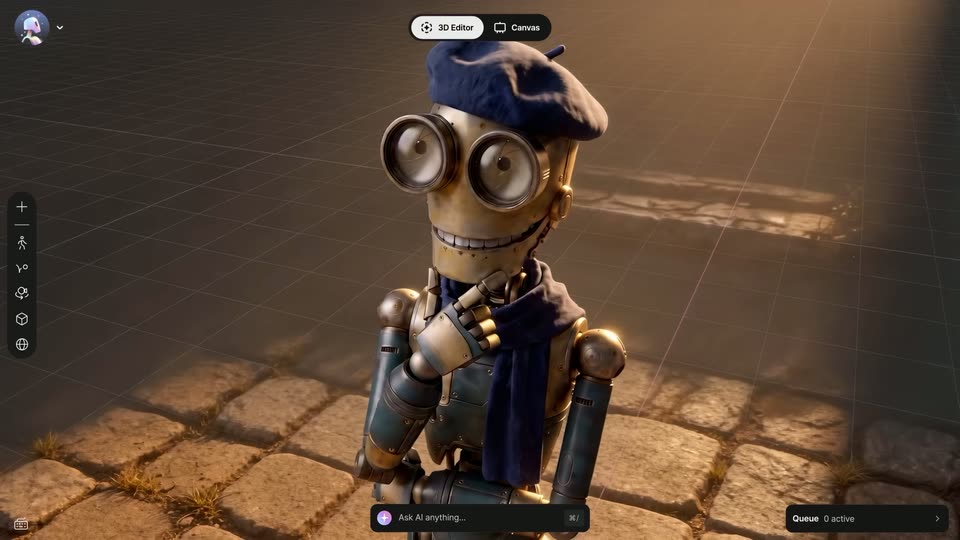
A 3D robot character with a blue beret and large goggle eyes animates in a dark editor viewport over a grid floor. It talks, tilts its head, and lifts a hand to its chin while the toolbar and prompt bar stay still.
Techniques: 3D mockup
Camera: Static
The 3D editor screen shows a metallic robot with a blue beret and scarf in a perspective viewport. The robot's mouth opens and closes while the floor swaps from a dark grid to warm-lit cobblestones, the flat toolbars and input bar staying fixed.
Camera: Static
A 3D robot in a blue beret and scarf stands on a cobblestone floor inside the editor's grid viewport, framed by toolbar and input UI. The camera is locked off; the robot holds a hand to its chest under a sunbeam from the top right.
Camera: Static
A camera-move picker panel with a grid of video clips floats over a 3D scene where a beret-wearing robot stands on stone steps. The panel zooms in as the cursor hovers the first clip, showing a Drone Shot Orbit tooltip, and the robot points at it.
Techniques: 3D mockup, UI zoom, Cursor demo
Camera: Push in
A cloaked figure in a blue hood stands at the top of ivy-covered stone steps, backlit by a low sun, a sword in hand. The camera slowly pulls back to reveal the ruined archway and misty towers around it, with discarded swords and a shield on the steps.
Techniques: Parallax
Camera: Pull out
The 3D editor viewport opens on a close-up of a smiling robot with camera-lens eyes, blue beret and scarf, backlit by a sunset arch. The view then pulls back and tilts down to reveal a dark grid stage holding purple and green spheres and a purple wireframe cone.
Techniques: UI zoom
Camera: Static
The 3D editor canvas shows a cloaked sword-wielder on steps before a ruined arch at sunset, with a purple camera gizmo floating over it. A cursor drags a keyframe along the bottom timeline, and the gizmo and a bottom-right preview window update as the shot reframes.
Techniques: Cursor demo
Camera: Static
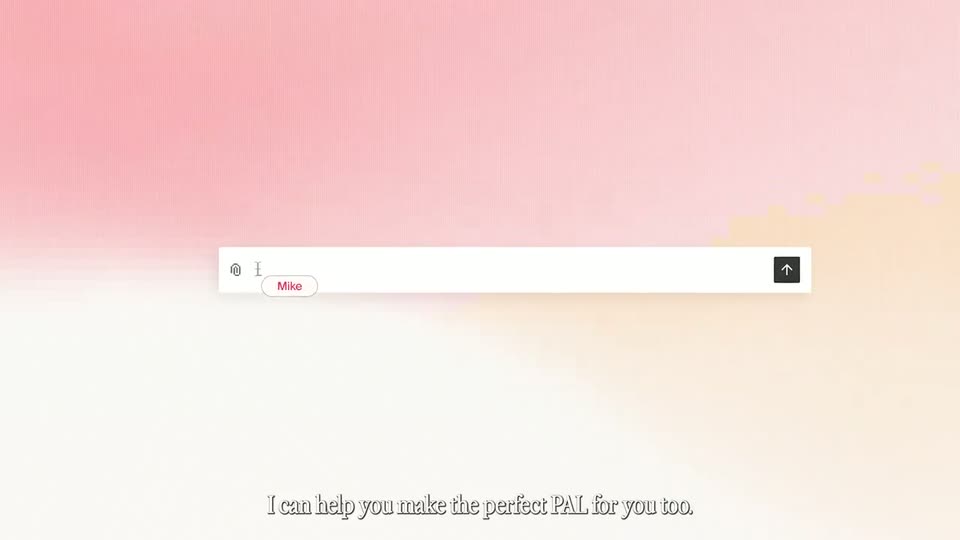
A 3D robot in a beret and goggles stands on a grey grid in the editor viewport. The cursor clicks the Ask AI bar and a dark prompt panel scales open; the camera pushes in as a battlefield prompt types itself in while the robot waves its arms.
Techniques: Cursor demo, Kinetic type, UI zoom
Camera: Push in
A 3D robot figure stands centered on a dark grid floor inside a 3D editor viewport. On the left, a burning wreck with flames and smoke animates, growing brighter. Editor tabs and an AI prompt bar frame the top and bottom edges.
Camera: Static
A 3D editor viewport shows a brass robot standing on a wireframe grid in a burning battlefield, flames and smoke rising on the left, scattered helmets and swords on the ground. The product UI frames the view with a top tab bar and a bottom prompt field.
Techniques: 3D mockup
Camera: Push in
A rendered knight in a burning battlefield lifts a sword and pivots, shown inside the 3D editor viewport with a left icon rail, top toggle and a bottom prompt bar.
Techniques: 3D mockup
Camera: Static
A dark 3D viewport with a grid floor holds a goggled robot in a blue beret on the right. An Animation Selector panel of video thumbnails sits left; a cursor hovers the first clip, revealing a Live/3D toggle, while the robot raises a hand to its face.
Techniques: 3D mockup, Cursor demo
Camera: Static
The 3D editor shows an Animation Selector panel beside a robot standing on a grid floor. The view zooms into the first thumbnail, a person in a grey studio with a yellow skeleton rig, and the Live toggle turns on.
Techniques: UI zoom
Camera: Push in
A man in a dark shirt stands in a studio under a grid softbox ceiling, holding a long cardboard box and a thin pole. A yellow stick-figure overlay with white square joint markers tracks his pose as he drops the box and raises the pole.
On-screen text: “Live”
Camera: Static
A 3D robot knight in a beret and tattered cape stands on a burning battlefield, raising a glowing sword overhead as embers and smoke drift past a flaming house.
Techniques: 3D mockup, Particles
Camera: Push in
A 3D robot with a blue beret, goggle eyes and a toothy grin talks in the editor viewport, its jaw and head moving slightly, while the dark interface chrome, top tabs and bottom prompt bar stay fixed.
Techniques: 3D mockup
Camera: Static
A floating Animation Selector panel lists video thumbnails in a dark 3D workspace with a grid floor. A cursor hovers the first clip, revealing Live and 3D toggles, while a metal robot with a blue scarf gestures beside it.
Techniques: 3D mockup, Cursor demo
Camera: Static
A robot in a beret and scarf stands on a dark grid floor beside an angled Animation Selector panel of video thumbnails. The camera pushes into the living room thumbnail, filling the frame with two men, one holding a baseball bat.
Techniques: 3D mockup, UI zoom
Camera: Push in
A man in plaid pajama pants and a red gingham cape crouches in a vintage living room, gripping a broom like a sword and shouting off-screen right. Blurred foreground props frame the static shot, with a CRT TV and yellow armchair behind him.
Camera: Static
A worn leather boot lands on rocky ground in slow motion, sending dust and glowing embers flying. The low-angle close-up holds on the planted boot as particles drift through the orange-lit haze.
Techniques: Particles
Camera: Static
A 3D robot in a blue beret and dark cape lunges forward with a sword, grinning, as the opening motion blur clears. Flames and floating embers fill the smoky battlefield behind it.
Camera: Pull out
A green orc with white war paint, tusks and spiked metal armor fills the frame in close-up. He snaps his mouth open into a wide roar, baring teeth and fangs, while orange embers drift through the dark, smoky background.
Camera: Push in
A close-up of a weathered 3D character's face holds steady: two large round goggle eyes with brushed-metal rims sit under a dark blue cap, a faint figure reflected in each lens. The background is a soft blur of warm orange embers, flickering gently behind the head.
Camera: Static
A fiery 3D battle render of a hunched armored warrior facing a small wooden figure cuts to the 3D editor viewport, where the same two characters stand as models on a receding wireframe grid. Editor chrome frames the view: top tabs, a left icon rail, and a bottom prompt bar, with a cursor hovering near the warrior.
Techniques: 3D mockup
Camera: Static
Locked-off view of the 3D Editor viewport: a large orc model stands center with arms out, a small beret robot on the right turns and lifts an arm. A dark grid floor, left toolbar and bottom input bar frame the scene.
Camera: Static
The 3D editor viewport shows a large orc character with a white selection outline, arms spread, on a dark grid floor, a small robot figure to the right. The camera slowly orbits the model as the Canvas tab stays active.
Techniques: 3D mockup
Camera: Static
A dark editor interface shows a 3D warrior character with a white selection outline. The left 3D viewport with grid and toolbar slides out, reframing the canvas so the character and the 'What would you like to make?' node panel center in frame.
Techniques: UI zoom
Camera: Static
A locked-off dark editor UI centers a video card showing a 3D orc warrior, with a prompt typing itself into the input bar below. The left node panel fades out as the cursor glides to the send button.
Techniques: Cursor demo
Camera: Push in
A dark starry backdrop holds a video panel with a 3D orc model and a text prompt in the input field. A cursor drags the bottom-right corner, shrinking the panel; the top toolbar and side label slide away.
Techniques: Cursor demo
Camera: Pull out
On a dark dot-grid background, two rounded panels fade in side by side: the left holds a 3D warrior model in a T-pose inside a box, the right a battle-scene video player with a play button and prompt text. A curved line connects the panels.
Camera: Static
A dim interface overlay with a prompt field and video player fades away, revealing a 3D battle scene: a robot swordsman in a gas mask and beret stands among burning ruins, sparks drifting, as a horned warrior faces him at frame right.
Camera: Push in
A 3D robot in a beret and goggles stands holding a curved sword on a burning battlefield, facing a fur-clad warrior seen from behind. Smoke and drifting embers fill the air as the two figures hold a tense standoff.
Camera: Static
A cloaked figure with a blue cap extends a segmented metal arm to touch the chin of a snarling goblin in a fur collar and spiked headband. They stand in a dark rocky pit with drifting embers, then the frame cuts to black.
Techniques: Particles
Camera: Static
Low angle through dark, out-of-focus rubble, two silhouetted figures move and strike amid a wall of orange flame and billowing smoke. Embers and sparks drift across the frame while the foreground debris shifts, framing the burning ruin.
Techniques: Particles, Parallax
Camera: Static
On a burning battlefield, a small robot in a blue beret duels a large armored warrior with swords. The camera cuts from a wide shot of the flames to a close-up of the clash, then to a medium two-shot beside a wooden cart as sparks fly past the lens.
Techniques: Particles
Camera: Pull out
A dark node-graph canvas opens on a close-up of one image card, a robot dueling a horned monster, linked by a dotted line to a generate panel. A cursor clicks, then the view pulls back into 3D, revealing four generated scene cards floating and connected in dark space.
Techniques: Cursor demo, 3D mockup, Parallax
Camera: Push in
A low-angle 3D shot: a silver-armored knight with a blue cape clashes blades with a horned beast gripping a greatsword. Behind them, a winged dragon silhouette with glowing eyes spreads its wings against a stormy sky, backlit by an orange burst as embers drift.
Techniques: Particles
Camera: Static
Two armored figures lock swords in a fiery, apocalyptic landscape. A massive explosion erupts behind them, silhouetting the combatants as they are thrown apart.
Techniques: Particles
Camera: Pull out
A video editor interface floats in tilted 3D space over a fiery battle clip, its top toolbar and bottom timeline visible. The view then dives down into the timeline tracks, blurring as it reframes onto the purple clips.
Techniques: 3D mockup, UI zoom
Camera: Push in
Close-up of a video sequencer timeline bathed in a warm orange glow. A white playhead advances past the two second mark while a track label types out 'Robot Character' and an 'Enemy' clip sits on the lower track.
Camera: Static
A metallic robot in a beret and tattered cape points forward against a burning battlefield. Embers drift through the smoke as the arm extends toward the camera.
Techniques: Particles
Camera: Push in
A green orc with white forehead stripes and a fur collar fills the frame in warm, ember-lit low light. A crossbow bolt fired at point-blank range strikes its face, embedding in its mouth and spraying blood outward.
Camera: Push in
A person in dark clothing lies on muddy ground with a horse's legs behind them. A cut reveals a muscular armored character sprawled overhead, arms out, as an orange fissure glows across the dirt around the body.
Camera: Pull out
A low-angle 3D render shows a metal robot in a beret, goggles and tattered cape standing on a rocky ridge beneath a burning sunset sky. Embers drift through the air, the cape flutters, and the camera tilts up to reveal the figure's toothy face.
Techniques: Particles
Camera: Static
A caped robot with a raised sword turns and walks away across a burning battlefield. The camera dollies out, revealing the vast field with fires, ruins and a sunset sky. White text appears centered over the scene.
On-screen text: “AI you fully control.”, “Introducing 3D Editor & Canvas”
Techniques: Parallax
Camera: Static
A dark void holds a pastel 3D badge that spins edge-on, then turns to face the camera. The white wordmark AUTODESK Flow Studio slides in beside it, settling above a Try It button and the URL at the base.
On-screen text: “AUTODESK”, “Flow Studio”, “flowstudio.com”
Techniques: 3D mockup
Camera: Static
A 3D robot in a blue beret and goggles sits on a director's chair on a gray grid floor, adjusting its goggles then gripping a sword while a green goblin lies dead nearby; the camera pulls back to reveal an axe as a large '00' scales in.
On-screen text: “Try It”, “flowstudio.com”, “AUTODESK”, “Flow Studio”, “00”
Camera: Pull out