2:05
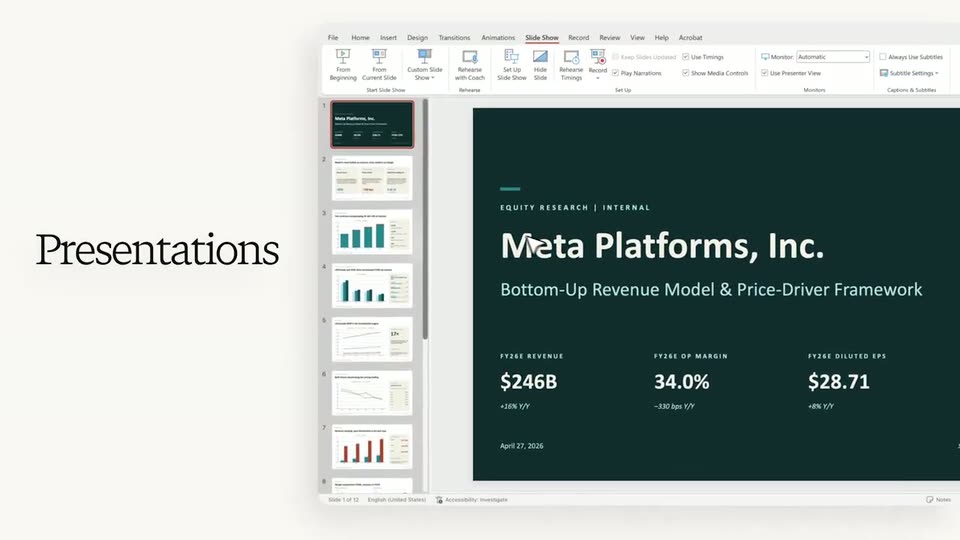

Perplexity - Today we're launching Perplexity Computer for Professional Finance.
Perplexity · AI · May 2026
Arena · Jan 2026 · 1:15 · Full motion · AI-annotated
Arena’s 1:15 launch film runs 47 scenes, about 1.6 s each. The product shows up at 0:06 and 1 feature is revealed. There is no explicit call to action. The video is built as a blueprint-style brand film: a wireframe column resolves into the Arena mark, then a long montage of type specimens, color swatches, score readouts and a model chain establishes a precise, academic tone before the product UI (head-to-head cards, radar charts, leaderboards) takes over. Pacing is steady at about 115 bpm with hard cuts between set-pieces, and the signature moves are the typing blue caret, the green highlight box behind a key word, and 3D parallax pushes (tunn
Is this your launch? to your site or press kit.
Perplexity · AI · May 2026
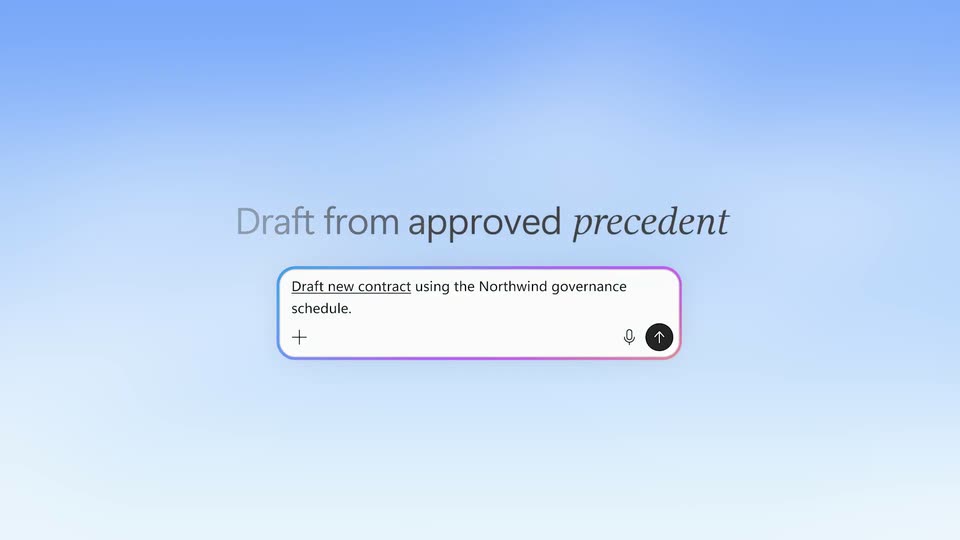
Microsoft · AI · Oct 2026
Instant Ai · Aug 2026
On a dark field, a thin vertical line draws down the center, then a light gray bar expands around it before the whole element clears.
Camera: Static
A thin gray wireframe of a fluted classical column with an Ionic capital and stepped base appears at center on a pale off-white field, framed by vertical guide lines and a center axis. The model draws in over the static grid.
Camera: Static
A wireframe technical drawing of a classical column capital with construction lines and an Attica label sits on a cream background. The wireframe resolves into a solid white 3D render of the capital as the grid lines and label fade out.
Techniques: Morph
Camera: Static
A white Ionic column capital with two scrolls rotates slowly in 3D against a dark grid panel. Thin blueprint lines, crosshairs and wireframe sketches frame it on a white background.
Techniques: 3D mockup
Camera: Pull out
A matte white Ionic column stands centered on a dark background crossed by a thin grid. It rapidly scales down, the fluted shaft collapsing to a small metallic capital, then vanishes, leaving only the empty grid.
Techniques: 3D mockup
Camera: Static
A dark gray Ionic column mark beside the serif word Arena sits centered on a cream field with a faint gray grid. The lockup scales up slowly from small to full size while the camera stays locked off, then holds.
On-screen text: “Arena”
Camera: Static
A cream field with thin horizontal guides holds a large serif specimen that scrolls left to right. A blue vertical bar tracks the right edge, and the glyph it touches renders in blue. A small credit line sits in the lower-left corner.
On-screen text: “Martina Plantijn”
Techniques: Kinetic type
Camera: Pan
On an off-white specimen card, a large black serif word deletes itself letter by letter, then a new word types in behind a blue cursor. Small caption columns naming the typeface, styles and glyph set settle into place below the baseline.
On-screen text: “AaBbCc”, “TYPEFACE”, “Martina Plantijn”, “STYLES”, “Light”, “Light Italic”, “GLYPH-SET PREVIEW”, “AaBbCcDdEeFfGgHhIiJjKk LlMmNnOoPpQqRrSsTtU uVvWwXxYyZz”, “Bookishly”
Techniques: Kinetic type
Camera: Static
A black bar masks a large serif headline, then clears to reveal the word in black with a blue caret after one letter. The headline swaps from “Bookishly” to “Academic” while three small specimen columns sit static below.
On-screen text: “Bookishly”, “Academic”
Techniques: Masking, Kinetic type
Camera: Pull out
A black bar wipes left to right across the word Academic, revealing the text and a red cursor. Font details sit below in three columns.
On-screen text: “Academic”
Techniques: Masking
Camera: Static
A white type specimen card with faint horizontal guide lines. A large display word swaps from black serif “Ac” to blue sans “Pe”, each flanked by a colored text caret. Below, three columns of small metadata update to match the new face.
On-screen text: “Ac”, “Pe”
Techniques: Kinetic type
Camera: Pull out
A cream card on a gray field shows the word Perfectly typed letter by letter behind a blue caret, over thin baseline grid lines, with a typeface spec sheet below. The card then scales down and the word inverts to white on a dark panel.
On-screen text: “Perfectly”, “TYPEFACE”, “Basel Grotesk”, “STYLES”, “Bold”, “Medium”, “Regular”, “Mono”, “GLYPH-SET PREVIEW”, “AaBbCcDdEeFfGgHhIiJjKkLlMmNnOoPpQqRrSsTUuVvWwXxYyZz”
Techniques: Kinetic type
Camera: Static
A huge black S slides left across a cream grid of thin horizontal lines, passing a black P and two blue vertical bars. Thin construction circles and crosshairs trace the S's curves as it moves.
On-screen text: “P”, “S”
Techniques: Kinetic type
Camera: Push in
A typographic specimen layout on a cream field with faint baseline guides. The black headline Precise sits above three small columns naming the typeface, styles and a glyph preview. The whole block scales down to settle inside a thin rectangular frame.
On-screen text: “Precise”, “TYPEFACE”, “Basel Grotesk”, “STYLES”, “Bold”, “Medium”, “Regular”, “Mono”, “GLYPH-SET PREVIEW”, “AaBbCcDdEeFfGgHhIiJk KkLlMmNnOoPpQqRrSsTt UuVvWwXxYyZz”
Techniques: Masking
Camera: Static
A bordered specimen card floats on a cream field. A large black sans word with a blue caret sits on a search line over a gray serif placeholder. Three small columns list the family, weights and glyphs. The headline word drops its last letter and the caret as the clip ends.
On-screen text: “Search Arena”, “Precise”
Techniques: Kinetic type
Camera: Static
A typography spec sheet on a white canvas shows a serif headline, italic subhead, date, body copy and a dark button, with H1, H3, SUBHEAD, BODY and CTA labels on the right. The sheet scales up and drifts left off frame, leaving a faint grid and circle.
Techniques: UI zoom
Camera: Static
A black serif headline types itself out letter by letter with a blue caret, centered on a pale background with a faint wireframe globe. A yellow highlight bar then appears behind the italic words “real world”.
On-screen text: “Where AI meets the real world”
Techniques: Kinetic type
Camera: Push in
A faint wireframe globe sits on a cream field while a serif line scrambles and morphs, a yellow box highlighting one word. A vertical black bar with thin green and white lines wipes across the center to cover the frame.
On-screen text: “At the real world”
Techniques: Kinetic type, Morph, Masking
Camera: Static
Two rows of vertical swatches sit on black: a grayscale scale above and a row of yellow, green, teal, blue and red below. Each bar floods with color from a thin bright center line, then the lines vanish and black gaps separate the blocks.
Techniques: Masking
Camera: Pull out
A white italic serif title, Scholastic Primaries, scales across the middle of a black frame. Above it a row of grayscale swatches shrinks to thin lines; below, five color swatches stretch and contract, rising to overlap the text.
On-screen text: “Scholastic Primaries”
Techniques: Kinetic type
Camera: Static
A brand palette on black: a top row of labeled grayscale swatches with hex and cmyk codes sits above a row of yellow, green, teal, blue and red bars. A large white serif wordmark and a script tagline overlay the lower half, then exit as every swatch compresses into a thin vertical stripe.
On-screen text: “Scholastic Primaries”, “Sandscale”
Techniques: Kinetic type
Camera: Static
A pale grid holds three horizontal guide lines, green, black and yellow, each tagged with a boxed value readout. The view zooms out from a tight crop on a black-bordered yellow block and green block to a wide frame where the lines span edge to edge and tick marks appear, the boxed numbers updating as the frame reframes.
On-screen text: “1456”, “1448”, “1438”
Camera: Static
A pale grid background holds a diagram of small outlined boxes, each with a number and a horizontal line marked with minus and plus values. The boxes drift up and right while their numbers update, at a steady even pace.
Techniques: Kinetic type
Camera: Pull out
Scattered colored outlined squares drift across a light gray field. The background inverts to a dark grid as the squares slide to new positions, and a vertical stack of filled green, red, white and yellow blocks pops in at the lower left. The field returns to light gray.
Camera: Static
Colored serif tags reading Gemini, Grok, GPT, Claude, Qwen and Kimi sit stacked on a dark grid, drifting leftward and sliding off the top. The serif headline The new fades in at the lower left as small outlined squares drift slowly across the grid.
On-screen text: “Gemini”, “Grok”, “GPT”, “Claude”, “Qwen”, “Kimi”, “The new”
Techniques: Kinetic type
Camera: Static
A green line descends across a dark grid, linking small brand logo tiles as nodes, while the serif headline 'The new frontier' sits at bottom left, 'frontier' in green. The line extends downward at the right edge.
On-screen text: “The new frontier”
Camera: Static
A dark grid holds a green line linking brand logos (Google, X, OpenAI, Claude) at green square nodes. The view zooms into the central node, framing its small logo inside a rectangle with radiating lines.
Camera: Push in
A white wireframe tunnel of concentric rectangles recedes to a central vanishing point on a dark gray field. The camera pushes straight through it, the rings expanding and the outer frame lines sliding off screen.
Techniques: Parallax
Camera: Push in
White lines converge toward a small central rectangle on a dark ground, then a pale panel expands to fill the frame as the lines radiate outward, framing a circle of spokes with a yellow center dot.
Techniques: Morph
Camera: Static
On a light beige field, a circular radar chart assembles itself: the top-left title types out to GEMINI-3-PRO, axis labels and yellow value tags pop in around the ring, and a yellow polygon traces and fills the center.
On-screen text: “GEMINI-3-PRO”
Camera: Static
A dark radar chart with two nested blue polygons sits centered, ringed by white category labels and blue number tags. The top-left title GROK-4.1-THINKING fades in while the chart eases slightly larger and the right-side labels separate.
On-screen text: “GROK-4.1-THINKING”
Camera: Pull out
The prompt is typed letter by letter at the center of a cream background, then shrinks to the top-left as two panels labeled Option A and Option B fade in. A photo of a short-haired woman with cloud earrings by the sea fills the Option A card.
On-screen text: “A surreal scene of a woman by the sea”
Techniques: Kinetic type
Camera: Static
A light UI screen shows a prompt bar reading “A surreal scene of a woman by the sea” above two side-by-side cards with generated images, one photographic, one illustrated, each with a “better” button below. The prompt scales in and the Option A label slides.
Camera: Static
A pale interface shows two result cards side by side under a UFO prompt; a cursor clicks the B is better button, then the prompt and images swap to a woman-by-the-sea comparison.
Techniques: Split screen, Cursor demo
Camera: Static
A browser window displays a 3D model of Stonehenge in a grassy field, with a dark control panel featuring sliders and buttons on the left. The Option A tab slides into place as the 3D scene slowly pans around the stones.
On-screen text: “Option A”, “arena.site”
Techniques: 3D mockup
Camera: Static
A browser mock with two tabs and an arena.site address bar frames a 3D voxel model of Stonehenge on green grass. The blocky stone circle rotates slowly while a cursor hovers over the canvas.
Techniques: 3D mockup, Cursor demo
Camera: Pan
A browser window with tabs Option A and Option B and address arena.site frames a 3D voxel Stonehenge on green grass. A cursor hovers over the toolbar, then a dark code panel slides in from the left while the 3D view rotates slightly.
On-screen text: “arena.site”
Techniques: Cursor demo
Camera: Pan
A flat browser mockup with two top tabs, Option A active and Option B inactive, sits on a light gray field. Inside, a dark code editor with a left file tree auto-scrolls JavaScript code downward. The code icon in the toolbar is highlighted.
Camera: Static
A block of code on a dark screen fades out as four tilted UI panels float into view in 3D perspective, each showing a different model output: a GEMINI window, a text card, a car on a cliff, and a house image. The panels drift and shift at different depths.
Techniques: 3D mockup, Parallax
Camera: Static
A dark 3D field of floating interface cards and document windows drifts toward the camera in layered parallax. Small model-name labels, image thumbnails, code blocks, and charts are scattered across the depth.
Techniques: 3D mockup, Parallax
Camera: Pull out
A small square card tilts and rotates in 3D at center on a dark background, its colorful image fading to a thin wireframe outline that dissolves. A large white serif word flashes on the left beside a vertical line.
On-screen text: “B fior”
Techniques: 3D mockup, Kinetic type
Camera: Static
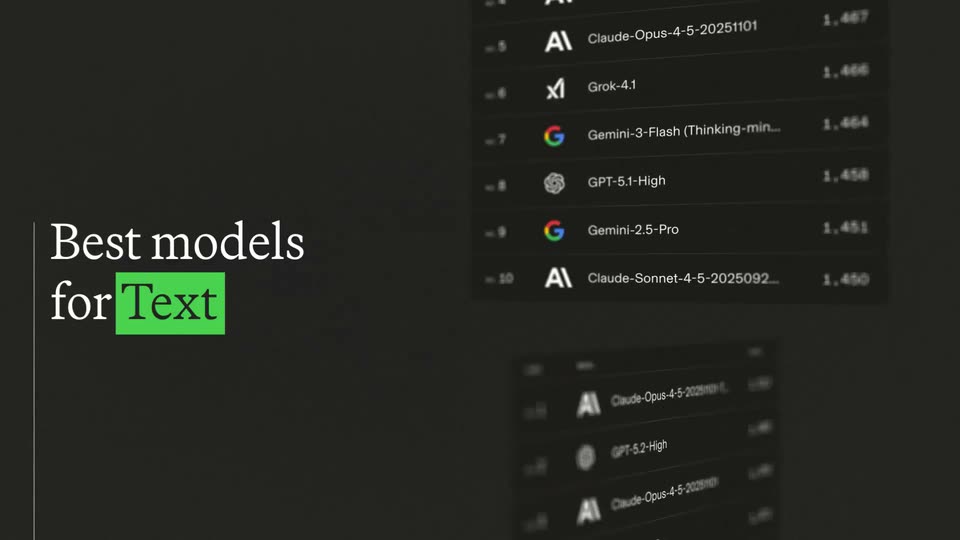
On a near-black background, a white serif headline reads Best models for Text with a green box behind the word Text. To the right, a vertical leaderboard of AI models scrolls upward while a blurred duplicate of the list drifts behind it for depth.
On-screen text: “Best models for Text”
Techniques: Parallax
Camera: Static
A dark frame holds a white serif headline on the left, the final word typed inside a green highlight box, while a benchmark leaderboard on the right scrolls down through ranked model names and scores.
On-screen text: “Best models for Code”
Techniques: Kinetic type
Camera: Static
A dark leaderboard of image models scrolls and crossfades on the right while a white serif headline sits left, a green highlight box pulsing behind the phrase. The list swaps from one ranking to the next.
On-screen text: “Best models for Text to Image”
Techniques: Masking
Camera: Static
A dark scene splits into a left serif headline and a right leaderboard table. The headline reads Best models for Experts with a green highlight box that grows to cover the word Experts. On the right, ranked model rows scroll upward with motion blur, reordering the list.
On-screen text: “Best models”, “for Experts”
Camera: Pan
On a near-black background, a left-aligned serif list slides upward past a thin vertical rule: Best models, then And, then Much More, the last line over a green highlight bar, before the frame cuts to black.
On-screen text: “Best models”, “And”, “Much More”
Techniques: Kinetic type
Camera: Static
On a plain off-white field, a thin vertical line at center opens horizontally to reveal the Arena wordmark with a column icon, which then holds still.
On-screen text: “Arena”
Techniques: Masking
Camera: Static