0:56
Explore
arcads AI - introducing AI Slideshows Create Viral TikTok Carrousel in one click
Arcads · Sep 2026 · 0:36 · AI-annotated
- Length
- 0:36
- Scenes
- 26 · 1.4 s avg
- Product on screen
- 0:02
- Features shown
- 2
- Voiceover
- Yes
00:00:00 / 00:36:25
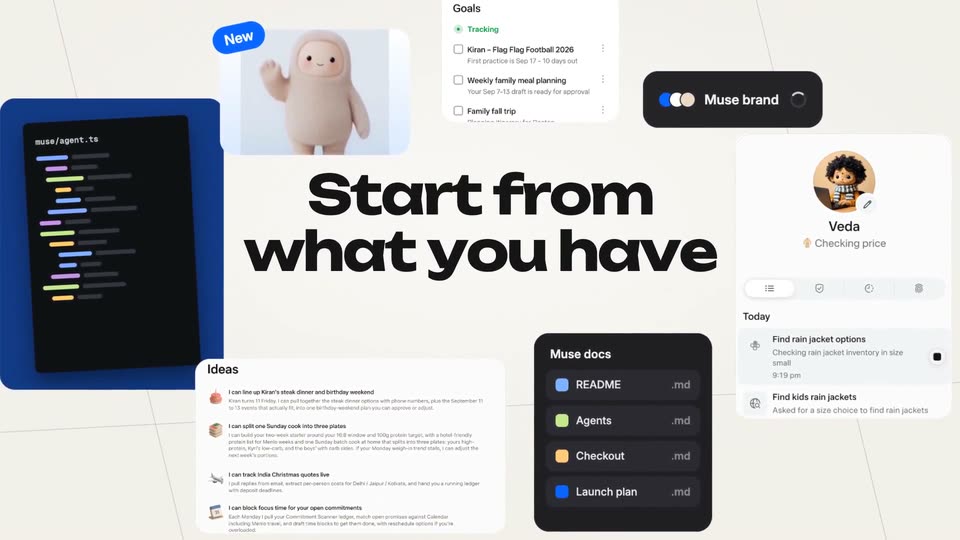
Arcads’s 0:36 launch film runs 26 scenes, about 1.4 s each. The product shows up at 0:02 and 2 features are revealed, with social proof. There is no explicit call to action; a voiceover carries the film. The video opens on a near-black field with a blurred-in headline, then moves to a clean white stage where a phone mockup and a prompt bar walk through type, click, generate, and edit in tight beats. Its signature moves are the diagonal pink light-beam sweep, the blur-to-focus reframes, and the 3D carousel tilt that spins flat cards into a rotating stage before settling on a flat logo card.
Footage neededEstimated needs: 3 capture groups — your screens or recordings · 1 official logo — reused across the film · 6 filmed passages — shoot, supply or replace · 1 graphic passage — draw or supply · 5 3D passages — build or supply
Is this your launch? to your site or press kit.
More like this

arcads AI - introducing AI Slideshows Create Viral TikTok Carrousel in one click, scene by scene
· 26 scenes as text
01 · Hook · 0:00–0:00
On a near-black background, the white headline “Imagine if GPT Astra” sharpens out of a soft blur. The OpenAI knot mark fades in centered above GPT, while the T and the final ra glow cyan.
On-screen text: “Imagine if GPT Astra”
Camera: Static
02 · Hook · 0:00–0:02
A glowing white knot mark sits above the centered text Imagine if GPT Astra on a near-black background. The mark and line then cut to could create slideshows, where the final word is bold and wrapped in a soft purple glow.
On-screen text: “Imagine if GPT Astra”, “could create slideshows”
Camera: Static
03 · Feature reveal · 0:02–0:04
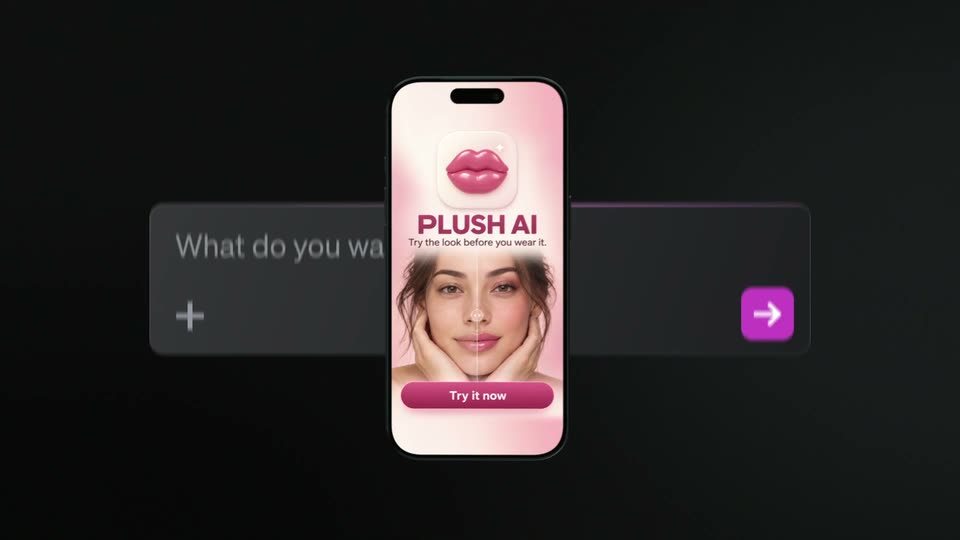
A 3D phone mockup, tilted and close to the camera, rotates to an upright centered view showing the PLUSHAI app, then recedes upward as a chat input bar slides in from the bottom. Blurred white text sits behind on a dark background.
On-screen text: “could create slideshows”
Techniques: 3D mockup
Camera: Pull out
04 · Feature reveal · 0:04–0:05
A blurred phone mockup of the PLUSH AI app sits behind a dark prompt bar as “create a slideshow for my app” types out. The phone fades and a small app chip appears below the bar.
On-screen text: “create a slideshow for my app”
Techniques: 3D mockup, Kinetic type
Camera: Static
05 · Feature reveal · 0:05–0:05
A dark text input field displays the typed phrase “create a slideshow for my app” with a blinking cursor. A small label reading “PLUSH AI APP” sits below the input box. The view reframes slightly to the right.
Techniques: UI zoom
Camera: Static
06 · Feature reveal · 0:05–0:07
A white cursor clicks a purple rounded button on a dark panel. The white arrow icon morphs into a spinning loader ring, then the frame pushes in and defocuses onto the glowing button.
Techniques: Cursor demo, Morph, UI zoom
Camera: Static
07 · Feature reveal · 0:07–0:08
A purple line-art face with curly hair shrinks from center and slides left on a plain light background, while a gray status line appears to its right and holds still.
On-screen text: “Generating slideshows..”
Camera: Static
08 · Feature reveal · 0:08–0:10
A status line beside a small avatar icon reads “Generating slideshows...” and switches to “Your Slideshow is ready!” while three gray skeleton cards fill with real slideshow clips, a pink light beam sweeping diagonally across the row.
On-screen text: “Generating slideshows..”, “Your Slideshow is ready!”
Techniques: Light sweep
Camera: Static
09 · Feature reveal · 0:10–0:14
A horizontal row of six rounded video cards floats on white. The carousel blurs and tilts into 3D perspective as a black cursor glides across the cards, then settles on the center foundation-bottle card, which sharpens and enlarges while the others blur at the edges.
Techniques: 3D mockup, Cursor demo
Camera: Push in
10 · Feature reveal · 0:14–0:16
A horizontal carousel of phone mockups shows the plush app, the center screen, a top-down photo of four concealer sticks, enlarged with a purple glow. The frame zooms out to reveal the full phone and a black caption card as a cursor slides to the purple arrow button.
On-screen text: “show her hand holding a product”
Techniques: UI zoom, Cursor demo
Camera: Pull out
11 · Feature reveal · 0:16–0:17
A white background holds a row of six vertical phone cards, mixing live-action clips of a woman with the plush app interface. The third card is blank, ringed in glowing pink, as a diagonal light beam sweeps across it. A blurred dark prompt bar sits below.
Techniques: Light sweep
Camera: Static
12 · Feature reveal · 0:17–0:18
Six phone-shaped cards sit in a row on a white background, each holding a clip of a woman testing the app or a hand holding a phone. The third card, a pink blur, sharpens into a hand holding a lip product. White captions sit on each card.
On-screen text: “saved 500 looks, recreated exactly zero.”, “my saved folder is basically a museum”, “4 shades it actually matched to me”, “mapped my bare face first”, “put the look on MY face, not a model's”, “it's called plush”
Techniques: Split screen
Camera: Static
13 · Feature reveal · 0:18–0:20
A central phone mockup filled with a grid of face photos pushes toward the camera, while five tilted phone screens on either side recede and blur against a white background. A white caption sits above the central device.
On-screen text: “my saved folder is basically a museum”
Techniques: 3D mockup, Parallax
Camera: Pan
14 · Demo · 0:20–0:21
A 3D phone mockup spins from its camera back to a front view, revealing a TikTok screen where a hand holds a phone showing a grid of foundation shade swatches. The device settles upright on a plain white background.
Techniques: 3D mockup
Camera: Static
15 · Demo · 0:21–0:22
A black iPhone mockup sits centered on a white background. Its screen cross-dissolves from a TikTok video of a hand holding a foundation bottle into an iOS home screen with colorful app icons and a red circle around a lip icon.
Camera: Static
16 · Demo · 0:22–0:23
A flat iPhone frame on a white background plays a TikTok of a hand holding a phone, the Plush app icon circled in red with the caption 'it's called plush' at top; the image then dissolves into pink pixels.
Camera: Static
17 · Demo · 0:23–0:24
Overhead view of a person lying on a white bed with a pink fleece blanket, holding a phone in both hands. The phone screen switches from a home screen of app icons to a feed post showing a figure in a forest. The camera stays fixed above.
Camera: Pull out
18 · Demo · 0:24–0:25
A woman with brown hair and bangs lies on a bed in a white t-shirt, leaning forward on her elbows. She looks down at a phone in her hands, her expression shifting from speaking to a slight smile. Soft daylight and shallow depth of field blur the room behind her.
Camera: Static
19 · Social proof · 0:25–0:26
A close-up of a hand holding a phone over cream fabric. The thumb taps the GET button on the App Store page for Plush AI App, and the button turns into a blue circular loading spinner.
Techniques: Cursor demo
Camera: Static
20 · Social proof · 0:26–0:27
Two hands hold a tilted smartphone against a dark, bokeh-lit background. The screen shows the Plush AI App store page with a pink lips icon and three face-preview cards. The right thumb hovers near the top right corner. The shot stays tight and steady.
Camera: Static
21 · Social proof · 0:27–0:28
A macro shot of a hand holding a phone in warm outdoor light. A fingertip presses the blue Get button on the App Store listing for Plush AI App, then lifts, leaving a circular loading spinner spinning in its place.
Camera: Static
22 · Social proof · 0:28–0:30
A phone screen shows an App Store list of beauty apps scrolling upward. The view then zooms onto the Plush AI App row, which gains a glowing pink outline while the rest of the list blurs out.
Techniques: UI zoom
Camera: Push in
23 · Social proof · 0:30–0:32
A glowing pink card highlights the Plush AI App row over a blurred phone screen, then the frame pulls back to the full Top Charts list, with the app at number one on a pink bar. Small stars and hearts fade in at the edges.
Techniques: UI zoom
Camera: Push in
24 · Other · 0:32–0:34
A blurred phone app-store screen fades out behind a centered headline on a light gray background. The line reads “Your next 10,000” and the word “installs” appears to complete it.
On-screen text: “Your next 10,000 installs”
Techniques: Kinetic type
Camera: Static
25 · Other · 0:34–0:35
On a flat light gray field, a centered line of black sans-serif text assembles word by word, the final word easing in from a soft gray to solid black before the line locks still.
On-screen text: “start as a slideshow”
Techniques: Kinetic type
Camera: Static
26 · Outro · 0:35–0:36
A black arcads wordmark paired with a diagonal slash mark sits centered on a flat light gray field. The frame is locked off and the logo holds perfectly still for the entire duration.
Camera: Static