0:32
Explore
Raphael Mosaic - Enterprises which win the AGI race will build their own internal Merc
Alexandria · Oct 2026 · 2:38 · AI-annotated
- Length
- 2:38
- Scenes
- 51 · 3.1 s avg
- Product on screen
- 0:00
- Features shown
- 3
- Voiceover
- Yes
00:00:00 / 02:38:06
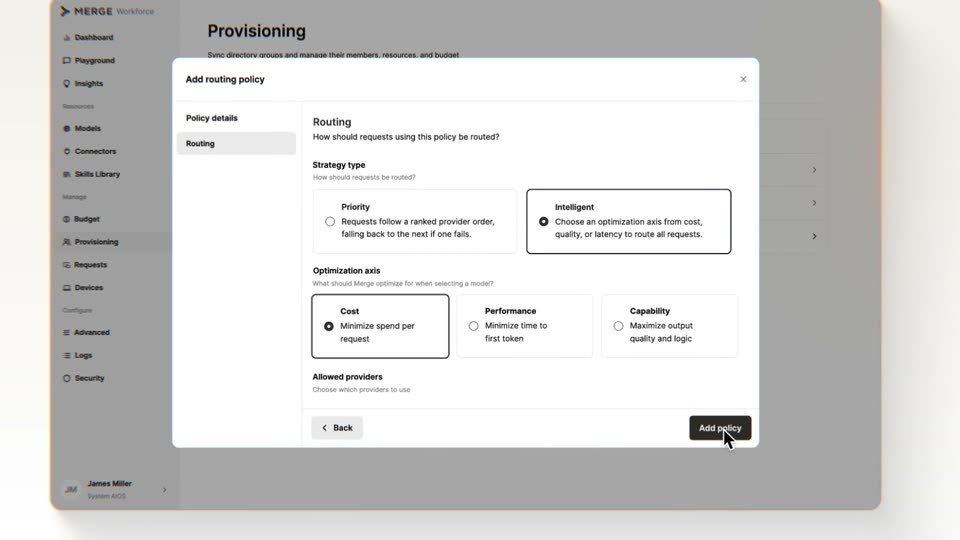
Alexandria’s 2:38 launch film runs 51 scenes, about 3.1 s each. The product is on screen from the first frame and 3 features are revealed, with social proof. There is no explicit call to action; a voiceover carries the film. A launch film built on a strict alternation between static talking-head shots in a warm arched hall and pale, flat motion-graphics cards, with the product story told through a recurring system of small screen-tile grids, a maroon hub square, and a thin VLM line. Pacing is steady and measured (about 10 cuts a minute over a 112 bpm score), letting each diagram assemble slowly while a serif headline and a single maroon accent carry every idea, so the signature moves are the slow scale-in of type, a
Footage neededEstimated needs: 3 capture groups — your screens or recordings · 1 official logo — reused across the film · 16 filmed passages — shoot, supply or replace · 11 graphic passages — draw or supply · 3 3D passages — build or supply
Is this your launch? to your site or press kit.
More like this

Raphael Mosaic - Enterprises which win the AGI race will build their own internal Merc, scene by scene
· 51 scenes as text
01 · Product intro · 0:00–0:00
A dark classical interior fades up from black as a figure walks through a columned hall, the title ALEXANDRIA held static in the center of the frame.
On-screen text: “ALEXANDRIA”
Camera: Static
02 · Product intro · 0:00–0:06
The title ALEXANDRIA sits centered over a dim grand library that gradually brightens, revealing tall bookshelves, columns and a robed figure walking across the reflective floor.
On-screen text: “ALEXANDRIA”
Camera: Push in
03 · Problem · 0:06–0:09
A man in a brown blazer and light striped shirt, wearing a lapel mic, speaks directly to camera. He is centered in a medium close-up against a softly blurred room with arched windows. The camera holds a slow, subtle drift as he talks.
Camera: Static
04 · Problem · 0:09–0:13
A man with dark hair in a taupe blazer and open white shirt is filmed in profile against a flat gray wall, his mouth moving as he speaks. The frame holds on his side view with two dark rounded shapes at the bottom edge.
Camera: Pan
05 · Problem · 0:13–0:17
A man in a brown blazer and pale striped shirt faces the camera, speaking with a clipped lavalier mic, against a blurred interior of arched windows and warm light. His head tilts and his expression shifts as he talks.
Camera: Static
06 · Problem · 0:17–0:21
A man in a brown suit and open-collar shirt stands in profile against a textured beige wall, speaking into a clipped lapel mic. The camera holds a steady medium close-up as he turns his head slightly while talking.
Camera: Static
07 · Problem · 0:21–0:25
A man in a brown blazer and light blue shirt speaks to camera in a centered medium close-up. The background is a soft-focus hall with arched windows. The locked-off frame holds steady while he talks, his expression and head tilting slightly.
Camera: Static
08 · Problem · 0:25–0:29
A man with dark wavy hair in a brown blazer and white shirt speaks in profile, a small lapel mic clipped to his jacket. He is framed in a medium close-up against a plain beige wall with dark arched shapes behind him. The camera holds steady as he talks.
Camera: Static
09 · Problem · 0:29–0:33
A young man in a brown blazer and light striped shirt, with a lapel mic, speaks to camera in a centered medium close-up. The background is a softly blurred room with arched windows and warm lamps. He shifts his head slightly as he talks.
Camera: Static
10 · Problem · 0:33–0:38
A black serif headline reads “On-device models” over a faint field of scattered gray letters. Below it, a solid maroon circle labeled “Private” and an outlined circle labeled “Capable” scale in, then the “Capable” circle fades out.
On-screen text: “On-device models”, “Private”, “Capable”
Techniques: Kinetic type
Camera: Static
11 · Problem · 0:38–0:40
On a dark field of faint code, a white outlined circle labeled Private sits left of a red shape labeled Capable. The red shape begins as a large blob overlapping the circle, then morphs into a smaller separate circle as the serif headline Cloud models fades in above.
On-screen text: “Cloud models”, “Private”, “Capable”
Techniques: Morph
Camera: Static
12 · Feature reveal · 0:40–0:47
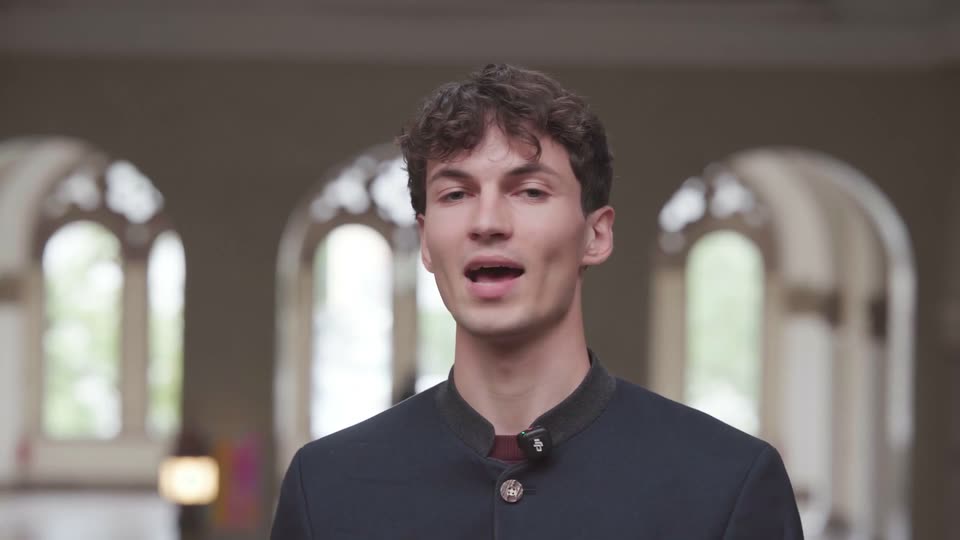
A young man in a dark mandarin-collar jacket with a clipped lavalier mic speaks to camera, centered before a blurred row of arched windows. The captions “Private”, “Capable” and “Cloud models” appear in sequence, “Capable” scaling in.
On-screen text: “Private”, “Capable”, “Cloud models”
Techniques: Kinetic type
Camera: Static
13 · Feature reveal · 0:47–0:49
A young man in a dark mandarin-collar jacket with a lavalier mic speaks to camera in a warm arched interior, then the frame cuts to a PCB layout screen with a find panel and red, green signal lines.
Camera: Static
14 · Feature reveal · 0:49–0:49
A desktop screen recording cuts from a plasmid mapping window, where a gray 3D molecule sits over a circular map, to an ANSYS window showing a green and blue 3D model of a mechanical part.
Camera: Static
15 · Feature reveal · 0:49–0:50
A 3D mechanical component with a cyan glowing cylinder floats in perspective over a black field, casting a soft shadow, then a desktop screen running a sequence-analysis app fades in behind it while the component stays centered.
Techniques: 3D mockup
Camera: Static
16 · Feature reveal · 0:50–0:51
A full-screen financial terminal interface, with a red menu bar and a holdings data table, scales down to a small centered window as a white grid pattern fills the surrounding black background.
Camera: Pull out
17 · Feature reveal · 0:51–0:52
A grid of small dark squares fills the center of a light gray field, a few cells tinted tan and blue, framed by thin crop marks at the corners. The frame holds still.
Camera: Static
18 · Feature reveal · 0:52–0:55
A block of small dark squares with brown and blue rows slides left across a cream background, its right edge dissolving into a line of squares that trails toward the ACC wordmark. The wordmark flashes from gray to black and back as the block exits frame left.
Techniques: Particles
Camera: Push in
19 · Feature reveal · 0:55–0:59
A faint ACC wordmark fades out on a plain off-white field as a thin maroon vertical line labeled VLM holds left of center. A strip of small squares slides in from the left edge, some turning navy and rose, while the caption scales in beside the line.
On-screen text: “ACC”, “VLM”, “Scrolled Scenarios in PORT across 7 holdings.”
Techniques: Kinetic type
Camera: Static
20 · Feature reveal · 0:59–1:01
On a pale field, a large dark headline reads Trusted Execution Environment. A gray padlock at right flips open to closed. A red vertical line marked VLM and a strip of small colored squares sit left, while faint monospace code fades in along the top and bottom edges.
On-screen text: “Trusted Execution Environment”, “VLM”, “Scrolled Scenarios in PORT across 7 holdings.”, “POWERED BY”
Techniques: Morph
Camera: Pull out
21 · Feature reveal · 1:01–1:02
A row of small colored squares scatters and re-forms into a solid black pixel block beside a padlock icon and the label Trusted Execution Environment, while an overlapping caption scales in the center. The frame then cuts to a WHAT A THIEF SAW panel of encrypted code lines.
On-screen text: “Trusted”, “Scrolled Scenarios in PORT across 7 holdings.”, “Trusted Execution Environment”, “WHAT A THIEF SAW”, “POWERED BY”
Techniques: Kinetic type, Morph
Camera: Static
22 · Feature reveal · 1:02–1:05
A dark trading terminal emerges as a grid of black squares dissolves, exposing red menu headers and a stock table. To the right, a light log panel shows timestamped entries fading in, with a lock icon at the terminal's edge.
Techniques: Masking, Split screen
Camera: Static
23 · Feature reveal · 1:05–1:13
A young man in a dark buttoned shirt with a lapel mic speaks to camera in a static medium close-up, centered against a blurred hall of arched windows and a warm lamp. He blinks, gestures once with his hand, and smiles.
Camera: Static
24 · Feature reveal · 1:13–1:15
A file browser lists folders on the left with the Ambient row highlighted in dark red, beside a blue folder icon with a triangular logo and an Ambient button on the right. The static interface holds, then dissolves to a plain white field.
Camera: Push in
25 · Feature reveal · 1:15–1:21
A light gray network diagram assembles: seven small video thumbnails snap into a top row while five labeled nodes slide into a bottom row, thin lines linking the two. Lines then redraw as a maroon highlight converges on the Projects & tools node.
On-screen text: “ACTIVITY”, “Tasks”, “People”, “Workflows”, “Knowledge”, “Projects & tools”, “MEMORY”
Camera: Pull out
26 · Feature reveal · 1:21–1:23
The tagline “think alongside you” scales in at center on a light gray field while small gray and maroon squares drift into a loose elliptical ring around it.
On-screen text: “think alongside you”
Techniques: Kinetic type, Particles
Camera: Static
27 · Feature reveal · 1:23–1:24
A faint tagline fades as the maroon word Months, captioned SEP 8, stretches sideways into Mon and ths, opening a filmstrip of tiny calendar thumbnails between them while a timestamped task list fades in above.
On-screen text: “think alongside you”, “Months”, “SEP 8”
Techniques: Kinetic type, Morph
Camera: Static
28 · Feature reveal · 1:24–1:28
A light task list crossfades from overlapping doubled text into a clean vertical timeline with checkboxes, then the rows dim to gray as a dashed loading spinner spins beside one entry.
Camera: Push in
29 · Feature reveal · 1:28–1:31
On a pale gray field, four task lines stack vertically, each paired with a dashed spinner and a small icon. The text types in line by line, the leading verb in dark bold and the rest in light gray, while the spinners rotate.
On-screen text: “Drafting the IC risk memo on Hilton concentration”, “Updating Q3 stress.xlsx with all 12 scenario results”, “Comparing factor exposures with the Q1 risk review”, “Summarizing Lehman 2008 stress loss for each holding”
Techniques: Kinetic type
Camera: Pull out
30 · Feature reveal · 1:31–1:35
A task detail view fades in and scrolls up to reveal the Plan section, then the frame zooms in as a black Hand off to ChatGPT pill and a cursor appear over the context chips, while a caption slides in.
On-screen text: “Drafting the IC risk memo on Hilton concentration”
Techniques: UI zoom, Cursor demo
Camera: Static
31 · Feature reveal · 1:35–1:37
Three stacked gray “Working” labels sit centered on a pale background. The two lower copies blur and fade out, leaving a single sharp “Working” locked in place.
On-screen text: “Working”
Techniques: Kinetic type
Camera: Static
32 · Feature reveal · 1:37–1:42
A ChatGPT task panel sits on a pale gray field under the heading IC risk memo on the 13F book. Four icon rows fade in one after another, the last row appearing near the end, while a static Working label holds at the bottom of the frame.
Camera: Static
33 · Feature reveal · 1:42–1:44
A SolidWorks window holding a 3D piston and crankshaft assembly sits centered on a pale gray desktop. The view zooms out, shrinking the window and revealing the edges of two other windows on either side.
Techniques: UI zoom
Camera: Pull out
34 · Feature reveal · 1:44–1:45
A pale grid of faded application windows surrounds one sharp central window showing a 3D piston model inside a CAD editor. The view zooms out so the central window shrinks and the surrounding grid expands into a wall of screens.
Camera: Pull out
35 · Feature reveal · 1:45–1:49
A grid of small app windows, 3D viewports and code editors, on a light gray background rearranges into a ring around the center. Thin lines radiate from the middle to each window as the title “Shared Memory” fades in at the center.
On-screen text: “Shared Memory”
Techniques: Morph, Kinetic type
Camera: Pull out
36 · Feature reveal · 1:49–1:57
A man in a brown blazer and light blue shirt with a lapel mic stands centered, speaking to camera. The background is a softly blurred hall with arched windows. He shifts his head and expression as he talks while the camera holds a static medium close-up.
On-screen text: “Shared Memory”
Camera: Static
37 · Feature reveal · 1:57–2:00
A vertical list of department names on a plain off-white background scrolls up, highlighting Engineering, Finance, and Marketing in dark red with a hash mark; a horizontal strip of small video thumbnails sits to the right of the active row.
Techniques: Kinetic type
Camera: Static
38 · Feature reveal · 2:00–2:01
A man in a brown blazer and open-collar white shirt faces the camera and speaks in a dim hall with arched windows, the frame locked off. Department names appear as large on-screen labels that slide in and settle.
On-screen text: “Finance”, “Marketing”, “Legal”, “Purchasing”, “Operations”
Techniques: Kinetic type
Camera: Static
39 · Feature reveal · 2:01–2:05
A white message card on a light gray background settles from overlapping lines into a clean list. A red strikethrough crosses the personal details, then those lines fade out and the remaining text reflows upward.
Techniques: Kinetic type
Camera: Static
40 · Feature reveal · 2:05–2:07
A white workflow card holds a heading, three app icons, a goal line and a numbered step list above a dark footer with a Finance tag and Share button. It eases into sharp focus, a cursor points at Share, then the card blurs out of frame.
Techniques: Cursor demo
Camera: Static
41 · Feature reveal · 2:07–2:10
A light cream grid holds three columns titled Decisions, Discoveries and Progress. The headers fade in, then each list item appears line by line, fading from light gray to dark, while a thin horizontal rule draws under the first row.
Techniques: Kinetic type
Camera: Push in
42 · Feature reveal · 2:10–2:12
On a pale cream field, a small dark red square sits at the center of two faint concentric circles. Dotted gray lines draw slowly outward from it to eight department hashtags placed around the ring, and the labels sharpen from faint to fully legible.
Camera: Static
43 · Feature reveal · 2:12–2:12
A radial diagram of department tags around a dark red hub, then a two-column board shows 911 Tasks and 264 Decisions with list items fading in.
Camera: Static
44 · Feature reveal · 2:12–2:13
A flat kanban board displays columns of task cards, each with a small square bullet. The view pans horizontally to the left, bringing the Workflows and Discoveries columns into frame beside the existing People, Tasks, Decisions and Projects columns.
Camera: Pull out
45 · Feature reveal · 2:13–2:16
Six columns of item lists sit on a white grid, a maroon counter top right climbing from +120 to +171 this hour as rows fade and refresh. The columns blur and collapse into a ring of small dark screen thumbnails around a central maroon square.
On-screen text: “+120 this hour”, “+171 this hour”
Techniques: Morph
Camera: Static
46 · Feature reveal · 2:16–2:20
A maroon square anchors the center of a light dotted grid as concentric rings of small dark screen thumbnails ripple outward. The shot pulls back, each ring revealing the next until the radial lattice fills the frame.
Camera: Pull out
47 · Social proof · 2:20–2:23
A man in a brown blazer and light blue shirt stands centered, speaking to camera with a lavalier mic clipped to his lapel. He gestures with his hands as he talks. The background is a soft-focus hall with three arched windows letting in daylight.
Camera: Pull out
48 · Social proof · 2:23–2:27
A man in a brown blazer and open white shirt speaks in profile, a small lapel mic clipped to his jacket. He is framed in medium close-up against a plain beige wall, with dark curved shapes at the lower corners. The shot stays locked off with only slight drift as he talks.
Camera: Static
49 · Social proof · 2:27–2:35
A man in a brown blazer and white shirt talks to camera, centered in frame. He gestures once with his right hand at the start. The background is a soft-focus interior with arched windows and warm lamps. The shot stays locked off with a shallow depth of field.
Camera: Static
50 · Outro · 2:35–2:36
A large white serif title reads AD ASTRA, centered and held static on a black field. Behind it, a faint layer of small monospace code characters drifts slowly, giving the dark background a subtle texture.
On-screen text: “AD ASTRA”
Camera: Static
51 · Outro · 2:36–2:38
A black stage holds a faint border of scattered code characters. The word ALEXANDRIA sits centered in white serif, then dims to gray as the clip ends.
On-screen text: “ALEXANDRIA”
Camera: Static