0:35
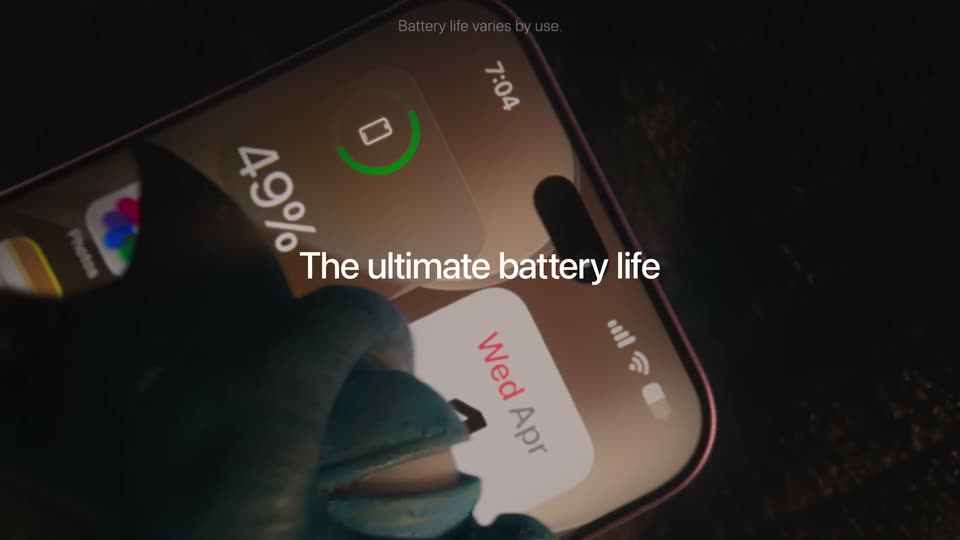

iPhone 18 Pro Max: The ultimate battery life
Apple · Hardware · Nov 2026
Airbnb · May 2025 · 2:39 · Full motion · AI-annotated
Airbnb’s 2:39 launch film runs 21 scenes, about 7.6 s each. The product is on screen from the first frame. There is no explicit call to action; a voiceover carries the film. The video is structured as a single cut-free UI tour inside a centered phone mockup on a flat white field, framed by a title card at the start and the brand mark at the end. Its defining moves are seamless in-frame screen transitions (slides, crossfades and zooms) and a restrained palette of white, black and one pink accent.
Is this your launch? to your site or press kit.
Apple · Hardware · Nov 2026
Fitbit · Oct 2020
Films whose music sounds like this one, voice left out
Prescience, Inc. · Corporate tech advertisement
Google · Modern corporate electronic
A red and yellow hot air balloon icon eases into place above centered black text on a plain off-white background. The title remains fixed while the balloon settles into a stable upright position.
On-screen text: “Airbnb Experiences”
Camera: Static
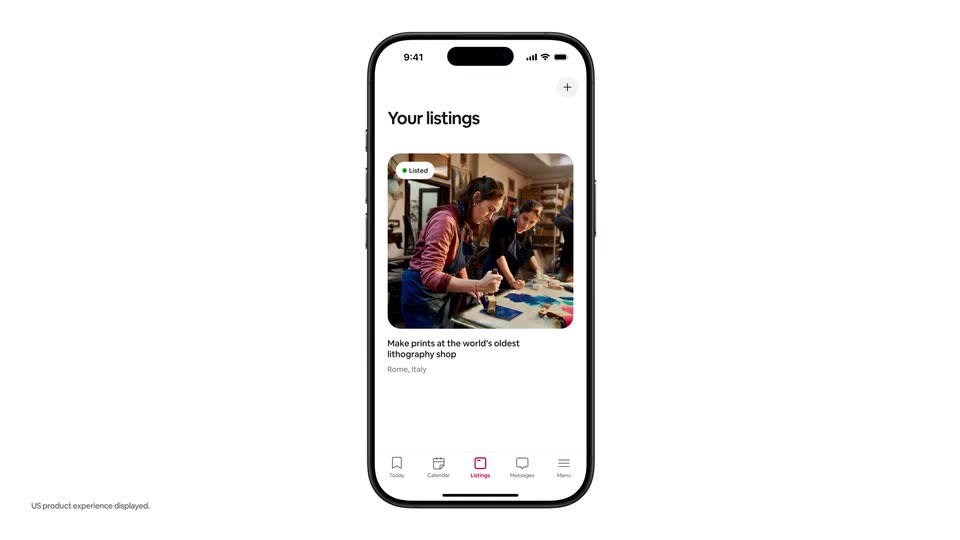
A front-facing iPhone mockup fades in on a white background, showing the Airbnb listings screen with a photo card for a lithography print-making experience in Rome. The listing editor screen then slides in from the right over it.
On-screen text: “Airbnb Experiences”, “US product experience displayed.”
Camera: Static
A flat iPhone mockup sits centered on white as its Listing editor screen scrolls down slowly. The view moves from the Photos and Title cards past Description to reveal Itinerary steps, Pricing and Availability, while a black View pill stays fixed at the bottom.
On-screen text: “US product experience displayed.”
Camera: Static
A flat phone mockup on white shows an itinerary list. An Edit activity screen slides in from the right, its empty fields populate with text, then it slides away and a third activity row appears in the list.
On-screen text: “US product experience displayed.”
Camera: Static
A white smartphone mockup is centered on a plain background, locked off. The screen shows the Itinerary list, then the view switches to the Listing editor, where stacked cards for Description, Itinerary, and Pricing sit above a black View button.
On-screen text: “US product experience displayed.”
Camera: Static
On a white background, an iPhone mockup zooms into a pricing screen. A keypad sheet slides up, the price per guest is retyped from $89 to $70 with keys highlighting, the sheet closes, and the updated $70 shows in the list as the back arrow is tapped.
On-screen text: “US product experience displayed.”
Techniques: UI zoom
Camera: Static
A tilted phone mockup floats on a white background. A Pricing screen crossfades into a Listing editor showing Description, Itinerary and Pricing cards with a black View pill, then a You're published calendar screen wipes in from the left.
On-screen text: “US product experience displayed.”
Techniques: 3D mockup
Camera: Static
A front-facing phone mockup is centered on a pale background. The screen shifts from a listings card to a September month grid, then to a single-day timeline where a dashed pink block is drawn and a two-button sheet slides up, finishing on an Add availability form.
On-screen text: “US product experience displayed.”
Camera: Static
A flat, front-facing iPhone mockup on a white background shows an availability form. Field values fill in (Never, $70, $300, Up to 10 guests), then the Repeats value switches from Never to Weekly. A small gray caption sits in the lower left.
On-screen text: “US product experience displayed.”
Camera: Static
A flat iPhone mockup sits centered on white, showing a September calendar with a 9 AM block. The 'Add availability' bottom sheet closes, revealing a new 2 PM to 5 PM block and a green 'Availability added' toast.
On-screen text: “US product experience displayed.”
Camera: Static
A locked-off iPhone mockup on white runs an Airbnb host app. The September calendar switches to a Google-calendar connect sheet, then a 'You're connected!' checkmark, then back to the calendar where a new event and booking counts update, ending on the Today tab.
Camera: Static
A flat iPhone mockup on white shows the host app. The view zooms into a reservation card where a note is typed, zooms back out, then cuts to a group chat where a message with a video is sent and a guest replies.
On-screen text: “US product experience displayed.”
Techniques: UI zoom
Camera: Pull out
A front-facing phone mockup on a white background shows a chat thread with a video message and keyboard, which crossfades into a Manage quick replies list with three reply cards and a black Create button. The frame stays locked-off throughout.
On-screen text: “US product experience displayed.”
Camera: Static
A flat iPhone mockup on white. A Schedule message sheet slides up over a quick replies screen; the selected option shifts from Don't schedule to 2 hours before experience starts, then the view cuts to a Messages list.
On-screen text: “US product experience displayed.”
Camera: Static
A front-facing phone mockup on a white background displays a Messages screen with a list of guest conversations. The red highlight in the bottom tab bar moves from Messages to Menu. A small gray disclaimer sits in the lower left corner.
On-screen text: “US product experience displayed.”
Camera: Static
A front-facing iPhone mockup centered on white. The app fades from the Menu screen, with Earnings and Insights cards and a settings list, to the Earnings screen showing a monthly bar chart with September highlighted. A small disclaimer caption sits at the lower left.
On-screen text: “US product experience displayed. Earnings are for illustrative purposes. Earnings are not guaranteed. Any of these will vary by hosts and locations.”
Techniques: 3D mockup
Camera: Static
A flat iPhone mockup centered on a white background crossfades through host app screens: an earnings bar chart, the menu with two summary cards, a ratings page with a pink gradient score bar, then back to the menu and a listings card.
On-screen text: “US product experience displayed. Earnings are for illustrative purposes. Earnings are not guaranteed. Any of these will vary by hosts and locations.”
Camera: Static
A front-facing iPhone mockup on a white background shows the Airbnb listings screen with a photo card of two people at a workbench. A bottom sheet slides up from the lower edge, dimming the screen and revealing Traveling and Hosting options with icons.
On-screen text: “US product experience displayed.”
Camera: Static
A black iPhone mockup centered on white fades from dim to full brightness, showing the Airbnb Explore feed. The screen then switches to a workshop detail page with a photo grid, host row and a pink Book button. A small gray caption sits at the lower left.
On-screen text: “US product experience displayed.”
Camera: Static
A front-facing phone centered on a light gray field shows an Airbnb experience page with a photo grid, a title and a pink Book button. The whole frame, including the caption, fades to plain white within the first tenth of a second.
On-screen text: “US product experience displayed.”
Camera: Static
A small pink outline logo, a rounded triangle enclosing a central loop, sits centered on a plain white background. The mark begins soft and slightly blurred, then sharpens and holds still in the middle of the frame.
Camera: Static