1:09
Giga - Everyone is trying to build a support agent. Now you can build one i
Giga (Scout) · Jul 2026
Google’s 1:46 launch film runs 30 scenes, about 3.5 s each. The product is on screen from the first frame and 2 features are revealed. The call to action lands at 1:42 (96% in), over a voiceover. The video is built on a plain white field where flat 2D character vignettes alternate with 3D phone and tablet mockups, stitched together by drifting UI cards, concentric colored arcs and a large illustrated hand that taps and swipes the interface. Pacing is calm and even with long holds and slow pans, and the signature moves are the hand-tap interactions, the circular color-framed panel reveals and the orbiting avatar rings around the device.
Is this your launch? to your site or press kit.
Giga (Scout) · Jul 2026
Luca IQ · B2B · Jul 2026
Alloovium · Real Estate and Construction · Jul 2026
Films whose music sounds like this one, voice left out
DJI · Modern electronic
Arcus Power · Electronic
Stripe · Corporate Electronic
A plain off-white card holds one centered line of gray text that fades in from faint to solid. The frame stays locked and static throughout the short clip.
On-screen text: “Presenting Google News Showcase”
Camera: Static
A flat vector man with brown hair in a bun, a green cardigan and blue pants walks from left to right across a plain white background, entering from the left edge with a simple looping stride.
Camera: Static
A flat-vector man in a green jacket walks rightward across a white field, pausing with a hand to his face as stylized browser cards drift in around him, each showing a train, wind turbines, a red chart, and a bank icon.
Techniques: Parallax
Camera: Push in
Two flat-illustration figures stand among floating news wireframes. The man in a green jacket lifts a hand and the woman in glasses points at a card whose wind-turbine banner shrinks to a thumbnail as a star Follow button scales in.
Camera: Pan
Two flat vector figures stand on a white field of floating UI cards; the right figure repeatedly raises an arm to point at a central card that swaps its image stack, while the left figure turns and shifts weight.
Camera: Push in
A 3D phone mockup of the Google News Showcase app zooms in until the screen fills the frame, then pulls back to a tilted perspective while red, yellow, green and blue arcs draw around the device.
Techniques: UI zoom, 3D mockup
Camera: Static
A flat tablet showing the Google News Showcase sits at the center of concentric colored arcs that draw and rotate, while small squares orbit the rings and illustrated avatars and document cards drift in at different speeds.
Techniques: Parallax, Particles
Camera: Pan
Colored curved lines and small squares drift across a white field as the view pans past a stylized browser window with a blue header and gray placeholder bars. The abstract shapes shift around the mockup in fast, continuous motion.
Camera: Static
A flat transit interior illustration: a woman in yellow sits in a seat while a bearded man in blue checks his phone. Floating UI cards, a browser window, an article card, a landscape and a network diagram, drift around them as colored route lines cross the left. The camera eases in from the right.
Camera: Pan
Flat illustration of a subway car pans right past two commuters, one seated in blue, one standing in green, both on phones. Floating UI cards, a red bank-icon card, a colored line graph and a browser window, drift at a slower depth layer.
Techniques: Parallax
Camera: Pan
A flat illustrated News Showcase card slides in on a light gray background as a cartoon hand reaches in and touches it. The header fills with a yellow space scene, then the card scrolls down and the hand points at a blue satellite icon.
Camera: Pan
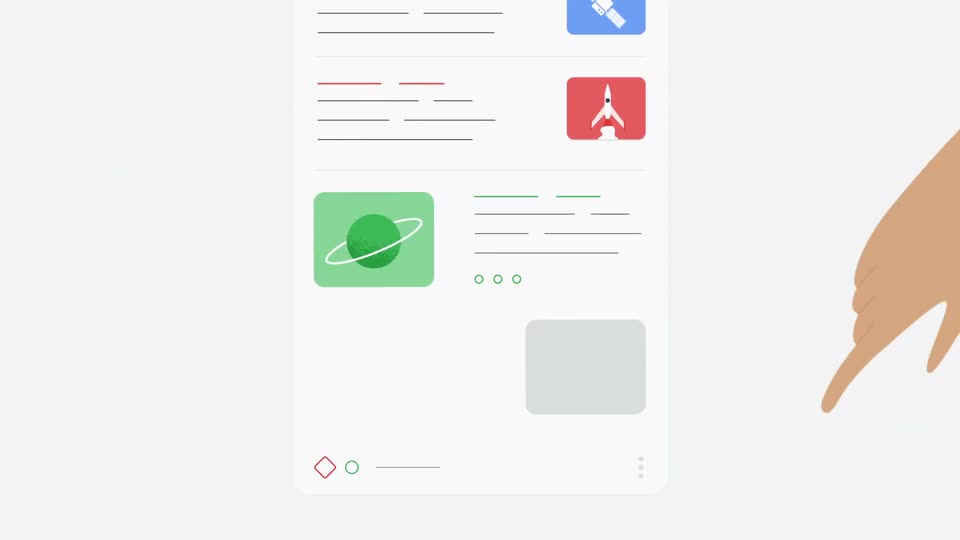
A white news feed card scrolls upward on a gray background, revealing story rows with colored icons: a blue satellite, red rocket, green ringed planet and yellow moon. An illustrated hand slides in from alternating sides to tap each icon as it appears.
Camera: Pull out
An illustrated hand holds a tablet in 3D perspective on a light gray field. The device turns slowly in the hand as the screen content shifts from a news feed with colored icons to a publisher profile with a Follow button and a dated timeline.
Techniques: 3D mockup
Camera: Static
A peach-colored illustrated hand holds a black smartphone in 3D perspective against a pale gray background with a large beige organic shape. The screen shows a news feed with a follow button, a blue illustration panel, and a timeline list. The frame stays locked off.
Techniques: 3D mockup
Camera: Static
A flat illustration shows a woman in a yellow top and red pants on a white bench, holding a phone. Trees, flowers and a building fill the background. The shot opens tight on her, pulls back to the full scene, then reframes to a close-up on the right.
Camera: Pull out
A white web-page card rests in a green circle on a pale blue field. The card rotates from a tilt to upright as three wind-turbine blades spin across illustrated green hills. A Follow button slides in at the top right over a Bullets list of gray placeholder lines.
Camera: Static
A flat rundown feed card sits on a red circle over a pale blue background. Its rows, gray placeholder lines and small illustrations of a car, a head with gears and a train fill in as the card grows, then a blue shape slides in from the left behind it.
Camera: Static
A flat white card with a Follow button and a microscope illustration sits inside a circular frame on a blue field. The timeline list scrolls down to reveal dated entries while the abstract red and green background shapes slide behind the card.
Techniques: Parallax
Camera: Static
A flat vector news-page card sits in a yellow circle on pale blue. In the hero panel a white rocket flies from lower left to upper right and exits the top, the planet and stars drifting. Below, a blue satellite and red rocket thumbnail fade in beside placeholder lines.
Camera: Static
The camera pulls back from a close-up of a yellow space-themed card to a row of three article panels. A flat coral hand taps each panel's Follow button, toggling it to Following with a filled star, as the row scrolls left.
Techniques: UI zoom, Cursor demo
Camera: Pan
Three flat-illustrated content cards, yellow planet, green wind turbines and blue microscope, line up on white. A large peach hand swipes left, sliding the cards across the frame while the Following badges travel with them.
Techniques: Parallax
Camera: Static
A woman sits at a desk with a laptop while a man stands beside her. Flat cards with a spinning globe, wind turbines, a red graph and a yellow bank pop in; the man points, drags two cards to swap places, taps a new card, then walks off.
Camera: Pull out
Flat vector vignettes of people using phones, a tablet and a laptop drift across a white field and settle into a loose grid. Blue and yellow circular callouts scale in over a lab screen and an app list, while a map pin and a star badge pop in beside them.
Camera: Pull out
Flat vector illustrations of people using phones, a transit map, and document cards float and shuffle across a white background, with blue, yellow, and green circles and star badges drifting between them.
Camera: Static
A flat vector illustration shows a woman reclining on a white sofa, holding a phone. A green circle frames a card with wind turbines and a Follow button. Vignettes of people at work and on phones float around. She taps her phone and the button switches to Following.
Camera: Push in
A woman in a yellow top and red pants lounges on a white sofa, pointing at her phone. Colored circles holding article-page mockups cycle on the right: each takes turns enlarging to the foreground while the others shrink and drift downward.
Techniques: Parallax
Camera: Static
A woman in a yellow top reclines on a white sofa, watching her phone, while a bearded man with a camera walks in holding a yellow icon card. He slots the card into the Explainer row of a rundown feed panel, then steps back.
Camera: Static
Flat illustration: a woman on a couch and a man with a camera flank a hand-held phone that tilts in and straightens to show the Google News Showcase feed. A floating Rundown card hovers at right while the scene drifts slowly sideways.
Techniques: Parallax
Camera: Static
A flat phone mockup scales in at center on a light gray field and holds, showing the Google News Showcase screen: a header with a Follow button, three news rows with placeholder lines beside green, yellow and blue illustrations, and a bottom icon bar.
Camera: Static
On a plain white background, the title Google News Showcase scales in, with News Showcase darkening from light gray. The line Now available on the Google News app and Discover fades in below, then the App Store and Google Play badges appear. Locked-off frame.
On-screen text: “Google News Showcase”, “Now available on the Google News app and Discover”, “Download on the App Store”, “GET IT ON Google Play”
Techniques: Kinetic type
Camera: Static