1:17
Paul Witten - Today we’re launching Tire Swing, now fully autonomous. Affordable h
Tire Swing · B2B · Nov 2026
Tire Swing · Nov 2026 · 1:17 · AI-annotated
Tire Swing’s 1:17 launch film runs 30 scenes, about 2.6 s each. The product shows up at 0:14 and 10 features are revealed. The call to action lands at 1:12 (93% in), over a voiceover. The video opens on muted live action of apartment blocks and a paperwork desk, then cuts to a steady parade of flat UI panels, each introduced by a single left-aligned headline and a locked-off product screen. Pacing is even and calm, with short static holds per feature and a soft cream-to-peach gradient that unifies every interface shot. The signature move is the split layout: a bold sentence case headline on the left, a clean white card demoing one capability on the right, resolving into a log
Is this your launch? to your site or press kit.
Tire Swing · B2B · Nov 2026
Slashy · B2B · Nov 2026
Films whose music sounds like this one, voice left out
Artificial Societies · Electronic
Vorelios · Cinematic, Orchestral, Electronic
Skymerse · Cinematic electronic and orchestral
A static wide shot frames a two-story brick apartment complex behind a sunlit green lawn, with large leafy trees filling the upper half of the frame under a clear sky.
Camera: Static
A long tan brick apartment building runs the length of a tree-lined street, its facade dappled with leaf shadows. The camera holds a low, eye-level view down the block, drifting slowly as sunlight ripples across the windows and sidewalk.
Camera: Static
A static shot of a shaded building walkway with a concrete bench and metal railing cuts to a desk holding open folders, a binder, and a pen under a lamp.
Camera: Static
The camera slowly pushes in on a desk covered with stacks of manila folders, loose printed papers, a black stapler and a pen. A wall calendar and a box of folders sit out of focus in the background.
Camera: Pan
A row of dark gray ring binders with cream labels stands on a shelf, the tops softly out of focus. The white caption “Changing rules.” holds at the lower left over the static frame.
On-screen text: “Changing rules.”
Camera: Static
Macro shot of a blueprint studded with brass pins; purple, green and orange rubber bands stretch between them into a polygon. The camera slowly pulls back, widening the field of pins. Small labels and a bold headline sit in the lower left.
On-screen text: “Section 8”, “LIHTC”, “HOME”, “Complex funding programs.”
Camera: Pull out
A flat grid of small calendar tiles, each labeled Task Calendar, is densely covered with handwritten red, blue and green circles, arrows and notes. A white caption sits at the lower left while the grid stays still.
On-screen text: “Constant deadlines.”
Camera: Static
An empty unfurnished room with pale walls and hardwood floors. A set of keys lies on a wooden counter in the left foreground while a soft beam of sunlight crosses the space. The camera holds still.
Camera: Static
A light dashboard holds still in frame, four white stat cards in a row above two panels, a blue line chart on the left and a brown-and-blue donut chart on the right, all static beneath the top headline.
On-screen text: “Your portfolio, at a glance.”
Camera: Static
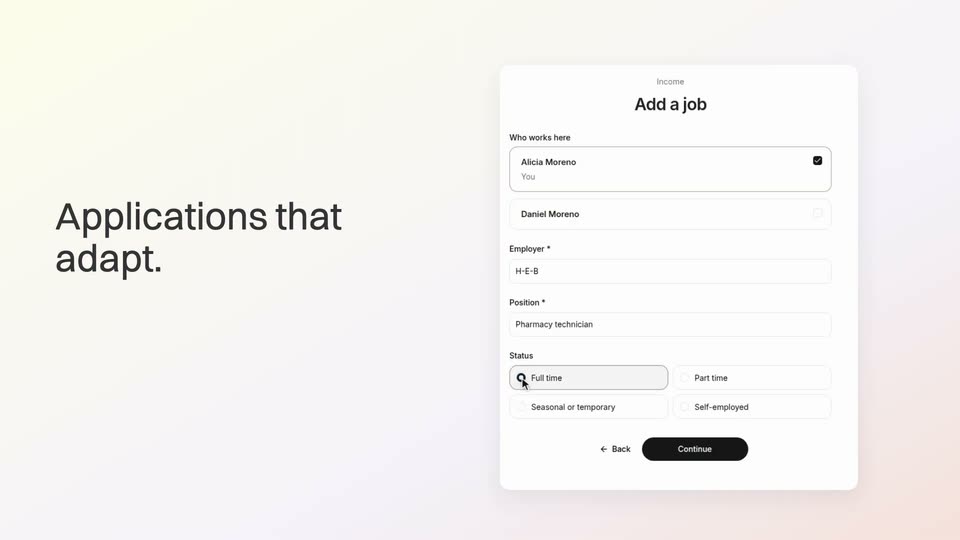
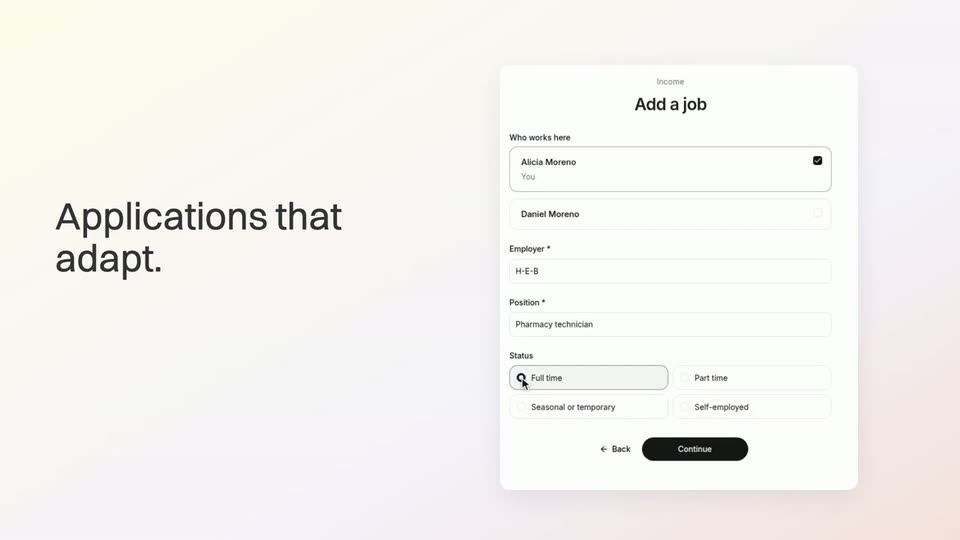
A white “Add a job” form card sits on the right against a pale gradient. A cursor finishes typing the Position field, clicks the Full time radio, and moves to the Continue button, while the static headline “Applications that adapt.” holds on the left.
On-screen text: “Applications that adapt.”
Techniques: Cursor demo
Camera: Static
A pale gradient background holds the static headline at left. A crossfade from the prior scene reveals a white signature card at right, its script name and a cursor resting on the signature button.
On-screen text: “Your forms. Signed online.”
Camera: Static
A light gradient background holds a dark sans headline on the left and a white signature dialog on the right. The card shows a script name, three style swatches, a checkbox and a gray button with a cursor resting on it. The frame is locked-off and static.
On-screen text: “Your forms. Signed online.”
Camera: Static
A dark headline holds the left half beside a white form document on the right. The form scrolls up to expose more checkbox sections while a cursor drifts down toward the sign button, and the footer count switches from 1 of 1 signed to 0 of 1 signed.
On-screen text: “Your forms. Signed online.”
Camera: Static
A flat white Tasks panel listing document upload rows sits on the left of a cream background. On the right, a large black headline sits above the Tire Swing logo. The frame is locked off with no movement.
On-screen text: “Documents collected directly.”, “Tire Swing”
Camera: Static
A flat product interface panel on the left lists document upload tasks with Upload buttons, while a large two-line headline and the Tire Swing logo sit on the right against a cream background. The frame is locked off and holds still for the duration.
On-screen text: “Documents collected directly.”
Camera: Static
A white document card showing a structured earnings statement rests on a soft cream gradient, framed by a top-left headline. The frame holds still on the parsed page, employee details, and earnings table.
On-screen text: “Read the page. Structure the details.”
Camera: Static
Two flat document cards sit on white beneath a top-left headline. The left Bluebonnet Home Health statement slides left, a second statement slides right, revealing a card titled EXTRACTED FROM THE PAGE with a pencil icon and Paystub · page 1. A faint arrow points right.
On-screen text: “Read the page. Structure the details.”
Camera: Pull out
A paystub document on the left resolves from scrambled overlapping type to clean text, while a purple arrow points to a white card on the right where extracted fields populate: employee, pay frequency, then gross pay. A static headline sits above.
On-screen text: “Read the page. Structure the details.”
Techniques: Split screen
Camera: Static
A pay document and an extracted-fields panel dissolve into a centered white card listing Student eligibility, Paystubs and Bank statement with pink Missing and gray More required tags, while the headline fades in above on a cream-to-lavender gradient.
On-screen text: “Check eligibility against every program.”
Camera: Static
A product screen shows a verification card and a Documents list beneath a headline, then the view reframes to center two cards, Documents and Citations, side by side on a soft gradient background.
On-screen text: “Check eligibility against every program.”
Techniques: UI zoom
Camera: Push in
Two white rounded cards sit side by side on a soft peach-to-lavender gradient. The left card, headed Documents, lists four uploaded files with dates; the right card, headed Citations, lists four legal references. The layout holds still.
Camera: Static
A product interface transitions from a two-column view listing documents and citations to a single list of upcoming recertifications with household names and progress status.
Camera: Static
A recertification table sits on a cream gradient background, then a white modal pops up centered over the dimmed list. The modal lists three households marked by email above a dark send button. The screen holds still.
Camera: Static
A soft cream to pink gradient holds a static dashboard: a headline sits above three white stat cards and a panel of purple progress bars. The frame stays fixed for the full clip.
On-screen text: “From notice to response.”
Camera: Static
Under the headline “Documents collected directly.”, a white “Forms and documents” card sits on a cream background. As a prior dashboard dissolves, a purple progress bar fills under the Birth certificate row; the row flashes green with a Received check and the counter ticks from 5 left to 4 left.
On-screen text: “Documents collected directly.”
Camera: Static
A static, left-aligned text card on a near-white background with a faint warm gradient. A small gray label sits above a two-line dark headline, separated from a closing line by a thin horizontal rule. The frame holds without motion.
On-screen text: “FOR PROPERTY MANAGERS”, “Calculate subsidies.”, “Know what to claim from HUD.”, “Your forms. Your rules. Your programs.”
Camera: Static
A flat white dashboard card rests on a cream-to-peach gradient, headlined by the line about files. The card lists a 45% figure and three property rows, each with a green-and-red progress bar and a percentage. The frame is locked-off and static.
On-screen text: “Know where every file stands.”
Camera: Static
A flat analytics dashboard on a cream-to-peach gradient. A headline sits above four white stat cards and two chart panels, a line graph and a bar graph. The layout holds still across the shot.
On-screen text: “See the trends. Find the delays.”
Camera: Static
Static wide shot of an empty apartment; a key ring sits on a kitchen island in the foreground. In the hazy background, a woman in a tank top and jeans enters through a doorway with a cardboard box and sets it down.
On-screen text: “7”, “1”, “7”
Camera: Static
The black Tire Swing logo and wordmark hold center on a soft, blurred cream backdrop, with the tagline and URL stacked below. The frame stays locked off and still throughout the sign-off.
On-screen text: “Tire Swing”, “Built for affordable housing.”, “gettireswing.com”
Camera: Static