0:54

Runway - Runway MCP is now in Grok Bot. Bring state-of-the-art generation int
Runway · AI · Oct 2026
TinyFish · Sep 2026 · 0:51 · AI-annotated
TinyFish’s 0:51 launch film runs 39 scenes, about 1.3 s each. The product shows up at 0:15 and 1 feature is revealed. The call to action lands at 0:46 (91% in), over a voiceover. The film states the problem of costly agent checking with hard-cut pixel gags, then names the product and walks one continuous monitor workflow from form setup to alert delivery, closing on an API/MCP note and a logo lockup. Signature moves are rapid black-and-white title cards, zoomed form fills on dotted orange grids, and the recurring pixel fish mascot.
Is this your launch? to your site or press kit.
Runway · AI · Oct 2026
Lemlist · Oct 2026
Anthropic · AI · Oct 2026
A white product listing card for an Apple Mac mini scales up from the center and holds, on an orange dotted background. It shows a Best Seller tag, the silver device, the price and a yellow Add to cart button.
Camera: Push in
A browser window on an orange dotted background zooms into the SEC website, scrolling past the green menu and blue banner to land on a table of filings dated Sept. 17 and 18, 2026.
Techniques: UI zoom
Camera: Pan
A pixelated blue bar-chart backdrop holds still as an oversized headline scrolls across the frame, the word 'wait' in orange, the rest in white and pale gray.
On-screen text: “The web doesn't wait for you to look”
Techniques: Kinetic type
Camera: Static
On a pixelated blue background, the white words of the sentence drift apart at different heights and fade out, then four pixel goldfish swim across the frame.
On-screen text: “The web doesn't wait for you to look”
Techniques: Kinetic type
Camera: Static
Five pixel goldfish with smiley faces swim in a blue pixel field; the middle fish disappears, leaving a gap between the two pairs. The shot then cuts to tilted pixel blocks in cream, orange and purple, with two dark blue rectangles floating at an angle.
Camera: Pan
On black, orange pixel blocks dissolve away to reveal a centered browser window of the SEC site stacked above a dark code panel of fetched records. The white Fetch wordmark sits at left, then clears.
On-screen text: “Fetch”
Camera: Static
Three identical terminal windows sit side by side on black, each showing the same markdown feed. An orange light band sweeps horizontally across all three as the word Compare. scales in at the center.
On-screen text: “Compare.”
Techniques: Split screen, Light sweep, Kinetic type
Camera: Pan
A large orange N letterform holds the left side while the white word Compare. scales at right. The frame then locks on the big white word Nothing. centered, its i dotted in orange, on a black field.
On-screen text: “Compare.”, “Nothing.”
Techniques: Kinetic type
Camera: Static
On black, “Nothing.” holds centered in white, then the frame cuts to “Mutiple times” at left while a round orange-and-white pixel creature with a forked tail appears at right, a small orange “Z” scaling above it.
On-screen text: “Nothing.”, “Mutiple times”, “Z”
Techniques: Kinetic type
Camera: Static
On a black field, the white caption 'Mutiple times' holds still at left. Beside it, a pixel-art orange fish with closed eyes drifts and tilts slightly, while two orange Z letters bob and scale above its head.
On-screen text: “Mutiple times”
Camera: Static
A collage of browser windows, a pricing table, an Amazon product page, a docs page and a build page, drifts across a black background while white lowercase text builds in the center from checking to checking is the most.
On-screen text: “checking is the most”
Techniques: Kinetic type
Camera: Pull out
On a black background, white lowercase words appear in sequence to the left of a large green pixelated dollar sign. A small teal chip icon at center morphs into an orange circle that becomes the letter o in your agent.
On-screen text: “expensive”, “your agent does.”
Techniques: Kinetic type, Morph
Camera: Static
On a white background, an orange cartoon fish icon slides from the middle of the wordmark to the left of “TinyFish” while “Monitor.” fades in from gray to black, locking the brand name into place.
On-screen text: “your agent does.”, “TinyFish Monitor.”
Techniques: Kinetic type
Camera: Static
A dark TinyFish “New monitor” form fills the frame with the left sidebar visible. A cursor glides from the Name field down to the URL to watch field while the form scrolls up slightly, revealing the Where to send it section.
Techniques: Cursor demo
Camera: Push in
A dark monitor form fills in as a cursor types a name and a URL. The view zooms to the URL field, where the address completes while the field label and helper line settle into place.
On-screen text: “https://cursor.com/pricing”
Techniques: Cursor demo, UI zoom, Kinetic type
Camera: Push in
A dark two-field form fills the frame in close-up. A mouse cursor types a pricing URL into the top field, then jumps to the second field and types a monitoring query in quick succession, with helper text below.
Techniques: Cursor demo
Camera: Pull out
A dark input form on black: a label sits above a rounded text box that fills with “Pro+ plan dropping below $60” behind a blinking caret, with helper copy below. The lines slide into place and the box drifts slightly right.
Camera: Pan
On a black screen, a form field slides in: the label How often to check above a rounded Every day dropdown. A cursor glides in, the border brightens, and the dropdown expands to reveal Every week and Custom.
Techniques: Cursor demo
Camera: Static
A dark settings panel opens a frequency dropdown listing Every day, Every week and Custom. The menu closes as a white cursor arrow glides onto the orange Create monitor button, which brightens on hover.
Techniques: Cursor demo
Camera: Static
Two dark “Pro +” pricing cards ($60 and $100 per month) rise into view on a dotted orange field, their action buttons flipping between “Get started” and “Cancel”, as a pixel-art mascot face bounces from the middle to the top.
Camera: Static
On an orange dotted field, two dark Pro + pricing cards slide into alignment, the left at $60 and the right at $55 with a Special offer badge. A pixel-art orange mascot bounces between them, arms raised, while faint HTML code floats behind.
Camera: Static
An orange dotted grid holds two dark pricing cards and stray HTML snippets. The cards clear, and a centered code editor reveals the page's source, two lines marked in green.
Camera: Push in
A block of HTML code on a black background scrolls rightward, bringing two price lines into view, one tinted red, one green. A red cross icon and a green check icon pop in at the right edge beside those lines as the code keeps moving.
Camera: Push in
A dark UI card on a black background moves down in a locked frame, revealing a small footer line above the notification body. The card reads that the Pro+ plan dropped from $60/mo to $55/mo and lists a monitor goal.
Camera: Static
On a black screen, a webpage footer line holds the copyright and a row of certification labels that slide horizontally into place, while a Marketplace link sits at the top edge at the start of the shot.
Techniques: Kinetic type
Camera: Static
On a black, locked-off background a white copyright line slides horizontally across the frame, then a faint dark X mark and the word Not beside a solid white rectangle fade in at center.
On-screen text: “© 2025 Anysphere, Inc. SOC 2 | ISO27001 | ISO42001 | AIUC-1 Cer”, “Not”
Techniques: Kinetic type
Camera: Static
A white caption, Not sent., holds centered on a black field while a large X built from small gray dots glows behind it. The dot texture brightens through the middle of the shot, then dims toward the end.
On-screen text: “Not sent.”
Techniques: Particles
Camera: Static
A dark feature panel scrolls vertically: a checklist of items with checkmarks moves up while one line stays bright white and the rest dim to gray, beneath a price and a rounded Get started button.
On-screen text: “Not sent.”
Techniques: Kinetic type
Camera: Static
A black frame holds the white text “Not sent.” centered and static, while a faint X built from a grid of small gray dots brightens in the middle behind it.
On-screen text: “Not sent.”
Camera: Static
On a black background, the heading Pricing and a Monthly/Yearly toggle fade in at the top center. Four dark plan cards, Hobby, Individual, Teams and Enterprise, rise from the bottom and settle into a horizontal row, staggered left to right.
Camera: Static
A dark pricing page with three plan cards reframes to center the Individual card. The price changes from $60 to $55 under an orange Special offer tag as the side cards slide out of frame.
Techniques: UI zoom
Camera: Pan
On a black field, the word Sent. holds center in white sans-serif while faint monospace labels, Email with Send an alert and Webhook with Trigger a workflow, fade in at the sides and drift slowly downward.
On-screen text: “Sent.”, “Email”, “Send an alert”, “Webhook”, “Trigger a workflow”
Techniques: Kinetic type
Camera: Static
On a black field, the word Sent. sits centered in large white type. Three small label pairs, Email, Webhook and Agent with short captions, run in two horizontal rows that drift vertically and converge on the center line.
On-screen text: “Sent.”, “Email”, “Send an alert”, “Webhook”, “Trigger a workflow”, “Agent”, “Pass it to an agent”
Camera: Pull out
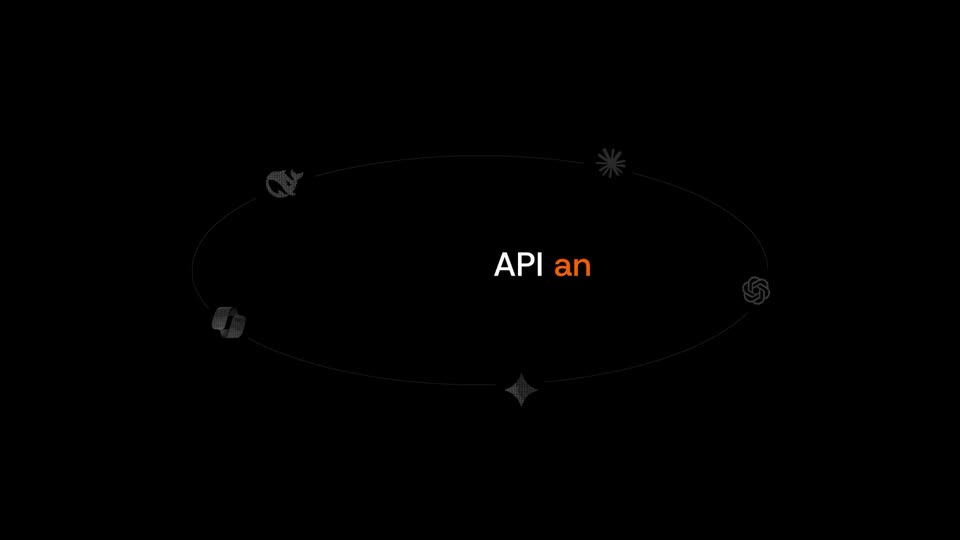
Small gray 3D icons, a cube, a four-point star, a sparkle and a swirl, orbit on two thin elliptical rings in perspective on black. The text “API and MCP” slides into the center, “MCP” in orange.
On-screen text: “API and MCP”
Techniques: Kinetic type
Camera: Static
On a black background, white text “API and MCP” holds center while five small gray icons, a cat, an asterisk, a knot, a four-point star and a cube, travel slowly along a thin elliptical orbit around it.
On-screen text: “API and MCP”
Camera: Static
A thin gray orbit ring holds five small icons on a black frame. White text API and MCP sits at the center, then an extra-large white word Subscribe slides in horizontally to fill the frame.
On-screen text: “API and MCP”, “X”, “Subscribe to the web.”
Techniques: Kinetic type
Camera: Static
A plain white screen holds the centered line 'Subscribe to the web.' in black sans-serif. A small orange fish mascot with a smiling face swims from the lower center to the right edge, then up to the top of the frame.
On-screen text: “Subscribe to the web.”
Camera: Static
A small orange cartoon fish with a bow hops from above a tagline to the left of the brand name. On a white field, the tagline fades out as the brand name fades in beside the mascot.
On-screen text: “Subscribe to the web.”, “TinyFish Monitor”
Camera: Static
A centered logo lockup shows an orange cartoon fish with a face beside the black words TinyFish Monitor. It remains still on a plain off-white background.
On-screen text: “TinyFish Monitor”
Camera: Static