1:07


Introducing Orgo - Computers for AI Agents
Orgo · B2B · Nov 2025
Tesser · Nov 2026 · 0:30 · AI-annotated
Tesser’s 0:30 launch film runs 18 scenes, about 1.7 s each. The product shows up at 0:06 and 5 features are revealed, with social proof. The call to action lands at 0:26 (86% in). The video runs as a problem-to-features reel: a multiplying wall of terminal panes crashes the laptop, then each tesser capability gets one white headline over a flat black diagram, with type-on terminals and check-marked status lines as the main motion. Pacing holds near 112 bpm with crossfading headlines, snapping tile grids, and a shimmering quarter-circle mosaic that bookends the piece.
Is this your launch? to your site or press kit.
Orgo · B2B · Nov 2025
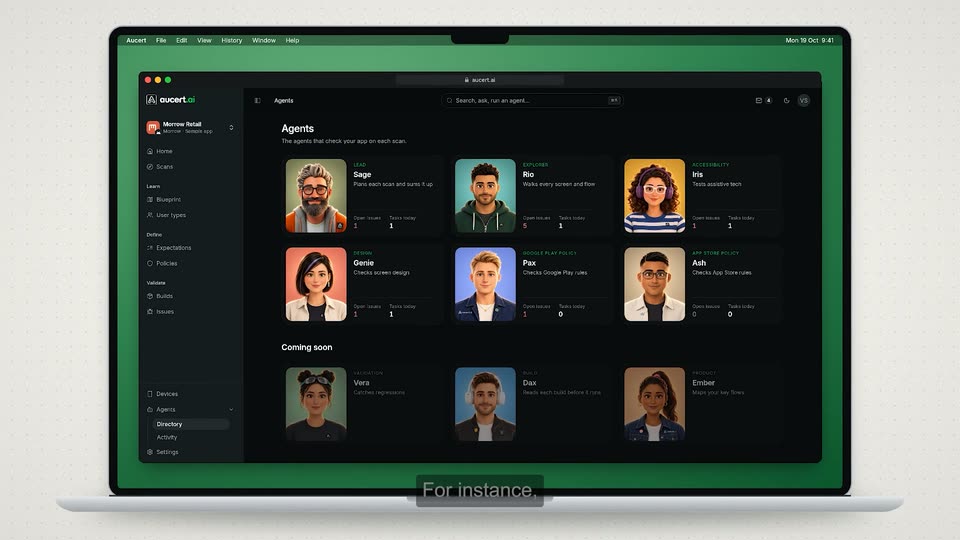
Aucert · B2B · Oct 2026
Enrich Labs · Nov 2026
A black terminal-style card shows a Claude starburst logo with the label 'claude checkout-flow' on top. Below, a prompt line types out 'build the checkout flow' character by character behind a blinking block cursor, while a thin status bar at the bottom reads 'your laptop' with live cpu, mem and fan values.
On-screen text: “claude checkout-flow”, “> build the checkout flow”
Techniques: Kinetic type
Camera: Static
A black terminal split by a vertical line into two columns of agent sessions. The left claude pane types a command and lists file actions; the right shows a codex command being typed above a newly opened claude pane. A bottom bar reads live cpu, memory and fan values.
Techniques: Kinetic type, Split screen
Camera: Static
A 2x2 grid of four terminal panes fills the black screen, each showing an AI agent prompt and file edits in white monospace. The top-left pane zooms forward to fill the frame while the others slide out of view to the right.
Techniques: UI zoom
Camera: Push in
A black terminal view shows the codex prompt as a new command list types in line by line, overlapping a fading previous command, ending on an error line. The bottom bar's cpu, memory and fan figures tick over.
Techniques: Kinetic type
Camera: Static
A single terminal window on black zooms out to a wall of many terminal windows. A gray highlight box jumps between windows to flag error lines, while the bottom status bar's cpu, memory and fan readouts climb.
Techniques: UI zoom
Camera: Pull out
The grid of terminal windows scrolls across a black screen, each pane showing failing build logs and heap errors. A system out-of-memory alert appears in the center listing heavy processes, while a bottom status bar ticks up cpu, memory and fan readings.
On-screen text: “your laptop”, “cpu 95%”, “mem 28.6 / 32 GB”, “fan 6,200 rpm”
Camera: Static
A dark grid of scrolling terminal windows sits behind a centered macOS memory-error dialog listing processes and a Force Quit button. A monospace HUD bar at the bottom reads your laptop with live-ticking CPU, memory and fan figures.
On-screen text: “your laptop”, “cpu 100% mem 31.9 / 32 GB fan 7,430 rpm”
Camera: Static
A gray sentence holds centered on black, then cuts to the tesser logo forming in the center: circle mark with a cream quadrant, white wordmark, and a smaller tagline below.
On-screen text: “A laptop can only run so many dev servers”, “The modern development runtime”
Camera: Static
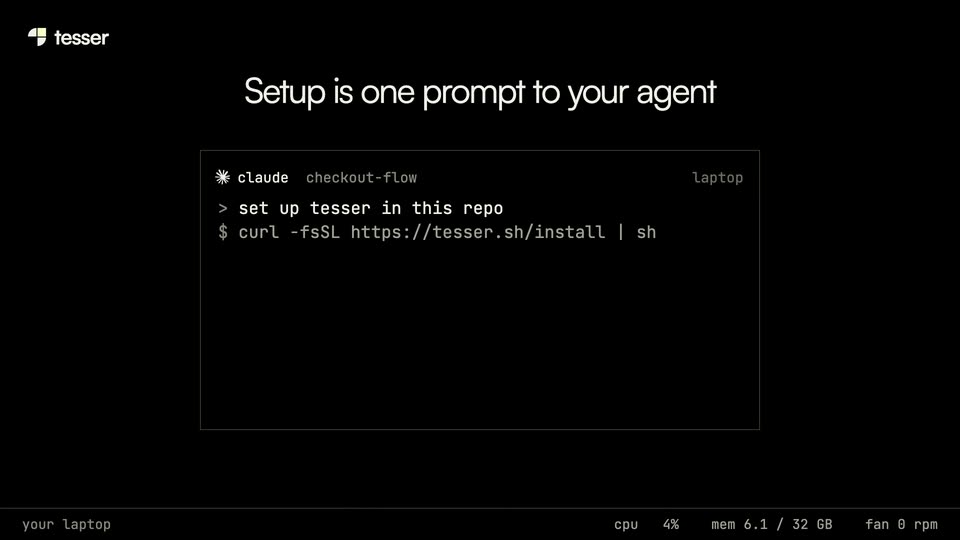
A white headline fades in above a terminal window on black. A block cursor types the command character by character while the bottom status bar ticks up its CPU percentage.
On-screen text: “Setup is one prompt to your agent”
Techniques: Kinetic type
Camera: Static
A bordered terminal on black types tesser setup commands beneath a static white headline; a Done in 48s line appears as the window scales down and shifts to the lower-left.
On-screen text: “Setup is one prompt to your agent”
Camera: Static
A flat dark interface shows four project boxes fading in above four agent terminal panels, linked by thin connector lines. The centered headline crossfades from one sentence to another while check-marked status lines appear in the panels. A bottom status bar reads your laptop with cpu, mem and fan.
On-screen text: “Agents run the same commands, with tesser in front”, “Works with Claude Code, Codex, Devin, Capy and more”
Techniques: Kinetic type
Camera: Static
A headline holds above a grid of dark gray tiles that quickly snap into alignment, forming a bordered frame titled “your AWS account : us-east-1”. Four machine cards with progress bars sit in the “you” row, with teammate names down the left.
On-screen text: “The whole team's machines can run in your own AWS account”
Camera: Pull out
A dark grid of machine tiles with rows labeled by teammate names sits below a white headline. The camera zooms in and reframes onto the “you” row, where four machine cards show repo names, branches and progress bars.
On-screen text: “The whole team's machines can run in your own AWS account”
Techniques: UI zoom
Camera: Push in
A wireframe browser window on black shows a page layout and a sidebar of branch names. A cursor glides down from the page body to hover the second item, and the branch label in the header updates to match. A white headline sits above the window.
On-screen text: “Open any branch at localhost:3000”
Techniques: Cursor demo
Camera: Static
A dark browser window on black shows a skeleton page with a branch dropdown at the lower right. A cursor moves down to billing-v2, the layout reflows, then the window and the white headline fade out, leaving only the tesser logo.
On-screen text: “Open any branch at localhost:3000”
Techniques: Cursor demo
Camera: Pull out
A flat diagram on black links a wireframe laptop window and a phone outline to a small billing-v2 node. The phone fills with a sign-in screen, then a page layout, while a terminal command types below and the top headline crossfades to a new line.
On-screen text: “Share a running branch with anyone at the company”, “The gateway puts it on your domain, behind your SSO”
Techniques: Kinetic type
Camera: Static
The Tesser logo, a white wordmark beside a four-quadrant mark with one yellow square, sits centered on a black field. A faint gray mosaic of squares and quarter-circles lines the bottom edge. The line Backed by Y Combinator appears above the logo.
On-screen text: “Backed by Y Combinator”
Camera: Static
A black end card holds the tesser logo lockup, tagline, and a cream tesser.sh button, all static, while a grid of squares and quarter-circles shimmers along the bottom edge, individual tiles flashing cream.
On-screen text: “Backed by Combinator”, “The modern development runtime”, “tesser.sh →”
Camera: Static