
1:42
Explore
Telamont, backed by Y Combinator | Book a demo
Telamont · Sep 2026 · 1:05 · AI-annotated
- Length
- 1:05
- Scenes
- 17 · 3.9 s avg
- Product on screen
- 0:02
- Features shown
- 1
- Call to action
- 1:02 · 95%
- Voiceover
- No
00:00:00 / 01:05:39
- Length
- 1:05
- Scenes
- 17 · 3.9 s avg
- Product on screen
- 0:02
- Features shown
- 1
- Call to action
- 1:02 · 95%
- Voiceover
- No
Telamont’s 1:05 launch film runs 17 scenes, about 3.9 s each. The product shows up at 0:02 and 1 feature is revealed, with social proof. The call to action lands at 1:02 (95% in). The video alternates full-bleed type cards on off-white with clean UI demos, moving from a logo reveal and problem statement into a dashboard tour and one AI-assistant feature beat, then closing on proof numbers and a navy CTA. Signature moves are blur-to-sharp text resolves, a blue scan line that flags documents, and orange conflict tags that link schedule rows to plan marks.
No filming indicatedEstimated needs: 2 capture groups — your screens or recordings · 1 official logo — reused across the film · 1 graphic passage — draw or supply
Is this your launch? to your site or press kit.
More like this



Telamont, backed by Y Combinator | Book a demo, scene by scene
· 17 scenes as text
01 · Hook · 0:00–0:02
The word Introducing in dark gray sans-serif builds up letter by letter at center on a plain off-white background, resolving from a soft blur into sharp focus, then fading out to an empty frame.
On-screen text: “Introducing”
Techniques: Kinetic type
Camera: Static
02 · Product intro · 0:02–0:03
A white line-art emblem assembles at center over a dark blue grid. The bold wordmark Telarr appears to its right as a darkened aerial view of a construction site, with a crane and a tower under build, fades in behind.
Camera: Static
03 · Product intro · 0:03–0:06
A dark aerial view of a construction site with a crane sits under a dotted grid. The white Telamont logo and wordmark hold center, the tagline fades in below, then everything fades to a solid dark blue.
On-screen text: “Telamont”, “Proactive Risk Operations AI Platform”
Techniques: Kinetic type
Camera: Static
04 · Problem · 0:06–0:19
White document cards scatter and multiply behind centered headlines that swap in turn, then snap into a grid as a blue scan line flags a few with orange borders. The cards clear, the last headline's keyword cycles through blue icon-labeled words, and a Telamont wordmark with tagline closes.
On-screen text: “Construction projects run on thousands of documents.”, “Nobody catches conflicts and risks until they cost.”, “Telamont finds them, so your team can act.”, “Detect every contractual risk”, “Detect every compliance risk in all your documents.”, “Telamont”, “Proactive Risk Operations AI Platform”
Techniques: Particles, Light sweep, Kinetic type
Camera: Static
05 · Demo · 0:19–0:22
The Telemont contracts dashboard fades in with a grid of empty document type cards. A centered modal titled Connect a document source pops up listing SharePoint, Dropbox, Autodesk and Google Drive, and the cursor moves onto the highlighted SharePoint Connect button.
Techniques: Cursor demo
Camera: Static
06 · Demo · 0:22–0:25
The Telamont contracts dashboard fills with data. A modal over a grid of empty cards closes, the cards populate with document counts, and the frame zooms into the grid. The top-right status flips from syncing to up to date; a cursor points at a Connect button.
Techniques: Cursor demo, UI zoom
Camera: Push in
07 · Demo · 0:25–0:30
A kanban board fades in, then a cursor grabs the ACM-131 card and drags it from the To address column into In progress. Column totals tick up as it lands, and a blue outline highlights the card while the rest of the board dims.
Techniques: Cursor demo
Camera: Push in
08 · Demo · 0:30–0:31
A project dashboard shows a door schedule table above a blank plan panel. The floor plan loads into the lower panel with hatched walls and two door tags, while the D-12 row in the table highlights blue.
Camera: Pull out
09 · Demo · 0:31–0:35
A full Telament workspace holding a door schedule and a floor plan zooms into the two documents. An orange TAG CONFLICT card pops in, its leader lines linking the highlighted schedule row to the mismatched plan tag.
Techniques: UI zoom
Camera: Push in
10 · Feature reveal · 0:35–0:36
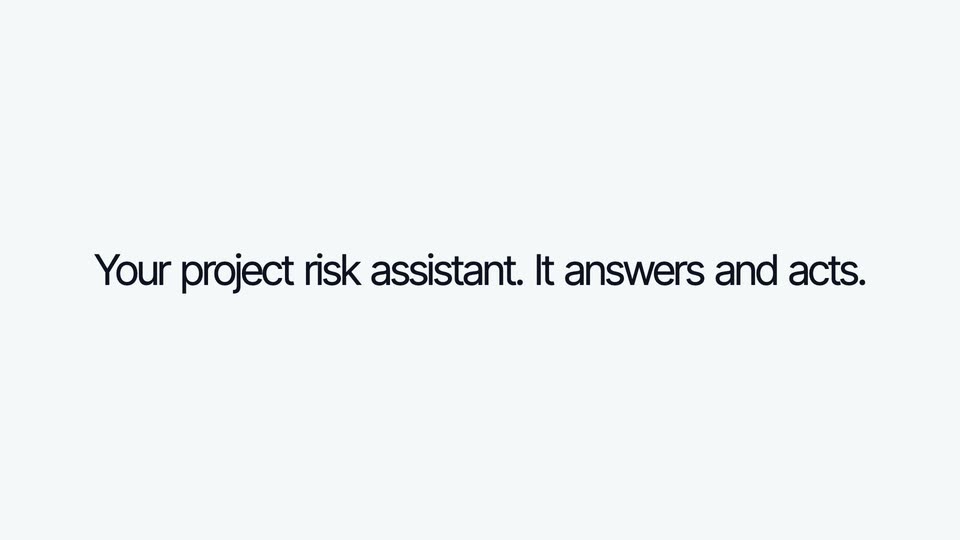
On a plain light gray background, a single centered line of dark text begins blurred and out of focus, then sharpens into a crisp, locked position.
On-screen text: “Your project risk assistant. It answers and acts.”
Techniques: Kinetic type
Camera: Static
11 · Feature reveal · 0:36–0:39
A white rounded command bar sits centered on a pale gray field. Its placeholder fades as the question 'Was the gymnasium door already tagged D-01 in the tender set?' types in letter by letter, then a mouse cursor moves to the blue arrow button on the right and clicks it.
Techniques: Kinetic type, Cursor demo
Camera: Static
12 · Feature reveal · 0:39–0:46
On a light gray screen, a navy question bubble sits above an AI answer card whose checklist ticks off step by step, then the reply types out with a citation chip and three action buttons. The frame zooms to the buttons as a cursor hovers over Draft the notice.
On-screen text: “Was the gymnasium door already tagged D-01 in the tender set?”
Techniques: Kinetic type, UI zoom, Cursor demo
Camera: Push in
13 · Feature reveal · 0:46–0:52
The Talamont workspace fades in. A letter is typed line by line into the editor while the Notice Score panel on the right fills in, jumping from 29 to 86 with green checkmarks. A cursor then moves to the Open in Mail button.
Techniques: Cursor demo
Camera: Static
14 · Social proof · 0:52–0:58
On a pale field, a black 0 with a thin blue ring anchors a line of blue lowercase phrases cycling in place: missed errors and omissions, missed inconsistencies, missed obligations, missed notices. Each phrase blurs into the next, ending with a larger, scaling 0 disputes.
On-screen text: “0 missed errors and omissions”, “0 missed inconsistencies”, “0 missed obligations”, “0 missed notices”, “0 disputes”
Techniques: Kinetic type, Morph
Camera: Static
15 · Social proof · 0:58–0:59
A large “0 disputes” label sits centered on a pale gray background, the numeral in dark navy and the word in blue. The text scales into place with a brief motion blur as it settles.
On-screen text: “0 disputes”
Techniques: Kinetic type
Camera: Static
16 · Other · 0:59–1:02
Large white “0 disputes” scales up on a solid navy field, then the tagline “Take control of project risk, from preconstruction to delivery.” appears center, keywords in light blue with underlines. The Telamon logo fades in top right as the text slides left.
On-screen text: “0 disputes”, “Take control of project risk,”, “from preconstruction to delivery.”
Techniques: Kinetic type
Camera: Static
17 · CTA · 1:02–1:05
A locked-off dark blue end card shows the white Telamont logo centered. The logo resolves from horizontal slices, then a white CTA bar and the URL appear below.
On-screen text: “Get a free demo on a live project”, “www.telamont.com”
Techniques: Masking
Camera: Static