0:28

Best AI Product Demo Video | Vanta
Vanta · Sep 2026
Tasklet’s 0:37 launch film runs 17 scenes, about 2.2 s each. The product shows up at 0:03 and 4 features are revealed. There is no explicit call to action; a voiceover carries the film. The video alternates founder testimony in a sunlit loft with flat grid-backed motion graphics, moving from a problem line to a product intro, four feature beats, and a closing tagline over the logo. Each beat runs two to four seconds and is built on word-by-word text assembly, icon morphs, and the recurring green check mark.
Is this your launch? to your site or press kit.
Vanta · Sep 2026
Miro · Productivity · Oct 2023
Films whose music sounds like this one, voice left out
Theo · Modern electronic
Cal.com · Upbeat electronic
OpenVector · Electronic
The shot fades in from black on a man in a beige sweater, seated in a bright showroom, gesturing with both hands as he speaks. A lower-left name caption appears, then a large white word 'up' pops over his chest to stress the line.
On-screen text: “Andrew Lee”, “Tasklet Founder & CEO”, “up”
Camera: Push in
On a pale gray grid background, the green T mark and the wordmark Tasklet.ai assemble letter by letter at center, then the whole lockup drops downward with motion blur and fades out.
On-screen text: “Tasklet.ai”
Techniques: Kinetic type
Camera: Static
A man in a beige sweater sits at a wooden table in a bright loft office, gesturing toward an open silver laptop. The shot opens through a white blur and settles as the Tasklet.ai wordmark holds on screen.
On-screen text: “Tasklet.ai”
Techniques: Masking
Camera: Static
A man in a beige sweater over a grey collared shirt speaks in a medium close-up, gesturing with one hand. The background shows blurred wooden shelving with colorful items, softly lit. He looks off-camera to the right as he talks.
Camera: Static
A man in a beige sweater sits at a wooden table with a silver laptop, gesturing with his right hand as he speaks. A second person works at a desk in the background of a bright modern living room.
Camera: Static
On a pale gray grid background, the bold black headline builds word by word and re-centers as it grows, while two small gray gear icons pop in to its right. The frame stays locked off.
On-screen text: “Most complex day-to-day tasks”
Techniques: Kinetic type
Camera: Static
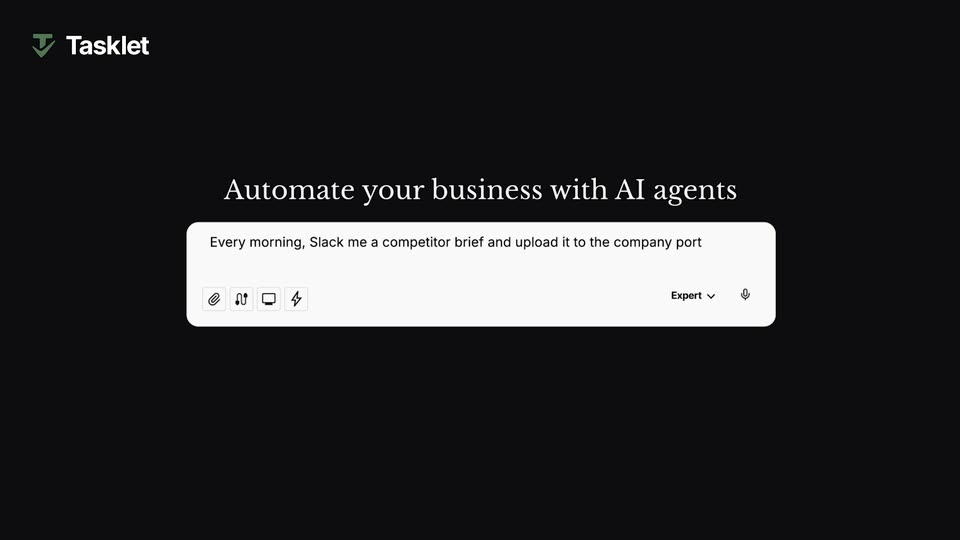
A white serif headline holds centered on black. A white rounded prompt box appears beneath it and fills left to right with typed text, then the green mic button on its right edge lights up.
On-screen text: “Automate your business with AI agents”
Camera: Static
A white grid backdrop holds a centered green logo, a T above a checkmark. A dark dot and a gray dot sit beside it as the right half of the mark slides away, leaving the single T-and-check symbol.
Techniques: Morph
Camera: Static
A green checkmark logo and three dots sit on a light grid background while the right-hand icon morphs from a colorful envelope into a cluster of colored pills, then into a gray gear marked API, lifting with a soft drop shadow.
Techniques: Morph
Camera: Static
A laptop on a wooden desk, framed at a slight angle, shows the Tasklet agent interface. A small browser window in the top-right corner loads Google and starts filling a form, while the main pane lists the agent's working messages.
Techniques: 3D mockup
Camera: Push in
A Chrome window shows the CareerHub page fading in over a soft white veil. A grid of colorful contact cards fills the view, a cursor hovers at the middle card, then the frame scrolls down and pans right, zooming onto the right-hand cards.
Techniques: Cursor demo, UI zoom
Camera: Push in
A faint white grid fills a light gray frame as centered black text assembles word by word into the phrase “Set a trigger once.” The camera stays locked off while the words appear in sequence.
On-screen text: “Set a trigger once”
Techniques: Kinetic type
Camera: Static
On a light gray grid, the black headline Set a trigger once sits centered, then blurs out and clears. The Tasklet mark fades in at center: a green check under a bold Task wordmark with a gray dotted arrow, holding until the end.
On-screen text: “Set a trigger once”
Techniques: Kinetic type
Camera: Static
The Tasklet wordmark and green logo stay fixed on a light grid. To their right, past a dotted arrow, line-drawn icons draw in and swap: a cloud with an up arrow, a calendar with a clock, a list with a plus, then a crescent moon with a z.
Camera: Static
On a dark grid background, the green Tasklet checkmark logo and white wordmark sit left of a dotted arrow and a white crescent moon with a z. The background fades to black and a soft reflection glows beneath the lockup.
On-screen text: “Tasklet”
Camera: Static
A man in a beige sweater sits at a wooden desk in a bright loft, speaking while looking at an open laptop.
Camera: Push in
A green T-and-check logo mark and the black word Tasklet sit centered on a pale gray grid background. The gray .ai suffix fades in to complete the lockup, then the frame holds still.
On-screen text: “Tasklet.ai”
Camera: Static