
0:39
Explore
00:00:00 / 00:43:28
- Length
- 0:43
- Scenes
- 8 · 5.5 s avg
- Product on screen
- 0:00
- Features shown
- 1
- Voiceover
- No
Street’s 0:43 launch film runs 8 scenes, about 5.5 s each. The product is on screen from the first frame and 1 feature is revealed. There is no explicit call to action. A brand card opens, then a single continuous camera pass dives through the product with smooth 3D push-ins onto the AI button, the description modal and the email composer, while copy types itself in, and a tagline plus logo card closes it. The signature moves are the fast zooms onto interface elements, the self-typing text and the purple-to-teal gradient on the AI letters.
No filming indicatedEstimated needs: 2 capture groups — your screens or recordings
Is this your launch? to your site or press kit.
More like this



Street.co.uk - Street AI, scene by scene
· 8 scenes as text
01 · Product intro · 0:00–0:02
The brand name Street A.I. sits centered on a dark gray field. It begins small and scales up to a large size, the letters A.I. rendered in a purple-to-teal gradient while the rest stays white.
On-screen text: “Street A.I.”
Techniques: Kinetic type
Camera: Pan
02 · Feature reveal · 0:02–0:05
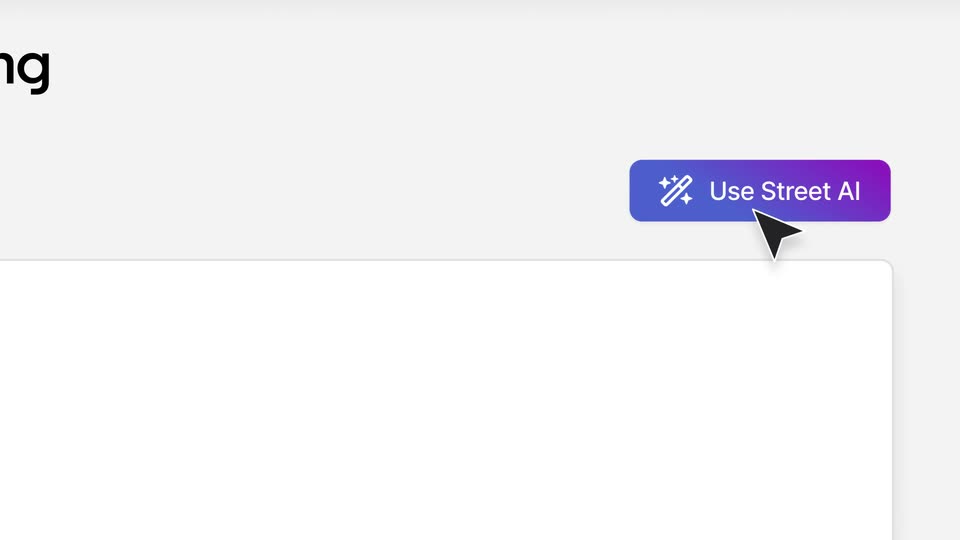
A tilted 3D view of the Street web interface zooms in fast on the “Use Street AI” button. The button snaps into focus as a cursor hovers over it, then it slides off the right edge, leaving a blank frame.
Techniques: 3D mockup, UI zoom, Cursor demo
Camera: Push in
03 · Feature reveal · 0:05–0:08
A white modal card with a teal-to-purple gradient shows a feature input where 'Hardwood floors' is typed. The view then zooms into the feature list and settings, and a cursor rests on the blue Save and Insert button.
Techniques: UI zoom, Cursor demo
Camera: Push in
04 · Feature reveal · 0:08–0:15
A close-up of the AI settings panel with a cursor over the blue Save and Insert button pulls back to the full STREET app window. A property description types itself into the Detailed Property Description field, then a Reminder notification card slides in at the top right.
Techniques: Cursor demo, UI zoom
Camera: Pull out
05 · Feature reveal · 0:15–0:29
A blurred dashboard sharpens onto a Reminder card, then reframes to an email composer where the subject and body type in. The cursor hovers the wand icon, a tooltip appears, and the body swaps to a longer drafted email.
Techniques: UI zoom, Kinetic type, Cursor demo
Camera: Push in
06 · Feature reveal · 0:29–0:36
A white email draft types itself out under a subject line. The view zooms to the toolbar as a cursor clicks a wand icon, raising a blue Make friendlier tooltip. The draft rewrites in a warmer tone, then the cursor moves to the Send button.
Techniques: UI zoom, Cursor demo
Camera: Push in
07 · Outro · 0:36–0:37
An email compose window blurs and recedes on a light gray field while a dark bar sweeps along the bottom edge; the white tagline Reclaim your week fades in centered over the soft focus.
On-screen text: “Reclaim your week”
Techniques: Masking
Camera: Pan
08 · Outro · 0:37–0:43
A white tagline, “Reclaim your week,” sits centered on a near-black background. The “a” and “i” morph into a purple-to-teal gradient mark, the line fades out, then a thin white “STREET_ CO UK” logo appears centered.
On-screen text: “Reclaim your week”, “STREET_CO UK”
Techniques: Kinetic type, Morph
Camera: Static