0:29


High-Converting Job Search Launch Video | Tsenta
Tsenta · Oct 2026
StoreTrack · Nov 2024 · 0:11 · AI-annotated
StoreTrack’s 0:11 launch film runs 9 scenes, about 1.3 s each. The product is on screen from the first frame and 4 features are revealed. There is no explicit call to action. A fast feature tour built from three visual modes: live UI demos, locked-off title cards on a solid blue field, and tilted 3D mockups, hard-cut at about 31 cuts per minute. Its signature move is a white arrow leading from a floating interface card to a bold keyword, closing on the embed-code flow.
Is this your launch? to your site or press kit.
Tsenta · Oct 2026
Raycast · Productivity · Dec 2025
Windsurf · Developer tools · Aug 2025
A tilted browser window of the StoreTrack web app floats over a macOS desktop with the dock visible. The frame zooms in on the top-right action bar while the cursor moves to hover the Upload CSV file button.
Techniques: 3D mockup, UI zoom, Cursor demo
Camera: Push in
A centered upload dialog with a dashed drop zone sits over a dimmed Locations screen, a blue CSV icon and cursor at its right. It swaps to a 98 percent progress bar, then closes to reveal an empty state with a pin icon and two buttons.
Techniques: Cursor demo
Camera: Static
On a solid blue field, a white map-preview card sits at center, flanked by floating control panels: a color-gradient picker, a primary-color swatch, and a hex input. A white arrow points right to the large word Colors. The frame is locked off and static.
On-screen text: “Colors”
Camera: Static
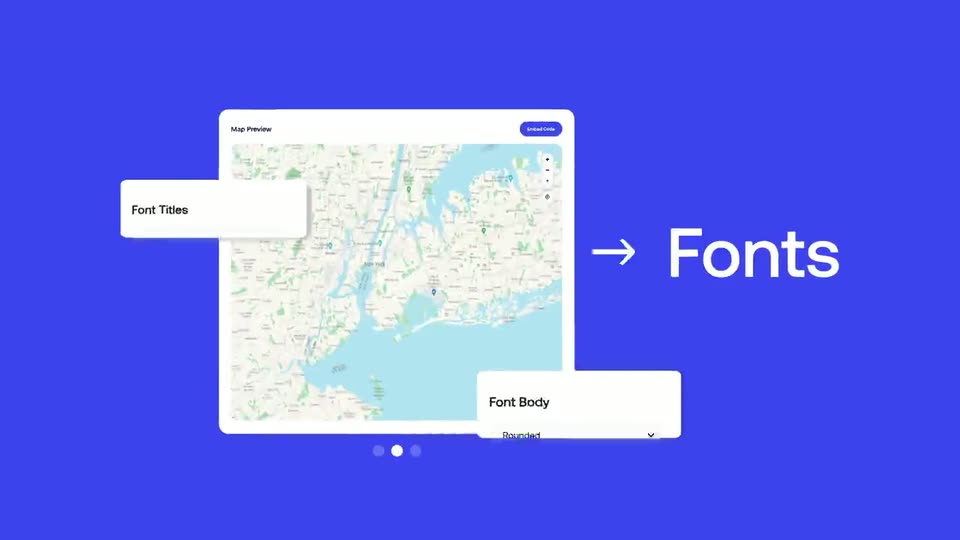
A map preview panel sits on a blue field as two white dropdown cards, Font Titles and Font Body, slide in from the left and right edges. A static white arrow points to the word Fonts at the right of the frame.
On-screen text: “→ Fonts”
Camera: Static
A map interface card sits centered on a blue field, ringed by three smaller map tiles that drift slowly at different depths. A white arrow points right to the static word Layout.
On-screen text: “→ Layout”
Techniques: Parallax
Camera: Static
A solid blue field holds centered white type that builds word by word: “You have” in a light weight, then “full control” in bold. The frame stays locked and still throughout the shot.
On-screen text: “You have full control”
Techniques: Kinetic type
Camera: Static
A tilted 3D mockup of a map-builder interface floats over a blue gradient. The framing pulls back from a close-up of the map preview panel to the full three-panel layout, with a cursor resting on the Embed Code button.
On-screen text: “You have full control”
Techniques: 3D mockup, UI zoom
Camera: Pull out
A three-panel StoreTrack dashboard shows a map builder, a café map preview, and an install panel with an HTML snippet. A cursor leaves the blue Copy To Clipboard button and moves down to hover the Wix logo among the platform options.
Techniques: Cursor demo
Camera: Static
A dark modal titled HTML Embed Code Editor sits on a light lavender background. Syntax-highlighted code fills the text area as a cursor moves from the top left to the blue Save button.
Techniques: Cursor demo
Camera: Static