1:56

Pomerado (YC F26) - faster, cheaper, more reliable browser use
Pomerado · B2B · Oct 2026
Spine AI’s 1:13 launch film runs 21 scenes, about 3.5 s each. The product shows up at 0:13 and 1 feature is revealed, with social proof. The call to action lands at 1:05 (89% in), over a voiceover. The video opens on grainy archival footage that frames the product as the next historical leap, then shifts to a dark, terminal-first walkthrough of the /mission command and closes on a logo card with a URL. Its style pairs black-and-white history with crisp monospace UI on black, and keeps a single serif caption line at the bottom as a constant narrative thread.
Is this your launch? to your site or press kit.
Pomerado · B2B · Oct 2026
Simular AI · Nov 2026
Films whose music sounds like this one, voice left out
DJI · Electronic, Corporate
Workstream · Corporate electronic
BootLoop · Cinematic electronic
A portrait archival clip of a rocket launch fills the frame with billowing smoke and bright fire, held on a locked-off shot. A serif caption sits at the bottom center.
On-screen text: “Every leap in history”
Camera: Static
Faded sepia archival footage shows a rocket on its launch pad, exhaust smoke billowing from the base while a metal service gantry crosses the lower frame. White serif captions at the bottom read “Every leap in history”, then switch to “looked impossible”.
On-screen text: “Every leap in history”, “looked impossible”
Camera: Static
Grainy black and white archival footage shows two astronauts in white suits on the gray lunar surface, one holding the American flag upright while the other kneels by the pole. A white caption appears at the bottom.
On-screen text: “someone crossed the line”
Camera: Static
Grainy black-and-white archival footage of a blurred, moving crowd, a man in a light shirt and dark hat prominent among them. Vertical scratches and dust specks streak the frame. A white caption holds the bottom edge and the BBC logo the top-left corner.
On-screen text: “someone crossed the line”, “BBC”
Camera: Pan
Grainy black and white archival footage opens on a blurred, swaying crowd, then cuts to a tight close-up of a man in a white tank top and a woman in a wide-brimmed hat. A serif caption appears at the bottom. The BBC logo sits in the top left.
On-screen text: “And the moment they did”
Camera: Pan
Grainy black-and-white archival footage, locked-off frame: hands type on a vintage typewriter beneath a sheet listing produce. Subtitles at the bottom swap from “And the moment they did” to “it became” and “the new normal.” in step with the voiceover.
On-screen text: “And the moment they did”, “it became”, “the new normal.”
Camera: Static
Wide locked-off shot of a dark keynote stage. A presenter stands at left while the Apple logo glows on a large screen, rays of light bursting from it. The screen fades to black and white serif captions appear at the bottom: “Today,” then “the line moves again.”
On-screen text: “Today”, “the line moves again.”
Camera: Static
On a black field, a thin white caret blinks at the center, then the string /mission types out letter by letter. The caption Introducing holds still at the bottom in white serif type.
On-screen text: “Introducing”, “/mission”
Techniques: Kinetic type
Camera: Static
A black screen holds a centered monospace /mission with a blinking cursor. A serif caption at the bottom swaps from /mission to by Medley. The frame stays locked off throughout.
On-screen text: “/mission”, “by Medley”
Camera: Static
A dark list of benchmark names and scores is shown in 3D perspective. Blue numbers appear next to the names, and a white caption appears at the bottom.
On-screen text: “Smarter and more capable”
Camera: Pull out
A dark benchmark table, the Medley column highlighted in cyan, zooms out from a tight crop so the right columns sharpen into view. White serif captions cycle at the bottom, phrase by phrase.
On-screen text: “Smarter and more capable”, “than Fable 5”, “Medley sets a new”, “state of the art”, “From coding”, “to healthcare and drug discovery”
Techniques: UI zoom
Camera: Pull out
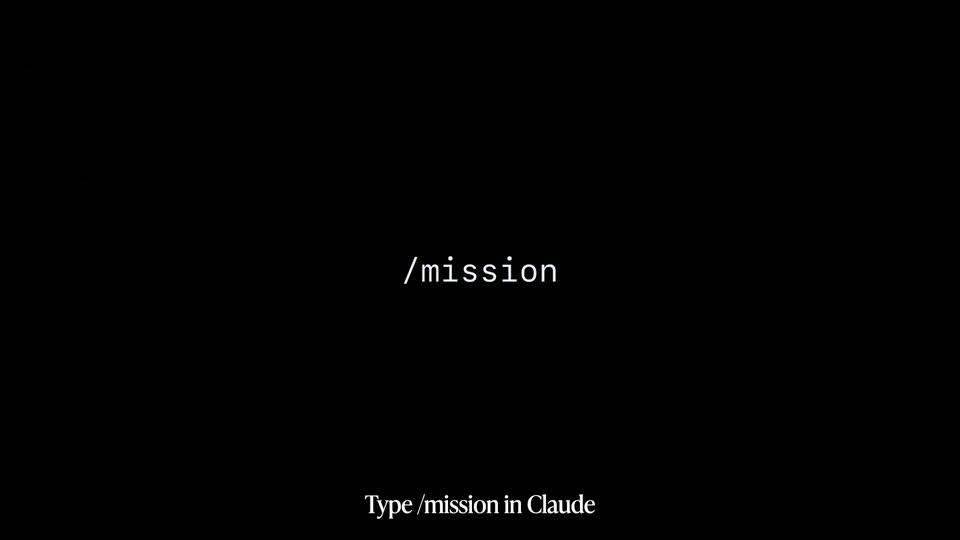
On a black background, the command /mission types out character by character in the center in white monospace, while a serif caption reads Type /mission in Claude at the bottom. The frame holds on the completed word.
On-screen text: “/mission”, “Type /mission in Claude”
Techniques: Kinetic type
Camera: Static
A dark terminal panel sits beside a blurred coastal video on the left. The command /mission get me my first 100 customers is typed, a multi-line plan appears line by line, then a budget line is typed. White serif captions swap at the bottom.
On-screen text: “Type /mission in Claude”, “and hand it something”, “bigger than a task.”, “Then Medley breaks”, “your mission down and assigns”, “each step to the model”, “that does it best.”, “Set the mission's budget”, “and constraints.”, “Then, Medley agents set out.”
Techniques: Split screen
Camera: Pull out
A dark terminal fills the frame, listing a launch plan with agent assignments in monospace text, while a thin live-action strip of a lake and mountains runs along the left edge. A white serif caption at the bottom reads the line and fades out.
On-screen text: “Then, Medley agents set out.”
Camera: Static
A dark task-graph UI in a browser window over a lake landscape. The view zooms into the graph and pans right as node statuses flip from running to done, then pulls back to the full window as a learnings panel slides in from the right.
On-screen text: “Track the whole mission”, “in your browser”, “And steer agents in real time.”, “Agents review their work”, “and run in a continuous loop.”, “They store learnings”, “in the learning tab”, “in the attention”
Techniques: UI zoom
Camera: Push in
A dark product screen shows an Agent panel on the right with the Learnings tab open, listing three insight cards. The left task list brightens into view, then a cursor moves to the Chat tab.
On-screen text: “in the learning tab and surface”, “anything that needs you”
Techniques: Cursor demo
Camera: Static
A dark mission dashboard fills a browser window, showing a '3 need you' panel with approve, answer and review rows. A white hand cursor hovers over the rows while faint terminal-style text drifts behind. A serif caption sits centered at the bottom.
On-screen text: “in the attention queue.”
Techniques: Cursor demo
Camera: Static
A dissolving overlay clears to reveal a dark terminal over a blurred coastal backdrop. A command types out, /mission get the product to $10k MRR, as a white serif caption below reads Try asking Medley, then to $10,000 MRR.
On-screen text: “Try asking Medley”, “to $10,000 MRR”
Techniques: Kinetic type
Camera: Static
A dark command bar floats over a live-action shot of a rocky stream. The line /mission recruit 10 design partners types out letter by letter with a blinking caret above a Bypass permissions row, while white serif captions fade in along the bottom edge.
On-screen text: “or to recruit”, “your first ten design partners.”
Camera: Static
A dark chat interface window sits over a coastal landscape, a mission prompt and agent reply lines appear in the panel, and a white serif caption holds at the bottom. The scene cuts to black, where the Medley logo fades in centered.
On-screen text: “your first ten design partners.”, “Medley”
Camera: Static
On black, the Medley logo, a blue equalizer icon beside the white wordmark, holds center. A white serif tagline at the bottom crossfades to a single word, then a small monospace URL fades in under the logo as the tagline vanishes. The lockup holds, then fades to black.
On-screen text: “Launch your first mission”, “medley.sh”, “today”
Camera: Static