3:58

Raycast Just Got You A New Key
Raycast · Productivity · Feb 2025
Spacesheep · Nov 2026 · 0:50 · AI-annotated
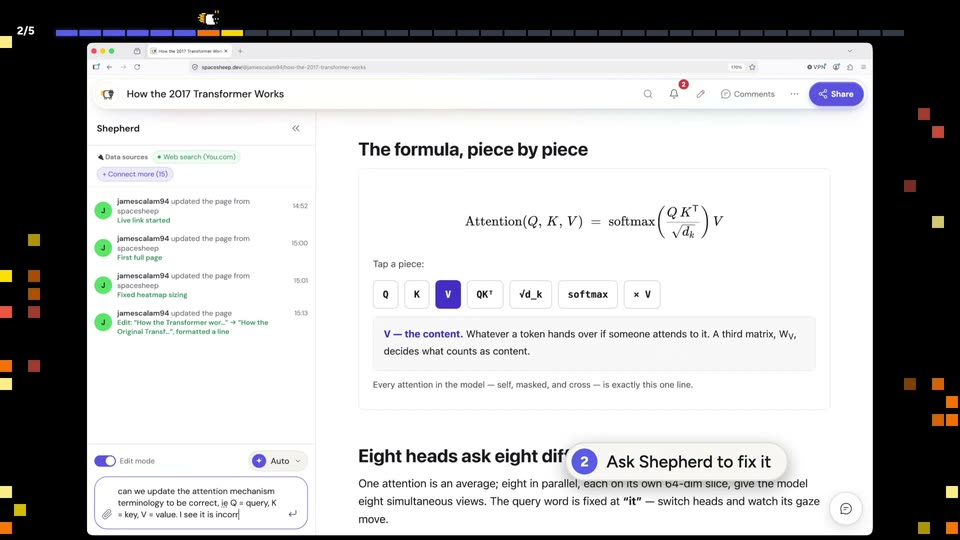
Spacesheep’s 0:50 launch film runs 5 scenes, about 10 s each. The product shows up at 0:23 and 1 feature is revealed. There is no explicit call to action; a voiceover carries the film. A single uncut screen capture that moves from a presenter intro to a live page tour, then to an agent request, with step caption pills narrating each action. The purple Applied stamp and the drifting pixel grid bookend the edit, keeping the pace real-time and unadorned.
Is this your launch? to your site or press kit.
Raycast · Productivity · Feb 2025
Akon Labs · B2B · Nov 2026
Limnion · B2B · Oct 2026
A browser window with an explainer page fills the center of a black field where orange and yellow pixel squares drift at the edges. A bald man in a blue shirt speaks into a microphone at the bottom right, gesturing as he talks.
Techniques: Particles
Camera: Static
A flat browser window on a black field of drifting colored squares shows an interactive article. A cursor glides over a row of formula-term buttons and clicks Q, then K, then V; each click turns the button purple and swaps the explanation line beneath. The page stays locked.
Techniques: Cursor demo, Particles
Camera: Static
A flat browser window on a black pixel-grid background shows a Transformer explainer doc with a Shepherd sidebar; a numbered caption pill at the bottom steps through the flow while a request is typed into the chat box and becomes a purple bubble.
On-screen text: “The page needs a fix”, “Ask Shepherd to fix it”, “Send”, “Shepherd edits the page”
Camera: Static
A browser window shows a document with the attention formula and a row of term chips. A cursor taps the chips in turn, and the gloss line below updates to the selected term, while the left sidebar fills with the agent's steps and an Applied toast appears.
Techniques: Cursor demo
Camera: Pan
A browser window shows a document that scrolls up to its top heading and stat cards. A tilted purple Applied stamp with the Shepherd wordmark fades out, then a yellow highlight washes over the body text. Colored pixel squares drift on the black background.
Techniques: Particles
Camera: Static