
1:33
Explore
00:00:00 / 00:55:37
- Length
- 0:55
- Scenes
- 33 · 1.7 s avg
- Product on screen
- 0:23
- Features shown
- 2
- Call to action
- 0:49 · 89%
- Voiceover
- Yes
- Views
- 265 on X
as of November 16, 2026
Skymerse’s 0:55 launch film runs 33 scenes, about 1.7 s each. The product shows up at 0:23 and 2 features are revealed. The call to action lands at 0:49 (89% in), over a voiceover. The video assembles one sentence at a time, word by word, over fast-cut live action and dark data graphics, moving from the invisible work behind flying to the SkyMers interface and closing on the brand card. Its signature moves are a chromatic-aberration scanline treatment on every real-world clip, centered word-by-word type builds, and glowing line-drawn maps and checklists on black.
Footage neededEstimated needs: 3 capture groups — your screens or recordings · 1 official logo — reused across the film · 16 filmed passages — shoot, supply or replace · 2 graphic passages — draw or supply
Is this your launch? to your site or press kit.
More like this

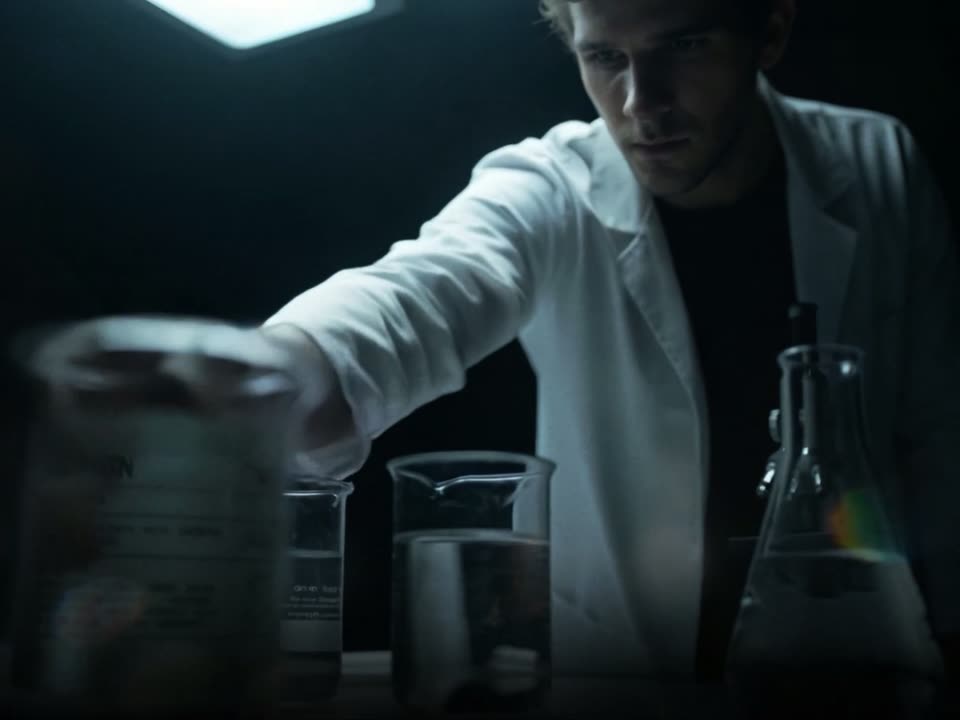
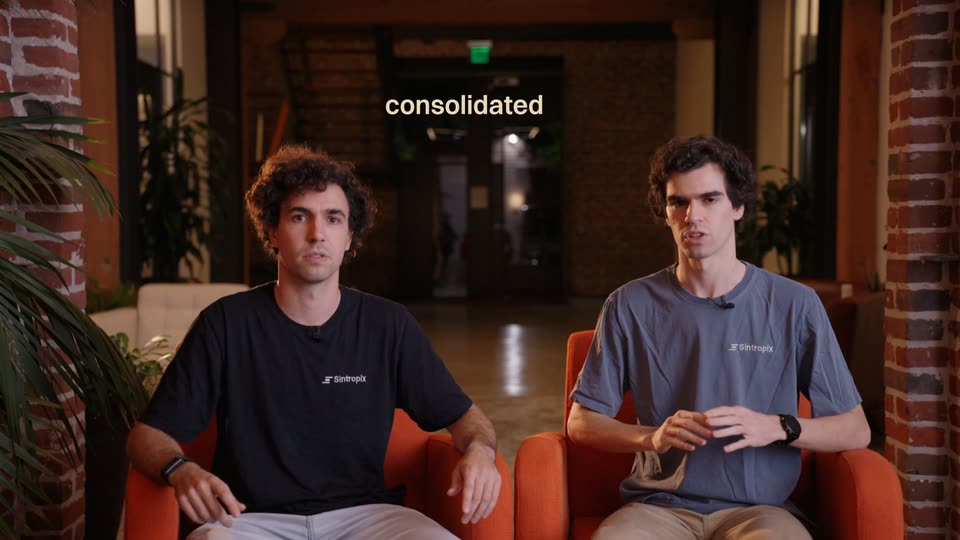
Skymerse (YC S26) - Airlines digitized flight information. The work behind each flight is, scene by scene
· 33 scenes as text
01 · Hook · 0:00–0:02
On a black background, a white sentence builds up word by word, left of center. The final word, outside, lands in bold to close the line, and the frame holds still.
On-screen text: “Flying looks simple from the outside”
Techniques: Kinetic type
Camera: Static
02 · Hook · 0:02–0:03
A centered video clip on a pale gray scanline background shows a wide-body jet facing the camera on a dusk runway, its edges fringed with red and cyan chromatic aberration. The clip scales up slightly as it plays.
Camera: Static
03 · Hook · 0:03–0:04
A black-and-white archival clip of a person wearing a headset, working at a panel of dials and gauges, sits in a centered rectangle on a gray background. The footage carries a glitchy red-and-cyan chromatic aberration and horizontal scanlines.
Camera: Static
04 · Hook · 0:04–0:04
A pale, scan-lined background holds a centered video frame with a thin red border. Inside, a dark airplane silhouette climbs left to right through a hazy gray sky.
Camera: Static
05 · Hook · 0:04–0:05
A white passenger jet with landing gear down holds in side profile against a flat gray sky, set inside a light border. Horizontal scanlines and red-cyan chromatic fringing give the footage a glitchy, screen-like texture while the plane stays nearly still.
Camera: Static
06 · Problem · 0:05–0:06
On a black background, a single line of white text assembles word by word in the lower left, reading “But every flight you've ever taken.” The frame stays locked and the type holds still between each new word.
On-screen text: “But every flight you've ever taken”
Techniques: Kinetic type
Camera: Static
07 · Problem · 0:06–0:07
A plain white background holds one centered line of black text. At the start the trailing words fade in from light gray to solid black, then the line holds still.
On-screen text: “But every flight you've ever taken”
Techniques: Kinetic type
Camera: Static
08 · Problem · 0:07–0:08
Two quick live-action shots of air-traffic control: first two headset operators at a console, then a tower controller facing radar screens. The large white word Started holds centered over both shots as part of a still caption.
On-screen text: “But every flight you've ever taken”, “Started hours earlier”
Camera: Static
09 · Problem · 0:08–0:08
A dim control room with radar monitors cuts to a close-up of two air traffic controllers in headsets. Bold white text builds word by word across the center of the frame, with a slight RGB-split glitch on the footage.
On-screen text: “Started hours earlier”
Techniques: Kinetic type
Camera: Static
10 · Problem · 0:08–0:09
A man in a headset sits at a control tower desk with several monitors, one showing a radar display, while planes sit on the tarmac through the window. The footage carries a red and cyan chromatic aberration glitch. White text reads Started hours earlier, centered and static.
On-screen text: “Started hours earlier”
Camera: Static
11 · Problem · 0:09–0:11
A white passenger jet lifts off the runway in a locked-off shot, landing gear still down, with a subtle color-fringe glitch. A centered white caption reads “Started hours earlier”, then swaps to “With work nobody sees”, scaling up into place.
On-screen text: “Started hours earlier”, “With work nobody sees”
Techniques: Kinetic type
Camera: Static
12 · Problem · 0:11–0:12
A dark, glitch-corrupted shot of a car and a tower fills the frame, outlined text centered and scaling. The frame snaps to a bright white background holding a small inset clip of office workers at their desks, its edges fringed with red and cyan chromatic aberration.
On-screen text: “With work nobody sees”
Techniques: Kinetic type
Camera: Static
13 · Problem · 0:12–0:12
A small centered video window on a white scanline field shows airport travelers: a man in a blue shirt seen from behind, then a hard cut to a bespectacled man in a dark suit in profile. A red border and chromatic glitch frame the footage.
Camera: Static
14 · Problem · 0:12–0:13
A blurred airport departure board, framed by white bars, cuts to a white four-engine jet banking through a blue sky. Both shots carry horizontal scanlines and a chromatic glitch, the cut landing quickly to match the spoken line about daily flights.
Camera: Static
15 · Problem · 0:13–0:13
A silhouetted plane wing catches the sunset, then the footage is revealed inside the large word Today on black, the letters acting as a mask with a chromatic glitch on their edges.
On-screen text: “Today”
Techniques: Masking
Camera: Static
16 · Problem · 0:13–0:16
On a plain white background, the line “A 100 thousand” fades in centered in gray, then “flights a day” joins word by word as the whole line turns black with a cyan and yellow chromatic-aberration glitch. The finished sentence holds still as the clip ends.
On-screen text: “A 100 thousand flights a day”
Techniques: Kinetic type, Masking
Camera: Static
17 · Problem · 0:16–0:17
Lowercase words land one at a time in the center of a plain white screen, each cut replacing the last in step with the voiceover. The first word carries a brief horizontal blur as it settles into place.
On-screen text: “run”, “through”
Techniques: Kinetic type
Camera: Static
18 · Problem · 0:17–0:17
On a white background, a glitchy square video inset shows a hand reaching for a tablet on a desk, then a close-up of a hand holding a stylus over a red-outlined map. The words Human and Hands sit either side of the inset.
On-screen text: “Human”, “Hands”
Camera: Static
19 · Problem · 0:17–0:18
A square, glitch-distorted clip of a helicopter cockpit with a hand reaching for the controls sits in the center of a white field. The word Human holds to its left and Hands to its right, both static while the clip flickers with red and cyan fringing.
On-screen text: “Human”, “Hands”
Camera: Static
20 · Problem · 0:18–0:20
A black background displays a sequence of white sans-serif words appearing one after another, starting with 'Human', then 'Hands', and finally 'Federal Aviation'.
On-screen text: “Human”, “Hands”, “Federal Aviation”
Techniques: Kinetic type
Camera: Pull out
21 · Problem · 0:20–0:21
A dense block of white monospace text on black drifts and tears, lines jittering horizontally in a glitch effect that scatters the data.
Techniques: Kinetic type
Camera: Pan
22 · Problem · 0:21–0:23
A dark dashboard fades in from black, revealing five bordered panels of small monospace data: NOTAM, weather, flight planning, monitoring, and logs, each with a header and a status tag.
Camera: Static
23 · Problem · 0:23–0:23
A dark terminal interface fills the frame with three columns of small monospaced text. The left panel switches from a list of notices to a circular radar plot, drawing a dotted flight path labeled KSFO. The right columns shift slightly.
Camera: Static
24 · Product intro · 0:23–0:26
A dark US map shows a white flight line drawing from KSFO to KJFK with waypoint labels, while INTRODUCTING SKYMERSE builds at the bottom. The camera then zooms in on the line as a colored weather swirl fades in at the right.
On-screen text: “INTRODUCING”, “SKYMERSE”
Techniques: Kinetic type, UI zoom
Camera: Push in
25 · Feature reveal · 0:26–0:33
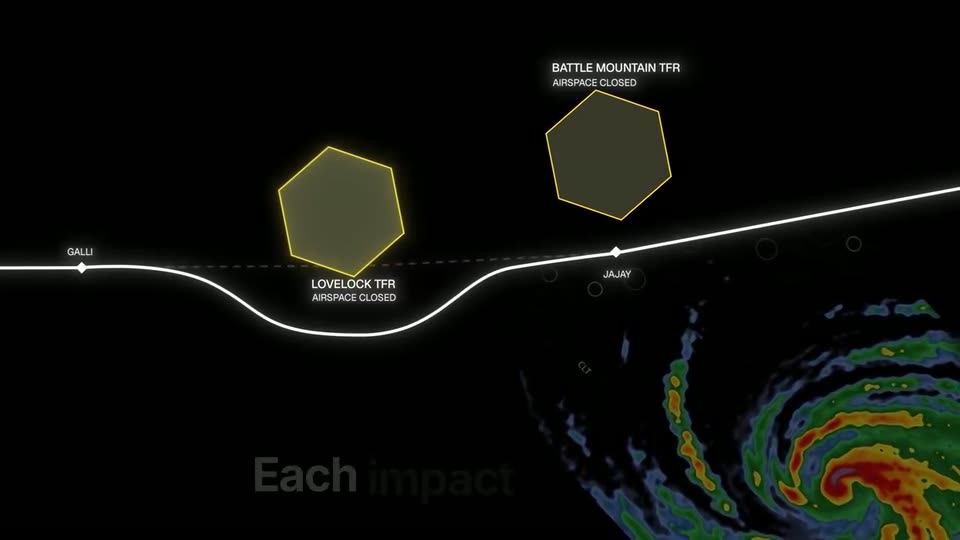
Two dotted clusters morph into yellow hexagons marking closed airspace on a black map. A white flight path draws from GALLI, dipping under the first hexagon, as an airplane icon travels toward JAJAY. A colorful hurricane radar swirls below, then the caption 'Each impact measured' fades in.
On-screen text: “Each impact measured”
Techniques: Morph
Camera: Static
26 · Feature reveal · 0:33–0:40
A glowing JFK taxiway diagram in pink and yellow sits on black, slowly zooming in. A monospace NOTAM column scrolls up at left while closed-runway tags pop onto the map. A white dot traces the cleared route; a 247 counter and TAXI ROUTE CLEAR status hold at the corners.
Techniques: UI zoom
Camera: Pull out
27 · Feature reveal · 0:40–0:42
On a black background, a white outlined checkbox sits left of a centered label that cycles through checklist items. “Stands & aprons” gives way to “Runways” as the new word slides in.
On-screen text: “Opening hours”, “Stands & aprons”, “Runways”
Techniques: Kinetic type
Camera: Static
28 · Feature reveal · 0:42–0:43
On a black background, checklist lines with checkmark icons fade in at center and drift upward as the next line appears, cycling through feature labels one at a time.
On-screen text: “Flight path restrictions”, “SID”, “RFFS”, “Fuel”
Techniques: Kinetic type
Camera: Static
29 · Feature reveal · 0:43–0:45
A dark checklist panel on black begins on a centered checked item reading Fuel, then reframes out to reveal two columns of airport data lines, each with a ticked box.
Techniques: UI zoom
Camera: Pull out
30 · Other · 0:45–0:47
A night runway shot of an airplane facing the camera, lit by rows of green and yellow runway lights, with a CRT scanline glitch overlay. A white caption reads We handle it all, centered, resolving from a brief glitch into a static lock.
On-screen text: “We handle it all”
Camera: Static
31 · Other · 0:47–0:48
A dark aircraft cockpit in a locked-off wide shot, glowing orange and green instrument panels, a hand resting on the yoke, hazy mountains through the windshield. White caption text builds word by word across the center of the frame.
On-screen text: “We handle it all”, “So you can focus on flying”
Techniques: Kinetic type
Camera: Static
32 · Other · 0:48–0:49
Locked-off interior shot of a dark aircraft cockpit, a hand on the yoke, lit instrument panel and a glitchy VHS-style view of terrain through the windshield. A white caption types out across the center.
On-screen text: “So you can focus on flying”
Techniques: Kinetic type
Camera: Static
33 · CTA · 0:49–0:55
A white paper-plane logo forms at center on black, then slides left as the SKYMERSE wordmark scales in beside it. The tagline and URL fade in below, holding before the frame fades to black.
On-screen text: “SKYMERSE”, “PLAN LESS, FLY MORE.”, “SKYMERSE.COM”
Techniques: Kinetic type
Camera: Static