
1:00
Explore
SHIFT_Improper Payment Detection_360 View_Video_FINAL
Shift Technology · Jan 2023 · 0:45 · Full motion · AI-annotated
- Length
- 0:45
- Scenes
- 18 · 2.5 s avg
- Product on screen
- 0:00
- Features shown
- 2
- Call to action
- 0:39 · 88%
- Voiceover
- Yes
00:00:00 / 00:45:00
- Length
- 0:45
- Scenes
- 18 · 2.5 s avg
- Product on screen
- 0:00
- Features shown
- 2
- Call to action
- 0:39 · 88%
- Voiceover
- Yes
Shift Technology’s 0:45 launch film runs 18 scenes, about 2.5 s each. The product is on screen from the first frame and 2 features are revealed. The call to action lands at 0:39 (88% in), over a voiceover. The video is built as a brand card, then two capability blocks (the single-UI summary and one-click detection), each opened by a letter-spaced label and shown through white UI cards that blur, slide and snap into focus on a flat violet field. Its signature moves are the fixed corner QR watermark, the scramble-settle text that fills the data rows, and the 3D-tilted document mockups that drift into perspective.
No filming indicatedEstimated needs: 3 capture groups — your screens or recordings · 1 official logo — reused across the film · 3 3D passages — build or supply
Is this your launch? to your site or press kit.
More like this


0:30

Introducing Oura Ring 5: Can You Hear That?
Oura · Hardware · May 2026
0:42
SHIFT_Improper Payment Detection_RPNA_Video_FINAL
Shift Technology · Jan 2023
SHIFT_Improper Payment Detection_360 View_Video_FINAL, scene by scene
· 18 scenes as text
01 · Product intro · 0:00–0:01
A purple gradient card holds the bold word SHIFT, which slides down as the smaller tagline Improper Payment Detection appears above it and a thin line draws beneath. A small QR code stays fixed in the bottom-right corner.
On-screen text: “SHIFT”, “Improper Payment Detection”
Techniques: Kinetic type
Camera: Static
02 · Product intro · 0:01–0:03
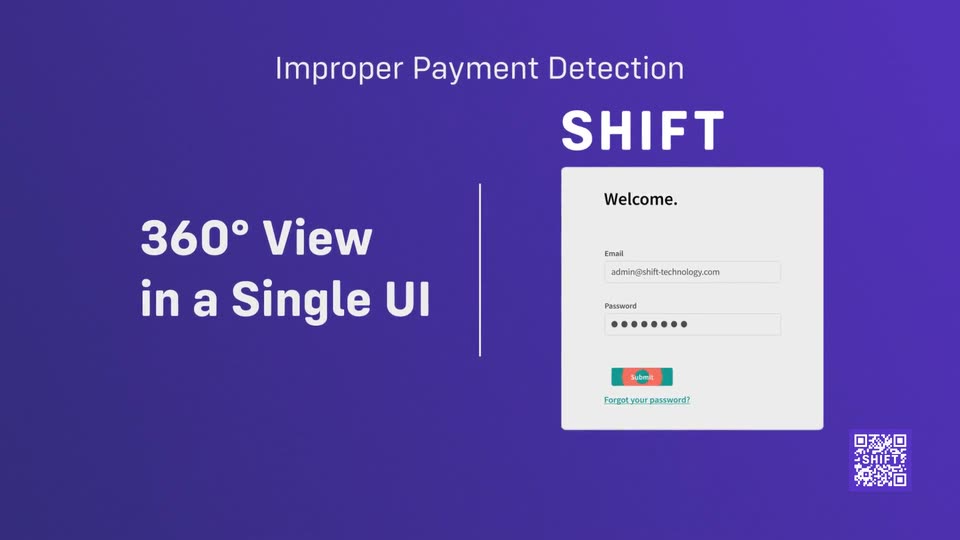
On a flat purple field, a white login card with email and password fields slides right, the bold SHIFT wordmark above it sliding with it, while the white headline Improper Payment Detection stays fixed at the top.
On-screen text: “Improper Payment Detection”, “SHIFT”
Camera: Static
03 · Feature reveal · 0:03–0:07
On a purple background, a white login card sits right under the sliding SHIFT wordmark; the email and password fields fill with typed text, then the frame zooms into the card and blurs into concentric circles. The left headline fades in beside a vertical divider.
On-screen text: “Improper Payment Detection”, “SHIFT”, “360° View”, “in a Single UI”
Techniques: UI zoom
Camera: Push in
04 · Feature reveal · 0:07–0:08
A flat purple field with a soft dark blob that fades out as a centered line of text types in word by word. A small white QR code sits in the bottom right corner.
On-screen text: “SHIFT gives you instant understanding of”
Techniques: Kinetic type
Camera: Static
05 · Feature reveal · 0:08–0:10
A flat purple gradient fills the frame with a single centered line of white text reading SHIFT gives you instant understanding of. A small white QR code bearing the SHIFT mark sits in the lower right corner. The frame is locked off and the text holds still.
On-screen text: “SHIFT gives you instant understanding of”
Camera: Static
06 · Feature reveal · 0:10–0:11
A purple gradient screen holds a centered caption and a white pill button reading Show more. The caption blurs and slides up, the button flips to Show less, and a summary row with an orange dot and a plus icon slides in below.
On-screen text: “SHIFT gives you instant understanding of...”
Camera: Static
07 · Feature reveal · 0:11–0:13
A purple background holds a white provider summary card. The card's rows of label and value pairs scramble and settle into place, with the name Trinity Healthcare in teal. A white Show less button sits beside a blue SUMMARY label, and a SHIFT QR watermark anchors the corner.
Camera: Static
08 · Feature reveal · 0:13–0:17
On a solid indigo field, a SUMMARY header and a white Show less button sit above three white data cards that slide in from a blur and snap into focus, centering on a Related Provider record. A dropdown list of provider names then opens over the name field.
Camera: Pan
09 · Feature reveal · 0:17–0:17
On a purple background, a SUMMARY label and a Show less button sit above a horizontal row of white form cards. The cards, filled with provider fields and activity numbers, slide left with motion blur, like a scrolling carousel.
Camera: Static
10 · Feature reveal · 0:17–0:18
A flat indigo screen holds a white Activity Patterns summary card. The dotted list of metrics scrolls up inside the card, revealing billed, paid and risk rows, while a small QR code sits in the lower right corner.
Camera: Static
11 · Feature reveal · 0:18–0:22
On a flat purple background, a white Google Map of Miami slides to center under a static SUMMARY header and Show less button. A panel with a purple SHIFT bar slides up from the lower left, overlapping the map. A SHIFT QR code sits bottom right.
Camera: Static
12 · Feature reveal · 0:22–0:26
A SHIFT dashboard resolves from a blur into a three-panel layout with a left nav, data tables and a map. The center columns then slide up to reveal the Detection section while the screen tilts in 3D.
Techniques: 3D mockup
Camera: Pan
13 · Feature reveal · 0:26–0:29
A white data table with Variable and Value columns slides up on a purple background as a warning triangle icon and the word DETECTION fade in above it. A red highlight box then marks the first value and a red line draws along the card's bottom edge.
On-screen text: “DETECTION”
Camera: Static
14 · Feature reveal · 0:29–0:34
On a flat purple field, a cyan DETECTION title with a warning triangle sits above a white Variable/Value table. Behind it, two document screenshots slide in from the left and right, a red box flashes on one value, then a white bar with colored blocks rises from the bottom.
On-screen text: “DETECTION”
Camera: Static
15 · Feature reveal · 0:34–0:35
A pale blue DETECTION headline with a warning triangle sits above a flat white results table listing three variables and sources. Behind it, tilted screenshots of government and review web pages drift slowly into place at different speeds, and a QR code badge holds the corner.
On-screen text: “DETECTION”
Techniques: 3D mockup, Parallax
Camera: Static
16 · Feature reveal · 0:35–0:38
Three tilted page mockups sit in 3D perspective on a purple field: a Delaware corporations PDF, an Inspector General web page, and a Vitals reviews browser window. The camera pans slowly right. A QR code watermark holds the bottom right corner.
Techniques: 3D mockup
Camera: Static
17 · Feature reveal · 0:38–0:39
On a violet background, a fan of document pages and a web interface sit in 3D perspective, then blur and slide left out of frame. A small QR code logo holds the bottom right corner.
Techniques: 3D mockup
Camera: Static
18 · CTA · 0:39–0:45
On a violet gradient, the white SHIFT wordmark, tagline and URL fade in from dim to full brightness at center, with a small QR code fixed in the bottom-right corner. The frame stays locked off throughout.
On-screen text: “SHIFT”, “Decisions Made Better”, “shift-technology.com”
Camera: Static