1:18
Munito: Open-model inference provider for Europe, private by default
Munito AI · B2B · Oct 2026
Ressl · Nov 2026 · 0:26 · AI-annotated
Ressl’s 0:26 launch film runs 6 scenes, about 4.3 s each. The product is on screen from the first frame and 1 feature is revealed. The call to action lands at 0:22 (88% in). The video is one unbroken card flow on a near-black grid: a logo lockup, a one-line promise, then a UI demo where typed form fields, a glowing button and a terminal progress bar animate in sequence. Motion is restrained and typographic, built on fades, word-by-word text builds and a single blue accent for emphasis.
Is this your launch? to your site or press kit.
Munito AI · B2B · Oct 2026
Whoop · Hardware · Sep 2021
On a near-black grid background, a light rounded-square icon with a black E mark scales in at left as the white wordmark Benchmark Router appears beside it. The lockup fades out, then the headline Run public benchmarks builds word by word, the last word brightening from gray to white.
On-screen text: “Benchmark Router”, “Run public benchmarks”
Techniques: Kinetic type
Camera: Static
A dark grid background holds two lines of bold sans-serif text. The top line is white, the bottom line mixes white and blue. The text fades in sequentially, holds, and fades out.
On-screen text: “Run public benchmarks”, “on any model / your harness.”
Techniques: Kinetic type
Camera: Static
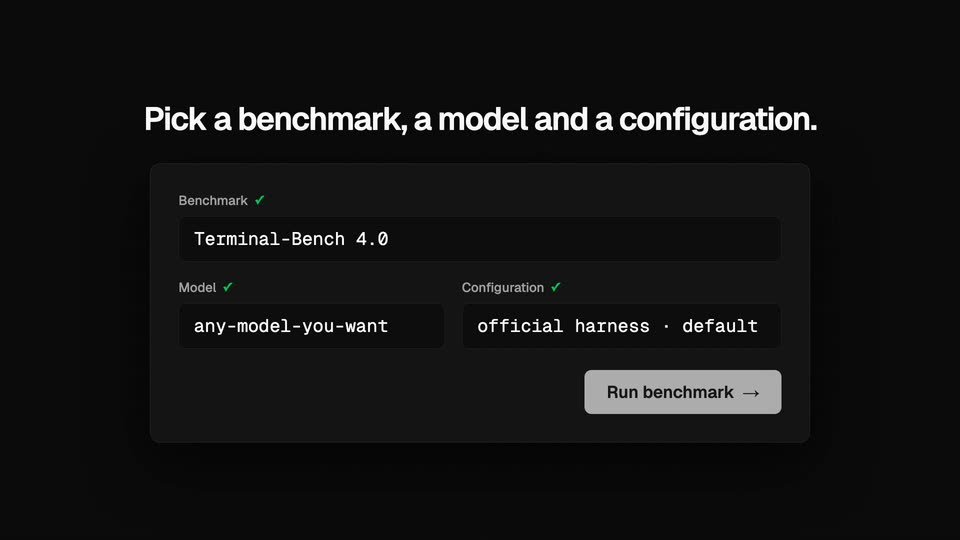
A dark settings card fades in beneath a bold white headline. The benchmark, model and configuration fields fill in one by one with typed text, each label gaining a green check mark. The Run benchmark button turns white and glows, then the frame fades to black.
On-screen text: “Pick a benchmark, a model and a configuration.”
Techniques: Light sweep
Camera: Static
A dark terminal panel on a black grid background types out three task lines, a progress bar fills from 0 to 100 percent, the status flips to Completed, and three metric cards slide up before the whole panel fades to black.
Camera: Static
A black field of faint benchmark names holds the bold white line “Public benchmarks.” over gray “One router.”, which fades in and out, then the Benchmark Router logo and wordmark appear centered on a faint grid.
On-screen text: “Public benchmarks. One router.”, “Benchmark Router”
Techniques: Kinetic type
Camera: Static
A dark card with a faint grid. The Benchmark Router logo and white title sit center, with a gray subtitle and a monospace URL below. A light pill button labeled “Browse benchmarks →” fades in beside the URL, then the frame holds.
On-screen text: “Benchmark Router”, “Official benchmark code. Metrics and full logs.”, “benchmarkrouter.newmeasure.ai”, “Browse benchmarks →”
Camera: Static