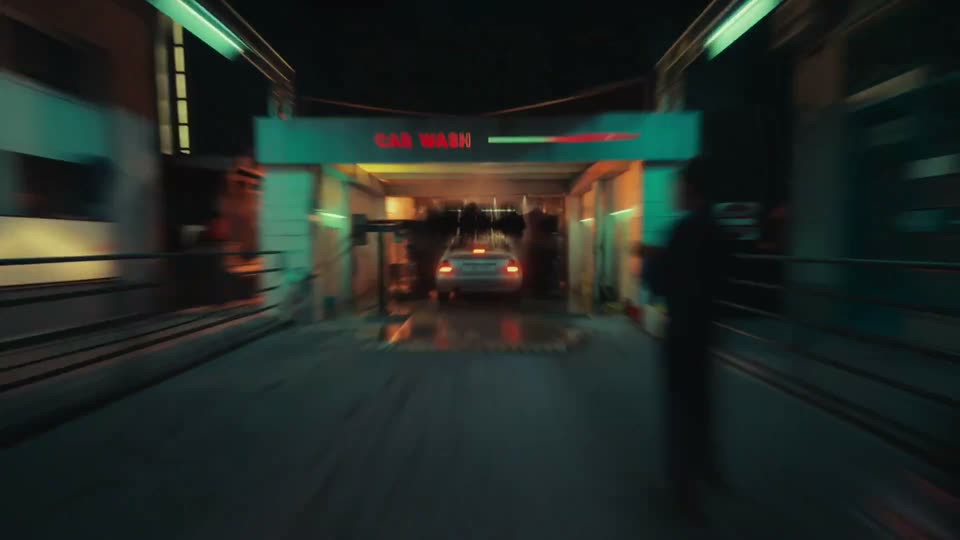
1:08
Introducing Luma Agents
Luma AI · Mar 2026
Reka Nexus · Mar 2025 · 1:00 · AI-annotated
Reka Nexus’s 1:00 launch film runs 21 scenes, about 2.9 s each. The product shows up at 0:02 and 2 features are revealed. There is no explicit call to action. The video opens with typographic promise cards over a blurred dark backdrop, names the product, then runs two feature demos built from 3D-tilted product panels that rotate to face the camera, and closes with a capability list and a line-drawn logo lockup. Signature moves include text typing into form fields, diagonal light sweeps on the purple Create Worker button, and halftone dot grids drifting in and out of focus at a steady mid-tempo pace.
Is this your launch? to your site or press kit.
Luma AI · Mar 2026
Apple · Hardware · Sep 2024
A dark, out-of-focus backdrop with a faint curved highlight fills the frame. A centered two-line white headline scales in from small to full size, then holds while the blurry shape drifts slowly behind it.
On-screen text: “Supercharge your productivity”, “with Al workers”
Techniques: Kinetic type
Camera: Pull out
A dark, blurred abstract background with soft light streaks swirls slowly. White centered text scales in: “Supercharge your productivity with AI workers,” then crossfades to “Meet Nexus, an enterprise intelligence platform.”
On-screen text: “Supercharge your productivity”, “with AI workers”, “Meet Nexus,”, “an enterprise intelligence platform”
Techniques: Kinetic type
Camera: Static
A dark product onboarding screen fills the frame, showing the heading Design your intelligent assistant above three template cards. A cursor hovers over the right card while out-of-focus light shapes drift in the foreground, then the screen dims and fades to black.
Techniques: Cursor demo
Camera: Push in
A dark form titled Topic Research Monitoring opens in 3D perspective among floating dots and pills, then the camera zooms in as a URL and instruction text type into the fields. The view scrolls past selected Email and Every Monday chips to a purple Create Worker button.
Techniques: 3D mockup, UI zoom
Camera: Push in
A purple Create Worker button with a six-dot icon sits on a dark navy field. A white cursor glides up to press it, and a diagonal light sweep crosses the button as it scales up slightly.
Techniques: Cursor demo, Light sweep
Camera: Static
A purple Create Worker button with a three-dot menu icon sits centered on a dark field of pale dots. The dots fade out, the button scales up, and the icon detaches to the right as the white cursor drops below it.
Techniques: UI zoom, Cursor demo
Camera: Static
A flat white list of academic paper titles scrolls upward quickly across the frame. A tilted 3D browser window showing a Google search page sits at the right edge, then the list continues alone.
Techniques: 3D mockup
Camera: Push in
A dense list of arXiv paper entries, in blue and black text, scrolls rapidly upward on a white background and eases to a stop, exposing the page footer with entry counts.
Techniques: Speed ramp
Camera: Pan
A dark email card labeled Arxiv AI developments rotates from a tilted 3D angle to face the camera on a gray background. The body text types out, then a list of paper titles with blue arxiv links fills in line by line.
Techniques: 3D mockup
Camera: Pull out
A dark app interface, thrown out of focus, drifts behind a centered white title, Expense Tracker, while dashed crop guides and corner handles frame the text.
On-screen text: “Expense Tracker”
Camera: Static
A blurred phone in 3D perspective holds a sharp white “Expense Tracker” title over dashed crop marks. The camera zooms into the app screen as the instructions line types itself out, then a cursor moves up to the purple Create Worker button.
On-screen text: “Expense Tracker”
Techniques: 3D mockup, UI zoom, Cursor demo
Camera: Push in
A purple Create Worker button with a vertical three-dot icon and a white cursor sits on a dark halftone dot field. The dots fade out as the button scales up toward the camera until it fills the frame.
Techniques: UI zoom
Camera: Static
A dark data-agent interface titled Expense Tracker, set in 3D perspective and tilted, rotates from a dim angled view to a brighter front-facing panel. The screen shows a five-row expense table with restaurant, location, date, time and amount columns, plus Agent Settings and Upload New File buttons top right.
Techniques: 3D mockup
Camera: Pull out
A dark upload card with a dashed drop zone floats over a gray halftone dot field. The card tilts in 3D as the file badge cycles from PDF to DOC, MP4 and PPT, each swap changing the filename, then it settles flat facing the camera.
Techniques: 3D mockup
Camera: Pull out
A dark upload card with a PPT file icon and an Upload Files button floats over a dotted grid. The card and a dashed crosshair scale and shift while the grid dots drift and a bright band sweeps across the background.
Techniques: UI zoom, Parallax
Camera: Pull out
A centered white two-line headline holds on a dark field of small dots crossed by dashed alignment grid lines. A blurred dark rounded panel behind the text dissolves away in the first beat, then the frame stays locked and still.
On-screen text: “An intelligent platform with an ecosystem of AI workers”
Camera: Static
A centered white tagline sits on a dark dotted grid inside a dashed crosshair frame. A blue light pulse flares at the center, then the tagline clears as dark indigo feature labels slide in from the left edge.
On-screen text: “An intelligent platform with an ecosystem of AI workers”, “Monitor any website”, “Analyze files, automate data”, “Generate and execute performant code”, “De”
Techniques: Light sweep
Camera: Static
A centered list of five white text lines sits on a dark halftone dot grid, framed by two vertical dashed lines. The lines settle from a transition in which purple highlight boxes shrink and fade, while the dot grid drifts in and out of focus.
On-screen text: “Monitor any website, never miss an update”, “Draft and schedule emails”, “Analyze files, automate data extraction”, “Generate and execute performant code”, “Derive insights from videos and images”
Camera: Pull out
A dark, heavily blurred interface fills the background while a centered white caption with a blinking caret holds in place. The line State-of-the-art is then replaced by multimodal reasoning model, and the frame stays locked off throughout.
On-screen text: “State-of-the-art”, “multimodal reasoning model”
Techniques: Kinetic type
Camera: Static
White captions sit over a dark, out-of-focus background. “multimodal reasoning model” holds still, then “Powered by Reka” slides in bold, and the frame goes black as a white line logo draws itself in the center.
On-screen text: “multimodal reasoning model”, “Powered by Reka”
Techniques: Kinetic type
Camera: Static
On black, a white line-drawn mark unfolds into the Nexus logo symbol, then the wordmark Nexus fades in to its right. Centered, locked-off frame.
On-screen text: “Nexus”
Techniques: Morph
Camera: Static