0:34

AI agents for solar O&M and asset management | Invertix
Invertix · Industrials · Nov 2026
Reflect’s 0:24 launch film runs 7 scenes, about 3.5 s each. The product shows up at 0:02 and 2 features are revealed. The call to action lands at 0:20 (83% in). The video alternates full-screen caption cards with close-up UI demos, each feature introduced by a single short line of text that sharpens from blur. Signature moves include the app window morphing into a Finder window and back, live-mirrored edits between editor and app, and the glowing purple arc bookending the open and close.
Is this your launch? to your site or press kit.
Invertix · Industrials · Nov 2026
Apple · Hardware · Mar 2026
A dark frame with a glowing purple arc holds a centered white headline, 'Your notes are files.', as a note-taking app window fades in behind it. The headline clears to reveal the full interface, a daily-notes list on the left and a calendar on the right.
On-screen text: “Your notes are files.”
Camera: Static
A dark three-column notes app fills the frame as the view pushes in on the daily note. A caret types a new line, an autocomplete box offers Sarah Chen, the pick fills the line, and the rest of the sentence is typed out.
Techniques: UI zoom, Cursor demo
Camera: Push in
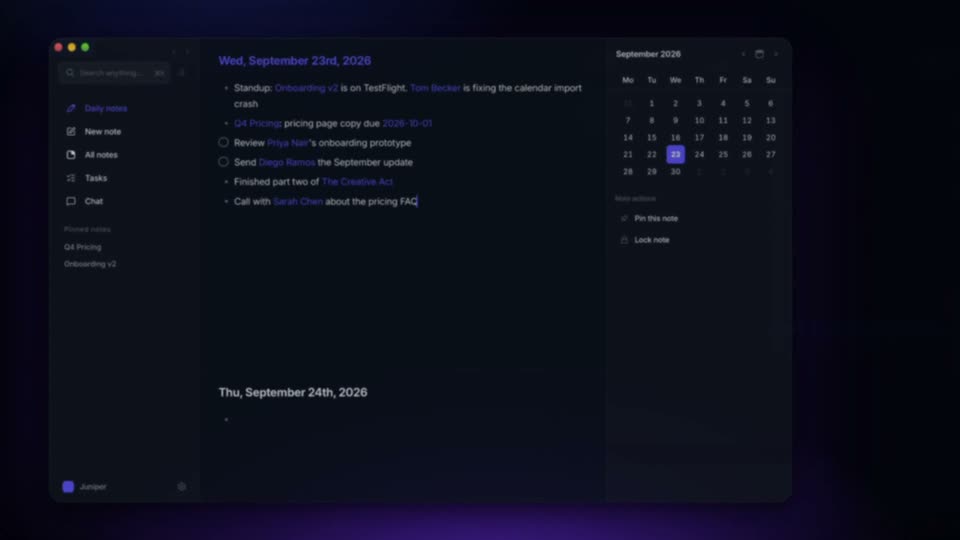
A dark notes-app window on a purple gradient shows a dated task list beside a September calendar; a ghost copy trails right as the view blurs and zooms into a file list of audio clips.
Techniques: UI zoom
Camera: Pull out
A dark macOS Finder window is centered on a deep purple gradient. The white caption at the bottom fades from blur to sharp, then the view slowly zooms into the window, cropping the left folder sidebar.
On-screen text: “Every note is a plain Markdown file.”
Techniques: UI zoom
Camera: Pan
A dark purple gradient background holds the static headline at top center. Two app windows fade in and drift into place: a calendar notes list on the left and a markdown editor on the right, overlapping at different scales.
On-screen text: “Edit it anywhere.”
Techniques: Parallax
Camera: Push in
A dark markdown editor types “the churn numbers” into a task line, then shrinks and slides right to reveal a notes app on the left mirroring the same daily note. The caption “Reflect updates live.” fades in at the bottom before the frame blurs out.
On-screen text: “Edit it anywhere.”, “Reflect updates live.”
Techniques: Cursor demo, UI zoom
Camera: Push in
A two-line white headline sharpens from a soft blur into focus at center over a dark field with a glowing purple arc, then crossfades to the purple Reflect Open app icon, its name, and the URL.
On-screen text: “Plain Markdown.”, “In a folder you own.”, “Reflect Open”, “reflect.app”
Camera: Static