2:12


Introducing the new Craft Assistant, MCP & API and more!
Craft · Productivity · Nov 2025
Readwise · Jul 2026 · 1:00 · AI-annotated
Readwise’s 1:00 launch film runs 26 scenes, about 2.3 s each. The product is on screen from the first frame and 5 features are revealed. There is no explicit call to action. The video is a feature tour: 3D phone mockups on white alternate with flat UI close-ups and coral gradient text cards, each feature getting its own short beat at about 17 cuts per minute. Signature moves are slow camera pushes on tilted devices, letter-by-letter typing, and soft dissolves between screens.
Is this your launch? to your site or press kit.
Craft · Productivity · Nov 2025
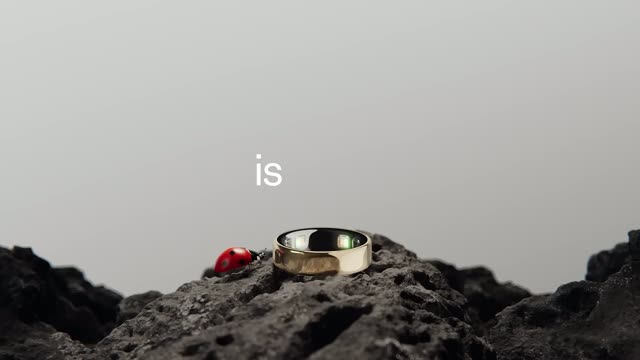
Oura · Hardware · May 2026
Retool · Developer tools · Jul 2023
A 3D smartphone mockup on white. The camera opens tight on the screen, “Good morning, Christina” scaling in as large white serif text, then pulls back to the full Readwise home screen: a Daily Review card with three book covers and a black Review button.
Techniques: Kinetic type, UI zoom, 3D mockup
Camera: Pull out
A tilted iPhone mockup floats on a white backdrop, showing the Readwise app. A centered Daily Review card with stacked book covers slides left as a Themed Review card labeled Consistency slides in from the right.
Techniques: 3D mockup
Camera: Static
A white iPhone in 3D perspective rests on a plain white background, its screen showing the Readwise app with a Consistency themed review card. The device tilts gently as the clip plays.
Techniques: 3D mockup
Camera: Static
A soft coral-orange gradient fills the frame. White bold text “Same Readwise.” fades in at center, then swaps to “Now rebuilt.” A pale cream rounded bar settles into the center with a small gray “now” label at its right edge.
On-screen text: “Same Readwise.”, “Now rebuilt.”
Techniques: Kinetic type
Camera: Static
A light rounded notification card sits centered on a blurred coral background. Inside, a white app icon with a black serif R, the bold title Your Daily Readwise, and a two-line subtitle that fades from translucent to solid. The frame stays locked.
Camera: Static
A flat iPhone mockup sits centered on a plain off-white field, showing a Daily Review screen with a book passage card and a bottom action bar. The device eases from a closer scale to a settled full view while the interface stays static. A large R mark and a static headline sit to the side.
On-screen text: “Your Daily Readwise now”, “Passages from Charlotte Bronte, Adrian McKinty and more”
Camera: Static
A flat phone mockup sits centered on a pale gray field. Inside, a quote card is favorited as its heart icon fills red, a small toast slides up reading Added to favorites, then the screen wipes to blank white as the next card prepares to load.
Camera: Static
A black smartphone mockup sits centered on a white background, tilted slightly with a soft drop shadow. Its screen shows a desert sunset photo under a Daily Review header, and the words Great job! fade in over the image.
Techniques: 3D mockup
Camera: Static
A black smartphone mockup sits at a slight angle on a white background, showing a Daily Review completion screen. The daily streak row with orange checkmarks and 192 days fades in over a sunset desert photo.
Techniques: 3D mockup
Camera: Static
A tilted smartphone mockup floats on a pale gray backdrop, its screen filling a Readwise reader feed with stacked tweet cards. The interface scrolls slowly downward, revealing a third card at the bottom.
Techniques: 3D mockup
Camera: Static
A smartphone tilted in 3D perspective against a white background shows a social feed. Posts about AI triage and a Slow Productivity entry by Cal Newport scroll slowly up the screen.
Techniques: 3D mockup
Camera: Static
A tilted smartphone mockup floats on a white background, its screen showing a streak statistics view with three medal stat cards and a July 2026 calendar of orange highlighted rows. The camera slowly pushes in, reframing onto the lower calendar.
Techniques: 3D mockup, UI zoom
Camera: Static
A tilted smartphone mockup sits on a white background. Its screen displays a statistics page with streak figures and an orange calendar grid, then dissolves into a chat view titled Ask Ghostreader showing a user question and a prompt button.
Techniques: 3D mockup
Camera: Static
A 3D phone mockup settles to a flat frontal view as the frame tightens on the chat screen. A ghost avatar with round glasses floats above a message bubble while a question is typed letter by letter into the input field.
Techniques: 3D mockup, UI zoom
Camera: Push in
A phone mockup in 3D perspective shows a chat view with a ghost avatar and an intro line. A query is typed character by character into the input box above a gray keyboard, ending with a blinking caret.
Techniques: 3D mockup
Camera: Static
A close-up of a phone chat types a question to a ghost mascot, then reframes to the full device as the answer streams in and scrolls to a numbered list with two book cards.
Techniques: UI zoom
Camera: Pull out
A front-facing phone mockup on a pale background scrolls an article view, its body text moving up past a highlights row, then the device tilts into 3D perspective showing a Highlighting Mode screen with a Next button.
Techniques: 3D mockup
Camera: Static
A 3D smartphone at an angle on a white background. Its screen shows a Highlighting Mode bottom sheet that slides down to reveal the service rows behind, then snaps back up. The view then switches to the service list, and a new panel with a bottom tab bar slides in from the left.
Techniques: 3D mockup
Camera: Static
A 3D smartphone mockup rests at an angle on a white surface, its screen showing a book page with a yellow-highlighted paragraph. The camera pushes in on the text as the bottom control's center button spins up into a loading indicator labeled Analyzing.
Techniques: 3D mockup, UI zoom
Camera: Static
A tilted iPhone rotates slowly in 3D perspective on a white background, its screen showing a book page with a yellow-highlighted passage. A dark panel at the bottom shows a spinning arc loader with the label Analyzing, then a Retake button appears.
Techniques: 3D mockup
Camera: Static
A phone tilted in 3D perspective shows a book page with a yellow highlighted passage. The page scrolls up to a new section while a list of book titles and covers slides in from the left above the bottom toolbar.
Techniques: 3D mockup
Camera: Static
A phone in 3D perspective shows a reading app on a white background. A 'Saving 1 highlight' toast with a spinner appears over a book list, then the view switches to a 'Saved!' confirmation with an orange checkmark and the saved passage card.
Techniques: 3D mockup
Camera: Static
A grid of phone mockups showing the Readwise app scrolls and drifts across a coral gradient, the screens displaying a daily review feed, a library of book covers, and a highlight-saving panel.
Techniques: 3D mockup, Parallax
Camera: Pan
Three flat phone mockups line up on a coral gradient, each showing a Readwise screen: a Library list, a home feed with a Daily Review card, and a highlight detail. A cropped second row of phones peeks along the top as the grid eases slowly.
Camera: Static
Six flat phone mockups sit in a three-column grid on an orange gradient. Each screen scrolls vertically through the reading app, showing book covers, a daily review feed, and a saved highlight note.
Techniques: Split screen
Camera: Pan
On a warm orange gradient, the white tagline builds word by word at center, holds, then clears to reveal the Readwise lockup: a white rounded tile with a black serif R beside the white wordmark, held to the end.
On-screen text: “Now on iOS and Android.”, “Readwise”
Techniques: Kinetic type
Camera: Static